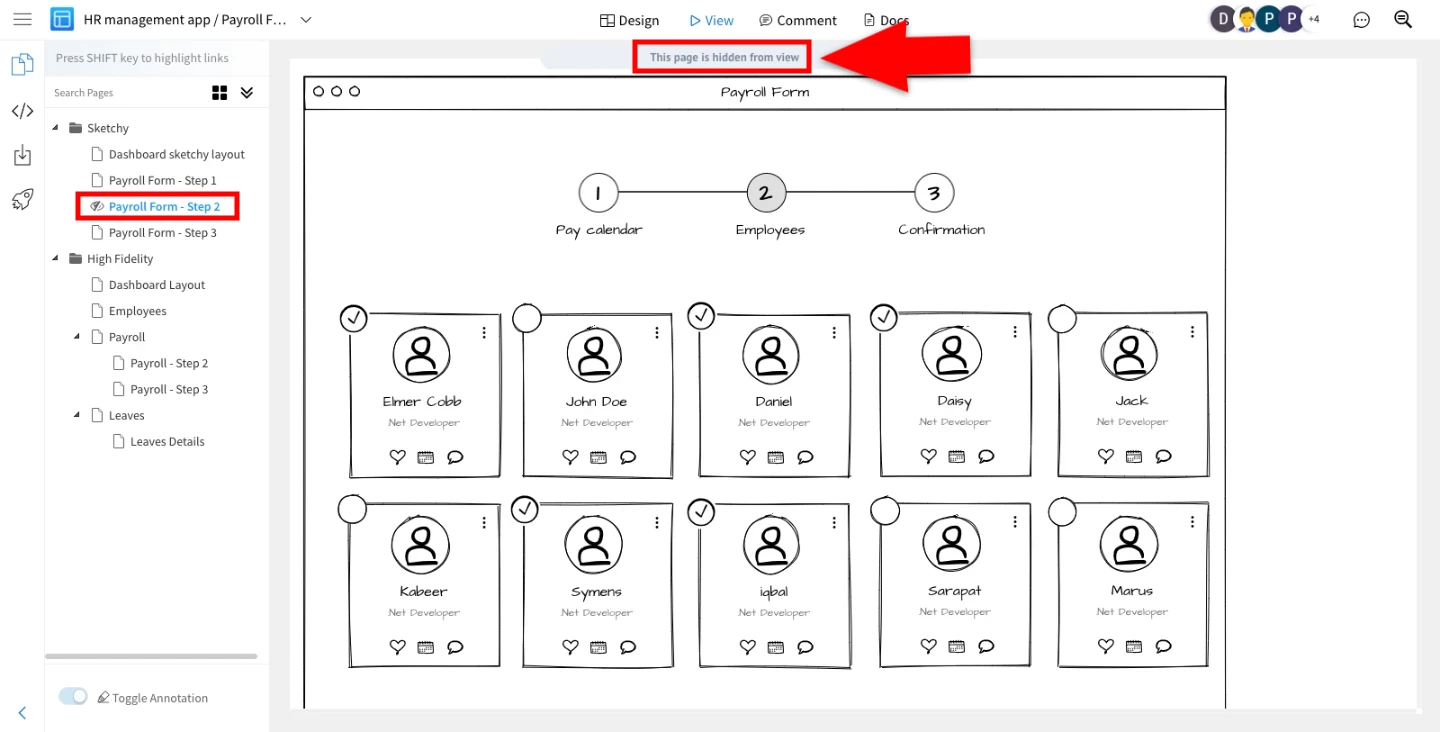
How to hide certain pages in review mode
There might be a necessity to hide certain pages in Review Mode like UnFinished Pages, Master Pages, Confidential work... Note...
There might be a necessity to hide certain pages in Review Mode like UnFinished Pages, Master Pages, Confidential work...
Note - Once the page is hidden it won't be visible to reviewers and in public project view also.
To make a Page invisible, follow this simple steps below:
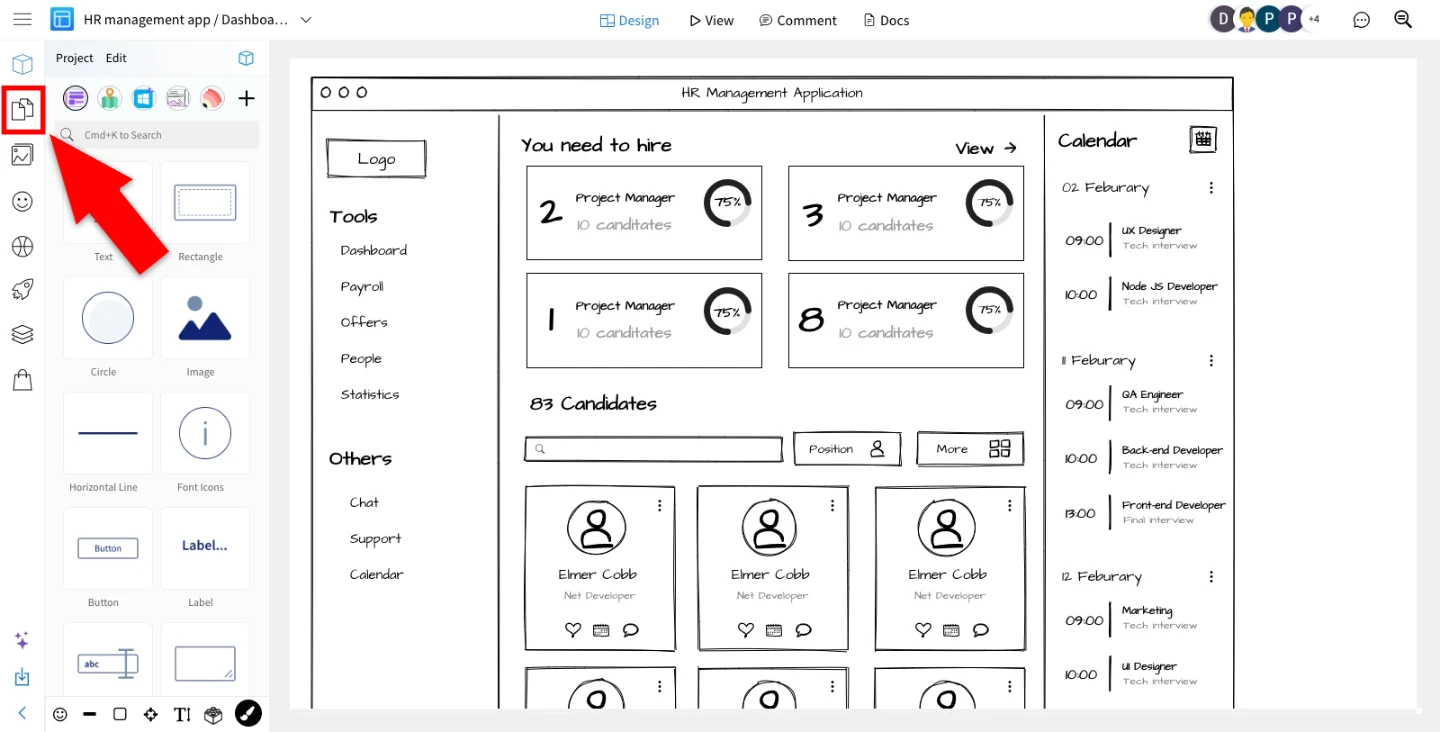
Open the Wireframe editor and navigate to the 'Pages' section in the sidebar.
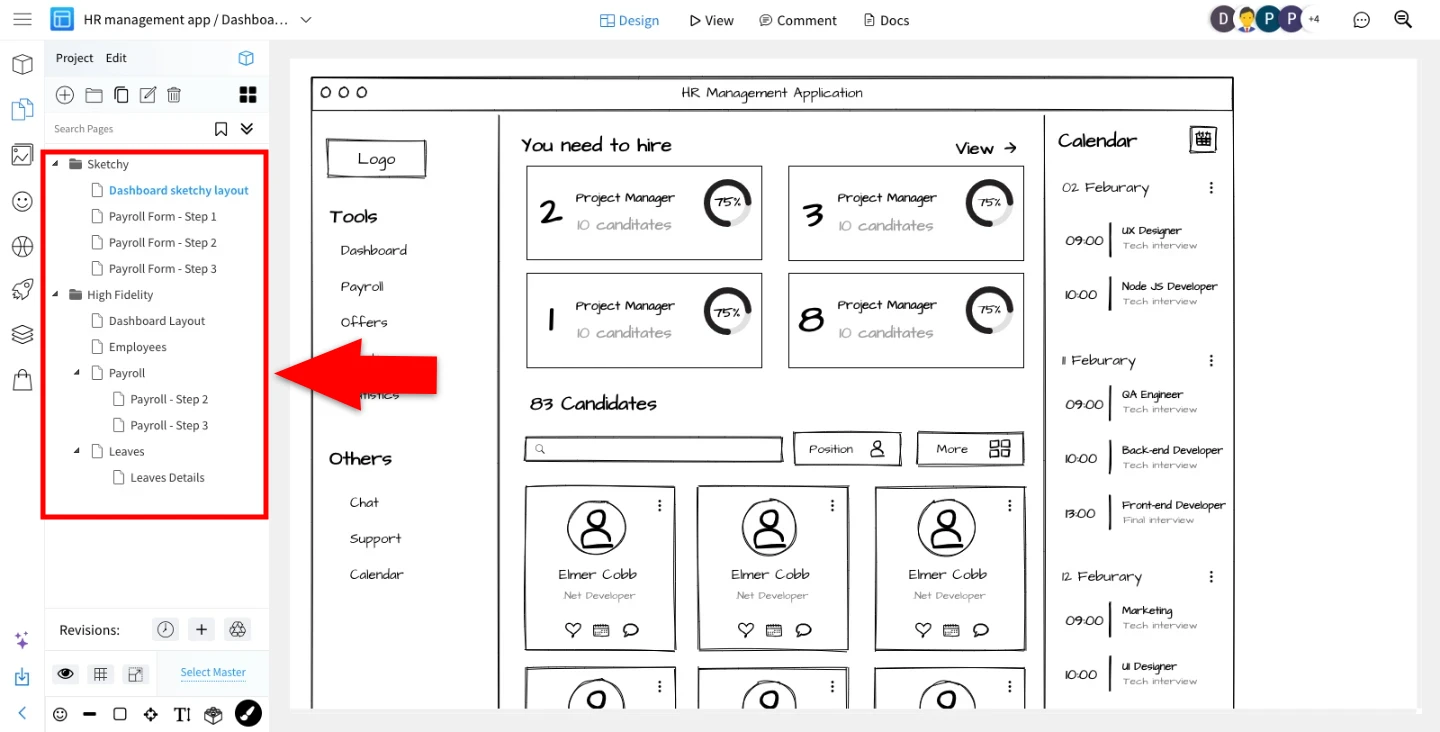
Click on the page you want to make it hide from the list of available pages.
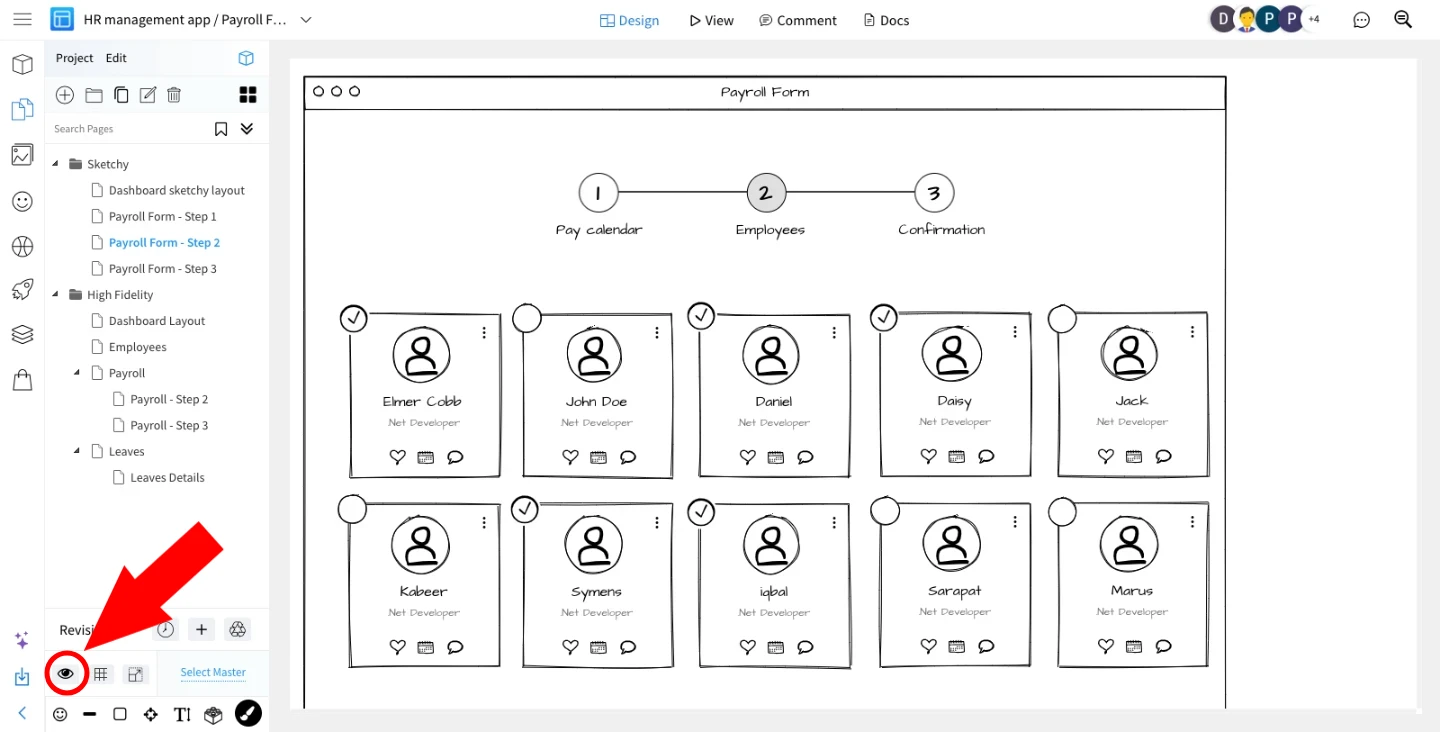
Locate and click on the eye icon associated with the selected page. Clicking on this eye component, will hide the page.
After hiding the page, navigate to the 'View' option in the top menu.
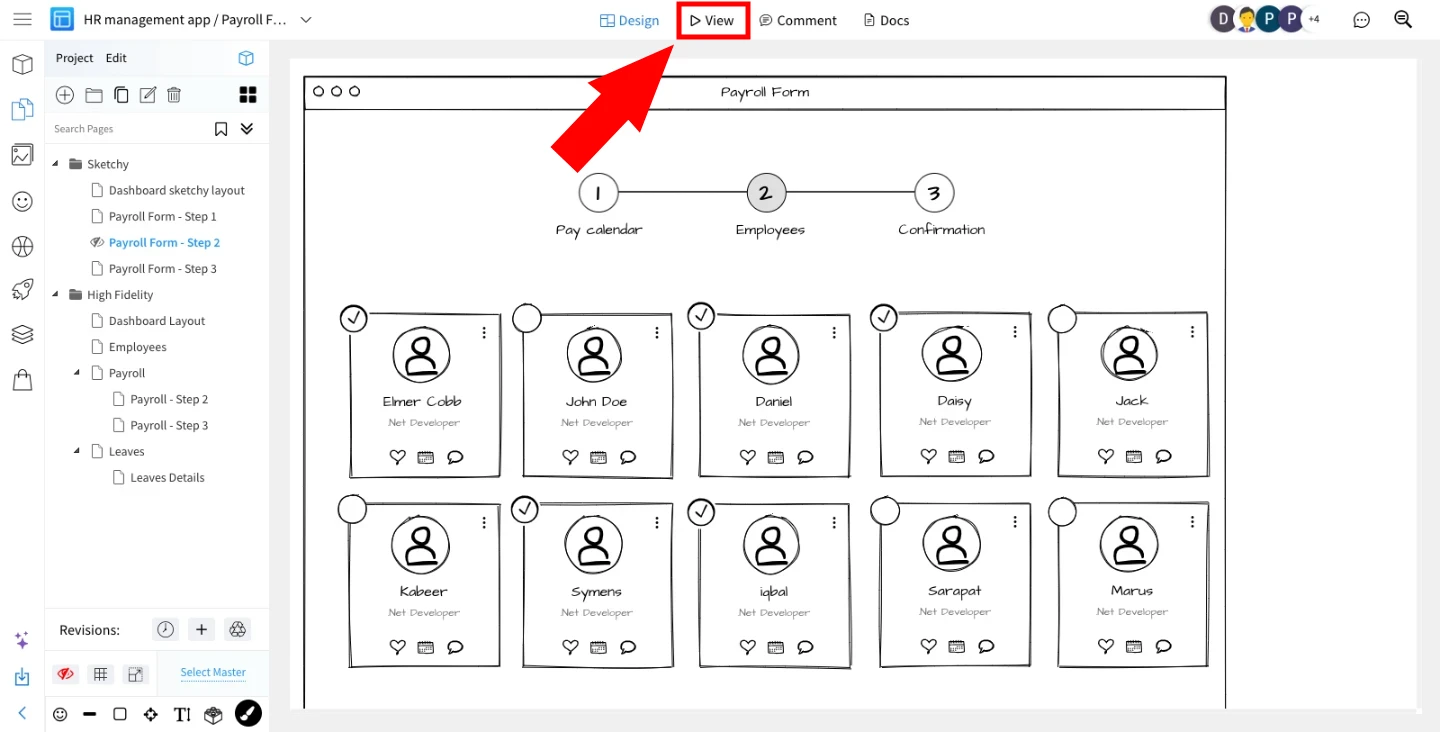
Once you've completed these steps, the selected page will now be hidden to viewers.