
Where your data is stored and how it is backed up
MockFlow hosts boards on SOC 2 certified infrastructure such as AWS and MongoDB, keeps files on S3 across separate availability zones and backs up data continuously to separate locations.
Everything you create in MockFlow, from a product roadmap or a class mind map to a wireframe or a floor plan, is saved to the cloud as you work. This article explains where that data lives and how MockFlow makes sure it is not lost.
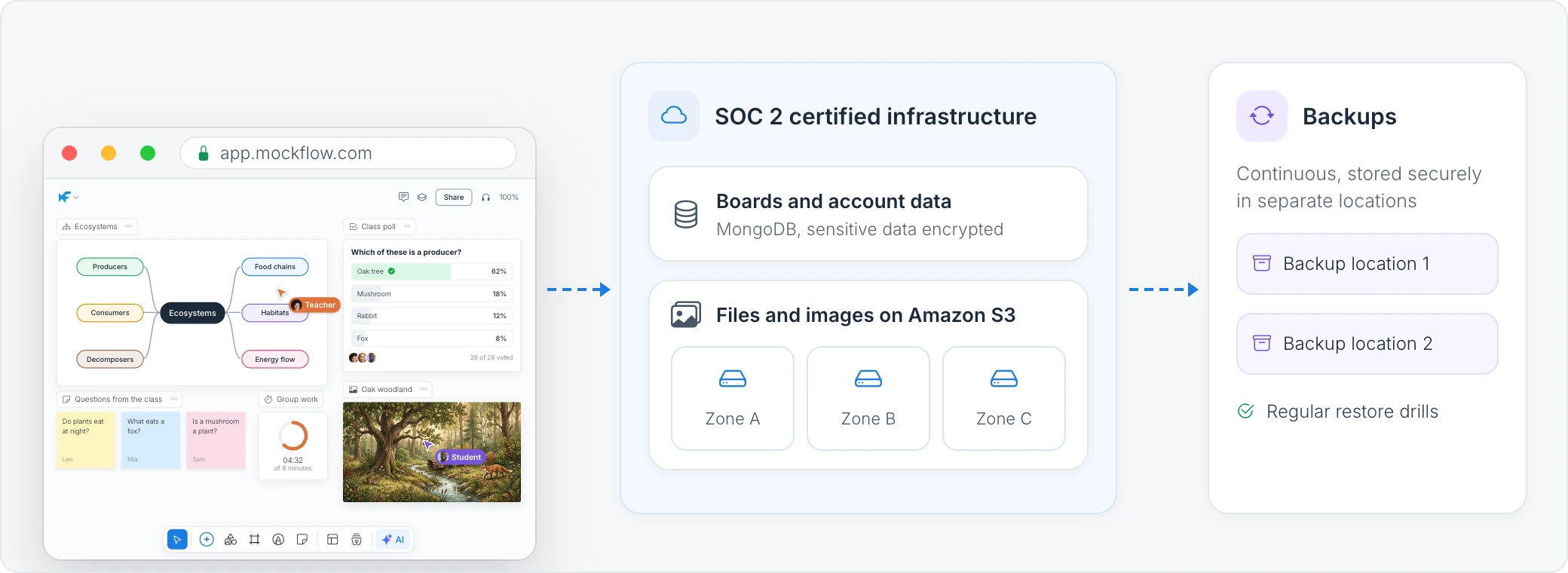
Hosted on SOC 2 certified infrastructure
MockFlow runs on SOC 2 certified infrastructure. The service is hosted on Amazon Web Services (AWS), a leading cloud infrastructure provider, and your boards, spaces and account details are stored in MongoDB databases. Both providers are independently audited for SOC 2.
Files and images on Amazon S3
Images, documents and other files you add to a board are stored on Amazon S3. S3 keeps copies across separate availability zones, which are physically separate data centers, and is built for 99.999999999% durability. A problem in one data center does not affect your files.
Continuous backups
Customer data is backed up continuously, and the backups are encrypted and stored securely in separate locations. MockFlow runs regular restore drills, so the team knows that data can be recovered quickly if something goes wrong.
Your own copies and history
Backups protect the service as a whole. For your own work, MockFlow also keeps:
Revision history on each board, so you can go back to an earlier version: 7 days on Basic and 60 days on Plus and Max.
Trash Bin on Plus and Max, where deleted boards and spaces wait for 30 days before they are deleted for good. See Delete and restore boards and spaces.
Exports, so you can save your work as an image, a document or another format at any time. See Export data, documents and diagrams.
To keep a board on your own computer instead of in the cloud, use a board file in the desktop app. See File mode in the desktop app.