
Plan on a map with the Strategy Map
Draw routes, zones, markers and labels on a real map with the Strategy Map component, or describe the plan and let AI draw it.
The Strategy Map component lets you draw a plan on top of a real map: a race route with water stations, delivery zones for a team, an evacuation plan for a school or the stops of a city walking tour. Arrows, zones, markers and labels stay in place as you zoom, so everyone on the board sees the same plan.
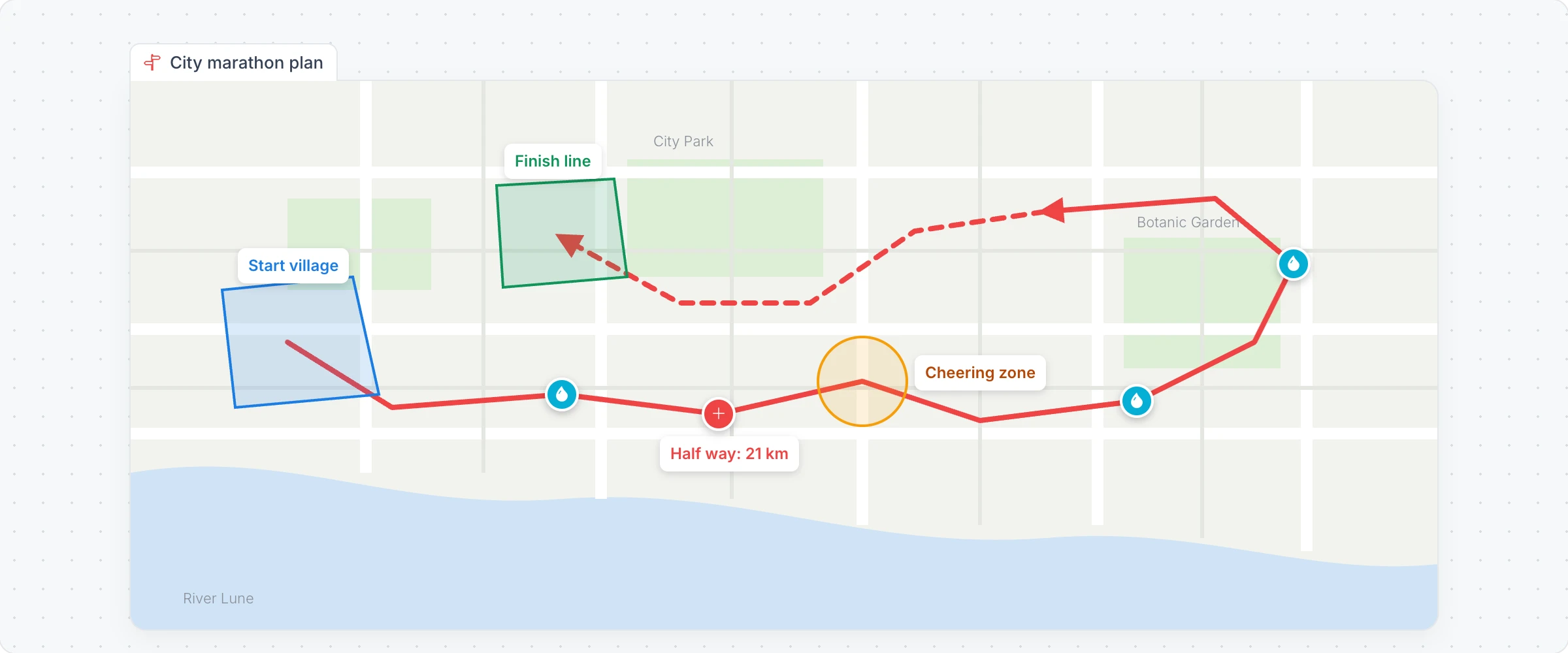
Generate a strategy map with AI
Click Add anything (the plus button) in the toolbar at the bottom of the board and choose Strategy Map.
With the map selected, click Generate with AI in its toolbar and choose Generate new.
Describe the plan, for example "A city marathon route in Lancaster with start and finish zones and three water stations", and click Generate. Examples offers more ideas.
Modify with AI adds to or changes the drawing with a prompt.
Draw on the map
Click Draw on Map in the map's toolbar. The drawing tools appear beside the map.
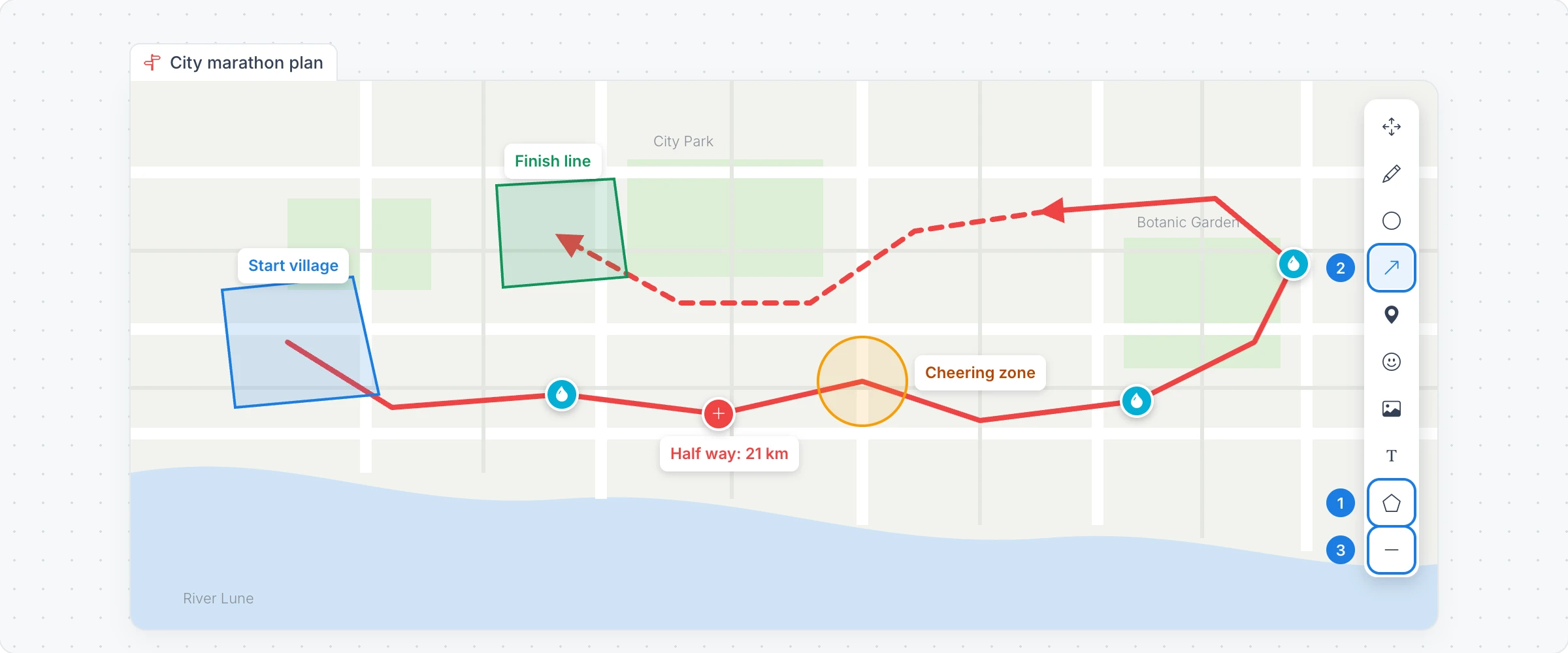
Zone polygon: click points around an area, then double click or press Enter to close it.
Arrow: drag from start to end, or click waypoints and double click to finish a route.
Dashed lines: draw lines and arrows dashed, for a planned or tentative part of the plan.
The other tools add a Circle, a freehand Doodle, a Marker, an Icon marker or an Image marker from the library, and a Text label. Select / Pan moves around the map and selects what you drew.
Change the map
Change Map Style: a plain map with no detail, or light, dark, black, grayscale and white styles.
Change Map Projection and Toggle Map Labels: a flat map or a globe, with or without place names.
Reset Zoom / Fit Shapes: zoom to show everything you drew.
The Strategy Map component is available on every plan. Generating with AI uses AI credits. See MockFlow pricing.