
Turn meeting notes or a document into a board
Give Mida a meeting transcript, notes or a PRD and it lays out the decisions, owners and open questions on your board.
After a meeting, the useful parts are easy to lose in pages of notes. Give Mida the transcript, your notes or a product requirements document, and it pulls out what matters: decisions, owners, deadlines and open questions, laid out on the board where the team can act on them.

Attach a document
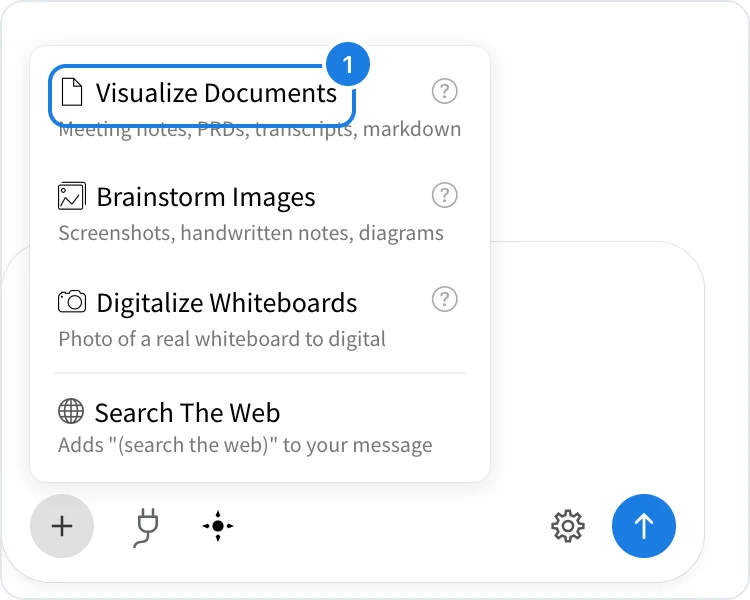
Open Mida and click + below the prompt field.
Choose Visualize Documents (1) and pick your file.
Say what you want, for example Turn this meeting into a board with the decisions, owners and open questions, and press Enter.
Mida reads the document and may ask a quick question first, for example whether to add AI-generated images. Click Create to go ahead. For a single item, such as a table of decisions and action items, Mida builds it straight away. When it plans several items, choose them and click Generate Board, as described in Generate a board from a prompt.
What Mida builds from a transcript
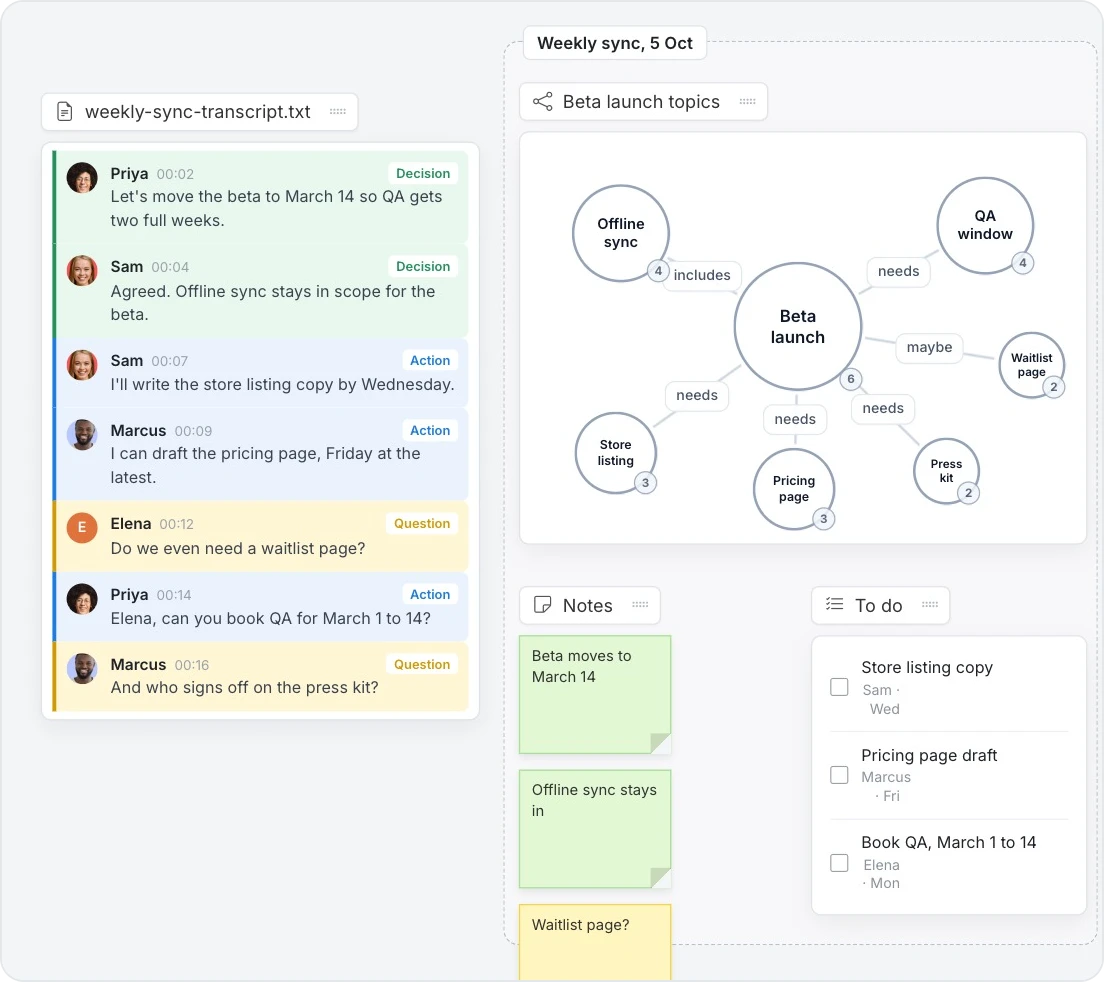
From a weekly sync, Mida built a knowledge graph of what the beta launch depends on, sticky notes for the decisions and open questions, and a to do list with an owner and a day for each action. Ask for a different layout if you prefer, for example one table of decisions, actions and open questions, or a kanban of action items by owner.
Files you can use
Mida reads text files (.txt, .md, .csv, .json, .html, .xml, .rtf, .log, .yaml) and PDFs. A PDF can be up to 5 MB and a text file up to 500 KB.
Good starting points include:
A meeting transcript or call notes, to get decisions, action items and open questions
A product requirements document, to get user flows, a feature list or a roadmap
Research notes or survey results, to get an affinity map or a summary table
What is not available on the Basic plan
Visualize Documents is not available on the Basic plan. Turning documents, images and whiteboard photos into boards, along with many other features, such as creating your own Concept Builders and web search in Mida, are part of Plus and Max. See MockFlow pricing for details.