
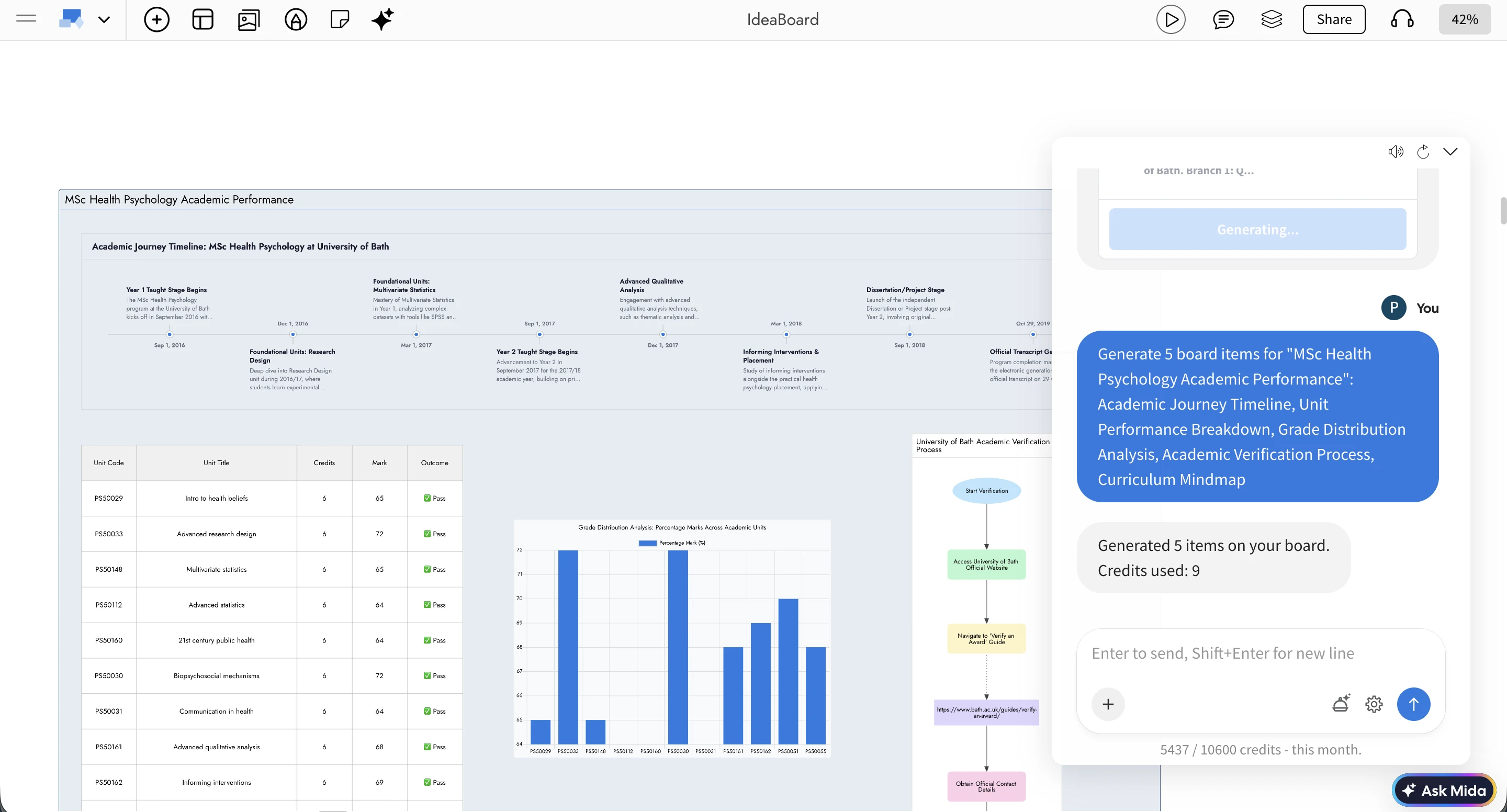
Say something at your cursor, jump to a teammate's view, bring a meeting to yours, see everyone on the minimap and use team chat with history, @mentions and Mida.
Working on one board together should not mean asking "where are you?" or "scroll down a bit". This release lets you talk right where you are pointing, find each other in one click and keep the conversation with the board.
Cursor chat
Press M while your pointer is on the board, type a short message and press Enter. It appears next to your cursor on everyone's screen, in your cursor colour, then fades after a few seconds. Nothing is added to the board, so it stays clean.
Messages can be up to 120 characters. Press M again to send another, or Esc to close. In a meeting, the Cursor chat (M) button in the meeting bar does the same, and during a presentation viewers see only the presenter's messages.
Go to a teammate and bring everyone here
Go to: click Share, then the target icon next to anyone who is online. Your board moves to exactly what they are looking at, at the same zoom, and their cursor rings so you can spot it. In a meeting, click their video tile instead.
Bring everyone here: in a meeting, click Bring everyone here in the meeting bar. Everyone moves to your view and sees a Go back button to return. Anyone who is typing is not moved: they get a Go button and come when ready.
Everyone on the minimap
Hover over the zoom control to open the minimap. It now shows a live marker and name for every collaborator in their cursor colour, and highlights whoever is speaking in a meeting. See where the team is gathered, then go there.
A better team chat

Full history: messages stay with the board. Scroll up to load older ones.
@mentions: type @ and pick a teammate. They are notified, even in the browser when they are not on the board.
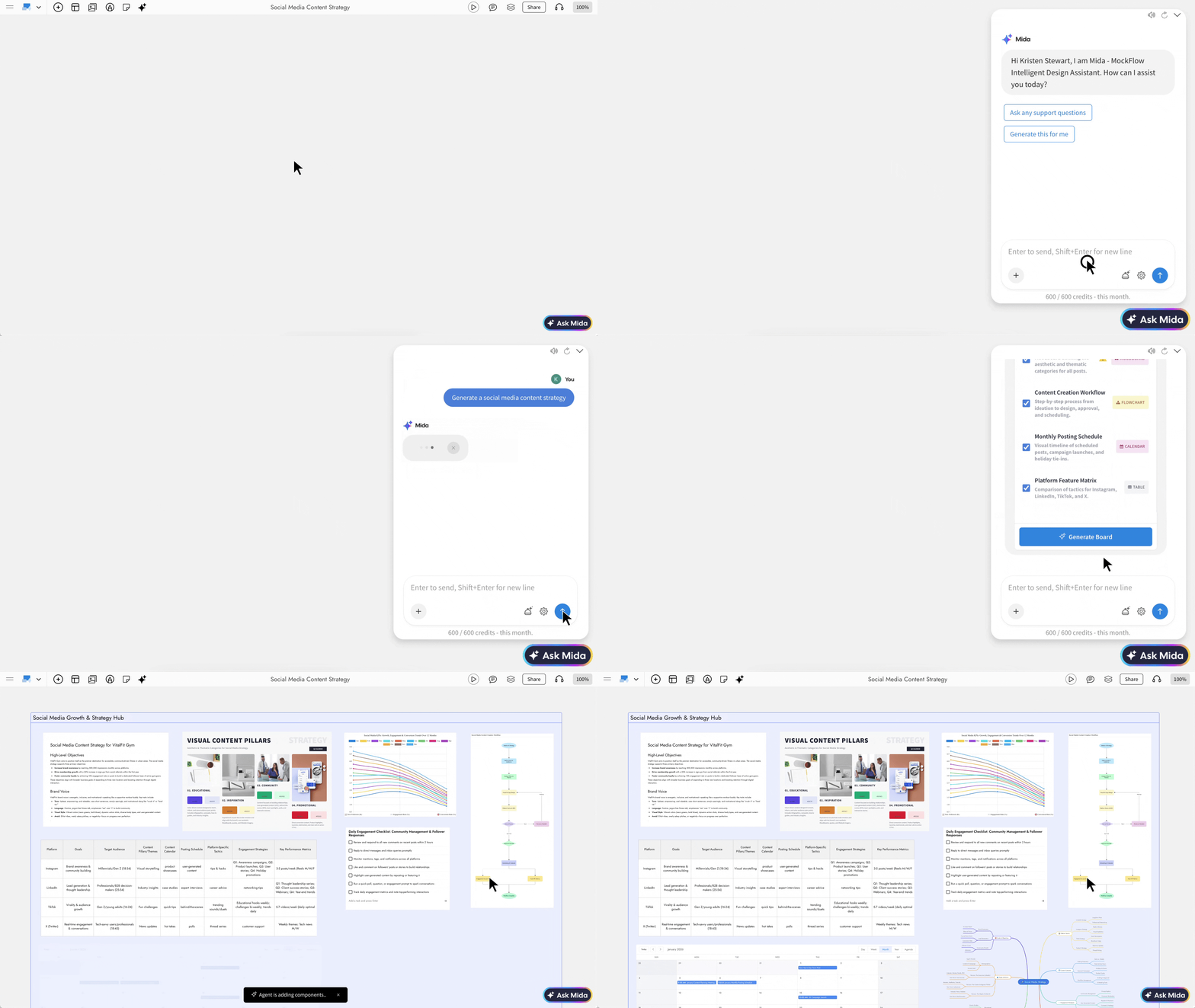
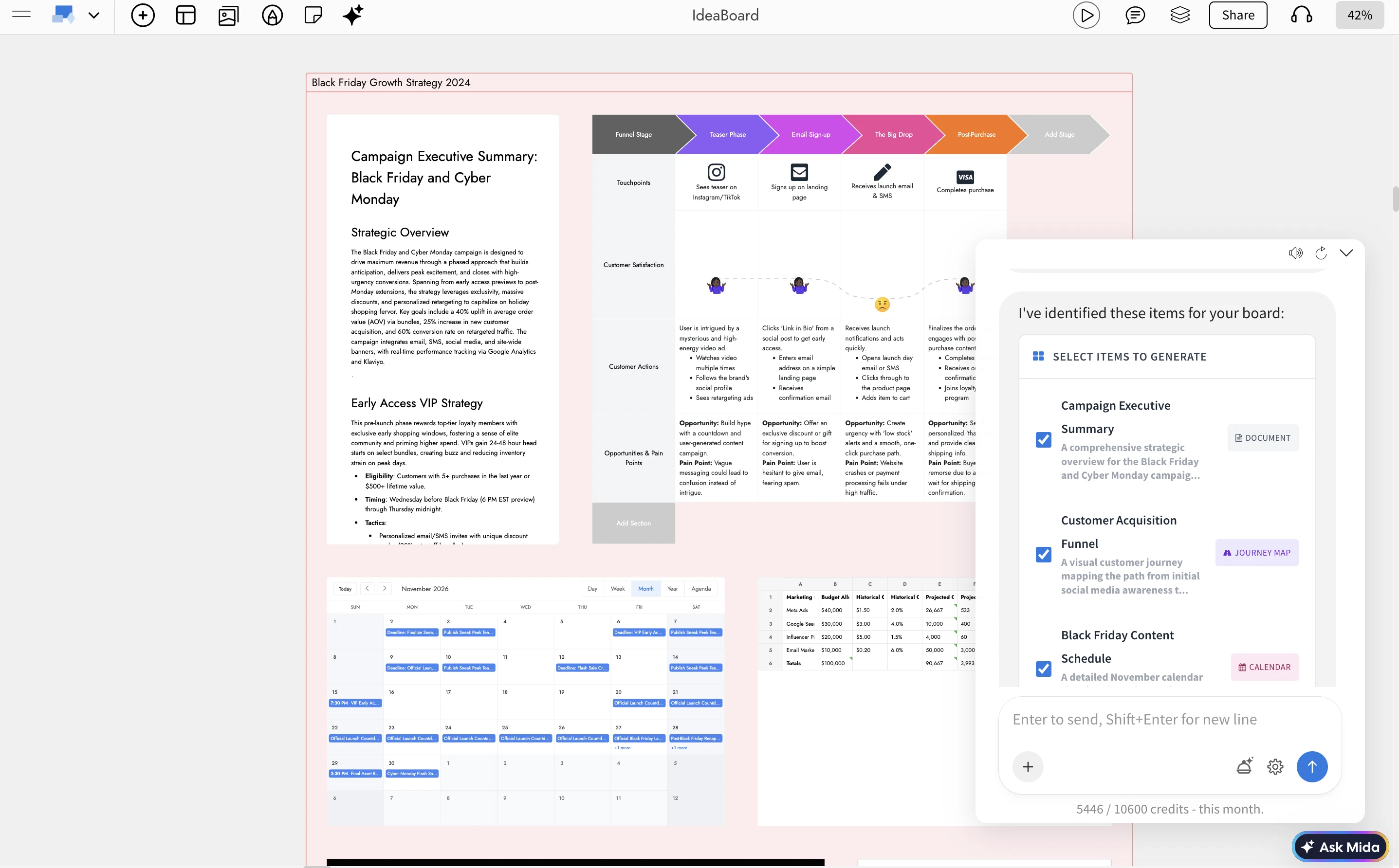
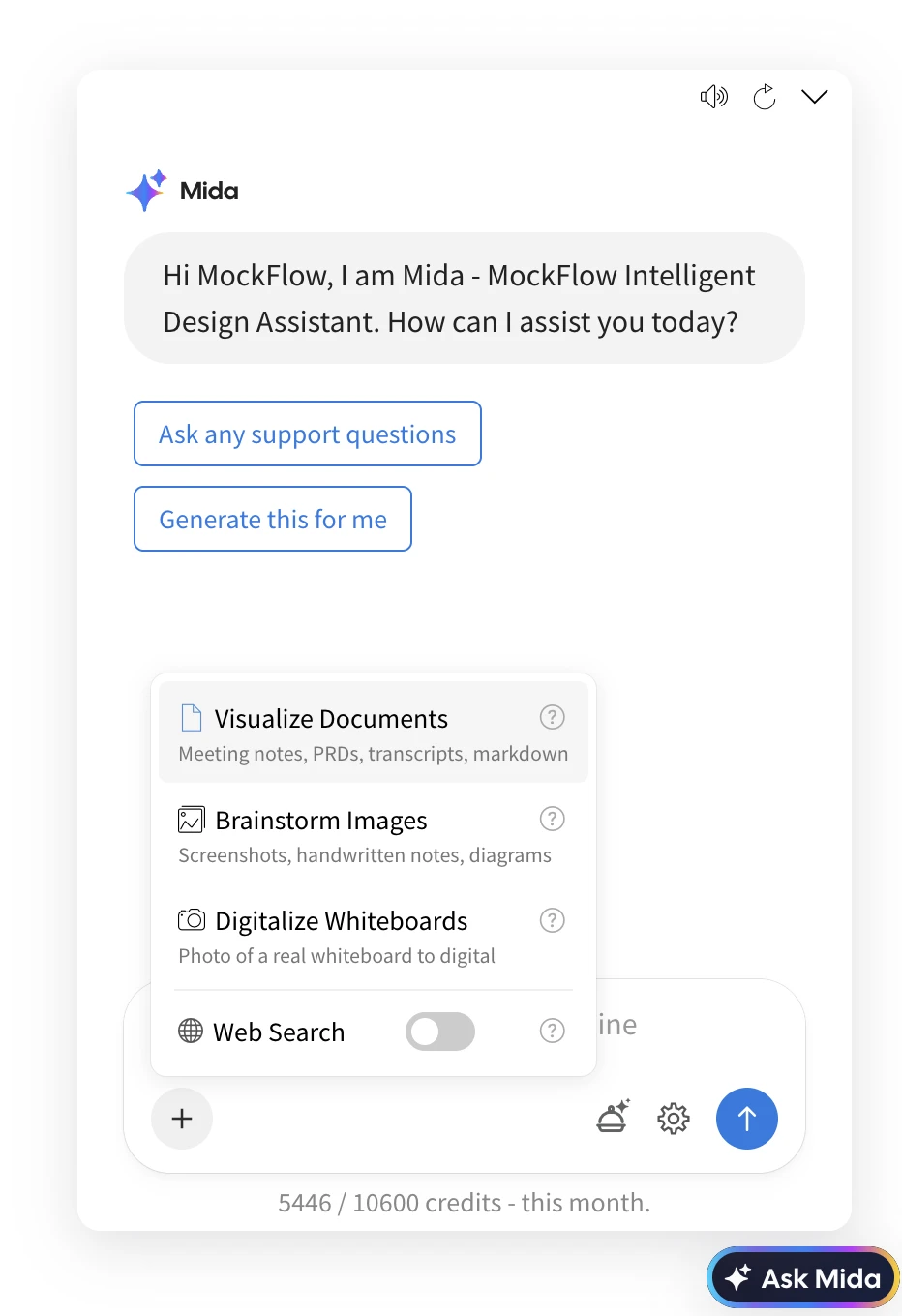
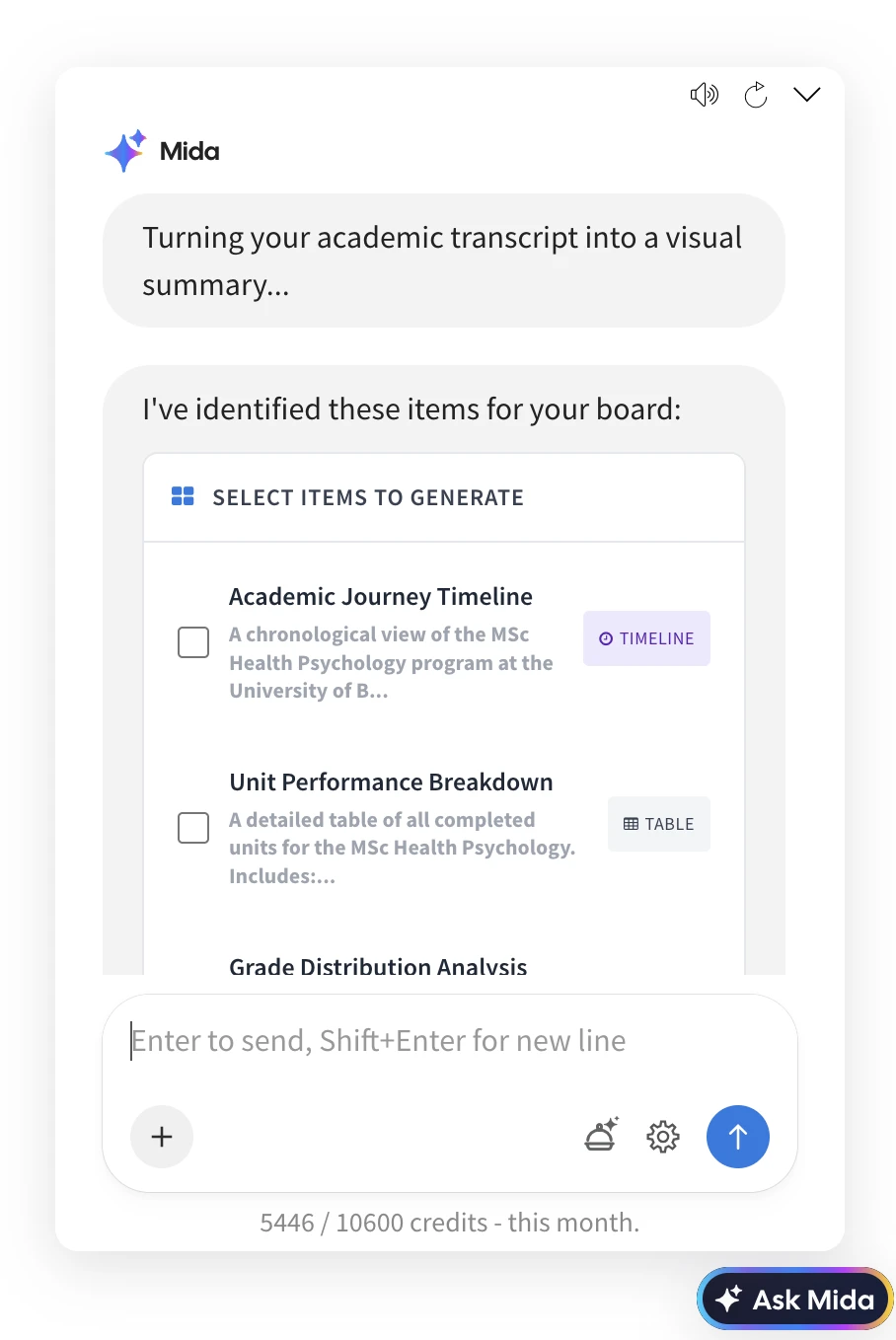
More from Mida: mention @mida to ask "Where is the latest wireframe?" and click the Found on board chips to jump to it. Mida can also search the whole chat, sum up open comments, say what changed today and who is online, and mention a teammate for you.
Ways teams use it
Client review: a designer brings everyone to the checkout wireframe, and the client presses M to say "logo feels too small" right next to the header.
Workshops: a facilitator sees on the minimap that half the room is still on the warm-up, and brings everyone to the voting section.
Back from leave: a developer asks "@mida catch me up on what I missed" and opens the changed frames from the chips.
Availability
Cursor chat, Go to and the minimap markers work whenever people are on a board together. Team chat and meetings come with Plus and Max, so Bring everyone here, chat history, @mentions and Mida in team chat are part of those plans. Mida uses AI credits. See pricing.
Build boards from your own code. Create spaces and boards, add kanbans, timelines and mind maps, ask Mida to build a board, let your customers connect their MockFlow accounts and hear back when boards change.
The MockFlow Developer Platform opens your visual boards to your own code. The Boards API is a REST API for everything you do in MockFlow by hand: create spaces and boards, place items such as kanbans, mind maps, timelines, charts, flowcharts and wireframes, read boards back as text or images, share spaces and ask Mida, the AI assistant, to build a board from a sentence. OAuth apps let your customers connect their own MockFlow accounts to your product, and webhooks tell your server when boards change.
Everything starts in the developer console, where you create API keys, register OAuth apps, add webhooks and try every call in the browser before you write any code.
What teams build with the MockFlow API
An agency starts every client with a workshop board. When a client signs, the agency's server sends the brief to MockFlow with a prompt such as "Kickoff workshop for a booking app: goals mind map, launch timeline, task kanban", and the board is ready before the first call.

A course planning tool sends each term to a teacher's board. Teachers click Connect MockFlow in the tool, approve it, and the tool creates a term board in their own account with a timeline and the topic for each week.
A marketing team gets a fresh results board every Monday. A script reads last week's numbers and draws them as charts and a table on a new board, ready for the weekly review.
An IT team sets up spaces for new projects. When a project opens in their tracker, a script creates a space named after it and shares it with the project team as editors and the client as reviewers.
A product team keeps a wall of new boards. A webhook reports each new board in the design space, and a script reads its outline and posts a picture of it to the team channel.
An internal assistant answers questions from planning boards. Asked "what did we decide for the Q3 launch?", it finds the board with search and reads it as text, sections and items in reading order.
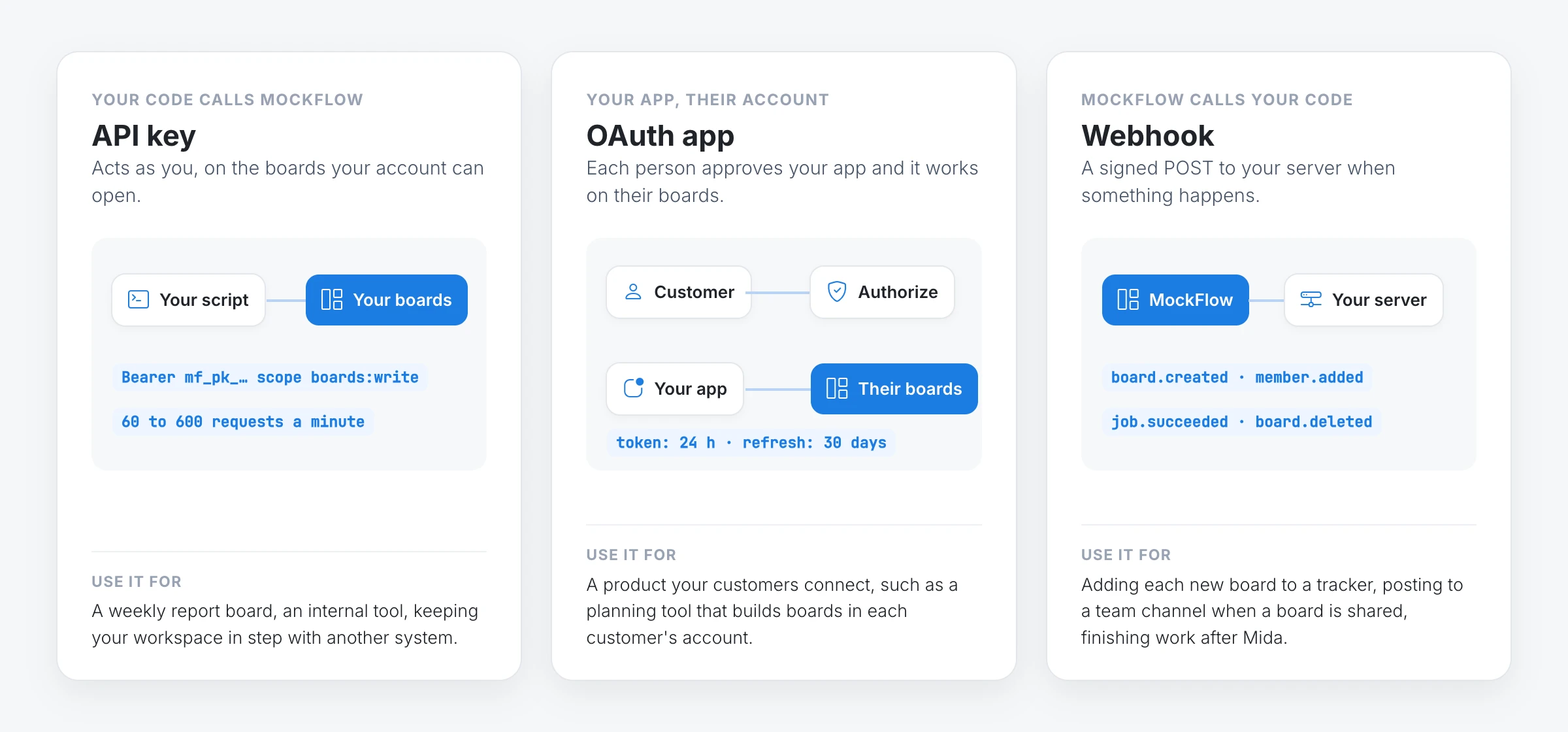
Three ways to connect: API keys, OAuth apps and webhooks
API key: acts as you, on the boards your account can open. Use it for your own scripts, servers and internal tools. You choose its scopes, when it expires and, optionally, the only IP addresses it works from. A workspace owner can also make a key that belongs to the workspace, so it keeps working after the person who made it leaves.
OAuth app: acts for each person who connects it, on their boards, with the scopes they approved. Use it for a product your customers connect to their own accounts.
Webhook: MockFlow calls your server when a board is created, renamed, locked, moved, trashed or restored, when someone gains or loses access, and when a job you started finishes. Each request is signed, retried for a day if your server is down and kept in a seven day delivery log with a Replay button.
Prompts need the ai:generate scope as well. To place items yourself instead, add them with POST /boards/{boardId}/items, or many at once with POST /boards/{boardId}/items:batch. Each item type page shows the data a kanban, mind map, timeline or chart takes. The Quickstart walks through the whole flow.
Let your customers connect MockFlow with OAuth apps
An OAuth app lets your product work in other people's MockFlow accounts, with their permission. Each person sees your app's name, logo and description on the MockFlow consent screen, with one line for everything the token will be allowed to do, and chooses Authorize or Deny.
On the OAuth apps tab of the developer console, click Register an app. Give it a name, a description, a logo, your redirect URI and the scopes it may ask for.
Send each person to https://mockflow.com/mcp-oauth/ with your client ID, redirect URI, scopes and a random state. They sign in with Google, Microsoft or their email and approve your app.
MockFlow sends them back to your redirect URI with a one time code. Your server exchanges it for an access token and a refresh token.
Call the API with the access token exactly as you would with a key. It works on that person's boards only.
A new app starts in development, so you and the people in your workspace can connect it while you build. When it is ready, press Publish in the console and anyone with a MockFlow account can connect it. Apps that run on people's devices, such as desktop, mobile or command line apps, are registered as unable to keep a secret and sign in with PKCE. People can disconnect any app themselves under Connected apps in their MockFlow account settings. The OAuth apps guide covers every step.
Hear back with webhooks
Add a webhook on the Webhooks tab of the developer console, or from code, with your server's https address and the events you want:
Check the MockFlow-Signature header on each request before you trust it, answer within 10 seconds, then do the work. The Webhooks guide has signature checks in JavaScript and Python.
API limits on each MockFlow plan
Every plan can use the API, and the API follows the same rules as the app: a call is refused exactly when the same action would be refused in MockFlow.
Basic
Plus
Max
Requests a minute, per key
60
300
600
Boards
3, trashed ones included
Unlimited
Unlimited
Spaces
1
Unlimited
Unlimited
Generate, modify and review with Mida
Not available
With AI credits
With AI credits
Share a space
As reviewer, up to 5 per space
Admin, editor or reviewer
Admin, editor or reviewer
Trash, restore and move boards between spaces
Not available
Yes
Yes
What the API does not do
A key reaches only what its account can open. A scope is necessary, not sufficient: a key with boards:write still cannot change a board its owner cannot open.
Webhooks do not fire for each edit to the items on a board. They report boards being created, changed, shared, trashed and restored, and jobs finishing.
Tokens and codes expire. OAuth access tokens last 24 hours and refresh tokens 30 days, and an authorization code must be exchanged within 10 minutes.
Published OAuth apps need a real domain. Publishing needs a description, a logo and an https redirect on your own domain rather than localhost.
A workspace can have up to 25 OAuth apps and 25 webhooks.
Many other parts of MockFlow, such as live presence, team chat and board exports, are also available through the API. The API reference lists every operation and the scope it needs.
Start building
Quickstart: a key and your first board in a few minutes.
Organize ideas, plans and comparisons in rows and columns right on the canvas. Use typed fields, let the team vote, drop sticky notes into cells, or ask Mida to build the table.
The new Table component brings structured rows and columns to your MockFlow board. Each column is a typed field, so a table can hold text, numbers, dates, people and status labels side by side with team votes and sticky notes. It sits on the same visual canvas as your mind maps, diagrams and wireframes, so the list you are discussing stays next to the work it is about.
You can start from a template, paste a grid from a spreadsheet, import a CSV file or simply ask Mida to build the table for you.
Typed fields for every kind of data
Every column has a field type that decides how its cells look and behave:
Record fields: Text, Number, Single select, Multi select, Date, Person, Checkbox, URL, Media and Icon. Number fields can show currency, percentages or units and add a total at the bottom.
Board fields:Votes lets everyone on the board vote on a row, with an optional limit per person. Stickies turns a cell into a small area for sticky notes, so a table can work like a structured brainstorm.
Rows can be sorted by any field, and the table style can be changed from clean and minimal to a bold header or a hand-drawn sketchy look.
What you can do with tables on the board
Prioritise features with votes: list ideas, rate impact and effort with select fields, assign an owner and let the team vote. Sort by votes to see what the team wants first.
Plan a content calendar: one row per post with a Date field for the publish day, a select field for the channel, a Person field for the writer and a Media field for the cover image.
Compare vendors or tools: put the options in columns and the criteria in rows, such as price, strengths, weaknesses and best fit, then add a votes column to decide together.
Run a sprint retro: use the Retro template with Went well, To improve and Action items as sticky note columns, and let everyone add notes during the session.
Organize a class schedule: list sessions with Date, Person for the teacher, a select field for the room and a Checkbox for "materials ready".
How to add a table to your board
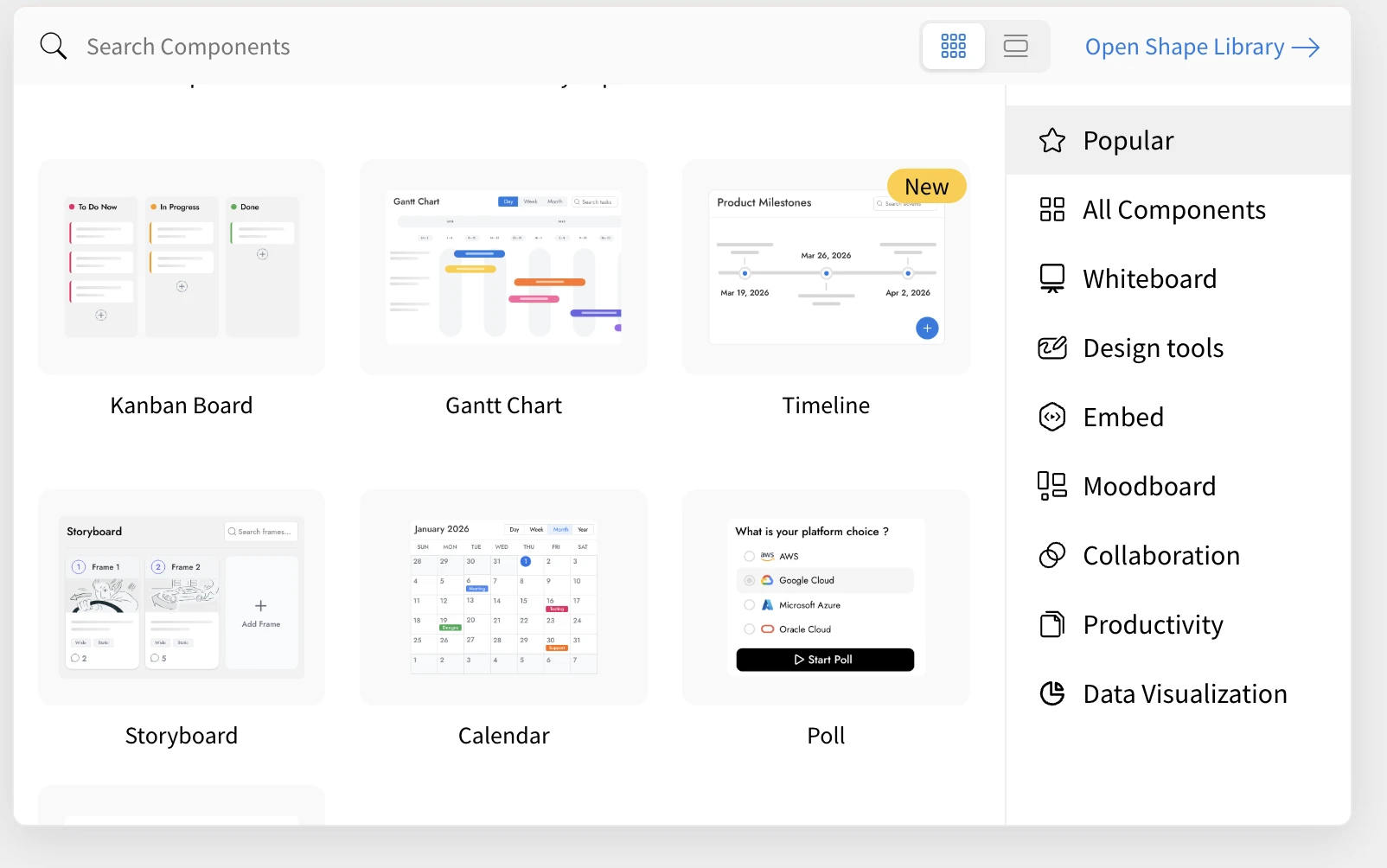
Open the add component menu on your board and search for Table.

Place it on the canvas. A new table starts with a few text columns to fill in.
Click Templates in the table toolbar to start from a ready layout instead: Blank table, Prioritise ideas, Impact / effort 2×2, SWOT, Retro or Comparison.
Use Add field to add a column and choose its field type, and Add row to add rows.
Click a cell to type in it, pick an option or cast a vote.
To bring in existing data, paste a range copied from Google Sheets or Excel straight into the table, or open Import and export in the table toolbar and choose Import a file for a CSV or TSV file. From the same menu you can download a CSV, save an image of the table, or copy it for Google Sheets, Excel or as Markdown for docs, Notion, Slack or GitHub.
Generate and fill tables with Mida AI
Ask Mida in your own words and it builds the table with the right fields and options. Example prompts:
"Prioritise our Q4 feature ideas by impact and effort, with owners and votes"
"Make a content calendar for October with date, channel, writer and status"
"Compare Notion, Confluence and Google Docs for a 20 person team"
"Create a weekly class schedule for a design course"
AI also works inside an existing table. A field's menu offers Fill with AI for its empty cells, Add field offers Create with AI for a new field that is named, typed and filled for every row, and a row's menu offers Fill row with AI. People fields, votes and media are left for your team to fill in.
Availability
The Table component is available on every MockFlow plan. Generating or filling tables with Mida uses AI credits, or runs on your own agent with MockFlow Bridge.
Find every board and space in a sidebar right inside the editor, start new boards from a board starter, and manage spaces without leaving the canvas.
MockFlow has a new workspace. Your boards and spaces now live in a sidebar right inside the editor, so you can switch boards, start something new and organize spaces without going back to a separate dashboard. Every new board opens with a board starter that helps you begin with AI, a template, a Concept Builder or a ready-made frame.
The new workspace is the default for accounts created from 1 October 2026. If your account is older, you can switch to it from a banner on your dashboard and switch back at any time.
A workspace sidebar beside your canvas

The workspace sidebar sits on the left of the board editor. It keeps everything you make one click away while you work on the canvas:
Favorites lists the boards you have starred, so the ones you return to every day stay at the top.
Recents lists the boards updated most recently, so you can pick up work in progress.
Private boards holds boards that only you can see.
Spaces lists the spaces you own and the spaces others have shared with you. Inside a shared space, a line such as You are an editor shows your role.
Search projects filters boards and spaces by name as you type.
The footer shows your plan and AI credits, and the account menu holds your account settings, subscriptions, API keys and the What's new link. Close the sidebar for more canvas room and bring it back from the tab on the left edge of the window.
Start every board with the board starter
Click New board (the pencil button at the top of the sidebar) and MockFlow creates a blank board straight away and opens it. A panel asks How do you want to start? and offers:
Generate with AI: describe your idea and Mida builds the board for you.
Templates: start from a ready-made board.
Concept Builder: chat with a guided AI assistant to shape an idea step by step.
Add a frame: place a frame such as a wireframe, diagram, whiteboard, mind map, table, kanban, timeline or floor plan on the canvas, ready to fill in.
Classic WireframePro: open a project in the previous editor instead.
You can also close the panel and start on the empty canvas.
Space settings without leaving the board
Hover over a space in the sidebar and open its More options menu. Everything you need to manage the space opens in place, on top of the board you are working on:
Share space and Copy member link to bring people in.
Rename space and Change ownership.
Space activity to see what changed and who changed it, on the Plus and Max plans.
Create space link to publish a public link to the space's public boards, which visitors browse in a public space viewer.
Import project file to bring an existing project into the space.
Boards have the same menu: add them to favorites, rename, change the icon, duplicate, lock, or Send copy to another MockFlow user.
Everyday ways to use the new workspace
Move between boards during a meeting: keep a retro, a roadmap and a wireframe in Favorites and switch between them without losing your place.
Start a workshop in seconds: click New board, choose Generate with AI and describe the session, for example "a kickoff board for our spring campaign".

Plan a product screen: click New board and add a Wireframe frame, then sketch the screen right away.
Organize work by team or client: create a space for each class, product area or client, and manage members and links from the sidebar.
Share finished work publicly: create a space link so clients or students can browse the public boards in the space.
How to switch to the new workspace and back
Accounts created from 1 October 2026 use the new workspace only. For older accounts:
Open your MockFlow dashboard.
In the banner Try the new layout: your boards and spaces in a sidebar, right inside the editor, click Switch to new layout.
MockFlow opens your boards with the workspace sidebar.
To go back, open the account menu at the bottom of the sidebar and choose Switch to old layout.
Sketch app and web screens on the board with a full widget library and AI, switch the look in a click, and export to Figma, an AI coding prompt or WireframePro.
The new Wireframe frame brings wireframing onto the MockFlow board. You can design app and web screens right beside the ideas, notes and diagrams they come from, using a full widget library or AI. Then restyle them, render them, link them into a prototype and export them, all in the same place.
Each Wireframe frame holds one screen. A board can hold as many as you need, so a whole app flow, a landing page and its mobile version can sit side by side with the research that shaped them.
What you can do with the Wireframe frame
Turn an app idea into screens. Brainstorm the idea with sticky notes or a mind map, then ask Mida for the screens next to it. A login, onboarding or settings screen is on the board in seconds, ready to edit.
Plan a landing page. Describe the page, such as a navbar, a hero with two buttons and a pricing section, and get a desktop wireframe with fixed width that grows down as a scrolling page.
Redesign an existing page. Capture any web page with MockFlow Clippy, our Chrome extension, and it arrives on the board as an editable wireframe, ready to redesign.
Review with a client. Switch the screen from Sketchy for early ideas to Hi-fi when it is time to show a polished version, and collect comments on the same board.
Hand off to AI coding tools. Export a build prompt that describes the screen and paste it into Claude Code, Codex or Cursor as the first message.
Present a finished look. Convert a screen into a hi-fi image, where AI keeps your layout and text and fills every placeholder with real pictures and content.
How to create a wireframe on your board
Open the Frames menu in the board's top menu and choose Wireframe. An empty screen is added to the board.
Click the AI button on the frame's toolbar and choose Generate new.
Describe the screen, pick the device (phone, tablet or desktop) and generate. You can also attach a screenshot or sketch to recreate.
Edit the result with the widget library: drag in buttons, forms, cards, navigation, charts and more, and change any text in place.
For example, a prompt like this gives a complete mobile login screen:
Mobile login screen with email and password fields, a remember-me toggle,
a sign-in button and a link to create an account
The frame's AI menu also offers Modify with AI to change a screen you already have, Create new screen to add another screen of the same app in the same style, and Fill images with AI to replace image placeholders with real pictures. You can also ask Mida for a whole app, and it plans one frame per screen.
Switch the look in a click
Every screen can be shown in Outline, Sketchy, Hi-fi, Blueprint, Liquid glass, Fluent or Android style, in light or dark mode, with your own brand colour and font. Your layout and content stay the same, so you can move from a rough sketch to a polished screen without redrawing anything.
Choose Fixed size for one screen with no scrolling, Fixed width for a page that grows down as it scrolls, or Free size to fit the content. Switch between Real text and Placeholder blocks when you want reviewers to focus on layout rather than copy.
Prototype and convert your screens
One click on Prototype links the screens into a clickable prototype, which you can play full screen or preview on your phone. Convert to turns a screen into a flowchart, customer journey, mind map, spec, code block or kanban of tasks, placed right beside it.
Export options for wireframes
Open Export on the frame's toolbar to choose a format:
Image: a picture of the screen as PNG.
SVG: a vector drawing in the current style, device frame included.
Hi-fi image: a finished design of the screen with placeholders filled with real content.
JSON: the widget data, which you can import again later.
Copy to Figma: editable layers with auto layout, pasted into Figma through the MockFlow Figma plugin.
AI prompt: a build prompt for Claude Code, Codex, Cursor and similar tools.
WireframePro: paste the screen into a WireframePro project as editable components, when you want the full UI design editor with UI packs, symbols and pages.
To build the screen with an AI coding tool, choose AI prompt, then paste it into the tool as the first message and refine with follow-ups. For example, in a terminal:
claude# paste the copied build prompt as your first message
Availability on each plan
The Wireframe frame is included on every plan, including Basic. AI generation uses your monthly AI credits. Copy to Figma, AI prompt and Hi-fi image are part of the paid plans, Plus and Max. See pricing for details, and Frames to learn how frames work on the board.
Plan an office move, an event, a shop or a home on your MockFlow board. Draw rooms, walls, doors and furniture on a grid, start from a template, or let Mida draw the plan from a prompt.

The new Floor Plan frame lets you sketch a space right on your MockFlow board. Draw rooms on a grid, add walls, doors and windows, and drop in furniture. Start blank, pick a starter template, or describe the space and Mida draws the whole plan for you.
It is a thinking tool, not CAD software. The goal is a clear layout in minutes that your team can discuss next to the wireframes, notes and plans already on the board.
What you can plan with the Floor Plan frame
Office move or desk plan: seat four teams together, put the manager near the window and keep quiet rooms away from the kitchen, then share the board with everyone moving.
Event layout: lay out a wedding reception with a head table, round tables, a dance floor and a bar, or plan a trade-show booth or exhibition hall before you book it.
Retail store, café or restaurant: place the counter, display, tables and stock room, and compare two layouts side by side on the same board.
Home renovation: sketch the apartment as it is today, then ask Mida for a version with the kitchen opened up to the living room, and review both with your family or contractor.
Classroom or clinic: arrange desks in groups, a reading corner and a teacher's desk, or plan treatment rooms and a waiting area for a practice.
How to create a floor plan from a template
On your board, open the components menu and choose Floor Plan from the Design frames group.
The frame asks What are you planning? Pick a starter: Apartment, House, Office, Retail or Event.
Edit the starter to match your space, or choose Start blank to draw your own from an empty grid.
How to generate a floor plan with AI
In a new Floor Plan frame, click Generate with AI, or simply ask Mida for a floor plan on any board.
Describe the space: its size, the rooms you need and anything that matters, such as how many people it seats.
Mida draws the rooms, furniture, doors and windows inside the frame. Every part stays editable.
To change an existing plan, use Modify with AI in the frame's AI menu and describe the change, for example "swap the kitchen and dining room and add a balcony". The whole change is one undo step.
The prompt box offers ready-made starter prompts for homes, offices, events, shops, and clinics and classrooms. Example prompts you can use:
"Create a floor plan for a 150 m² startup office with 12 hot desks, a glass meeting room for 6, two phone booths, a lounge and a kitchen with a breakfast bar"
"Create a floor plan for a 60 m² café with a service counter, 8 tables, a small kitchen, a customer toilet and a rear stock room"
"Create a floor plan for a wedding reception in a 15 × 10 m hall with a head table, round tables for guests, a dance floor and a bar"
"Create a floor plan for a primary school classroom for 24 students with desks in groups of four, a teacher's desk and a reading corner"
"Sketch a hand-drawn floor plan for a desk move on a 20-person office floor with four teams kept together"
How to edit rooms, walls and furniture
The floating toolbar inside the frame has a tool for each part of the plan, each with a keyboard shortcut:
Room (R): drag a rectangle. It snaps to the grid and gets a label you can rename. Choosing a room type, such as Bedroom or Kitchen, colors it.
Door (D) and Window (W): click on a wall to place one.
Furniture palette (F): drag desks, tables, chairs, sofas, beds and more onto the plan. Press R to rotate a piece.
Label (T) for free text, and Measure (M) to drag a measurement between two points.
Switch the look with Change Theme: Soft (the default, with room colors by type), Blueprint, or Marker for a hand-drawn sketch. For large plans, Enter Focus Mode to edit full screen with its own pan and zoom.
Share and export your floor plan
Teammates and reviewers see the plan on the board and can pan, zoom and comment. To use it elsewhere, open Export Floor Plan:
Export as Image for a PNG picture of the plan
SVG for a vector drawing in the current theme
JSON for the plan data, which you can import into another Floor Plan frame
AI Render for a realistic, isometric or illustrated picture of the space
Availability
The Floor Plan frame is available on every MockFlow plan. Generating, modifying and rendering a plan with Mida uses AI credits, like other AI generations. See pricing for the credits in each plan.
MockFlow Clippy now collects clips from page after page in a clip box. Open any board, tick the clips you want, pick what each becomes and import them together.
MockFlow Clippy, the Chrome extension that saves web pages onto your board, now works the way research actually happens: across many pages, over a whole browsing session. Clippy 3.0 adds the clip box. Every page you clip waits in the box until you are ready, and you then import them together into the board you choose.
The clip box appears on the dashboard and inside the board editor, so your clips are always one click away from the board you are working on.
Clip ten pages, import once
You can clip page after page as you browse, up to ten clips in the box, and decide later where they go and what they become.
Clip at your own pace. Clip a pricing page, a signup form and a brand palette from three different sites without leaving them to open MockFlow.
Decide at import time. In the clip box, tick the clips to bring in and pick what each one becomes: an image, a video, a bookmark, a doc, a color palette, an editable wireframe, a prototype, a moodboard or an AI board.
Land them together. The ticked clips arrive on the open board in one import, in the order you chose, and leave the box.
Your clips stay private until you import. Clips are kept in your own browser, not uploaded, until you bring them into a board.
Better screen recordings
Video clips are more dependable in Clippy 3.0. The recording bar now shows the elapsed time against the limit and turns amber shortly before it, the recording stops cleanly however you end it (the Stop button, Chrome's own sharing bar or the time limit), and Clippy brings you back to the tab to watch the clip before you keep it. Thumbnails are taken from the live recording, so a clip never shows a blank first frame on the board.
Ways to use the clip box
Competitor research: clip the pricing, signup and onboarding pages of the products you are compared with. Import them side by side into one board, as full page images to mark up or as editable wireframes to redesign.
Design inspiration: collect the palettes, layouts and details you keep coming back to across a week of browsing, then import them together as a moodboard for the next project.
References for a client: gather the sites your client mentioned, the brand pages they admire and a recording of the flow they want to change. Bring everything into the client's board in one step, ready for the kickoff call.
Reading for a meeting: clip a long report or documentation page as an AI board and import it as a mind map, kanban or summary next to the other material.
How to clip pages and import them from the clip box
Install MockFlow Clippy from the Chrome Web Store and sign in to MockFlow.
On any page, click the Clippy icon. Under Clip as, choose Image, Video, Bookmark, Colors, Doc, Wireframe or AI Board. Clippy confirms with Added to your clip box.
Repeat on as many pages as you need. The Clip box count in the Clippy panel shows how many are waiting.
Open MockFlow. On the dashboard, the clip box lists your clips and your recent boards: open one to import into, or open any board, since the box follows you there.
In the board editor, click Clippy in the top bar. The Clip box opens with every clip listed.
Tick the clips to bring into this board and pick what each one becomes. For wireframes, choose Lo-fi or Hi-fi and whether to Include images.
Click Import. The clips land on the board together and the box is emptied. Use Clear box to discard clips you no longer need.
You can also start the import from the extension: Import in MockFlow in the Clippy panel opens MockFlow so you can pick a board.
Clip box on each plan
Clippy is free with any MockFlow account. On Basic the clip box holds up to three clips for import, and video clips can be up to 10 seconds. Plus and Max import the full box, include images in rebuilt wireframes, and allow recordings up to three minutes. See pricing for details.
The MockFlow Chrome extension is now Clippy. Clip any web page into a board as a screenshot, recording, doc, bookmark, color palette, editable wireframe or AI-built board.
The MockFlow Chrome extension has been rebuilt and renamed MockFlow Clippy. Clippy saves any web page, all of it or just the part you need, straight into a MockFlow board. Before you clip, you choose what the page should become: a screenshot, a screen recording, a doc, a bookmark, a color palette, an editable wireframe or a board built by AI.
It works on websites and web apps alike, including internal tools behind a login, so research and references from the web land on the same visual canvas where your team already works.
What Clippy can turn a web page into
Take the whole page, or draw a rectangle around the part that matters, then pick the output:
Image: a full-page screenshot stitched top to bottom, or just the region you draw, at full size on the board.
Video: a recording of the tab, with its audio and your microphone if you want. Watch it back and decide whether to keep it before anything is saved. On the board it plays as a video player beside the screens it is about.
Doc: the page's text as an editable, searchable document you can quote, cut and comment on.
Bookmark: a link card with the page title, so a board of references reads as references.
Colors: the palette the page really uses, taken from its styles.
Wireframe: the page rebuilt as an editable wireframe. Keep its images or strip them, then redesign what exists.
WireframePro: sketchy, hand-drawn wireframes in WireframePro, for work that should look unfinished on purpose.
AI board: the page as a mind map, flowchart, kanban, timeline, table or summary, from a preset or your own prompt.
Use cases for the Clippy web clipper

Competitor research: clip the pricing pages of the products you are compared with. They land side by side at full size, ready to mark up with sticky notes.
Redesign a live page: clip your own signup page as a Wireframe and start moving things. Cut the nav, simplify the form, rethink the hero. Nobody redraws anything.
Read a long document together: point Clippy at an analyst report, RFC or strategy doc and choose AI board with a mind map. The meeting starts at the interesting part.
Arrive at kickoff with the work sorted: clip a requirements page as a kanban board, so the cards exist before the call does.
Build a moodboard from real brands: capture the colors a site actually uses and the exact sections your client keeps pointing at.
Compare options and decide: clip the same component, such as a date picker, from several products and vote on it on one canvas.
Report a bug or explain a flow: record the tab while you reproduce the problem and keep the recording on the board next to the screens it affects.
Collect scattered feedback: clip the support thread, the reviews and the survey write-up, and set them side by side on one wall.
Sign in with Google, Microsoft or Apple, or create a free MockFlow account.
Open the page you want to keep and click the Clippy icon in the Chrome toolbar. The Clippy panel opens on the page.
Under Clip as, choose what the page should become, such as Image, Video, Colors, Wireframe or AI board.
Under Save to, pick the project the clip should go to, or a new one.
Choose Whole page, or Region and draw a rectangle around the part you need.
Click the clip button, then Import now. Your board opens with the clip on it.
You can also clip without opening the panel: right-click the page and choose MockFlow Clippy, or press Alt + Shift + C. While a video is recording, Alt + Shift + R stops it.
Clippy on each plan
Clippy is free and works with a free MockFlow account. Images, docs, bookmarks, colors and wireframes are free on every plan. The AI board output uses your plan's AI credits. Screen recordings can be up to 10 seconds per clip on Basic and up to 3 minutes per clip on paid plans. See pricing and the Clippy page for details.
MockFlow now has three simple plans. Basic is free forever, Plus puts your team on the board, and Max adds connectors, Build mode and enterprise security. WireframePro is included on every plan.
MockFlow now has three plans: Basic, Plus and Max. They replace the previous plans, which were split across separate products, with one clear path: start free, add your team, then add the tools a business needs.
Three things are the same on every plan:
WireframePro is included. Wireframing and prototyping happen right on your board, and WireframePro, the dedicated UI design tool with its own kits, layouts and templates, sits inside MockFlow for when you want to go deeper. It is never a separate purchase.
One AI credit balance and one seat list. Your board, Mida and WireframePro all draw from the same monthly AI credits, and your team's editor seats are managed in one place.
Viewers join free. Pricing is per editor. Teammates, clients and stakeholders can open shared projects, react and comment without using a seat.
Which MockFlow plan fits your team

Basic, for individuals getting started. Basic is free forever, with no credit card and no trial clock. You get every brainstorming format (diagrams, mind maps, flowcharts, moodboards, storyboards and more), cloud diagrams, UI kits, templates, wireframing with WireframePro, Mida, MockFlow Clippy, and 100 AI credits every month. Bridge runs Claude Code on one board with 20 generations a day. Basic covers 1 editor and 5 reviewers, 4 projects with up to 500 components, and 7 days of revision history. It is for personal and nonprofit use; commercial work needs a paid plan.
Plus, for teams that ideate together. Plus removes every limit and puts your team on the board with you:
Unlimited boards, components and viewers, with no file upload cap
Team chat, audio comments, audio meetings and sharing by role
Collaborative components such as live polls, voting, spinners and timers for workshops and sprints
Artifacts, mini whiteboard apps and games for your team
MockFlow inside Google Meet and Microsoft Teams
Concept Builders, AI collaborators that build a game, product or software concept with your team over time
Bridge Pro: Claude Code, Codex, opencode or BridgeAI behind your board AI, unlimited and across several boards, with local file access
800 AI credits per editor each month and 60 days of revision history
Max, for businesses that take the work further. Max includes everything in Plus and adds:
Video meetings with a live presenter, and video comments
Connectors that pull data from business apps such as Jira, GitHub and Notion straight onto the board
Export wireframes to Figma, or to production code with Build mode
Custom team UI kits and team artifacts
SSO, SAML and SCIM, plus license management and data migration
The offline desktop app for Windows and macOS
Bridge Pro with your connected data sources, advanced AI model options and 2,000 AI credits per editor each month
What changed for existing customers
If you subscribed to one of the previous plans, you did not need to do anything. Your subscription, price and renewal date stay the same, and your plan now appears under its new name:
Team whiteboarding plans became Plus.
WireframePro team, product design and bundle plans became Max.
Where you previously had separate AI credits and seats for the whiteboard and for WireframePro, they are now combined. Any credit packs you bought from either side were added together, so nothing you paid for was lost, and your monthly allowance started fresh on the new plan. If your company bought both products separately, your seats now appear together in one license console.
Choose Monthly or Yearly billing. Yearly saves 25%.
Pick Plus or Max and complete checkout. Payment is handled securely by Paddle, by credit or debit card.
Add or remove editor seats at any time from your dashboard.
You can upgrade, downgrade or cancel whenever you like, with no contracts or cancellation fees. Switching between monthly and yearly billing takes effect on your next billing cycle.
MockFlow plan questions
How do AI credits work? Every plan includes a monthly pool of AI credits, spent when you generate with AI. A quick text generation uses a few credits and a video render uses more. Credits reset at the start of each billing month, and you can top up with credit packs from your dashboard. Anything you build through Bridge or MCP runs on your own AI and costs no credits.
What happens to my projects if my subscription ends? Nothing is deleted. Your projects are archived securely at no cost and restored exactly as you left them when you upgrade again.
Do you offer special pricing? Yes. There are dedicated Startup, Education and Enterprise licenses, each with its own pricing and terms.
Prefer a private board on your Mac? MockFlow: Personal Whiteboard for Mac runs fully offline, saves to ordinary files you keep and is a one-time purchase on the Mac App Store.
Generate moodboards, wireframes and multi-item boards from any Zapier trigger, update board items automatically, sign in with Microsoft in Teams and Office, and rate what Mida generates.
This update makes MockFlow easier to reach from the tools your team already works in. Zapier can now generate complete boards for you, Microsoft Teams and the Office add-in let you sign in with the account you already use, and every item Mida generates can be rated with a thumbs up or down.
New MockFlow actions in Zapier
The MockFlow app in Zapier now generates boards with AI from any trigger in the apps you connect to Zapier. You choose the space, pass in a piece of text such as a brief, a ticket or a form answer, and MockFlow builds the board.
Create a board with several items: describe a project and MockFlow plans and builds a board with the items it needs, the same way Mida does inside the editor.
Create one type of item: ask for a specific format such as a moodboard, mind map, timeline, kanban, flowchart or customer journey.
Create a wireframe: generate screens in a WireframePro project from a written description.
Update an item: change an existing item on a board, for example add new entries to a mind map when a record changes.
Zapier gets the board link back right away, while the board itself is generated in the background. You can pass that link to the next step in the Zap, for example to post it in a channel or attach it to a ticket.
Zapier automation ideas
Each example below pairs a trigger with a MockFlow action:

Creative brief to moodboard: a new response in your campaign brief form creates a moodboard in the Marketing space, ready for the design review.
Feature request to wireframe: a new feature request in your tracker generates a first wireframe of the screen, so the discussion starts from something visual.
New client to kickoff board: a deal marked as won in your CRM creates a kickoff board with goals, a timeline and a plan for the first weeks.
New course to lesson plan: a new course added to a spreadsheet creates a mind map of its modules and topics.
Meeting notes to action board: a new document in a shared folder becomes a board of decisions, owners and next steps.
Changing record to updated board: when an item changes in your project tool, Zapier updates the matching item on the board so it stays current.
How to set up a MockFlow Zap
In Zapier, create a Zap and choose the app and event that should start it, for example a new form response.
Add an action step, search for MockFlow and pick the action you want, such as creating a moodboard.
Connect your MockFlow account when Zapier asks.
Choose the space where new boards should go.
Map the text field to the part of the trigger that describes what to build, such as the brief or the request description.
Test the step, then turn the Zap on.
Once the Zap is on, every new trigger creates or updates a board in that space, and the board link is available to the following steps of the Zap.
Microsoft sign-in for Teams and Office
Signing in no longer needs a separate MockFlow password inside Microsoft apps:
Microsoft Teams channels: the Connect your MockFlow account with Microsoft Teams screen now has a Sign in with Microsoft button, so you can add a board to a channel with your work account.
Office add-in: in Word and the other Office desktop apps, the MockFlow add-in now offers both Microsoft and Google sign-in, and the sign-in completes inside the add-in and returns you to where you were.
Rate the items Mida generates
When Mida adds an item to your board, the link card for that item in the chat now shows a thumbs up and a thumbs down. One click tells us whether the result was good, and the chosen thumb stays filled in so you know your feedback was saved. Ratings go straight to the team working on generation quality and help improve future results for every board format.
Availability
AI generations from Zapier count against the AI credits of your MockFlow plan, the same as generations made in the editor. See pricing for credit details.
Describe a tool or a game and Mida builds it as a working mini app on your board. Everyone uses it together live, and the Artifact Library lets your team add it to any board without spending AI credits.
Artifacts bring small working apps onto your MockFlow board. Describe a tool or a game in a sentence and Mida builds it as a mini app that runs right on the canvas. Everyone on the board uses the same app together, live: votes, turns and scores stay in sync because the app knows who is on the board.
Once an artifact works the way your team likes, publish it to the Artifact Library. Anyone on your team can then add it to any board in one click, without generating it again and without spending AI credits.
What you can build with Artifacts
An artifact fits anywhere a board session needs something interactive. A few examples of what teams describe:
Team decisions: "Dot voting for what we build next, three dots each" or "A quick poll on where to hold the offsite."
Planning sessions: "Planning poker for the stories in this sprint" or "A tracker for who owns each action item."
Facilitation: "A five minute timer for silent brainstorming" or "A speaker queue so everyone gets a turn in standup."
Workshops and classes: "A ten question quiz on our brand guidelines" or "A trivia round about the product launch."
Check-ins: "A mood check-in for the start of the retro."
Team breaks: "Connect Four we can play against each other" or "An emoji movie quiz for Friday."
Small utilities: "A converter between story points and days" or "A cost calculator for the three pricing options on this board."
The library groups apps into categories such as Games, Voting & Polls, Planning, Timers, Quizzes and Utilities, so you can find a ready-made app before building one.
How to create an Artifact on your board

Open the add-component menu and choose Artifact under Interactive frames. It is described as "Mini collaborative apps and games".
Click Generate with AI on the new tile and describe the app you want, for example "Dot voting for what we build next, three dots each".
Mida builds the app while the tile shows Building your artifact. When it is ready, it runs on the board for everyone.
To change it, ask again from the artifact's AI menu, for example "Add a reset button" or "Let each person vote four times". The app updates in place.
Each artifact keeps its own data, such as votes or scores, with the board. Teammates see every change as it happens, just like the rest of the canvas.
How to publish to the Artifact Library
When an artifact is worth reusing, share it with your team:
Select the artifact and click the Publish to Artifact Library button on its toolbar.
In Publish to Artifact Library, give it a name, a description and a category. Fill with AI can write the description and search tags for you.
Leave Visibility set to Team and click Publish.
The published app appears in the add-component menu under Your team, next to the ready-made apps from MockFlow. Adding it to a board places a fresh copy with its own data, so a vote on one board never changes another. If someone modifies their copy with AI, a new copy is made for them and your library entry stays as it is.
Add library apps without spending AI credits
Installing an app from the Artifact Library costs no AI credits, because nothing is generated again. Build a good facilitation kit once, such as a timer, a vote and a check-in, and your whole team can drop it into every workshop, retro or class.
Since launch, artifact generation has also improved: Mida now plans larger apps in steps, includes generated images and assets where an app needs them, and reviews the result before it lands on the board.
Artifacts on each plan
Artifacts and the Artifact Library are part of the collaborative features in the Plus and Max plans. See pricing for details.
Connect Claude Code, Codex, opencode or BridgeAI to your board. Your agent reads your local files, draws live on the canvas and spends no MockFlow AI credits.
MockFlow Bridge connects the AI agent you already use to your MockFlow board. Claude Code, Codex, opencode or the built-in BridgeAI becomes the engine behind Mida. You keep working on the board as usual, while your own agent does the thinking on your computer and the result is drawn live on the canvas.
Two things make this different from asking Mida directly:
It can read your local files. Point Bridge at a folder and your agent can build boards from your source code, specs, notes and transcripts. The files are read on your computer and are never uploaded. Only the finished drawing is saved to your board.
It spends no MockFlow AI credits. The work runs on your own AI plan, so you are limited only by that plan.
What you can do with MockFlow Bridge
Most uses start with something already on your machine. Here are examples of what teams ask for, in their own words:
Understand an unfamiliar codebase: "Make a mind map of how the payments module is structured." The map is drawn from the real source, not from an old wiki page.
Draw architecture that matches what is deployed: "Draw the cloud architecture from our Terraform in infra/." The diagram comes from the files that define the infrastructure, so it is correct on the day you draw it.
Lay out a database you inherited: "Read the migrations in db/ and lay out the entity relationships."
Trace a request across services: "Draw a swimlane of what happens between checkout and fulfilment."
Wireframe a screen from its spec: "Wireframe the notification settings screen from docs/notifications.md." An editable wireframe is on the board in under a minute, ready to mark up.
Prepare an incident review: "Build a timeline of what happened from these log excerpts."
Turn a meeting into decisions: "Here is the transcript from this morning's planning call. Turn it into a board of decisions, owners and open questions."
Think through a new idea: "I am considering a subscription tier for small teams. Help me think it through visually." Delete the branches that do not fit and ask it to go deeper on the rest.
Map anything with geography in it: "Map our accounts from customers.csv, then draw the three sales territories we are considering."
You do not need to name a component. Describe what you are working out and the agent picks the right form: a mind map, flowchart, kanban, timeline, chart, wireframe or map. Follow-up requests such as "add a Blocked column to that kanban" change the existing item in place instead of drawing a second copy.
How to set up MockFlow Bridge
You need Node.js 18 or newer, a MockFlow board open in your browser, and one AI to do the thinking. Claude Code, Codex and opencode are fully supported. If you do not use any of them, BridgeAI is built into Bridge and works with an API key from a provider such as OpenRouter.
1. Install Bridge once. Open Terminal (macOS) or Command Prompt (Windows) and run:
npm i -g @mockflow/mockflow-bridge
2. Start Bridge. Run it every time you want to use it, and leave the window open. It shows a pairing code.
mockflow-bridge

3. Pair your board. On the board, open Ask Mida, click Connect Local Agent at the top and enter the pairing code. The button turns green and names the connected agent. You pair once per computer.
4. Ask Mida as usual. The reply and the drawing now come from your own agent.
How to let your agent read local files
File access is off by default, so the agent cannot see anything on your computer until you choose a folder. To give it one folder, such as a repo or a folder of meeting notes, start Bridge with --workspace:
mockflow-bridge--workspace ~/Documents/my-project
The terminal confirms it with File access is ON and the folder it can read. Then ask about the files in plain words:
"Read this folder and draw the project structure as a mind map"
"Turn the meeting notes in this folder into a summary board"
"Read the README and wireframe the main screens it describes"
The agent reads only that folder, only on your computer. Nothing in it is uploaded to MockFlow; only what it draws on the board is saved. To read a different folder, stop Bridge with Ctrl + C and start it again with the new path.
Everyday Bridge commands
mockflow-bridge status # is it running, which boards are connectedmockflow-bridge agent # show or change which AI answersmockflow-bridge update # install the newest versionmockflow-bridge help # all commands and options
If more than one assistant is installed, the first start asks which one to use and remembers your choice. You can switch at any time without pairing again.
Use the board from Claude Code or Codex
If you prefer to work in your terminal, the MockFlow plugins for Claude Code and Codex connect those assistants to the same Bridge. Think an idea through in the conversation and watch the mind map, plan, architecture or screens appear on your board. The assistant reads the board too, so you can rearrange items, delete a branch or add a note, then ask it to continue from what is there.
What you end up with is an ordinary MockFlow board. Share the link and teammates open it in the browser, move things around and leave comments, with no plugin or terminal needed.
MockFlow Bridge on each plan
Bridge is free to install. On Basic it runs Claude Code on one board, with 20 generations a day. Bridge Pro, included in Plus and Max, removes the limit and adds every agent, several boards at once and local file access. On Max your agent can also reach your connected data sources, for example "Pull my open Jira tickets and lay them out as a kanban". See pricing for details.
Ask Mida can search the web, read any public page, take a website's colors and fonts for your wireframes, and find and read anything already on your board.
Mida, the AI assistant in MockFlow, now works with real information instead of only what it already knows. When a request depends on current facts, Mida searches the live web, reads the pages it finds and uses them to build your diagrams, wireframes and boards. It can also visit a website you name and match its colors, fonts and corner styles, and it can search and read everything already on your board.
The same abilities are available in Concept Builders, and in WireframePro, where Mida reads the wireframe page you have open.
What Mida can now do on your visual canvas
Search the live web: Mida decides on its own when a request needs current information, such as products, competitors, trends, statistics or best practices, and runs short, focused searches.
Read a web page in depth: paste a URL or name a site, and Mida reads the page and grounds its content in what is actually there.
Match a website's design: ask for screens "in the style of" a site, and Mida pulls its brand colors, fonts, corner radii and shadows into the wireframes it generates.
Import images from a website: ask Mida to grab a site's logo or images. It shows what it found as a grid in the chat, and only the images you click are added to your image library.
Search and read your board: Mida can find any item on the board by its content, read a mind map, kanban, table or document in full, and summarize the whole board.
Point you to the right item: ask where something is and Mida answers with clickable cards. Click a card to jump straight to that item on the canvas.
Use cases for Mida web research
Competitive research: "Compare the onboarding flows of the top three project management tools and lay them out side by side."
Brand-matched wireframes: "Wireframe a pricing page for our CRM in the style of yourbrand.com."
Up to date content: "Make a mind map of the current accessibility guidelines for mobile apps."
Learning and teaching: "Build a timeline of the history of space exploration, with sources."
Event and travel planning: "Research venues for a 200 person conference in Lisbon and put the options on a comparison board."
Marketing: "Read this landing page and turn its messaging into a positioning map." followed by the page URL.
Brand assets: "Grab the logo and product images from our website so I can use them on this moodboard."
Use cases for reading your board
Summaries: "Summarize this board for someone who missed the workshop."
Find anything: "Where are the pricing tiers?" or "Which sticky notes mention onboarding?"
Build on existing work: "Read the user research notes and turn them into a customer journey map."
Check consistency: "Does the sitemap match the screens in the wireframe?"
WireframePro pages: "Find the hero section on this page and rewrite its headline."
How to use web research with Ask Mida
Open Ask Mida on your board.
Type your request. Mention a website, paste a URL, or ask for research in your own words.
To make sure Mida searches, click the + button next to the message box and choose Search The Web. It adds "(search the web)" to your message.
Send the message. The chat shows each step as Mida works, such as searching, reading a page or analyzing a site's styles, and then the result appears on the board.
To ask about your board, just type the question in Ask Mida, for example "What is on this board?" or "Where is the launch checklist?". Mida scans the board and replies with an answer and, when it helps, cards that take you to the items.
Plans and AI credits
Reading and searching your board is free and uses no AI credits. Each web search uses a small amount of AI credits from your plan's monthly pool. The Search The Web option in the + menu is available on the Plus and Max plans. See pricing for plan details.
Add a Prototype frame to your board and AI links your wireframe screens into a clickable prototype. Play it full screen, preview it on your phone or export it as HTML code.

The new Prototype frame turns wireframe screens on your board into an interactive prototype, wired automatically by AI. Select the screens you have sketched, and AI works out how they connect: which button opens which screen, what a form submits to, where the back link goes. You get a clickable prototype in a device frame, right next to the wireframes, notes and diagrams that led to it.
There is no hotspot wiring to do by hand. Once the prototype exists, you can click through it on the canvas, play it full screen, open it on your own phone with a QR code, change any part of it with AI, and export it to HTML code.
What you can use interactive prototypes for
Test a flow before anyone builds it: convert the sign up, onboarding or checkout screens you wireframed and click through them to find dead ends and missing steps early.
Run quick usability sessions: send the phone preview link to a tester and watch them try the flow on a real device.
Present an idea to stakeholders: play the prototype full screen in a review meeting instead of walking through static screens.
Prototype from a prompt: describe an app, such as "a booking app for a yoga studio with class list, class details and checkout", and get a working prototype without wireframing first.
Hand a working draft to developers: export the prototype to code and give the team standalone HTML with the screen links already in place.
Keep design work in one place: show an existing Figma prototype on the board by pasting its link, beside the research and plans it came from.
How to convert wireframes into a prototype
Wireframe your screens on the board, or ask Mida to generate them.
Add a Prototype frame from the components menu. You can also choose Interactive prototypes when you start with AI.
Click the empty frame and choose Convert wireframes.
In Convert wireframes to a prototype, tick the screens to include and click Convert.
Wait while MockFlow shows Building your prototype. The screens appear in the frame, linked together.
To start without wireframes, choose Generate with AI instead and describe the prototype. Turn on With images for a higher fidelity result with photos (this uses extra AI credits).
Click through, preview on your phone and edit with AI
Interact: click buttons and links inside the frame to move between screens, or use the screen slider under it.
Device frame: switch between Mobile, Tablet and Desktop.
Play full screen: present the prototype without the board around it.
Preview on your phone: scan the QR code to open the live prototype on your phone, or copy the link to share it.
Edit with AI: turn on Select to edit, pick an element and choose Modify element, Modify screen or Add screen to generate a new screen linked from the one you are on.
Export the prototype to code
Choose Export to code in the frame's settings to download the prototype as a ZIP file. It contains standalone HTML with the screen navigation built in, plus a README.md. Images and icons load from their public URLs, so nothing else is needed. Open it locally or host it anywhere:
unzip Sign_up_flow_code.zip -d sign-up-flow # the ZIP is named after your prototypeopen sign-up-flow/index.html
Export to code is available for prototypes generated in MockFlow. Embedded Figma links stay on the board as a live view.
Availability
The Prototype frame is available on every plan, as part of wireframing and prototyping on your board. Generating and editing a prototype with AI uses AI credits; see pricing for the credits included in each plan.
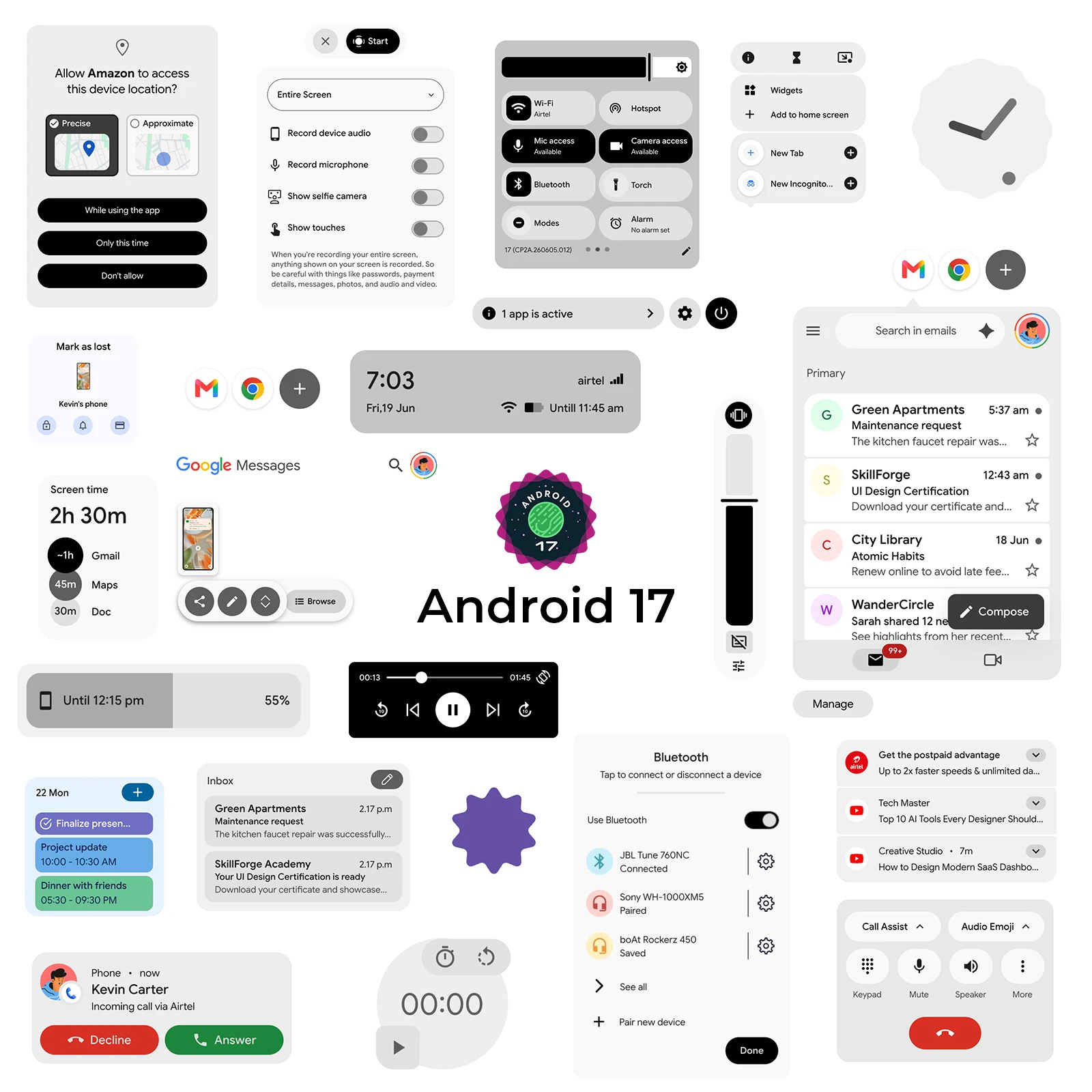
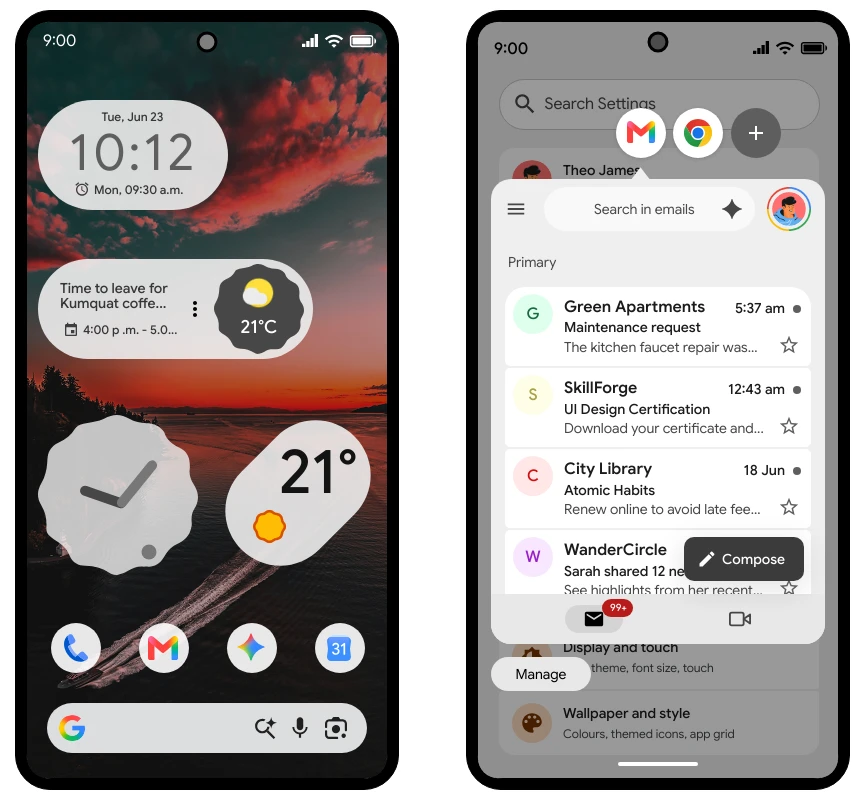
Now ideate and wireframe apps for Android 17 OS faster. With 150 ready-to-use components, this kit helps you quickly plan mobile app screens that follow the latest Android interface patterns.
Whether you are sketching early app ideas, building product flows, or creating detailed wireframes for development handoff, the Android 17 OS UI Kit gives you a complete set of native-style elements to bring your concepts to life.
The kit includes components across the following categories:
Frames & Keypad
Top navigation
Bottom navigation
Buttons
Icons
Notification & Widgets
List & Popup
Form elements
Tabs & Loaders
Page elements
Other elements
UI Screens
From app frames and navigation bars to forms, buttons, notifications, widgets, tabs, loaders, popups, and complete UI screens, this new kit provides everything needed to visualize Android app experiences with speed and clarity.
Before moving into high-fidelity design or development, it is important to map out your app structure and user flows in a native mobile format. With MockFlow's Android 17 OS UI Kit, teams can brainstorm layouts, iterate faster, and communicate app ideas more effectively — all without starting from a blank canvas.
Once you are done with Android wireframing you can either export to code with our integrated build-mode or use MCP server to integrate with Android Studio. If you want further prototype based refinements and animations you can export the wireframes to Figma directly.
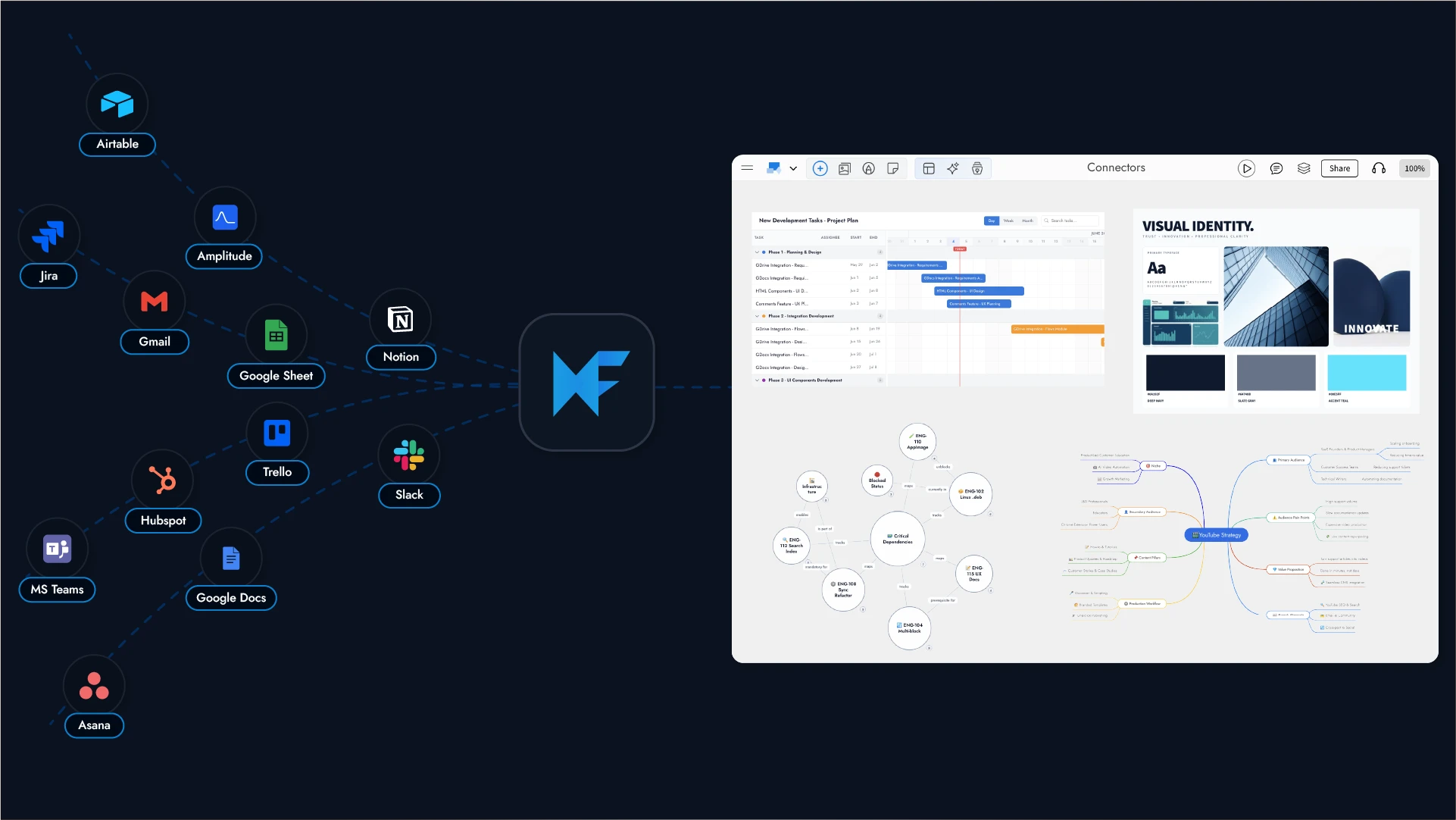
Bring data from the tools your team already uses onto a live MockFlow Board, then brainstorm it visually with Ask Mida AI on an infinite whiteboard. Connect Slack, GitHub, Notion, Jira, Linear, Google Drive, Gmail, Trello, Fathom and more.
Why this matters
Some things are easier to think about when you can see them in a better way. A Jira sprint laid out as a mindmap. A Notion document opened up into a knowledge graph. Github code visualized as flowcharts.
Connectors take the data from a tool you already use and turn it into exactly that , a visual you can brainstorm on, right on your MockFlow Board with your teammates and AI agents.
Just connect a tool, ask Mida AI in plain language, and it reads your live data and lays it out as visual board for better brainstorming.
It's the fastest way to turn the data you already have into a picture you can think with.
What you can connect
Connect the tools your team uses every day, including:
Communication: Slack, Gmail, Microsoft Teams, Outlook
Project management: Jira, Linear, Trello, Asana
Docs and databases: Notion, Google Drive, Google Docs, Google Sheets, Airtable
Code: GitHub
Meetings and analytics: Fathom, Google Calendar, Google Analytics, Mixpanel, Amplitude, PostHog
CRM: HubSpot
We add new connectors regularly. For the current, complete list, visit mockflow.com/connectors.
How it works
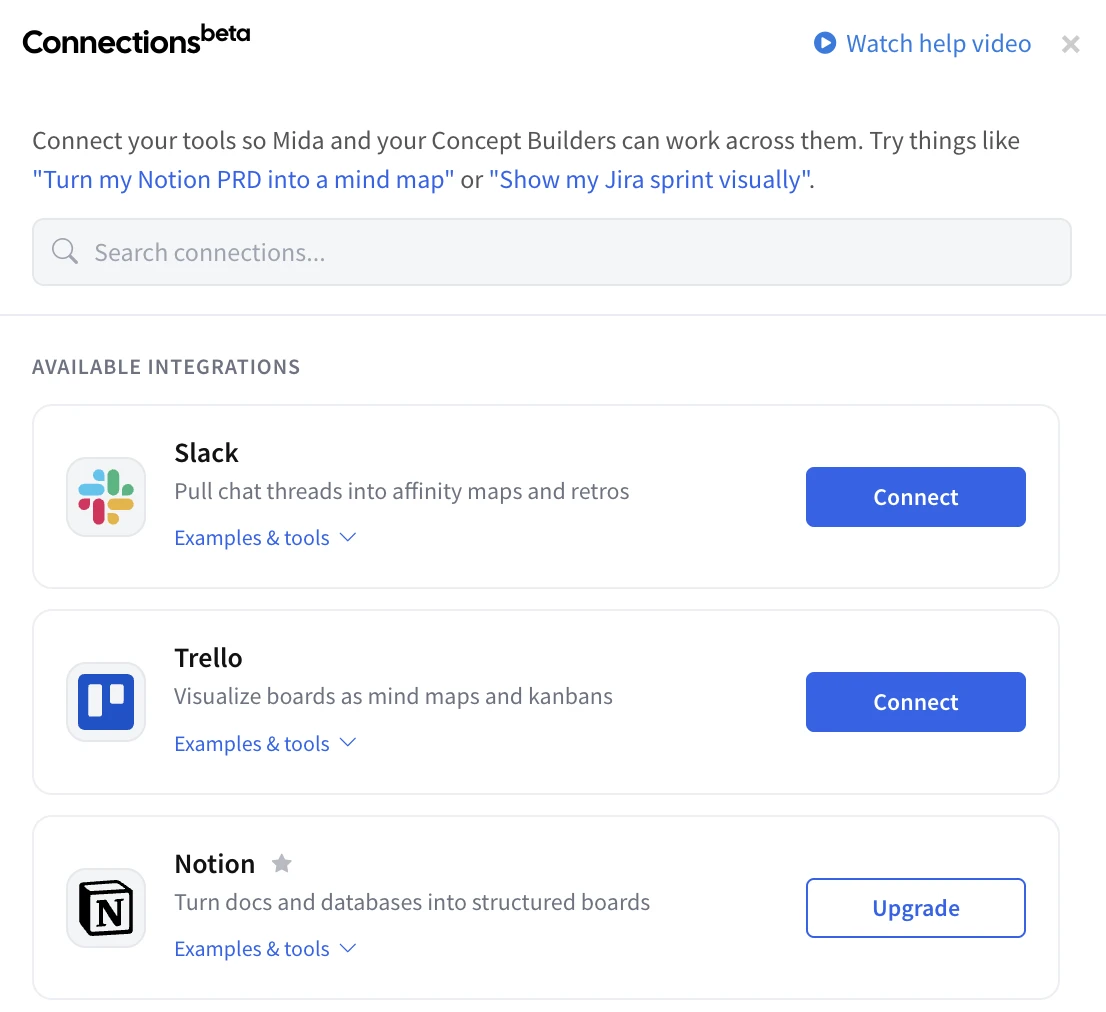
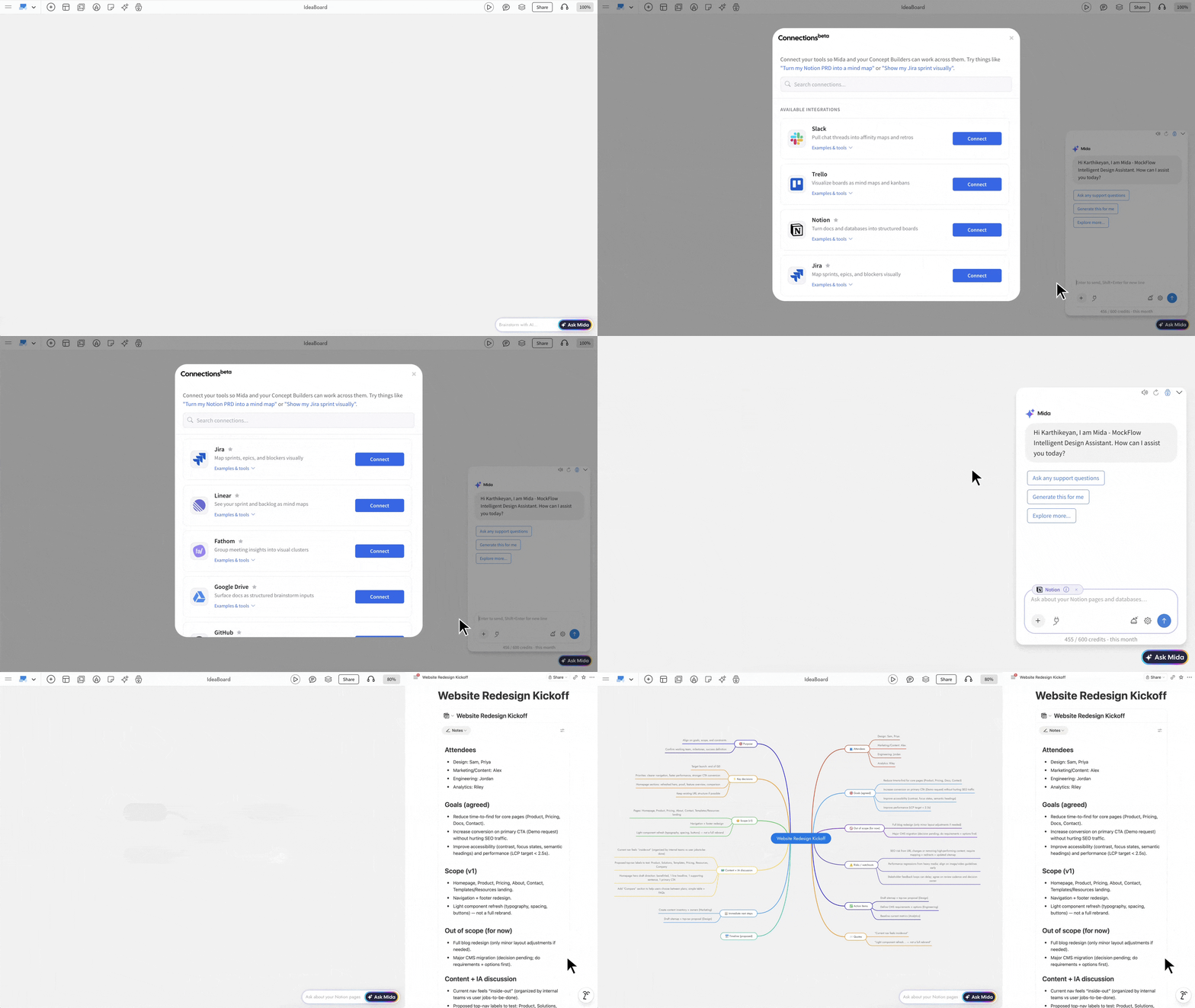
Connect. Open the Connections panel in Ask Mida AI and link a tool in one click. Most connectors use secure OAuth and you authorize MockFlow directly with the tool. A few simply take an API key.
Ask. Apply your connected tool, then type what you want in plain language for example, "Visualize my Notion document as a MindMap."
Generate. Mida reads your live data and places real, editable components like sticky notes, mind maps, kanbans, flowcharts and more directly on your infinite canvas.
What you can do with it
It's not about the data it's what you do once you can see it.
A marketing manager asks Mida to "turn my Notion campaign brief into a mind map" and a long doc becomes a branching map of channels and messages her team can build on.
A product manager asks to "show my current Jira sprint as a timeline" and walks into standup with one shared board instead of a list of tickets.
An engineering lead asks to "show open GitHub PRs as a kanban" turning a wall of pull requests into a clear view of what's ready and what's stuck.
A founder asks to "turn my Notion PRD into a structured board" making gaps and open questions obvious before engineering starts.
Security and privacy you can trust
MockFlow doesn't store your raw data. Mida reads your data live to build each visual, then moves on we keep only your secure connection, never the contents of your messages, issues, or documents.
MockFlow doesn't train AI on your data. It's used only to fulfill your request.
SOC2 and ISO 27001 compliant infrastructure, hosted on AWS with firewalls, intrusion detection, and DDoS protection.
Read-only and isolated per user and workspace — access is never shared across teams.
Get started
Connectors are available now inside Ask Mida AI on your MockFlow Board. Open the Connections panel, link your first tool, and ask Mida to brainstorm your data visually.
Transform conversations into visuals with MockFlow Board for Microsoft Teams. Enjoy AI-powered visual brainstorming, flowcharts, and mind maps directly inside your workspace without switching apps.
Now brainstorm visually inside Microsoft Teams to generate diagrams, mind maps, and flowcharts and more in your channels and meetings, without switching apps..
Your team's best ideas happen in conversation. But conversations are linear as they scroll, they get buried, and they rarely capture the full picture.
MockFlow Board for Microsoft Teams changes that by embedding a full AI-powered whiteboard directly inside the platform where your team already communicates, plans, and makes decisions.
No new tabs. No shared links to external tools. No context switching. Just open MockFlow Board inside Teams, and start thinking visually together.
Visual Brainstorming Where Your Team Already Works
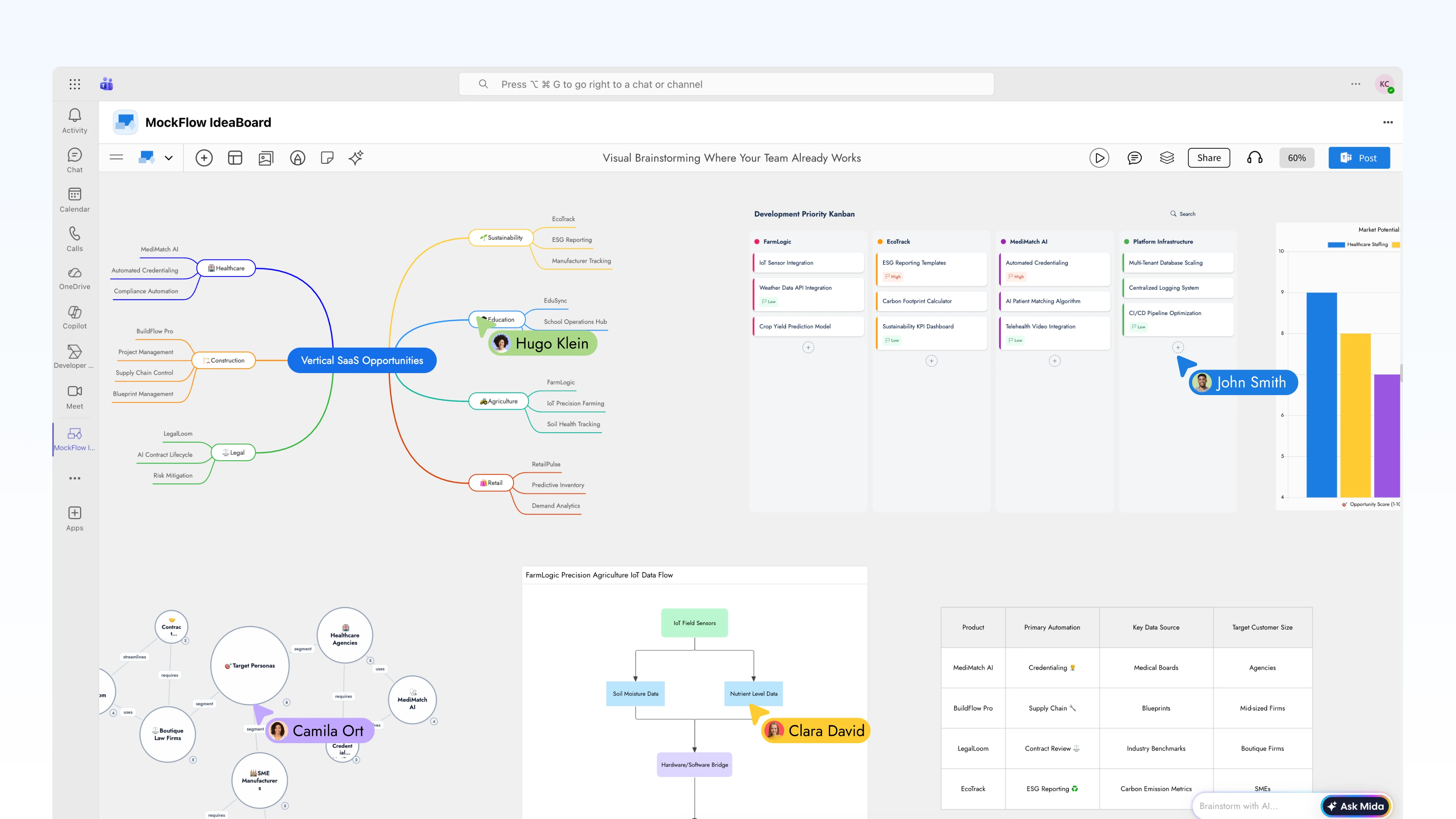
MockFlow Board integrates natively into Microsoft Teams as a first-class app. It lives inside your channels, your meetings, and your personal workspace. Whether you're in a sprint planning call or an async strategy thread, your visual workspace is always one click away.
Every board created inside Teams is a fully functional MockFlow Board canvas, complete with AI generation, real-time collaboration, and the full component library that includes flowcharts, mind maps, architecture diagrams, Kanban boards, customer journey maps, storyboards, documents, charts, and more
AI That Turns Conversations into Visuals
The real power of MockFlow Board inside Teams isn't just a whiteboard , it's an AI-powered whiteboard. Mida, MockFlow Board's built-in AI agent, generates structured visuals from natural language prompts in seconds.
Generate from text prompts:
"Create a flowchart for our user onboarding process"
"Draw an AWS architecture diagram for our payment microservice"
"Build a mind map breaking down Q3 marketing strategy"
"Map the customer journey from trial signup to paid conversion"
Instant format conversion:
Turn a mind map into a structured flowchart
Convert a brainstorming board into a Kanban with prioritized tasks
Transform meeting notes into a timeline or Gantt chart
Reshape a list of ideas into a knowledge graph
This means the AI does the heavy lifting of structuring ideas while your team focuses on thinking, deciding, and refining.
Three Deep Integration Points in MS Teams
1. Channel Tabs — Persistent Visual Workspaces
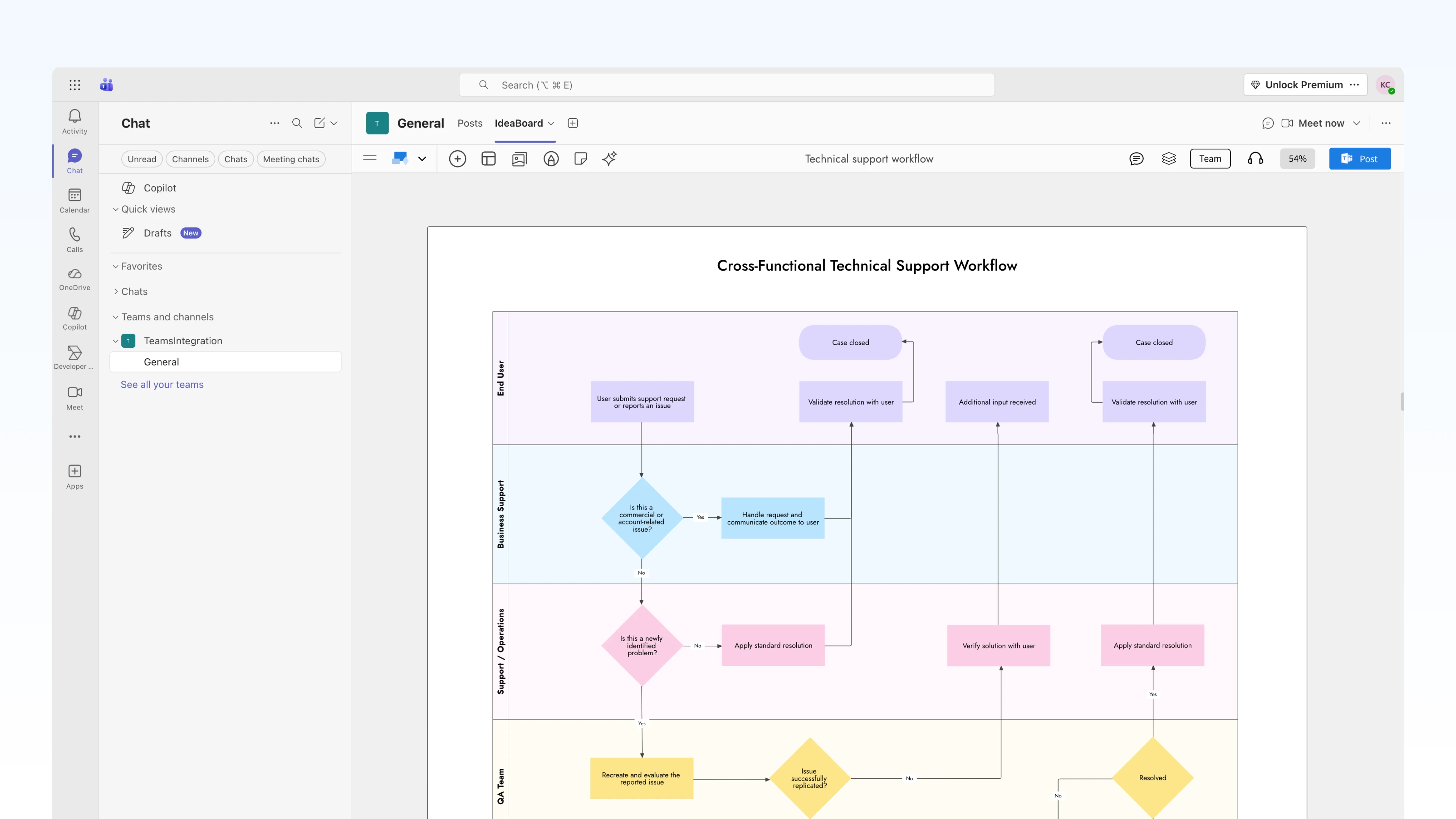
Pin MockFlow Board directly to any Teams channel as a tab. The board becomes a shared, always-accessible workspace for that channel , visible to everyone, editable by anyone with access.
2. Live in Meetings — Brainstorm in Real Time
Open MockFlow Board during any Teams meeting and collaborate on the canvas as a group, live. Every participant sees the board, every participant can contribute, and the AI is available to generate and transform visuals as the conversation unfolds.
3. Channel Updates — Visual Snapshots for Async Teams
Not every team works synchronously. For distributed teams across time zones, MockFlow Board lets you export whiteboard snapshots directly into Teams channels. Post a visual update — a diagram, a status board, a mind map as a rich visual message that everyone sees without opening another tool.
3. Pin MockFlow Board as a tab in any channel, or access it from the personal apps sidebar
4. Sign in with your MockFlow account (or create a free one)
5. Start brainstorming — create a new board or open an existing MockFlow Board
For meetings, simply open the MockFlow Board app during any Teams call from the apps panel, select or create a board, and invite participants to collaborate in real time.
Availability
MockFlow Board for Microsoft Teams is available on all MockFlow plans. The integration works across Microsoft Teams desktop, web.
Discover WireframePro MCP Server, which integrates with AI assistants like Claude and VS Code to streamline wireframing and design-to-code processes. Enhance productivity with contextual wireframing and custom design skills for seamless design automation.
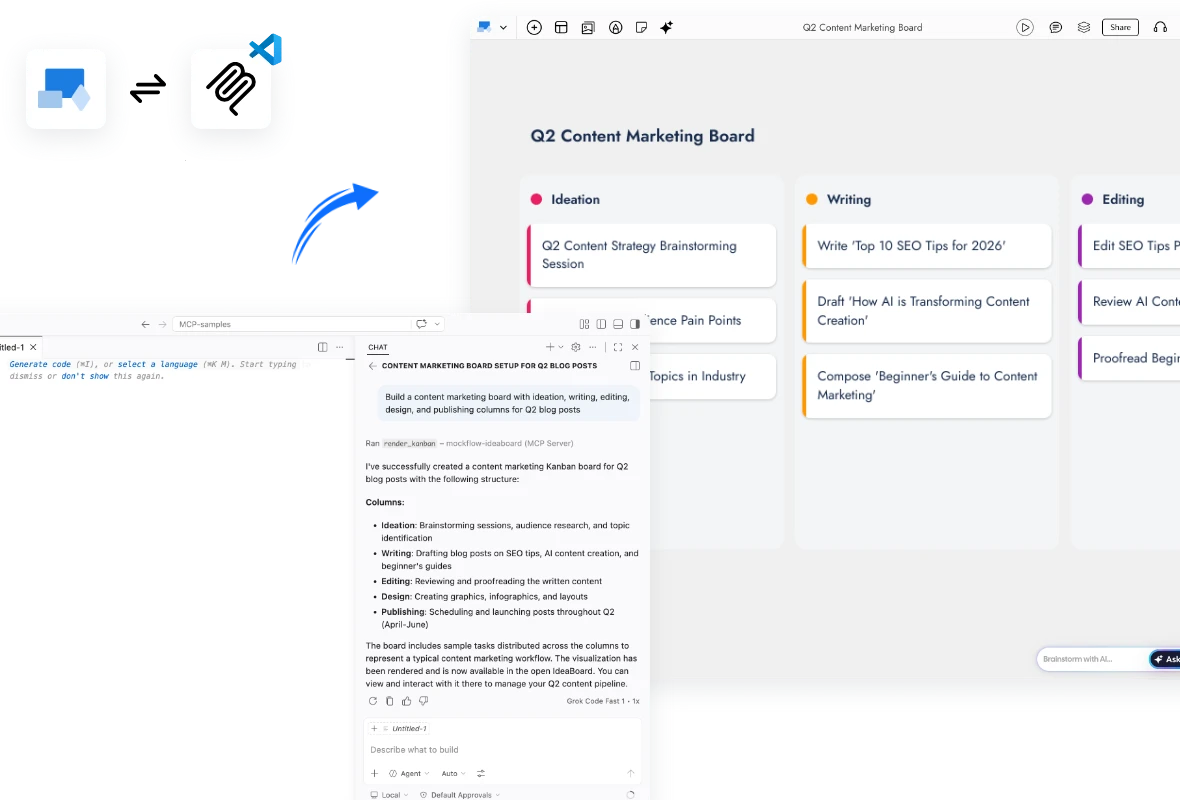
Draft wireframes from a prompt, generate them contextually from your existing code, specs, or requirement docs, and convert wireframes into code all from Claude, Cursor, VS Code, and any MCP-compatible AI assistant.
Why this matters
WireframePro now speaks the Model Context Protocol (MCP) — Anthropic's open standard for connecting AI assistants to external tools. Any MCP-compatible AI client can now call WireframePro directly to render a wireframe, read a wireframe, and convert it to code, without ever leaving the assistant.
And uniquely in our Desktop App edition, the workflow is two‑way:
Prompt → Wireframe — describe a screen in natural language, and the AI builds it as an editable wireframe on your canvas (not a static image).
Wireframe → Code — point the AI at any existing canvas in your project and generate production‑ready React, Vue, Next.js, Tailwind, or plain HTML/CSS from it.
The real unlock: contextual wireframing
Since WireframePro now plugs into an AI agent that already has access to your codebase, specs, tickets, PRDs, API schemas, and design docs, the agent can do the translation work for you and use WireframePro purely as the rendering surface. The MCP server is the bridge; the agent is the designer.
A few workflows that simply weren't possible before:
- "Wireframe this PRD." Drop a product requirements doc into Claude or Cursor. The agent reads the entire spec, identifies every screen and state it implies, and renders a complete
multi‑screen wireframe set on your WireframePro canvas, already organized by user flow.
"Wireframe the settings page from our existing codebase." The agent reads your React/Vue source, understands the component tree and routing, and produces a wireframe that faithfully reflects what ships in production today, ideal for audits, redesigns, and onboarding new designers.
"Generate wireframes for every endpoint in this OpenAPI spec." The agent parses the schema, infers the CRUD screens each resource needs, and lays them out as a connected flow. What used to be a week of design work becomes a single prompt.
"Turn this Jira epic into a UI wireframe." The agent pulls the ticket, reads the acceptance criteria, drafts screens, and iterates with you in natural language all while the
canvas updates live.
"Redesign our checkout to match our new brand guidelines." The agent reads your existing checkout code and your brand style guide, then renders a proposed redesign using a custom Design Skill that encodes your tokens.
"Document this legacy app." Point the agent at an old codebase with no design files. It reverse‑engineers the UI into wireframes so the team finally has a visual source of truth to plan
migrations against.
The pattern is the same in every case: the AI agent does the heavy lifting of understanding context : code, docs, specs, tickets and WireframePro MCP is the tool it reaches for whenever the output needs to be visual. You stop being the middleman between written requirements and visual design, and become the editor of an AI‑produced first draft.
This is why shipping MCP and especially the two‑way Desktop edition — is bigger than "another AI feature." It's a new category of design work: contextual, source‑aware wireframing, where the distance between "a spec exists" and "a wireframe exists" drops from days to seconds.
Two ways to connect
We've shipped the MCP server across every WireframePro surface so teams can adopt it on their own terms.
1. Desktop App MCP — the full two‑way experience
Built directly into the MockFlow Desktop App (macOS, Windows). Open any WireframePro project, register the local MCP endpoint in your AI client, and start designing:
claude mcp add --transport http -s user mockflow-wireframepro http://localhost:21194/mcp
Works offline — the MCP server runs locally, so your canvas, prompts, and generated code never leave your machine.
Both directions — this is the only edition that ships read_wireframe, enabling wireframe‑to‑code conversion.
Live canvas rendering — wireframes appear on the active page of your open project in real time, so you can edit as the AI builds.
Best for: Product designers, UX teams, and engineering teams that want wireframe‑to‑code in a secure, local environment.
2. CLI / npm MCP Server — for developer workflows
A standalone npm package for developers who live in their terminal and IDE:
OAuth‑based login to your MockFlow account; wireframes are saved to your cloud workspace so they're shareable with the rest of the team. Ideal for engineers scaffolding UIs from inside
Claude Code, Cursor, or VS Code Copilot. Developers who want to auto-generate wireframe designs as part of their process continously. Can be integrated part of the AI assistant based API.
Supported AI clients
WireframePro MCP works with every major MCP‑compatible assistant:
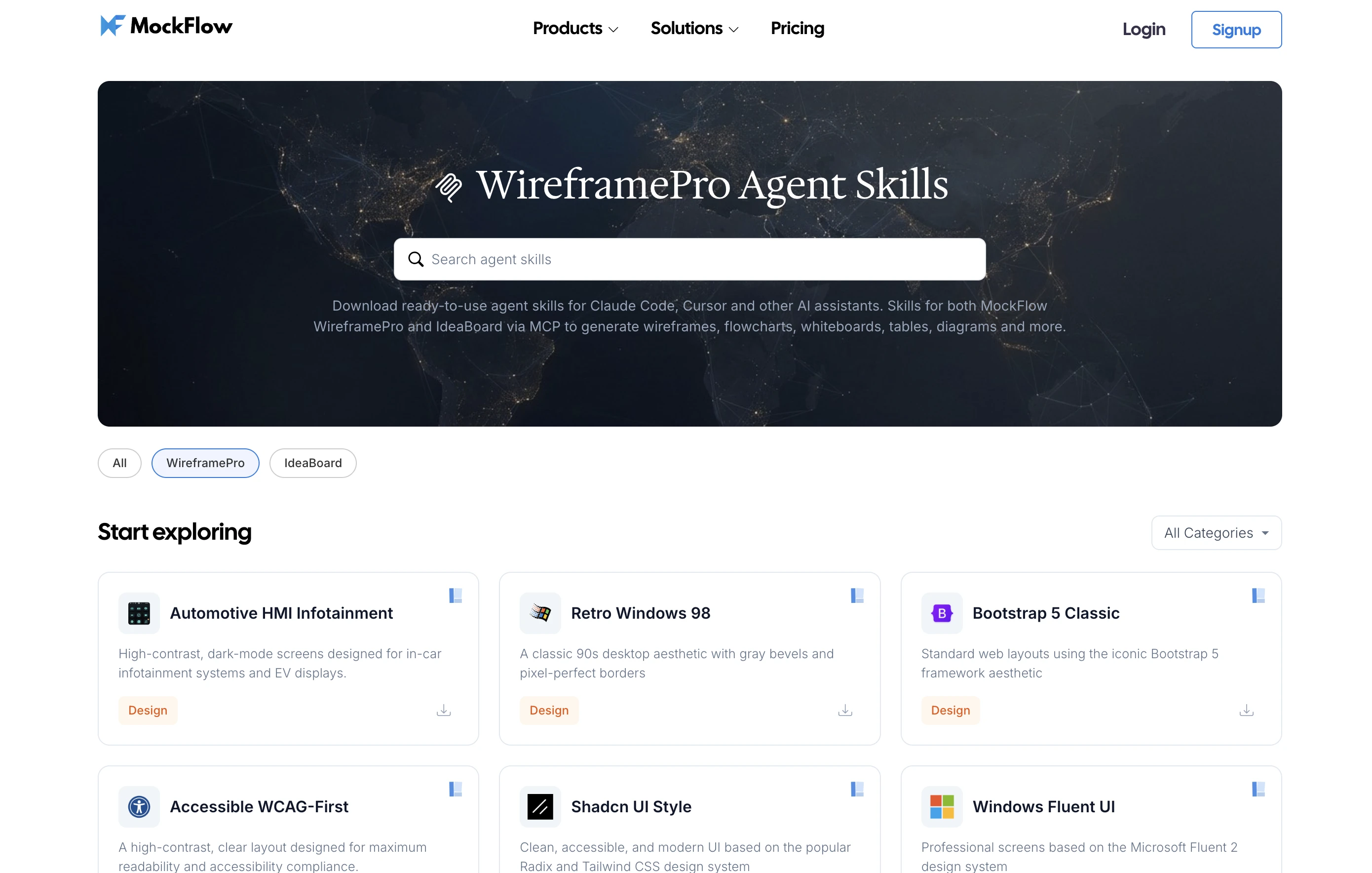
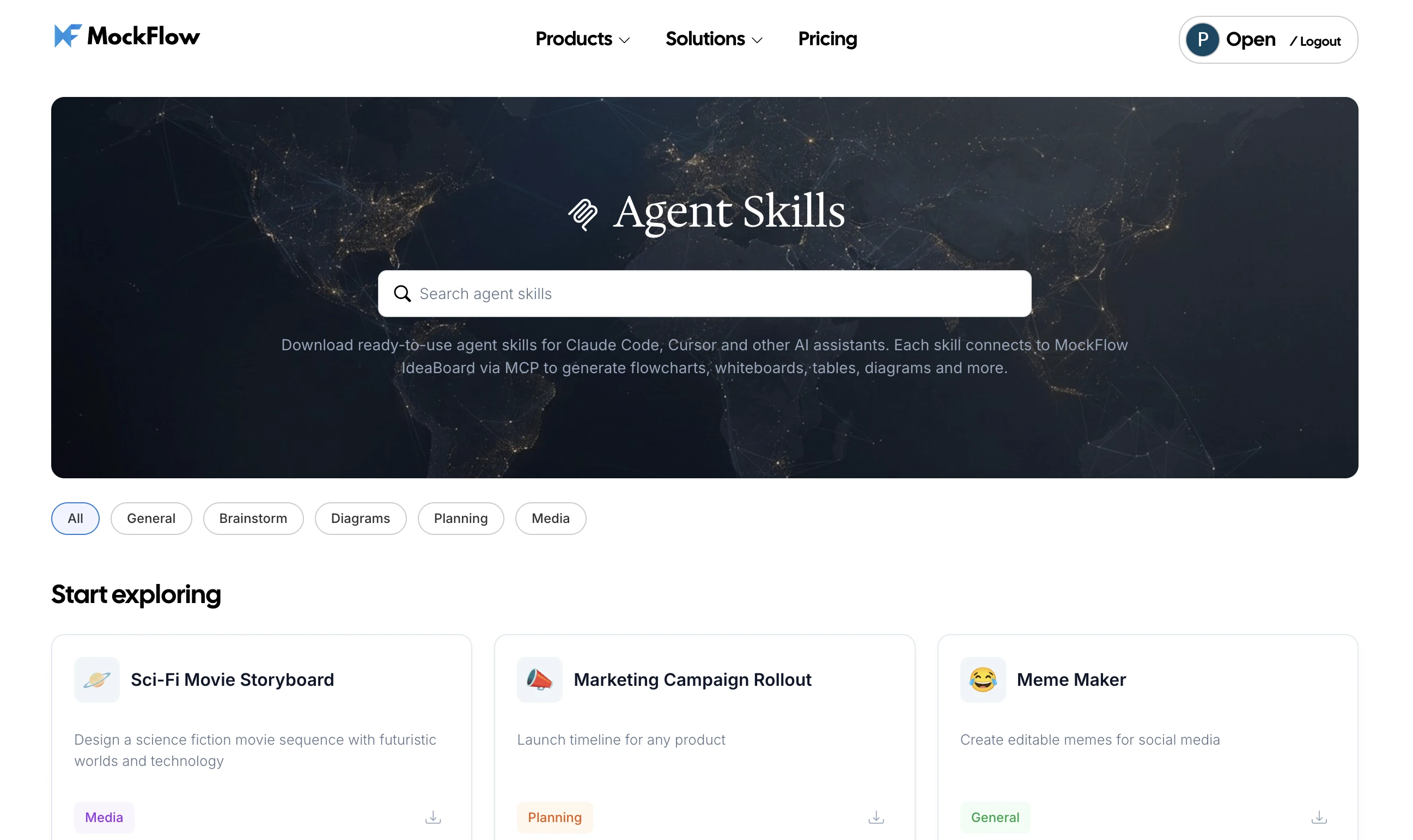
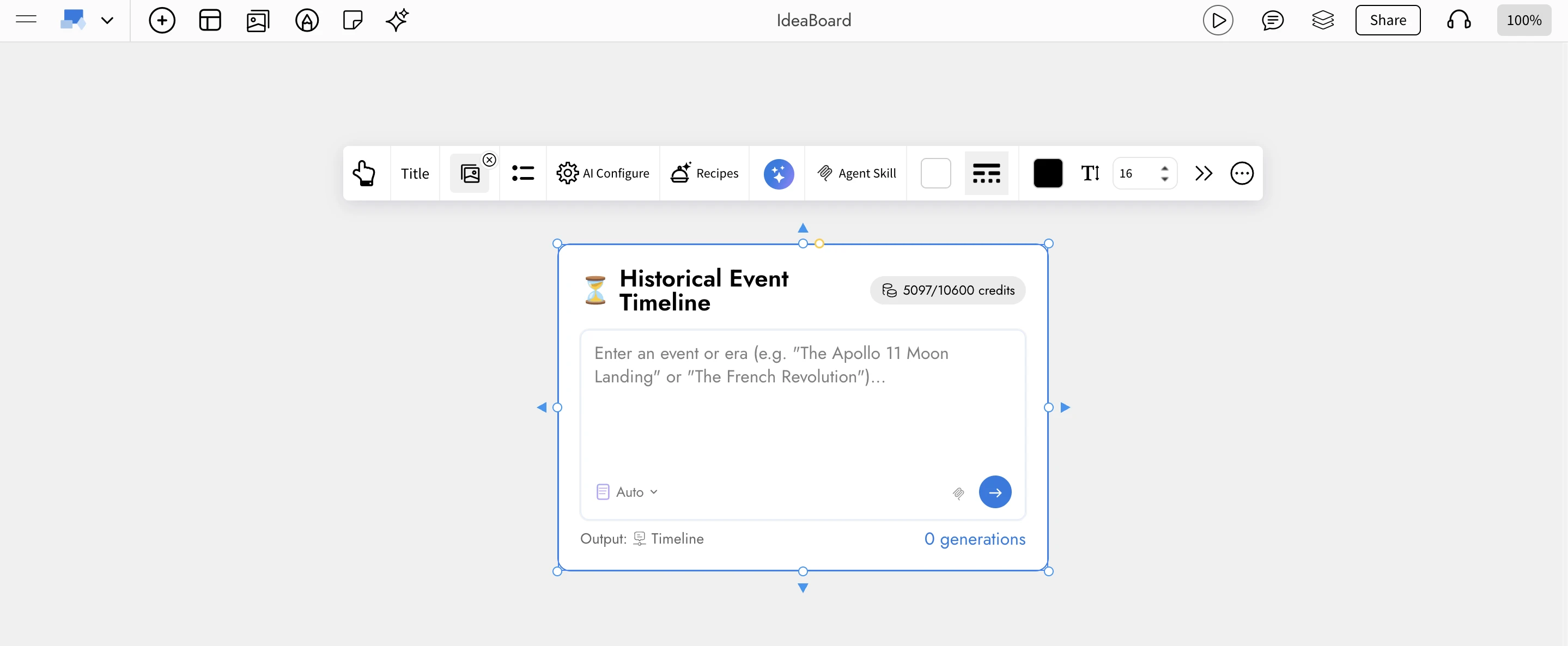
Out of the box, AI‑generated UI tends to look generic because the model has no opinion about visual style. Design Skills solve that: they're reusable style recipes your AI assistant loads
as agent skills, instructing it to render wireframes in a specific design language — Material, Fluent, iOS, Shadcn, Bootstrap, retro Windows 98 style, Cyberpunk UI and more.
WireframePro MCP ships with a growing library of curated Design Skills, with new styles added regularly.
Custom Design Skills — your brand, your design system
Paid users can go a step further and author their own Design Skills that encode their company's brand guidelines or internal design system like tokens, typography, spacing, component library, voice and then instantly share them with their team. Once published, every designer, PM, and engineer on the team can load the skill inside their AI assistant and produce wireframes that match the house style on the first try, with zero manual styling.
Turn a PRD or Jira ticket into a clickable wireframe in under a minute.
Generate multiple screen variations during discovery without a designer in the loop.
Attach interactive mockups to specs so engineering estimates are grounded in visuals.
Software Engineering
Scaffold a new feature UI straight from your IDE — Claude Code reads the ticket, calls render_wireframe, and you refine on canvas.
Point the AI at an existing wireframe and generate the React/Vue/Tailwind component tree that matches it — cutting UI implementation time dramatically.
Reverse‑engineer UIs from existing code — point the agent at a legacy screen and get a clean wireframe back, ready for redesign discussions.
Document API flows with render_flowchart and solution architectures with render_cloudarchitecture, all from the same assistant.
Design & UX Teams
Use AI as a rapid ideation partner while keeping every output fully editable in WireframePro. - Lock generated output to your design system via custom Design Skills.
Move seamlessly from hand‑sketched ideas to code‑ready specs without leaving the canvas.
Startups & Founders
Go from idea → interactive mockup → shippable frontend code in a single working session.
Validate product concepts with investors and early users without hiring a designer.
Agencies & Consultancies
Respond to RFPs with wireframes generated during the sales call itself.
Produce client‑ready deliverables — wireframe packs, user flows, and architecture diagrams — from a single prompt‑driven workflow.
Enterprise & Regulated Teams
The Desktop App edition keeps every prompt, wireframe, and generated code local, meeting the security posture required in finance, healthcare, and government environments.
Pair with an on‑prem Claude/Cursor setup for a fully air‑gapped design‑to‑code pipeline.
Education
Teach UI/UX fundamentals by having students prompt, critique, and refine AI‑generated wireframes live in class.
Use Design Skills to demonstrate the visual differences between Material, Fluent, and iOS design languages.
Transform your AI assistant into a visual brainstorming powerhouse with the MockFlow Board MCP Server. Create flowcharts, mind maps, and more directly from AI tools like Claude, Cursor, and VS Code Copilot. Leverage MockFlow's tools seamlessly within your existing workflow.
Turn any AI assistant into a visual brainstorming powerhouse. Create contextual flowcharts, mind maps, knowledge graphs, architecture diagrams, and more visualization types directly from Claude, Cursor, or VS Code Copilot without leaving your workflow or spending MockFlow AI credits.
The MockFlow Board MCP Server opens up MockFlow's full visual brainstorming toolkit to the AI assistants you already use every day. Instead of switching to MockFlow to create a diagram, you can now ask Claude, Cursor, or VS Code Copilot to generate flowcharts, mind maps, storyboards, Gantt charts, architecture diagrams, customer journey maps, and more , all rendered as fully editable MockFlow Board projects.
MCP (Model Context Protocol) is an open standard created by Anthropic Inc; that lets AI assistants connect directly to external tools. Think of it as a universal plug that lets your AI talk to MockFlow. With the MockFlow Board MCP Server, your AI assistant gains specialized tools that go far beyond what text-based brainstorming can offer.
Why MCP Matters for Visual Brainstorming
MockFlow already has Mida AI, our built-in AI assistant that lives inside MockFlow Board. Mida generates, modifies, and transforms content directly on your canvas with full context of your project. It is the complete AI experience when you are working inside MockFlow, and it uses your plan's AI credits.
But the MCP Server solves a different problem. Many users brainstorm where they already are — in a terminal analyzing code, in an IDE reviewing architecture, in a Claude chat discussing strategy, or working with local documents and datasets. The MCP Server brings MockFlow's
powerful brainstorming components to those environments.
The key advantages of using MockFlow Board via MCP:
Contextual brainstorming — Your AI can read local files, codebases, spreadsheets, meeting transcripts, PRDs, and datasets on your machine, then visualize the insights directly. You never need to copy-paste or upload content to MockFlow.
Use your own AI credits — MCP uses your AI tool's credits (Claude, Cursor, Copilot), not your MockFlow plan's AI credits. This is especially valuable for teams that want unlimited visual brainstorming without consuming their MockFlow allocation.
No context switching — Stay in your terminal, IDE, or AI chat. The visualization appears as a shareable URL or renders directly on your open MockFlow Board canvas (Desktop App).
Full editability — Every generated visualization is a real MockFlow Board component. Open it to edit, collaborate with your team, present, or export.
In short: Mida AI is the full experience inside MockFlow. MCP brings MockFlow's visualization tools with powerful contextual engine to wherever your AI already is.
What does it provide?
While the component set in MockFlow Board is growing fast, currently it offers generations in these broad categories.
Flowcharts and Diagrams
render_flowchart — Create flowcharts across 11 distinct diagram categories: default, sketchy hand-drawn, 3D isometric, bio/medical, circuit, piping and instrumentation (P&ID), UML, sketchy UML, cloud isometric, web layout, and mobile layout. Supports decision nodes, process steps, start/end terminators, and conditional branching.
render_swimlane — Cross-functional process flows with horizontal swim lanes for different actors, roles, or departments. Ideal for mapping business processes that span multiple teams.
render_database — Entity-relationship diagrams with tables, columns, primary key and foreign key marking, and relationship arrows between tables. Describe your data model and get a proper ER diagram.
Brainstorming and Ideation
render_mindmap — Hierarchical mind maps with balanced left-right branching, multi-level nesting, and emoji support. Perfect for breaking down complex topics, brainstorming features, or mapping knowledge areas.
render_whiteboard — Freeform brainstorming boards with sticky notes in pastel colors, sections for grouping, and text labels. Captures the feel of a physical whiteboard session.
render_knowledgegraph — Bubble network graphs (similar to Obsidian-style knowledge graphs) with weighted nodes and directed edges with labels. Visualize relationships between concepts, dependencies, or interconnected systems.
Planning and Project Management
render_kanban — Project management boards with customizable columns, cards with priority levels, due dates, assignees, and color-coded labels. Columns use topic-relevant categories rather than generic statuses.
render_gantt — Project timeline charts with phases, tasks, progress tracking (0-100%), start and end dates, dependencies between tasks, and priority levels.
render_calendar — Event calendars with support for timed events, all-day events, multiple event colors, and reminders.
render_timeline — Chronological event visualization in two modes: date-based (for real historical dates or project milestones) and label-based (for stages, phases, or abstract sequences).
Data and Analysis
render_chart — Eight chart types: pie, vertical bar, horizontal bar, line, area, scatter, bubble, and radar. Accepts CSV-formatted data with formula support.
render_table — Structured data tables with headers and flexible columns. Clean tabular output from any dataset.
render_spreadsheet — Full spreadsheets with formula support including SUM, AVERAGE, MAX, MIN, COUNT, IF, and ROUND.
Architecture and Infrastructure
render_cloudarchitecture — Cloud infrastructure diagrams with native support for AWS, Azure, GCP, and Cisco service icons. Supports VPC and subnet grouping, security group containers, and standard cloud architecture notation.
Customer Experience and Storytelling
render_customerjourney — Customer journey maps with stages, activities with icons, satisfaction metrics on a 0-4 emotion scale, experiences, expectations, and pain points at each stage.
render_storyboard — Film and video storyboards with cinematic frame descriptions, camera angles, lighting notes, sequence numbers, metadata fields, and AI-generated cover images for each frame.
Content and Geography
render_markdown — Rich text documents with full Markdown syntax and optional AI-generated images via a prompt field.
render_map — Geographic maps with location markers using GeoJSON coordinates and emoji markers.
Desktop Exclusive
layout_board — After creating multiple visualizations, call this tool to automatically arrange them into a professional bento-box grid layout with a titled section wrapper. This is only available when using the MockFlow Desktop App or MockFlow Board for Mac, where the AI creates visuals directly on your open canvas.
Four Ways to Connect
The MockFlow Board MCP Server is available in four configurations, each designed for a different workflow.
1. Loginless Web MCP — Easiest: No Install, No Login
Add https://app.mockflow.com/ideaboard/mcp as a connector in Claude.ai or ChatGPT. No installation, no MockFlow account, no setup. A new board is created for each visualization and you get a shareable URL.
Best for: Managers, marketers, and anyone who uses Claude.ai or ChatGPT in the browser. No technical knowledge needed.
2. MockFlow Desktop App — Most Powerful: Direct on Canvas
Built into the MockFlow Desktop App. Your AI creates visuals directly on your open MockFlow Board canvas in real time — no URLs, no waiting. This is the most powerful option because it includes all tools plus the exclusive layout_board tool for bento grid layouts, and it works with both cloud projects and local file-mode (.board) projects.
How to set up:
Open the MockFlow Desktop App → open a MockFlow Board
In Claude Code or Cursor, run: claude mcp add --transport http -s user mockflow-ideaboard http://localhost:21193/mcp
Ask your AI to create any visualization — it appears directly on your canvas.
Best for: Designers, product teams, and daily MockFlow users.
3. MockFlow Board for Mac (Standalone) — Native Mac Experience
The standalone https://apps.apple.com/in/app/mockflow-ideaboard/id6751854527?mt=12 includes the same built-in MCP server as the full Desktop App. Get a dedicated, lightweight brainstorming application with full MCP support — including layout_board and direct-on-canvas rendering. This is ideal if you want MockFlow Board as a focused visual thinking tool that does not use MockFlow servers and is fully offline. And also one-time payment.
Available at: localhost:21193/mcp (same as Desktop App)
Best for: Mac users who want a lightweight, focused brainstorming app with full AI integration.
4. CLI npm Package — For Developers: Saved to Your Account
Install from npm, authenticate via browser (OAuth), and all boards are saved to your MockFlow account.
How to set up:
npm install -g @mockflow/ideaboard-mcp
mockflow-ideaboard-mcp login
mockflow-ideaboard-mcp
Best for: Developers using Claude Code, Cursor, or VS Code Copilot who want boards saved to their workspace.
Works With Your Favorite AI Tools
The MockFlow Board MCP Server works with any MCP-compatible AI assistant:
Claude.ai — Add as a connector in Settings → Connectors
Claude Code — Add via claude mcp add command
Cursor — Configure as an MCP server in settings
VS Code Copilot — Connect via MCP configuration
ChatGPT — Configure as an MCP server in settings
OpenAI Codex — Configure as an MCP server in settings
AI Recipes — Now Downloadable as Agent Skills
One of the most powerful aspects of the MockFlow Board MCP Server is the AI Skills system. MockFlow Board's AI Recipes — the same pre-configured AI workflow templates available inside MockFlow Board's Recipe Library — can now be exported and downloaded as Agent Skills for Claude Code and other AI assistants.
What are AI Recipes?
AI Recipes are curated, ready-to-use AI gen templates inside MockFlow Board. Each recipe is a fully configured AI Prompt Box that includes a title, system instructions, output type, placeholder guidance, model preferences, and an icon. Previously, these lived only inside MockFlow Board.
Now, any recipe can be exported as a skill file that your AI assistant understands natively.
How Skills Work
Each skill is a lightweight configuration file (SKILL.md) that teaches your AI assistant how to use a specific MockFlow Board MCP tool for a specific task. Install a skill once, and it triggers automatically when your AI detects a matching intent. You can also invoke skills directly.
For example, with the Decision Flowchart skill installed, simply asking Claude Code "Should I use React or Vue for this project?" automatically triggers the skill, which calls render_flowchart to create a structured yes/no decision tree — no manual tool selection needed.
You can also create custom skills inside MockFlow Board using the AI Prompt Box component. Configure a Prompt Box with your specific instructions, output type, and system prompt, then export it as a Claude Code skill. This means your team's custom brainstorming workflows — tailored to your industry, brand, or process — become reusable AI skills that any team member can install and use from their terminal or IDE.
Use Cases — MockFlow Board MCP for Every Team
Product Management
Scan a PRD document on your machine and generate a sprint kanban board with prioritized tasks, assignees, and due dates
Convert meeting transcripts into structured mind maps of decisions, action items, and open questions
Create roadmap Gantt charts from project plans and track dependencies across workstreams
Map customer onboarding journeys directly from user research notes
Software Engineering
Analyze your codebase and generate architecture diagrams showing how services, databases, and APIs connect
Create ER diagrams from database migration files or schema definitions
Visualize authentication flows, CI/CD pipelines, or microservice communication as flowcharts
Generate AWS, Azure, or GCP infrastructure diagrams from Terraform files or deployment configs
Design and UX
Create customer journey maps from user interview transcripts
Generate storyboards for product walkthroughs, onboarding flows, or demo videos
Map cross-functional swimlane diagrams for design review processes
Build moodboards and brainstorming whiteboards from creative briefs
Marketing and Strategy
Turn campaign strategy documents into content calendars with scheduled dates and categories
Create customer journey maps for specific personas from research data
Generate competitive analysis charts and comparison tables from market research
Build mind maps from brand strategy documents to align teams on positioning
Film and Media
Generate cinematic storyboards from scripts with camera angles, shot types, and scene descriptions
Create shot lists as kanban boards organized by scene and priority
Build production schedules as Gantt charts with crew assignments and dependencies
Plan editorial calendars for content production pipelines
Education and Research
Convert lecture notes or textbooks into structured mind maps for study guides
Create flowcharts for scientific processes, algorithms, or historical decision trees
Generate quiz content and study plans from curriculum documents
Build knowledge graphs from research papers showing concept relationships
Data Teams
Visualize CSV files and datasets as charts, tables, or spreadsheets with calculated fields
Create geographic visualizations from location data
Generate timeline visualizations from event logs or historical data
Convert raw data into presentation-ready charts with eight visualization types
How MockFlow Board MCP Compares to Other Whiteboarding MCP Servers
The whiteboarding MCP space is still emerging. Most available options are either generic drawing tools or text-based diagram renderers. MockFlow Board MCP is the first purpose-built visual brainstorming MCP server with specialized tools for each visualization type.
Get Started Now
The MockFlow Board MCP Server brings MockFlow's visual brainstorming tools to wherever your AI already is. Brainstorm contextually, visualize your data contextually, and collaborate visually — all without leaving your workflow. MCP is available on free plans also but with rate limits.
Discover how Mida AI and MockFlow Board convert ideas, documents, and images into organized visual workspaces. Generate multi-component boards like flowcharts, Kanban boards, and more with AI-powered automation.
MockFlow Board now introduces a powerful way to convert raw ideas, documents, and conversations into fully structured visual workspaces using AI.
With a single prompt, you can generate a complete multi-component board that includes flowcharts, Kanban boards, Gantt charts, mind maps, spreadsheets, calendars, and more, all automatically organized into a clean, structured layout.
How It Works
1. Describe, Paste, or Upload
Start with any type of input inside MockFlow Board:
A short prompt such as planning a company trip or launching a product
A long document such as a meeting transcript, PRD, or strategy notes
An image such as handwritten notes, whiteboard captures, or screenshots
Mida AI supports large inputs and understands both structured and unstructured content.
2. AI Analysis and Planning
Mida analyzes your input and creates a structured plan for visualization:
Detects intent to determine whether a single component or a multi-component board is needed
Extracts key elements such as tasks, timelines, decisions, risks, and stakeholders
Optionally enriches content using real-time web data when required
Generates a curated plan with multiple visual components tailored to your input
3. Review and Customize
Before generating the board, you can review and refine the plan:
Select or deselect individual components
Modify the plan using natural language instructions
Preview AI credit usage for advanced components
This ensures full control before generation.
4. Generate the Board
With one click, MockFlow Board generates all components and arranges them into a structured layout.
Each board is automatically organized using a bento-style grid, with balanced spacing, aligned sections, and a clear visual hierarchy. The result is a ready-to-use workspace that can be shared and edited collaboratively.
23 Visual Component Types Supported
Mida can generate a wide range of visual components within a single board:
The system selects the most relevant combination based on your input.
Built for Real Workflows
This feature is designed to support practical, everyday use cases across teams:
Meeting transcripts to action plans
Convert discussions into structured boards with tasks, timelines, and ownership
PRDs to project dashboards
Transform product documents into visual execution plans with timelines and tracking
Quick ideas to structured plans
Expand simple prompts into comprehensive multi-component workspaces
Images to organized boards
Convert handwritten notes or whiteboard photos into structured visual layouts
Intelligent Layout Engine
Generated components are automatically arranged using a layout system that:
Organizes components into balanced rows based on size
Optimizes spacing to reduce empty areas
Maintains visual alignment for clarity
Avoids overlap with existing board content
Applies consistent styling with titles and color themes
Conversational Refinement
You can continuously refine your board using natural language:
Add or remove components
Replace one visualization with another
Adjust focus areas such as marketing, product, or operations
Mida updates the board plan dynamically based on your instructions.
Availability
Multi-component board generation is now available in MockFlow Board for all paid plans. Some advanced component types may use additional AI credits, which are shown during the planning stage.