
New Keyboard Shortcuts for Faster Wireframing and Whiteboarding in MockFlow
Discover the latest keyboard shortcuts in MockFlow for faster wireframing and whiteboarding. Use AI tools with a simple slash and navigate efficiently with Cmd + 2,3,4,5. Available on both web and desktop apps.
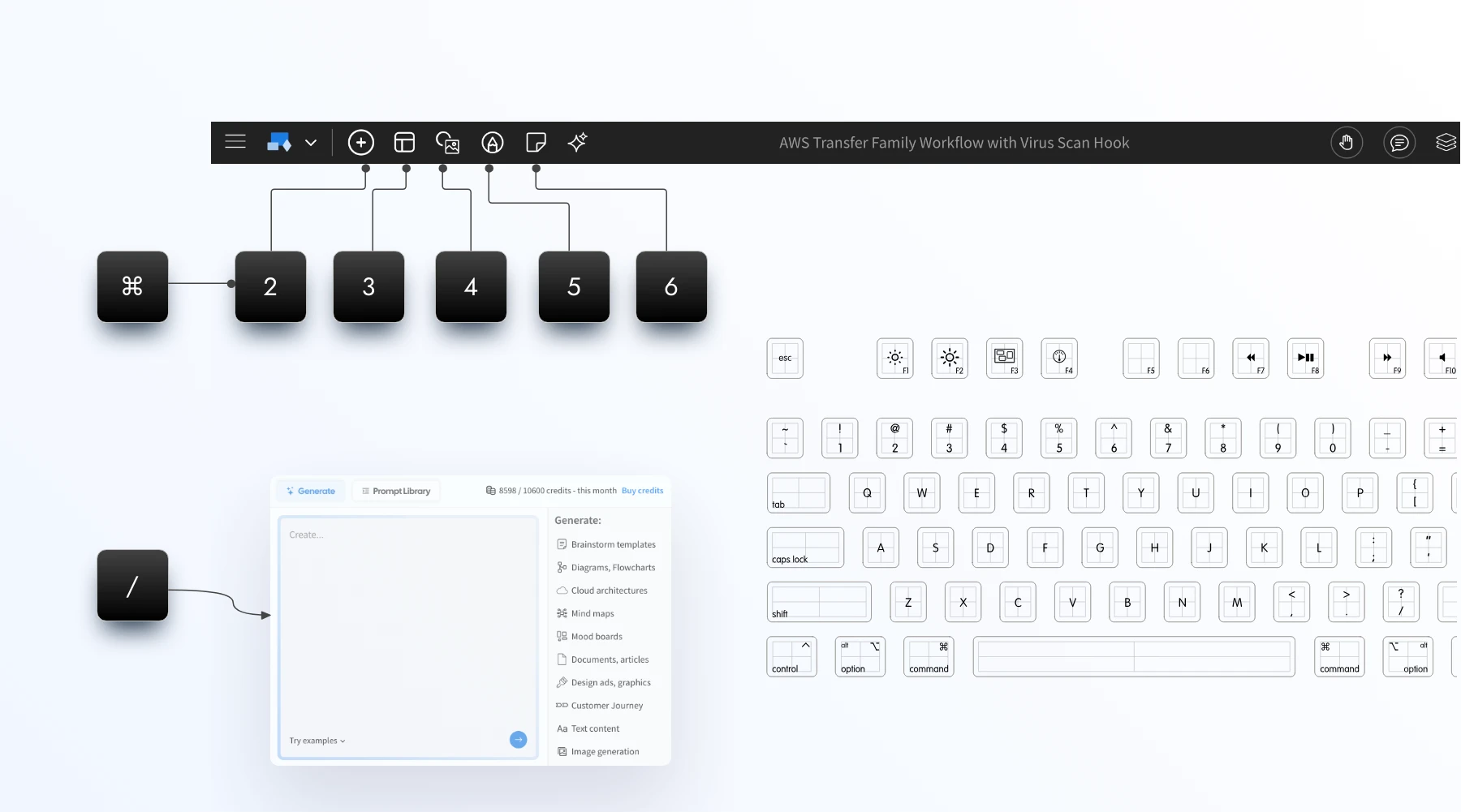
With the new shortcuts everything is in your finger tips, press '/' anytime to bring AI assist in WireframePro or MockFlow Board. Use Cmd + 2,3,4,5 to switch main tabs.
Type '/' to bringup AI toolbox
Smarter design with AI is now just a slash away. In the editor, simply press ‘/’ to open AI tools instantly. Enter your prompt and generate wireframes, dashboards, mind maps, flowcharts, diagrams, images, or text whenever and wherever you need them.
⌘ + J = Mida Chat
Open Mida assistant inside editor for support, doubts, reporting issues, or even performing actions in both WireframePro and MockFlow Board.
⌘ + 2,3,4,5
Navigate your editor at lightning speed with new keyboard shortcuts. Use Cmd (Mac) or Ctrl (Windows) with numeric keys to instantly cycle through the main operations.
In WireframePro, quickly switch between Components, Pages, Images, and Icons.
In MockFlow Board, move seamlessly across Components, Templates, Library, Draw Mode, and Stationery.
This update saves clicks, reduces distractions, and keeps you focused on creating.
Contextual right-click menus
Alongside the new keyboard shortcuts, this release also introduces improved right-click menus when you select a blank canvas. These context-aware menus surface the most relevant options instantly, helping you add, organize, and design without breaking your flow.
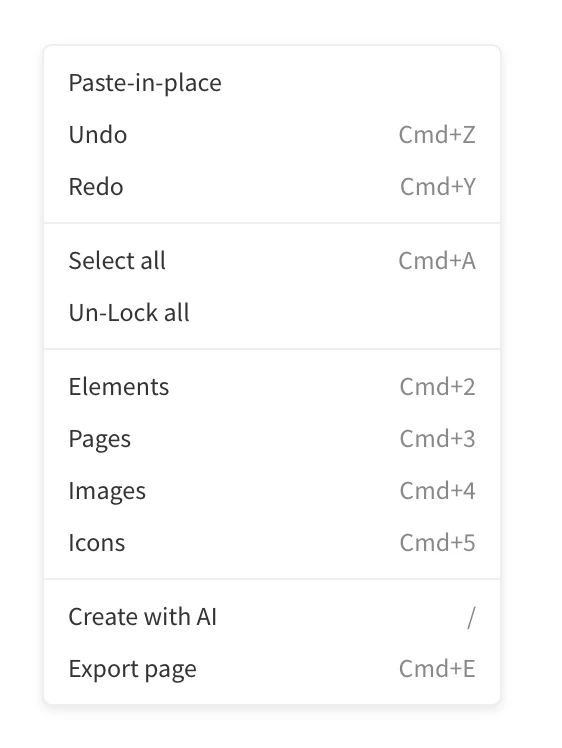
The above changes are now available in both web and desktop apps.