
New maps component with AI for Whiteboard
Discover the innovative Maps component in MockFlow Board, featuring AI-powered geo visualization. Brainstorm with interactive 2D and 3D maps, customize with location markers, and explore endless possibilities for education, travel, and team collaboration.
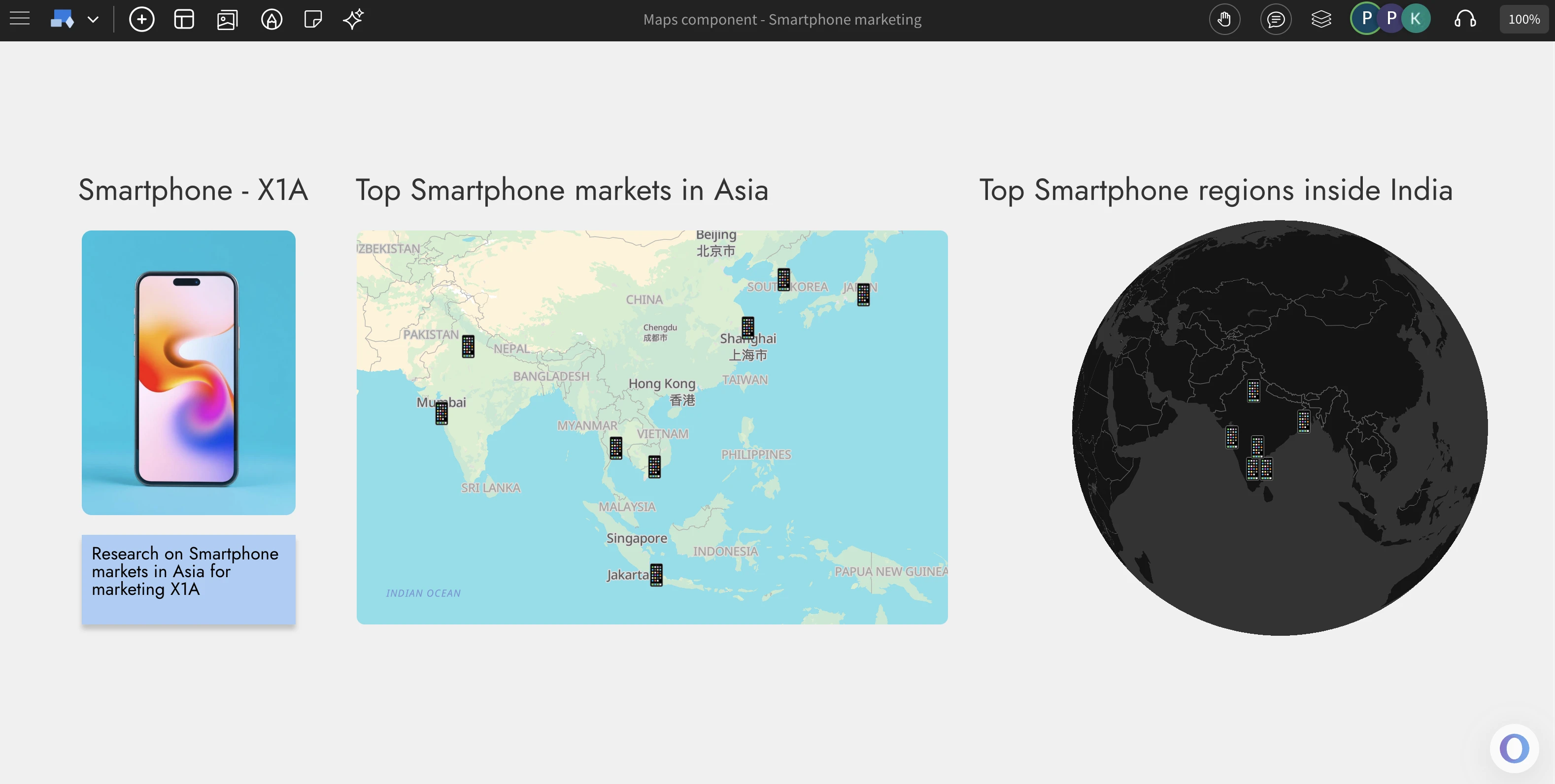
Now brainstorm with locations using the new maps component in MockFlow Board. Add location markers to ideate on geo based visualization. Available in flat or as 3D globe along with AI generation of markers.
Brainstorm with Maps
Maps play a vital role in brainstorming when your ideas or strategies are tied to geography. The new Maps component in MockFlow Board makes visualizing spatial ideas easy, accurate, and fully integrated into your whiteboard workflow. Unlike traditional mapping tools, this component is built specifically for whiteboarding allowing you to drag and drop multiple maps, resize, reposition, and customize them effortlessly. Explore different perspectives, themes, and locations to bring clarity and context to your geographic brainstorming sessions.
AI+Maps = geosome
Just like other smart components in MockFlow Board, the Maps component comes with built-in AI assistance to make map creation faster and smarter. Simply click the AI button in the settings and enter a prompt to generate a map for anything from F1 race circuits to top hospitals in Spain. The AI doesn’t just place locations it also adds contextual marker icons that visually represent your topic, such as race cars or hospital symbols. You can even generate complete map components using Mida, the MockFlow Intelligent Design Assistant, for instant, AI-powered geo visualization that fits perfectly into your whiteboard brainstorming.
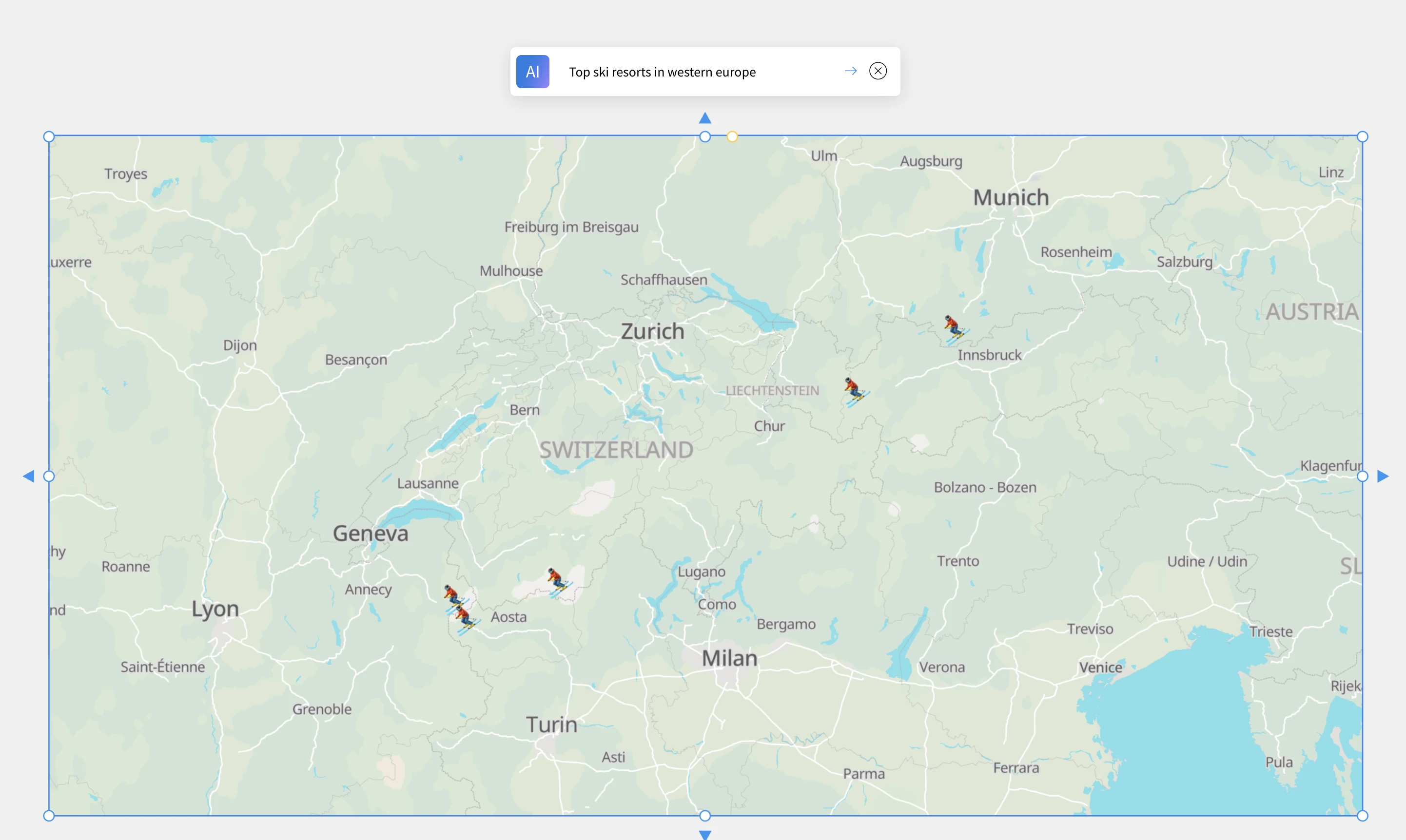
Perspectives and Themes
Experience maps the way you prefer either as a flat 2D view (Mercator projection) or a fully interactive 3D globe visualization. You can zoom, pan, rotate, and spin the globe effortlessly for dynamic exploration. Each perspective supports multiple visual themes currently including normal, dark, white, and gray allowing you to match your map’s appearance with your whiteboard’s overall design
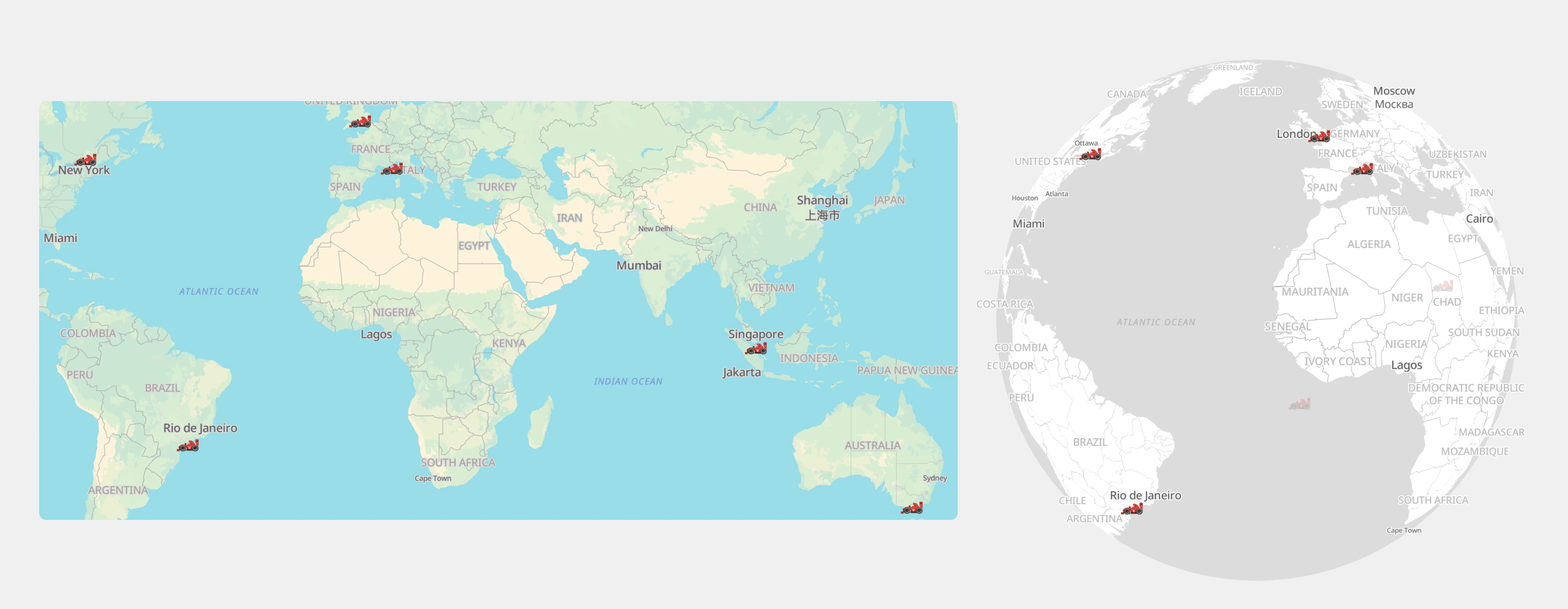
Unlimited and free usage of maps component
The Maps component in MockFlow Board is available with unlimited and free access for all users, including those on the Free Basic plan. Since MockFlow hosts its own dedicated maps server, you can explore, create, and collaborate without any usage limits or third-party restrictions. While AI-powered map generation depends on your available AI credits, the Maps component itself remains fully functional without AI, ensuring everyone can brainstorm visually with no barriers.
Use cases
Market Planning: Visualize expansion opportunities, target cities, and regional strategies.
Education & Research: Create interactive geography or data maps for learning and presentations.
Event Mapping: Plan global events, tours, or campaigns with clear location markers.
Team Collaboration: Coordinate remote teams and regional activities on a shared map.
Travel & Exploration: Design travel itineraries or visualize destinations with 3D globe views.