
🎉 📉 Introducing analytics for design space
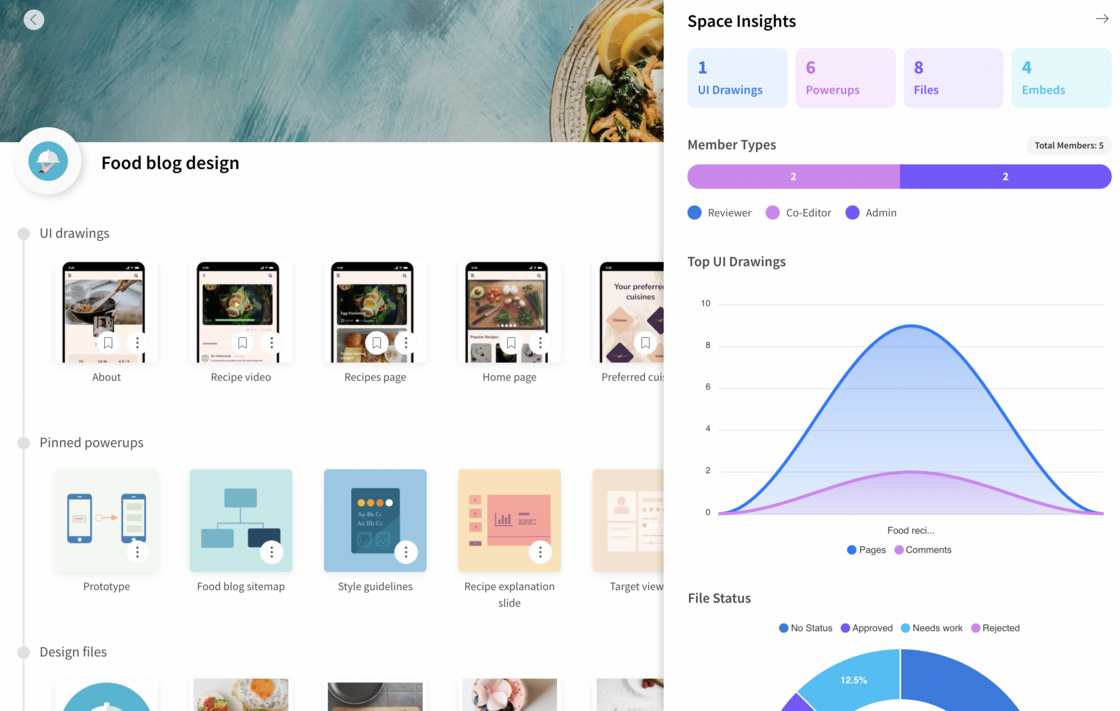
Today's big update to MockFlow provides analytics for design space. If you are new to MockFlow, DesignSpace is a fresh way to create, organize and share product design work. It provides a complete product design experience by bringing teams, assets and tools together. Which means there is lot of data involved in a space in terms of files, projects, actions and counts. This is where analytics for space helps by providing stunning visualizations of this data to show important insights.
Some of these insights included in this update are:
Project type count
Member type graph
Top wireframe projects
Design files by approval status
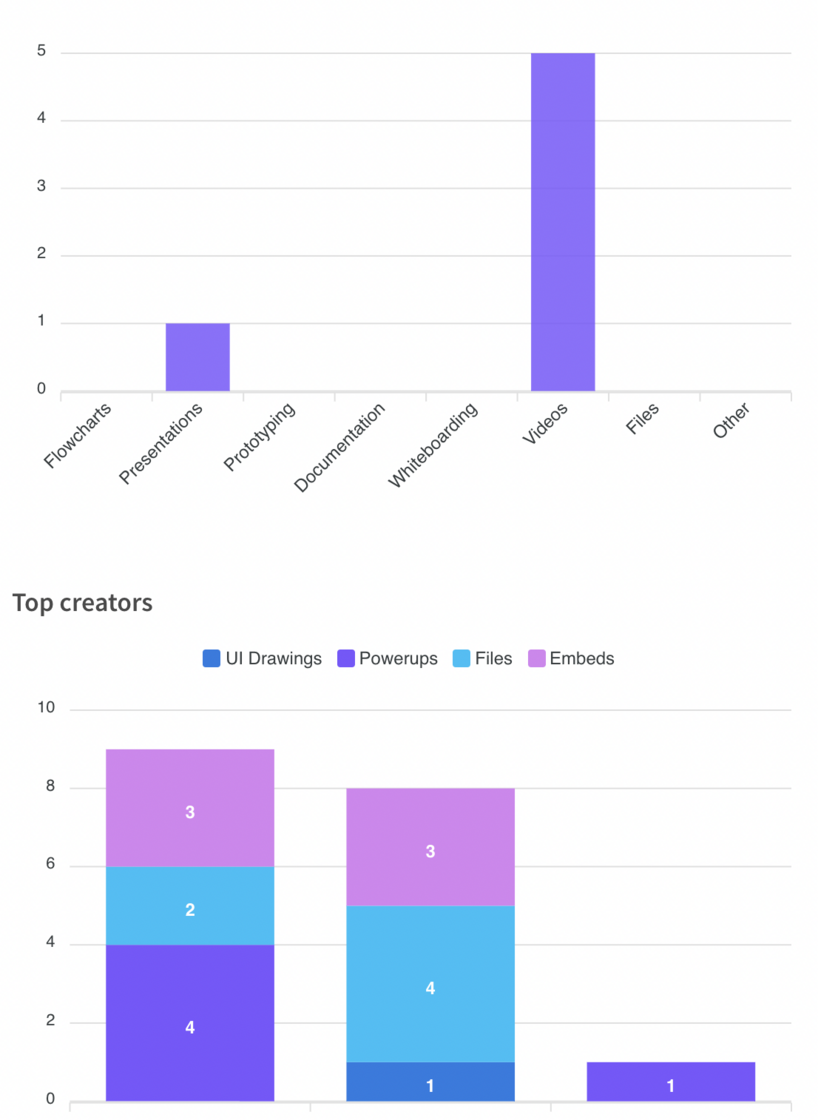
Design files by type
Top revised files
Embeds usage by functionality
Top creators in space
More insights are in the works which will be released in future updates.
Benefit from space analytics to know the progress of your product's design stage, learn how various members of your team contribute to your space. Track your space data for better understanding.
How to
Space analytics can be launched by clicking the chart icon next to the search box inside space. And also from settings menu.
Note: Space analytics is available only for users with "Product design" plan.