
Introducing "AI prompt box" as a whiteboard component along with 🍲 AI recipes
Discover the AI Prompt Box, a revolutionary component for MockFlow Board, enabling collaborative AI generation and structured workflows. Enhance your team's productivity with pre-configured AI recipes and transparent AI-assisted processes.
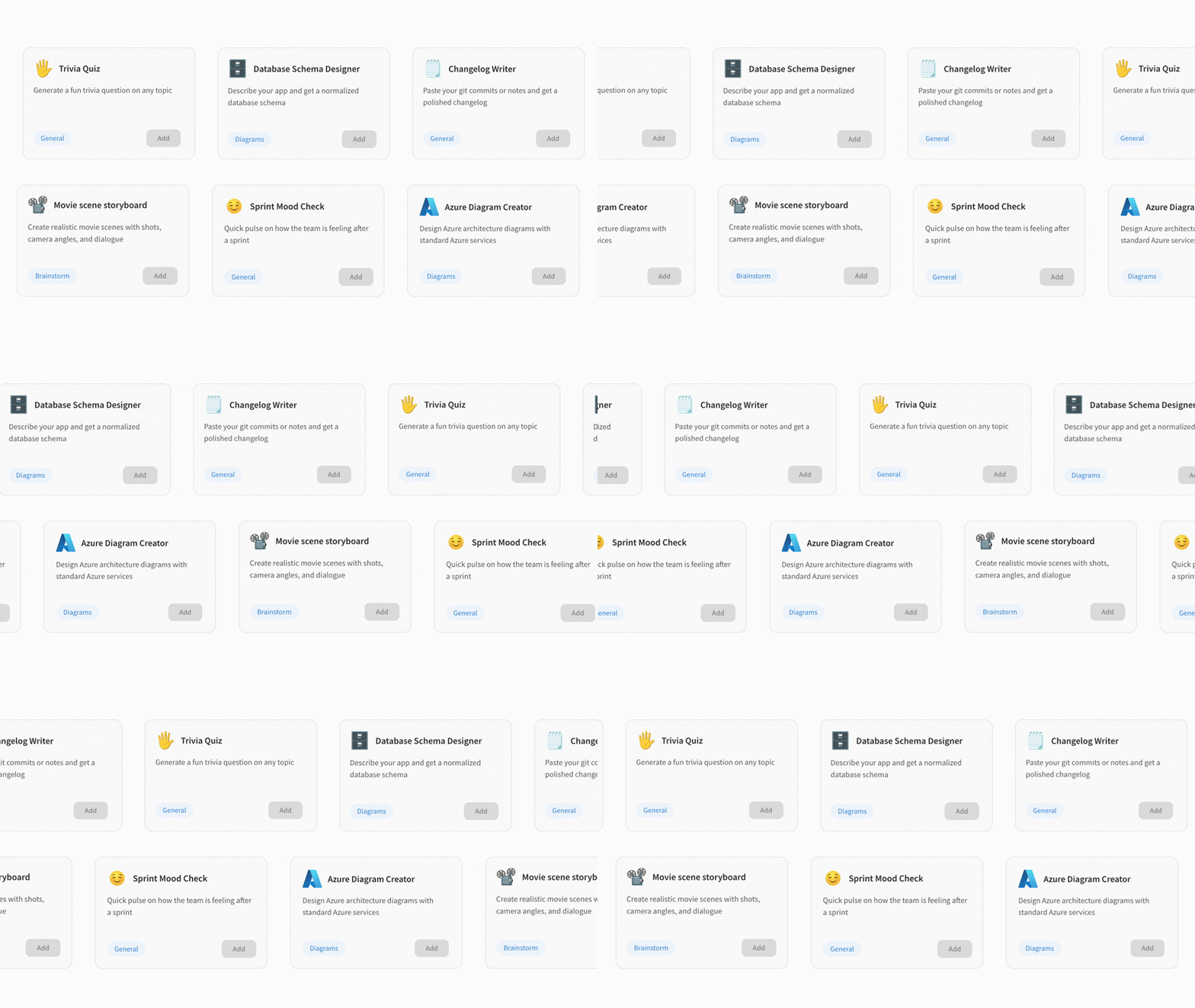
The AI Prompt Box brings AI as a component directly onto your MockFlow Board canvas. Add configurable AI generators tailored to specific tasks so every collaborator can use them and track prompts in context. With the recipe library, your team can instantly drop ready-made AI workflows onto any board.
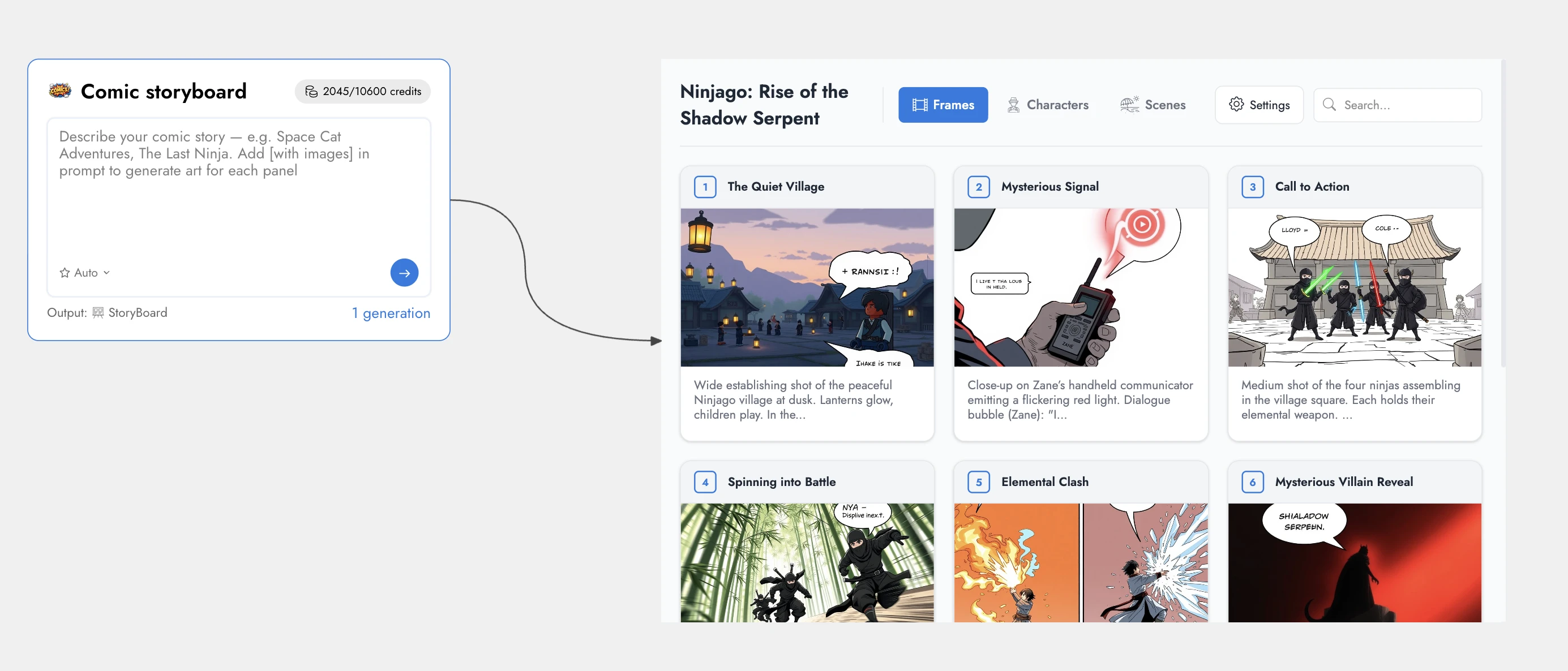
From Personal AI Tool to Shared Canvas Component
Previously, AI generation in MockFlow Board was limited to individual use. A user would enter a prompt, select an output type, and generate content independently on the board. The new AI Prompt Box transforms this into a structured, collaborative experience.
A team lead or facilitator can configure the Prompt Box once by defining the output type, adding system-level instructions, and setting a guided placeholder. Once placed on the canvas, it becomes a shared AI component that any team member can use. Every prompt generates content directly on the shared board while preserving consistent configuration. MockFlow Board also tracks each interaction, providing clear visibility into who generated what and when. This makes the AI Prompt Box ideal for team brainstorming, standardized workflows, and transparent AI-assisted collaboration.
Configure Once, Enable Consistent AI Generation Across Your Team
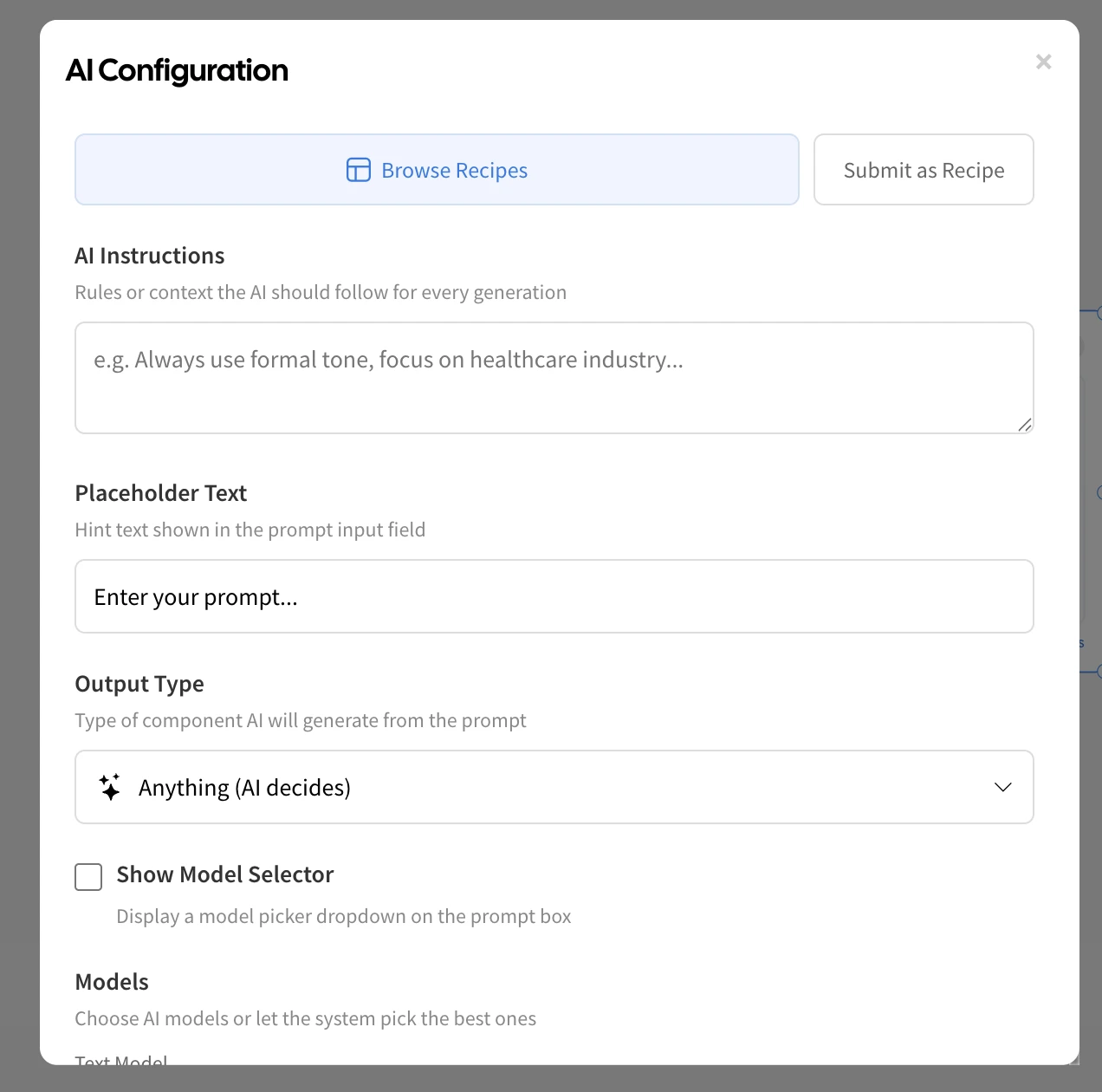
Each AI Prompt Box can be configured to generate a specific type of output, enabling structured and repeatable AI workflows directly on your MockFlow Board canvas. It supports a wide range of formats, including flowcharts, tables, images, audio, video, and 3D models, as well as AI-powered MockFlow Board components such as Kanban boards, Gantt charts, Swimlane diagrams, and Cloud Architecture diagrams.
The Prompt Box offers flexible configuration options to ensure consistency, clarity, and control:
AI Instructions — Define a system prompt of up to 2,000 characters to control how the AI responds. This allows you to enforce formatting standards, define output structure, and guide the AI toward specific goals or criteria.
Output Type — Restrict the generator to a specific format so every output remains consistent and aligned with the intended workflow.
Placeholder Text — Provide contextual guidance to help team members understand what to enter for best results.
Model Selection — Allow users to choose their preferred AI model or lock the Prompt Box to a specific model for standardized output across text, image, audio, video, and 3D generation.
Title Icon — Assign a distinct icon to each Prompt Box to improve visual identification and organization on the canvas.
This configuration ensures that teams can create reliable, reusable AI generators tailored to specific use cases while maintaining consistency across collaborative sessions.
Recipe Library : Launch Pre-Configured AI Workflows in One Click
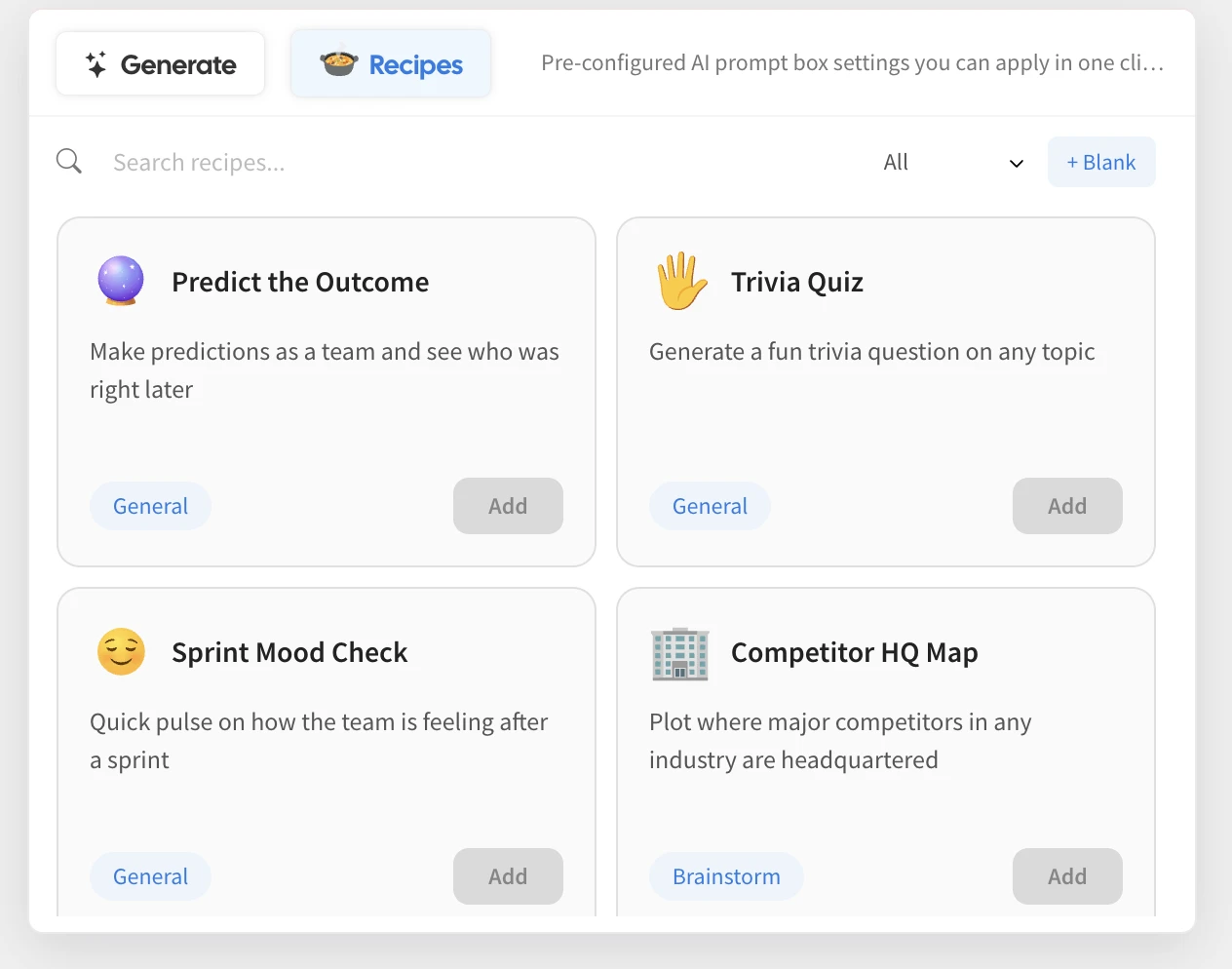
Alongside the AI Prompt Box, MockFlow Board introduces the Recipe Library — a curated and continuously expanding collection of ready-to-use AI workflow templates. Each recipe includes a complete Prompt Box configuration, including the title, system instructions, output type, placeholder guidance, model preferences, and icon. Simply browse the library, click Add, and the AI Prompt Box is instantly placed on your canvas, fully configured and ready for use.
The library currently includes 30 professionally designed recipes across five categories:
Brainstorm
Devil’s Advocate — Critically evaluate ideas before committing
Competitor HQ Map — Visualize competitor headquarters on a map
Name This Thing Board — Generate and evaluate product or feature names
Movie Scene Storyboard — Create detailed cinematic scenes with dialogue and framing
Comparison Showdown — Analyze two options with a structured side-by-side comparison
Emoji Only Mindmap — Build visual mindmaps using emoji-based nodes
Diagrams
Database Schema Designer — Generate normalized database schemas from app descriptions
Decision Flowchart — Create structured yes/no decision trees
Comic Storyboard — Convert story ideas into comic-style panels
AWS, Azure, and Google Cloud Diagram Creators — Design cloud architecture diagrams using standard services
Explain Simply Mindmap — Break down complex topics into beginner-friendly visuals
Startup Idea Mindmap — Explore startup concepts, features, and opportunities
Approval Workflow — Map structured approval and review processes
General
Predict the Outcome — Make and track predictions collaboratively
Trivia Quiz — Generate engaging quiz questions on any topic
Sprint Mood Check — Capture team sentiment after sprint cycles
Fortune Cookie Wheel — Generate random advice, quotes, or fun prompts
Job Description Generator — Create structured job listings quickly
Changelog Writer — Convert commits and notes into professional changelogs
Recipe Cost Calculator — Estimate ingredient costs for any dish
Icebreaker Wheel — Generate interactive icebreaker questions for meetings
Planning
Travel Route Planner — Plan and visualize multi-city travel routes
Weekly Study Plan — Create structured learning schedules
Content Calendar — Generate organized monthly content plans
Meeting Notes to Action Items — Convert notes into clear, actionable tasks
PRD Document Creator — Generate structured product requirements documents
Media
Business Stock Image Generator — Create professional business visuals
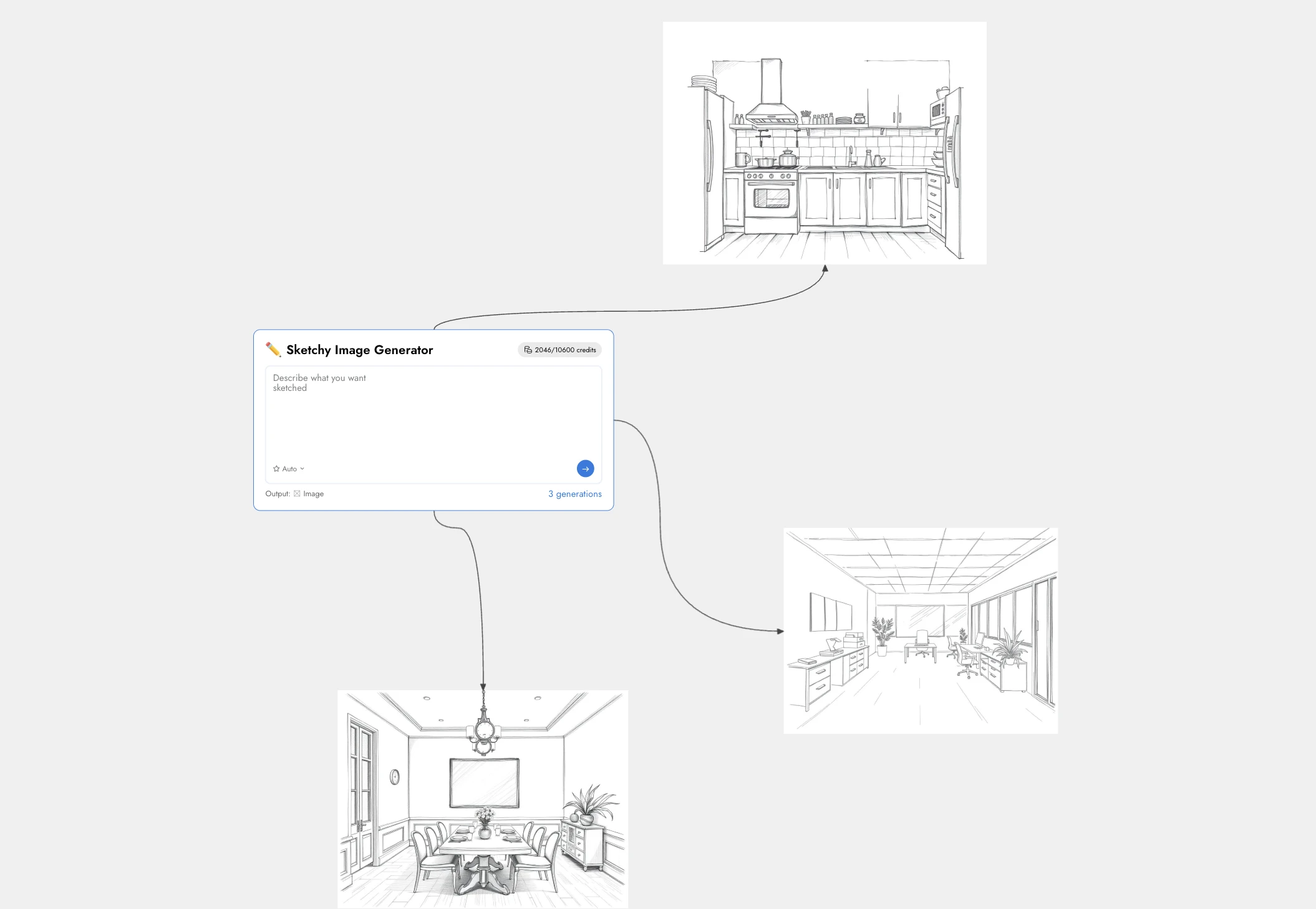
Sketchy Image Generator — Generate hand-drawn style illustrations
The Recipe Library continues to grow, with new recipes regularly added to support more use cases, workflows, and industries. Future updates will also include community-contributed recipes, enabling teams to share and benefit from proven AI workflows created by others.
Generation History : Full Visibility into Team AI Activity
Every prompt submitted through an AI Prompt Box is automatically logged, including the team member’s name, timestamp, output type, and the exact prompt used. A generation count badge provides a quick overview of activity, while the detailed history panel allows owners to review all generations and jump directly to the corresponding output on the canvas.
This built-in tracking brings transparency and accountability to AI-assisted workflows, transforming AI generation into a structured, auditable, and collaborative team process.
Use Cases
Product Teams Running Design Sprints
Product teams can place multiple AI Prompt Boxes on a single board, each configured for a specific output such as moodboards, flowcharts, or PRD documents. This enables team members to generate ideas and artifacts simultaneously on the shared canvas, accelerating sprint activities without relying on a single facilitator to operate the AI.
Engineering Teams Designing System Architecture
Engineering teams can use pre-configured recipes like AWS, Azure, or Google Cloud Diagram Creators to instantly generate architecture diagrams from simple descriptions. Combined with tools like the Database Schema Designer, teams can visualize infrastructure and data models in the same workspace, improving clarity during system planning.
Workshops and Brainstorming Sessions
Facilitators can prepare boards in advance by adding Prompt Boxes configured for specific exercises, such as Devil’s Advocate analysis, comparison evaluations, or creative mindmapping. Participants can immediately begin generating ideas when the session starts, ensuring productive and structured collaboration.
Marketing and Content Teams
Marketing teams can use Prompt Boxes to generate content calendars, visual assets, and campaign naming ideas in one unified space. Recipes like the Content Calendar, Business Stock Image Generator, and Name This Thing Board help teams rapidly develop and organize campaign materials directly on the canvas.
Educators and Trainers
Educators can use Prompt Boxes to simplify complex topics, generate quizzes, and create structured study plans. This allows instructors to focus on teaching and discussion while AI assists in producing supporting materials tailored to the session’s needs.
Agencies and Client Collaboration
Agencies can configure Prompt Boxes with client-specific instructions, brand tone, and formatting rules before sharing the board. Clients can then generate content that aligns with brand and project requirements, reducing revisions and accelerating feedback and approval cycles.
What This Changes
AI generation was already a powerful capability in MockFlow Board. The AI Prompt Box transforms it into a fully collaborative workflow configured once, used by the entire team, and automatically tracked for transparency and accountability. Combined with the growing Recipe Library, teams can quickly deploy proven AI workflows and accelerate brainstorming, planning, and creation directly on the canvas.
The AI Prompt Box and Recipe Library are now available in MockFlow Board, enabling faster, more structured, and truly collaborative AI-assisted work.