
MockFlow Board File mode - makes whiteboard data on-premise and git-integrated
Discover MockFlow Board's file mode, offering on-premise whiteboard data with git integration. Save projects as .board files, enjoy encryption, version control, and seamless collaboration without cloud dependency.
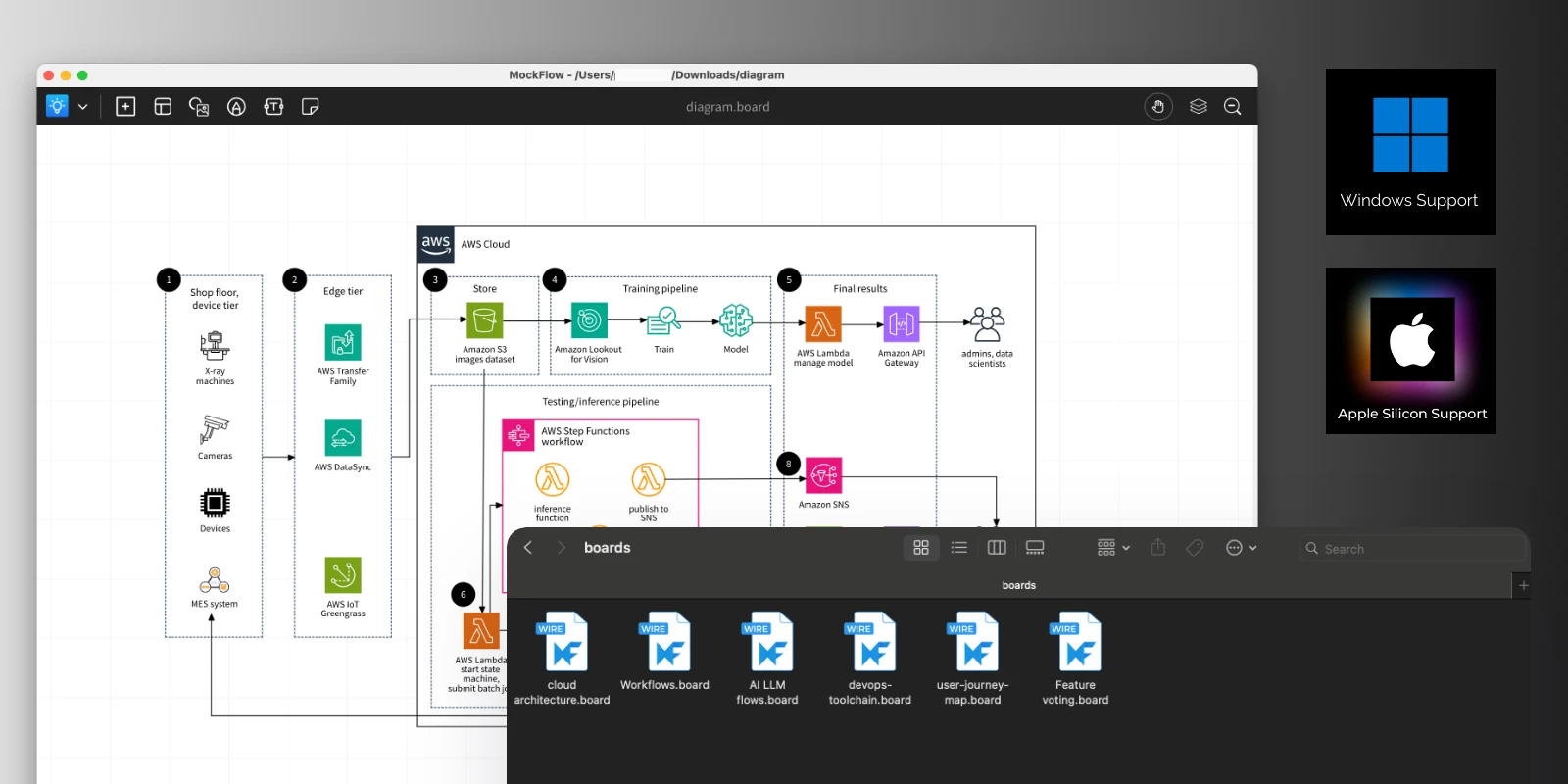
Introducing file mode for MockFlow Board, enabling you to save whiteboard projects as files. This makes it easy to back up, share via services like Dropbox, or collaborate and manage versions using git.
The MockFlow Desktop app for Mac (Apple Silicon and Intel) and Windows (x64) offers several advantages, including native OS integration, a distraction-free experience, faster loading times, and now, file mode. We’re excited to introduce file mode for MockFlow Board, expanding beyond our existing wireframe app.
What is file mode?
Similar to Microsoft Office files like .ppt or .doc, you can now save and open MockFlow Boards as files with the .board extension. All your whiteboard data—including drawings, images, and assets—is packaged into a single file. This offers several benefits: you don’t need the cloud or a server to open or edit your project, and sharing is as simple as sending any other file. You can easily use your preferred file sharing or storage service, such as Dropbox or Google Drive. Businesses can also keep their own copies for backup and compliance, without relying on MockFlow to store their data.
Encrypted whiteboard files
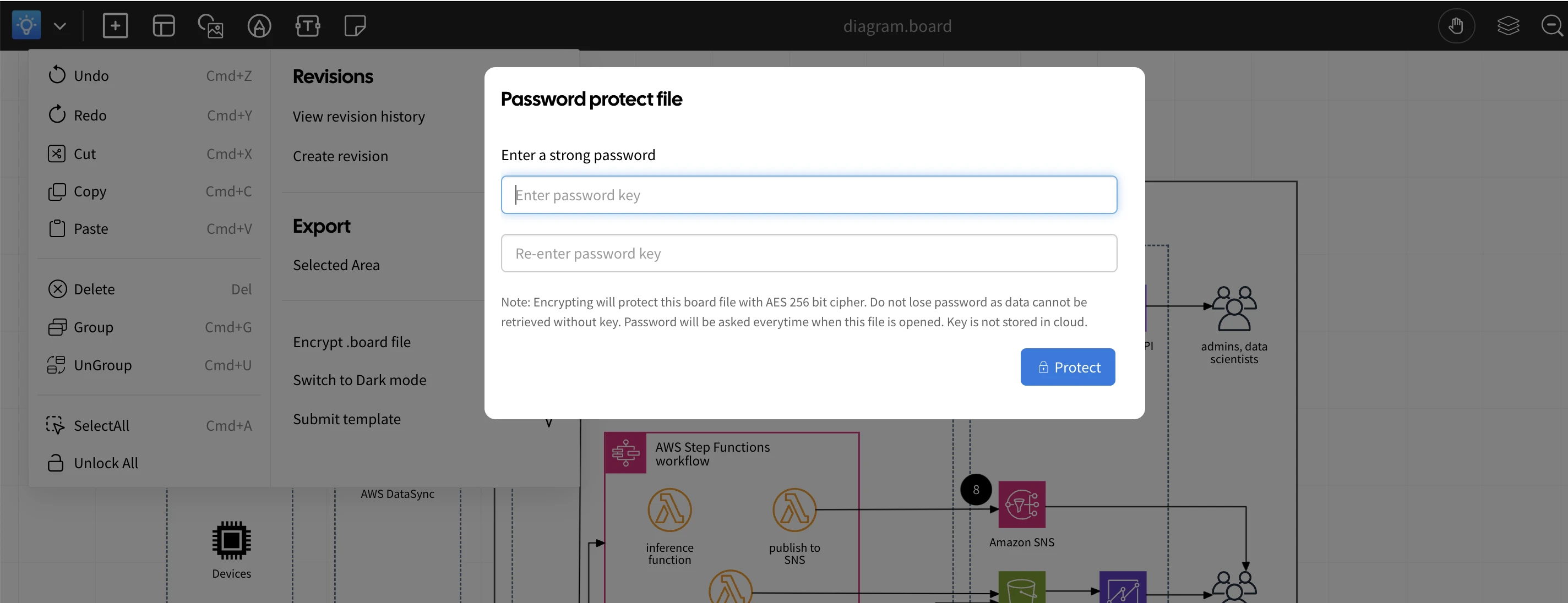
File mode is designed especially for businesses, allowing you to use MockFlow Board without concerns about servers, backups, uptime, or hosting. However, since these projects are saved as files, they can be easily shared and might unintentionally fall into the wrong hands. To address this, file mode offers optional encryption for MockFlow Board files. You can secure your whiteboard files with a passkey of your choice, and MockFlow protects your .board files using industry-standard 256-bit encryption. The encryption key is stored within the file itself, so your project cannot be opened, viewed, or edited without the correct passkey. You can change the key as often as needed, and no cloud support is required for encryption or decryption..
Git-based collaboration
Git is a distributed version control system known for managing code and files in collaborative workflows. With MockFlow Board’s file mode, you can include whiteboard files directly within your existing git projects. This means architecture diagrams, logic flows, brainstorming sketches, and workflows can all be stored and versioned alongside your project data—right within your git or GitHub repositories.
Built-in version control
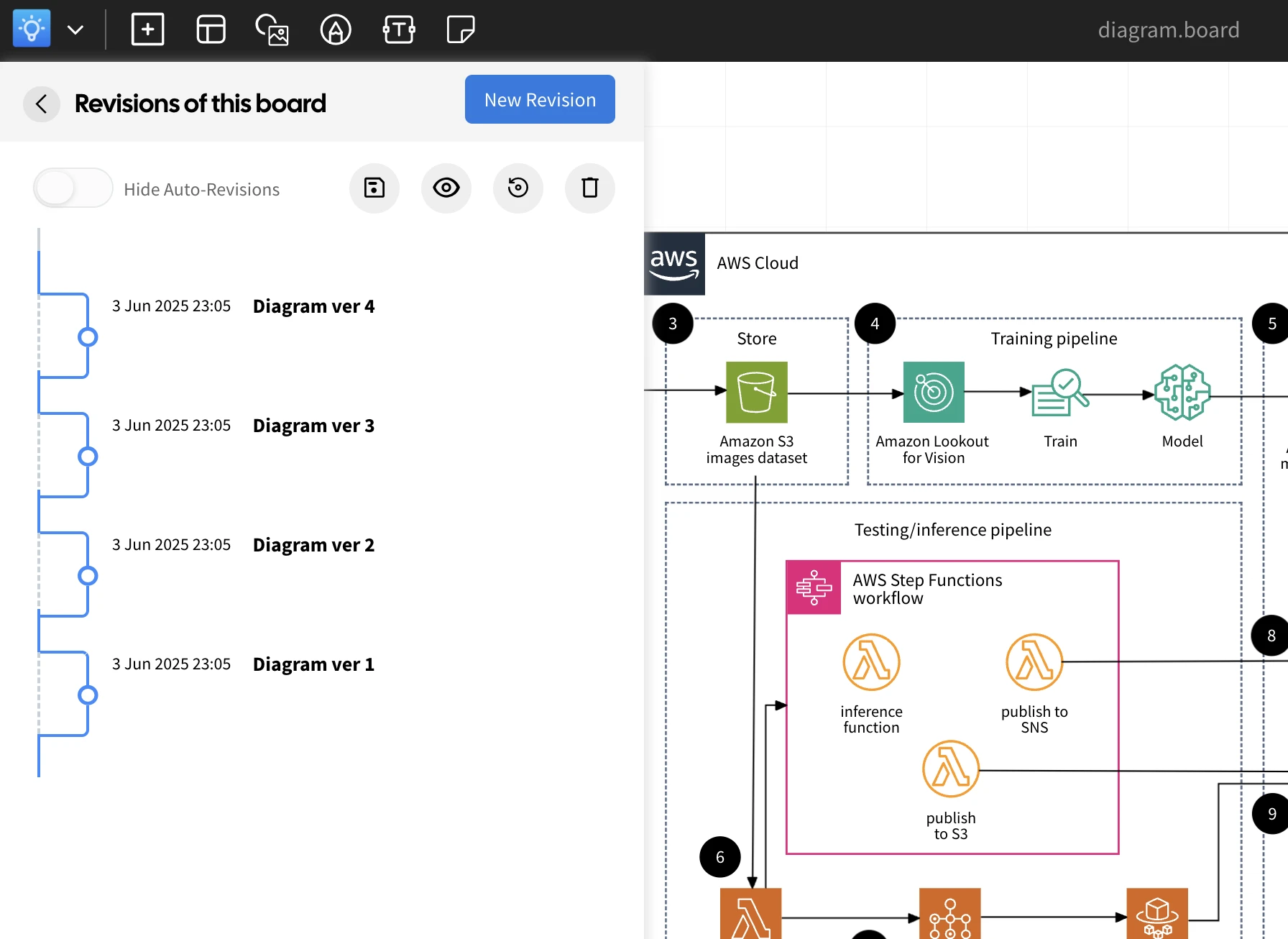
MockFlow Board’s .board files come with optional built-in revision control. Since whiteboard content often evolves, tracking changes and revisiting previous versions is essential. The integrated revision system lets you view, compare, and restore past versions of your whiteboard projects - all without needing any cloud support.
What’s Missing in File Mode?
While file mode offers many unique advantages, it does not include some features available in the online version of MockFlow Board, such as:
Video conferencing and chat
Comments or collaborative tools
Real-time editing in the cloud
These features remain exclusive to the online MockFlow Board experience.
Can I use MockFlow Board file mode ?
File mode is exclusive to MockFlow Board’s business yearly plans and is designed specifically for enterprise needs. It’s not available on all plans. For more details and pricing, please visit our pricing page.