
Turn a screen into a flowchart, spec or tasks
Use AI to convert a wireframe into another board item, such as a flowchart, a customer journey, a document or a kanban board, placed beside the screen.
A screen often needs more than a picture of the UI: the flow behind it, a spec for developers, or the tasks to build it. Convert to reads a wireframe and creates that item with AI, right beside the screen on the same board. The wireframe stays as it is.
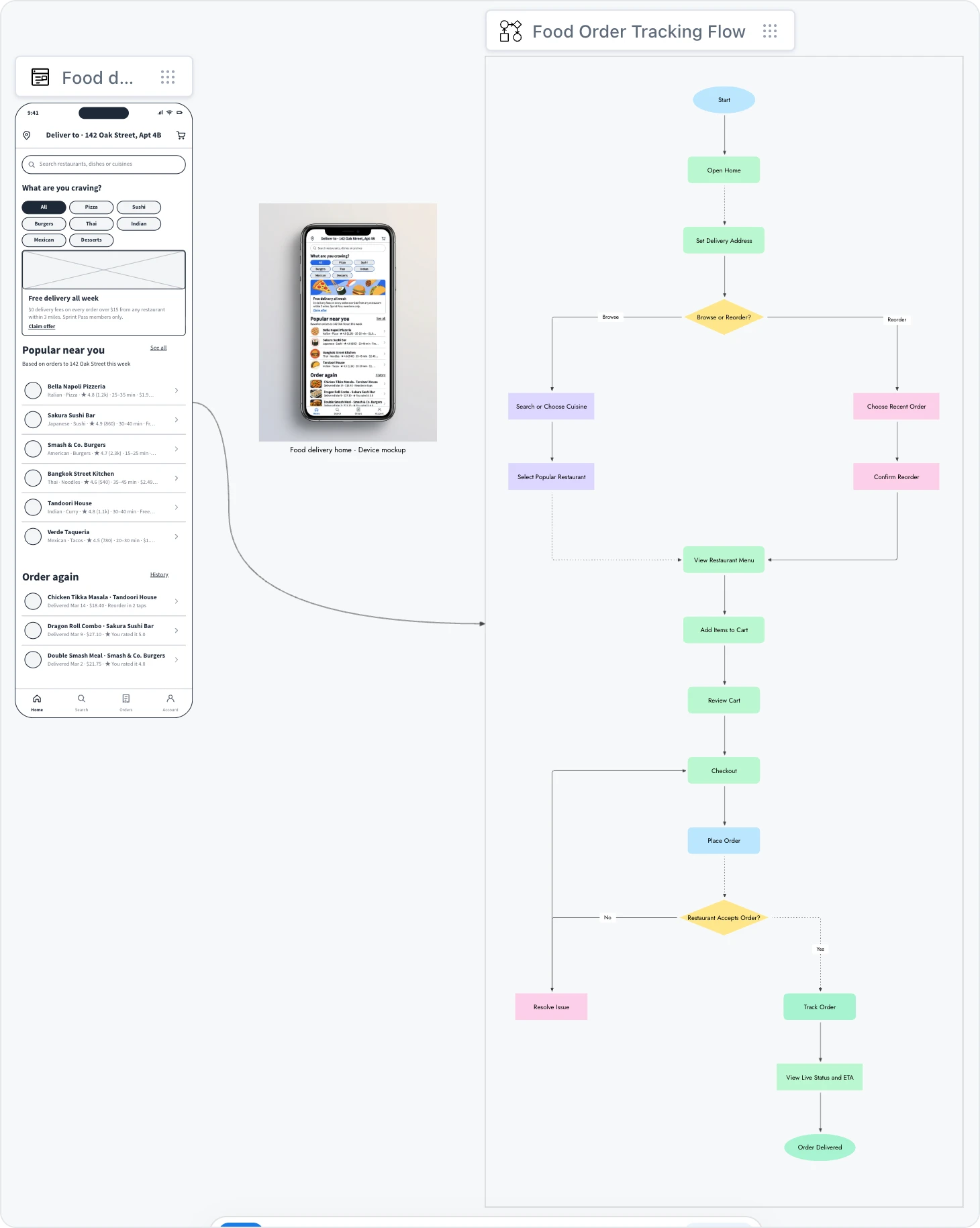
Convert a wireframe
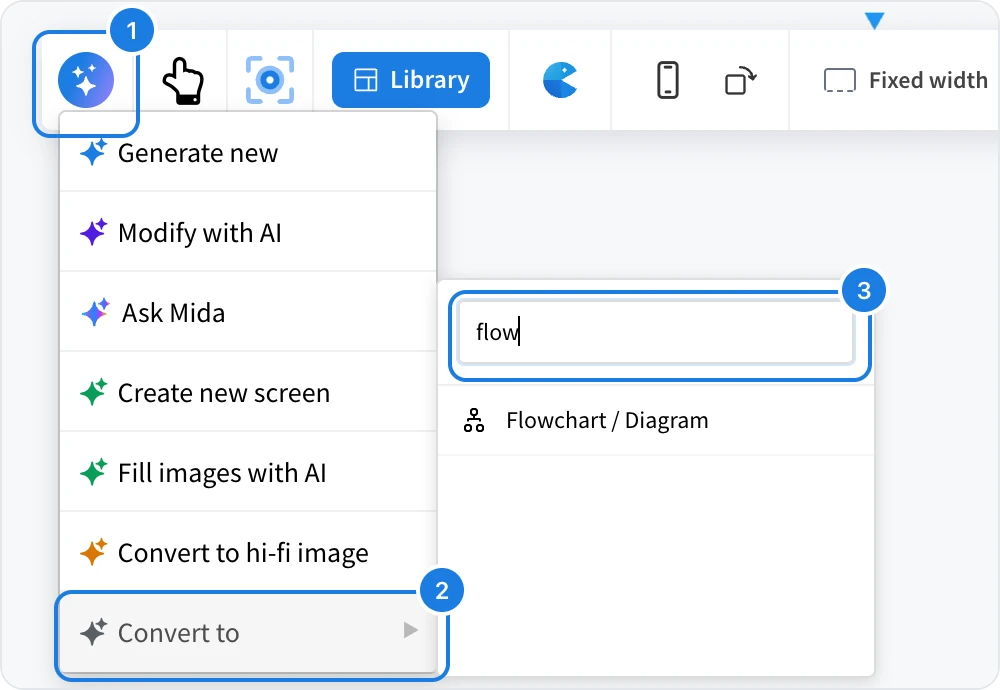
Select the wireframe and click AI (1) in its toolbar.
Point to Convert to (2). A list of board components opens.
Type in the search box (3) to find one quickly, then click it.
Optionally describe what you want, for example "user flow to order tracking", and click the send button.
AI builds the new item next to the screen and connects the two, so the board shows where it came from.

What a screen can become
The list covers most of the board's components. Some useful choices for a screen:
Convert to | What you get |
|---|---|
Flowchart / Diagram | The user flow behind the screen, with steps and decisions. |
CustomerJourney | The journey a user takes through the product. |
Document | A spec or notes describing the screen. |
CodeBlock | Code for the screen. |
Kanban | A board of tasks to build it. |
Tree Diagram | A sitemap of the app or site. |
You can also convert a screen into a mind map, a table, a checklist, a timeline, a chart, a moodboard or a prototype, among others. To make a clickable prototype from your screens, see Make a clickable prototype.
Converting uses AI credits.