
Render a hi-fi screen or device mockup
Turn a wireframe into a finished looking design with AI, as a flat hi-fi screen or shown on a device, and place it on the board.
A wireframe shows structure. When you need to show how a screen will look, MockFlow's AI can render it as a finished design. It keeps your layout and text and fills every placeholder with real pictures and content. The result is an image you place on the board, right beside the wireframe it came from.
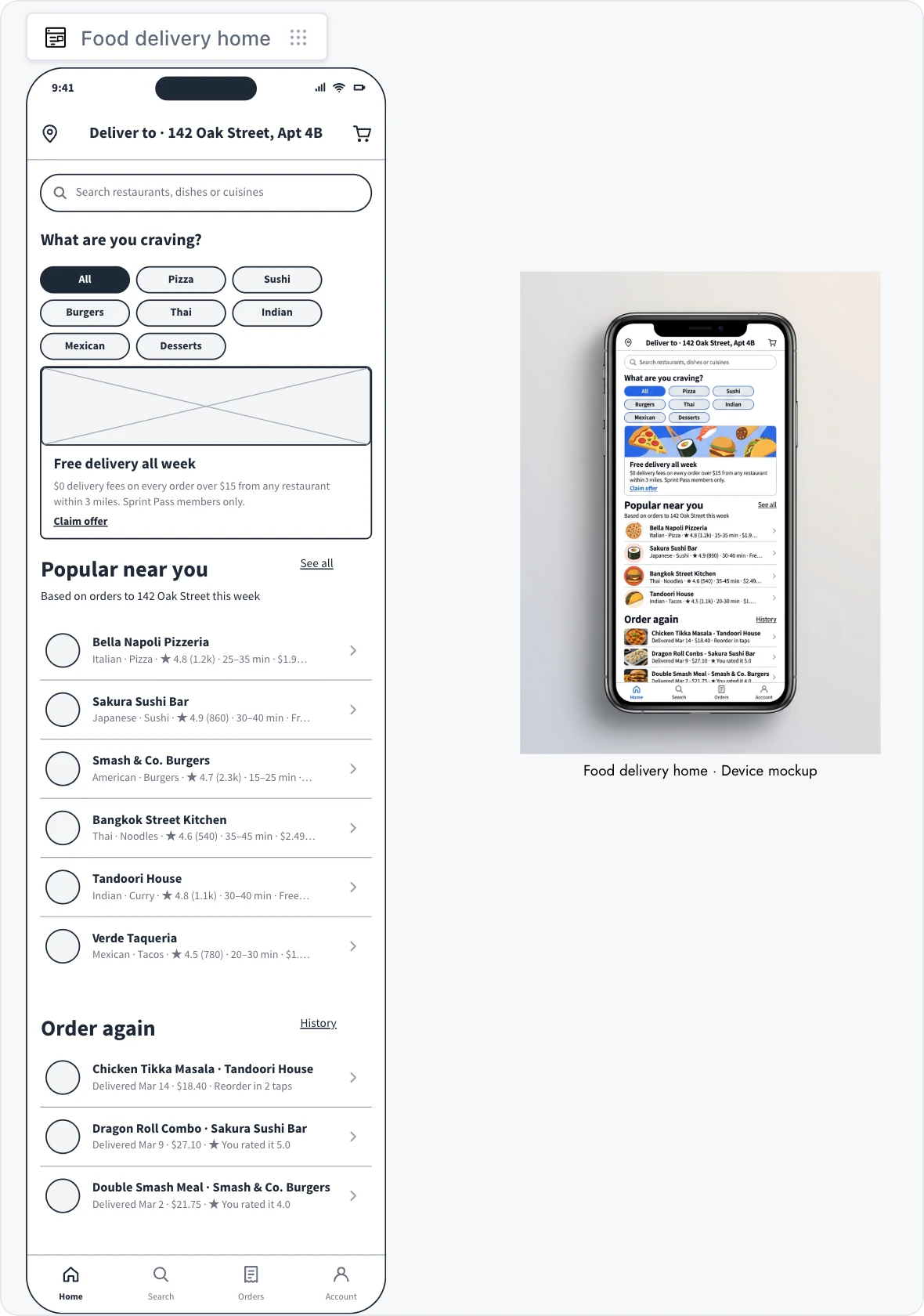
Convert a wireframe to a hi-fi image
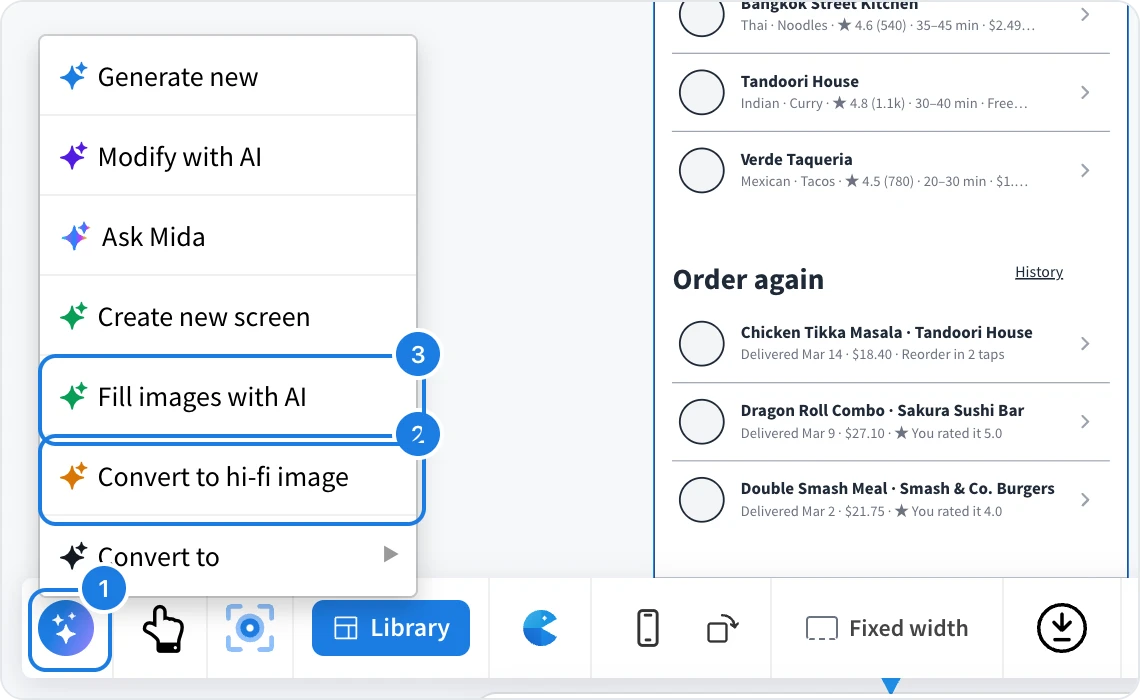
Select the wireframe and click AI (1) in its toolbar.
Choose Convert to hi-fi image (2).
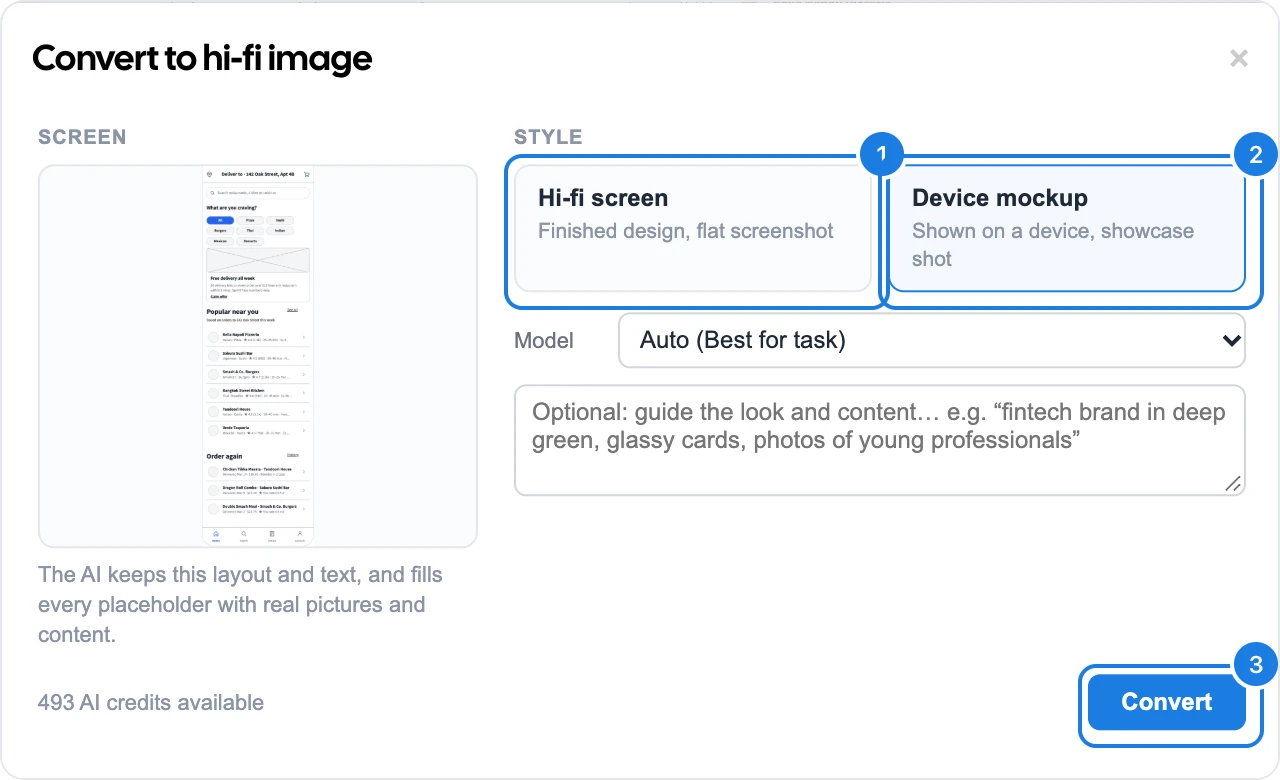
Pick a style:
Hi-fi screen (1): the finished design as a flat screenshot.
Device mockup (2): the screen shown on a device, ready for a showcase.
Optionally describe the look you want, such as brand colors or the kind of photos.
Click Convert (3). The design usually takes 15 to 40 seconds.
Place the design on the board
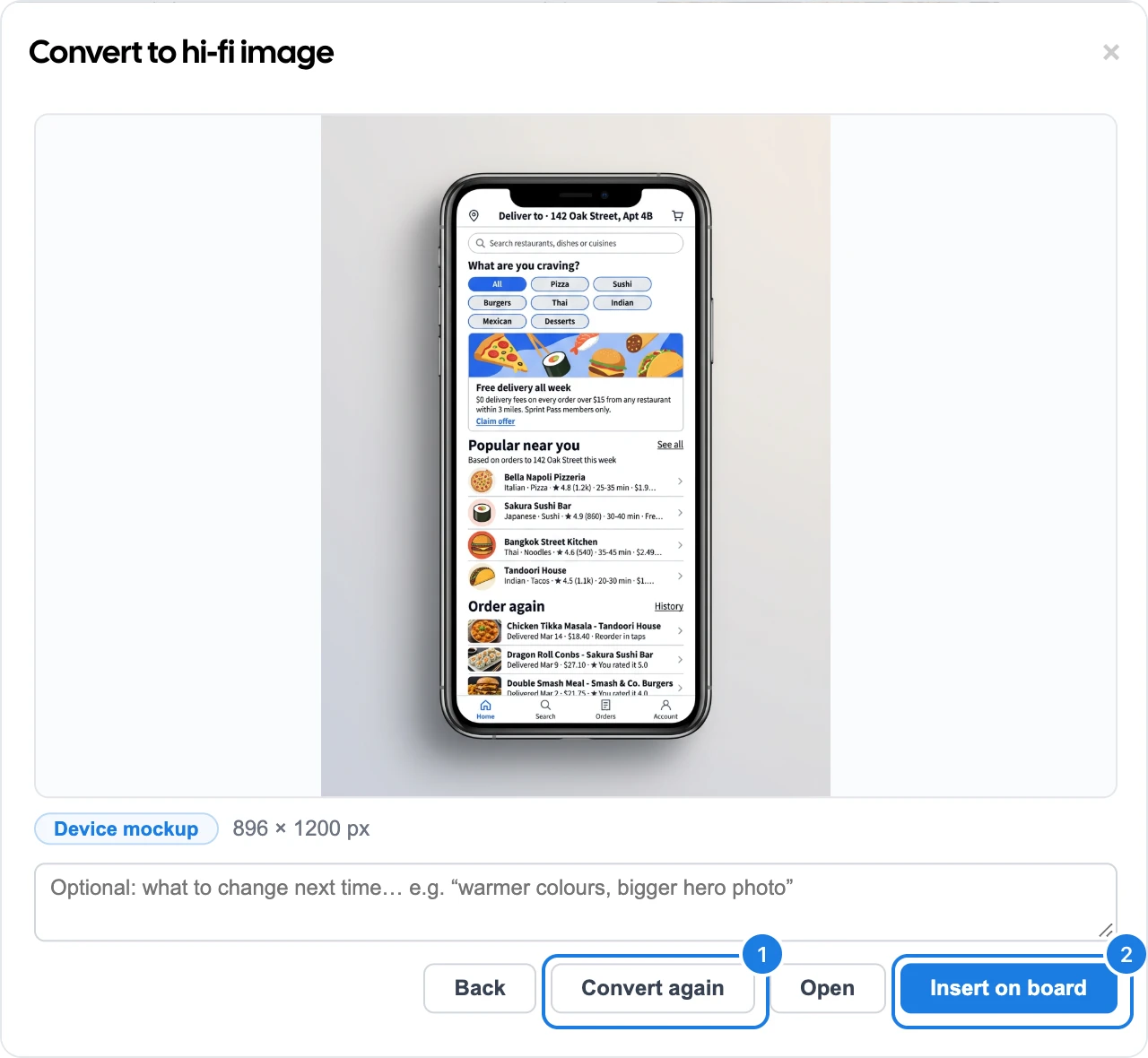
Insert on board (2) places the image beside the wireframe, labeled with the screen name and style.
Convert again (1) makes a new version. Add a note first, such as "warmer colours, bigger hero photo", to steer it.
Open shows the image full size, and Back returns to the style choice.
The wireframe itself does not change, so you can keep editing it and render again later.
Fill images and keep the wireframe editable
Fill images with AI (3 in the AI menu) puts photos into the image slots of the wireframe itself. The screen stays an editable wireframe, with every widget still in place. Use it when you want real pictures but still plan to change the layout.
Rendering a hi-fi image and filling images use AI credits. The dialog shows how many credits are available.