
Make a clickable prototype
Turn wireframe screens on a MockFlow board into an interactive prototype that AI links together, then refine it with AI.
A prototype shows how an app or website flows: tapping a button or a tab opens the next screen. In MockFlow you build one straight from the wireframes on your board. Select the screens, click Prototype, and AI links them into one interactive prototype, placed on the board beside them.
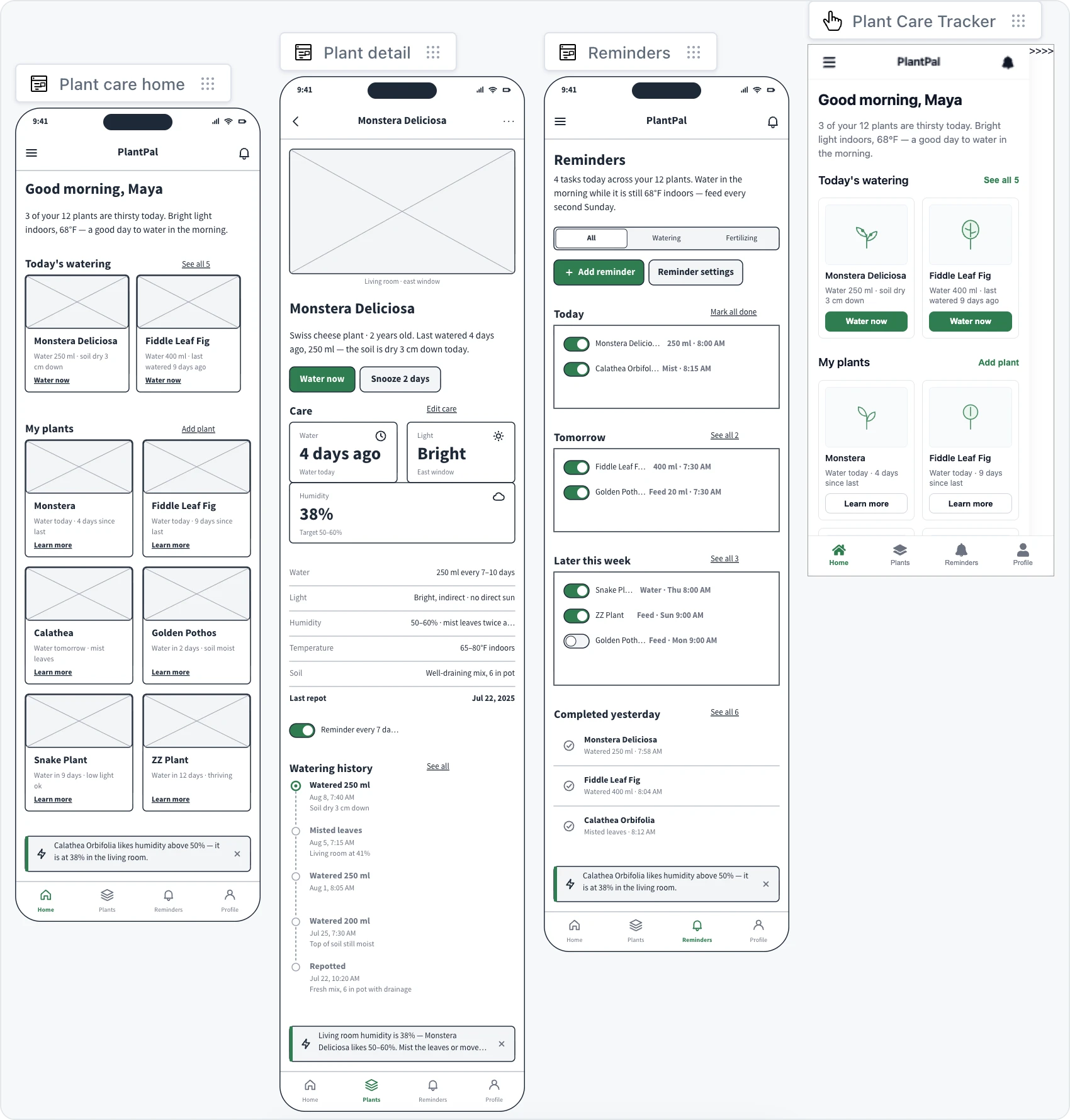
Turn wireframes into a prototype

Select the wireframes for the flow. Click one screen, or Shift+click to add more. To make a prototype of one screen, select only that screen.
Click Prototype (1) in the toolbar.
Optionally describe how the prototype should behave or look, for example "Tapping a plant opens its detail screen".
Click the send button. AI builds the prototype and places it on the board as a Prototype item.
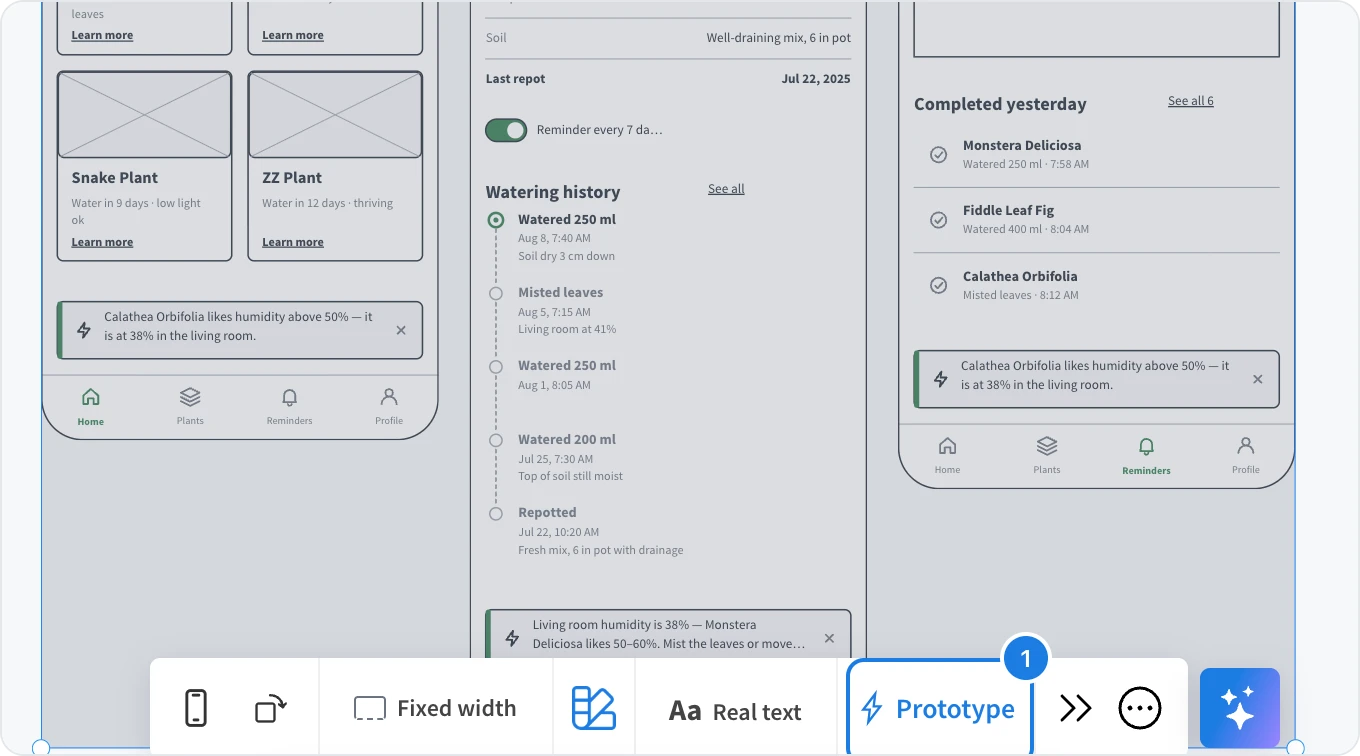
You can also start from the widget library: when you open Library on a wireframe, tick the screens to include and click Prototype in the sidebar.
AI decides which buttons, links and tabs lead to which screen, based on the screens and your description. To change a link, ask for it in a prompt, as described below.
Refine the prototype with AI
Select the prototype and open the AI menu on the left of its toolbar.
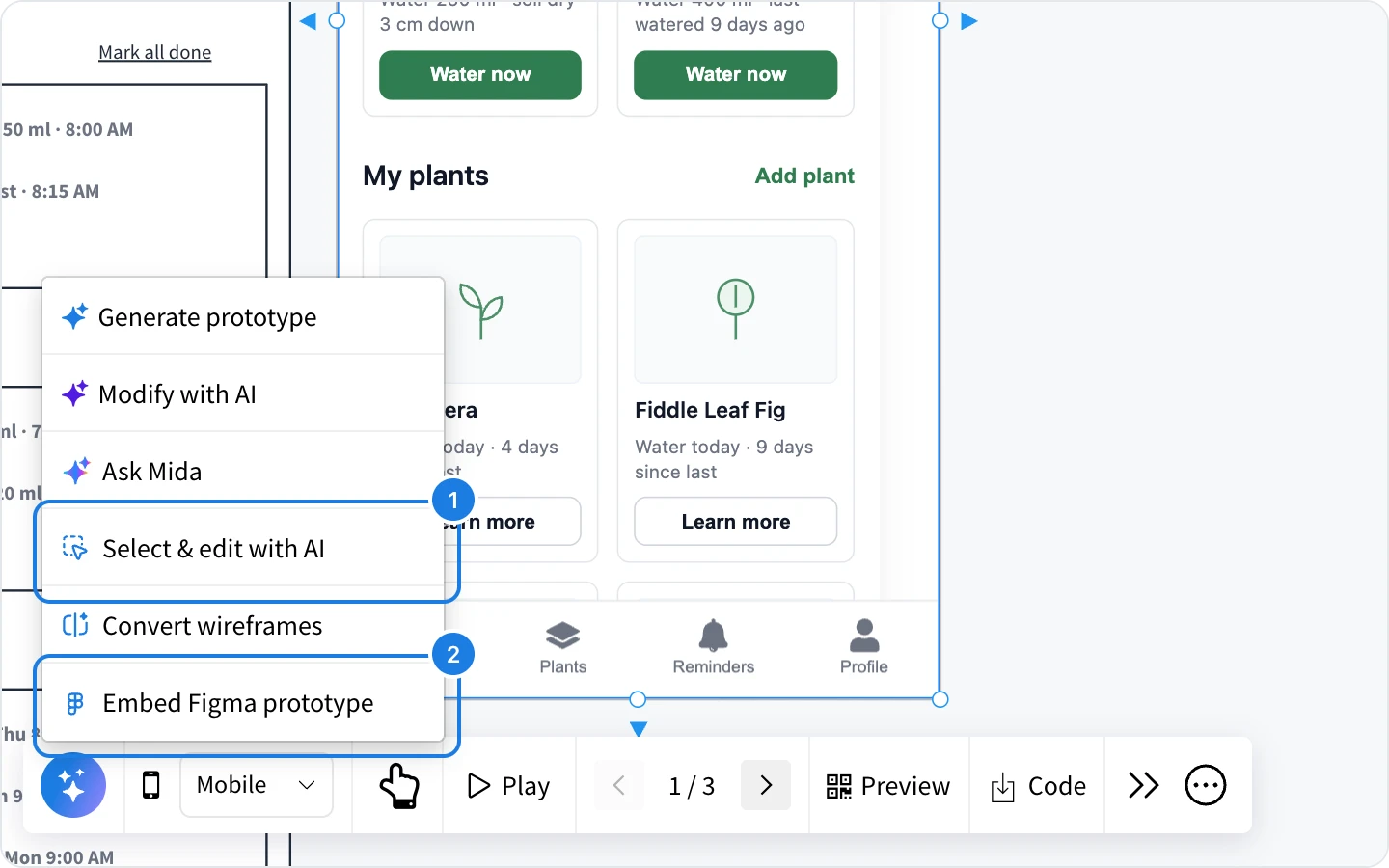
Modify with AI: describe a change to the whole prototype, such as a new color scheme or an extra step.
Select & edit with AI (1): click any element in the prototype, then choose Modify element to change only that element, Modify screen to change the whole screen shown, or Add screen to generate a new screen and link to it from the element.
Convert wireframes: pick wireframes from the board in a list and turn them into this prototype.
Generate prototype: describe an app and let AI create the screens from scratch, without wireframes.
Embed a Figma prototype
If a prototype already exists in Figma, show it on the board instead. Choose Embed Figma prototype (2) in the AI menu, paste the Figma prototype or file URL and click Embed.
Plans
Prototyping is available on every plan. The Basic plan includes lite prototyping, and the Plus and Max plans include wireframing and prototyping with no page limits. AI actions use AI credits.