
Draw on your board from Claude Code
Install the MockFlow plugin for Claude Code, so Claude draws mind maps, flowcharts, architectures and wireframes on your open MockFlow board while you work in the terminal.
With MockFlow Bridge, you usually ask Mida on the board and Claude Code does the work. The MockFlow plugin for Claude Code works the other way round: you stay in Claude Code, in your terminal, and Claude draws on the MockFlow board open in your browser while you talk. Anything with a shape to it, such as how a system fits together, where a flow branches or what the screens should be, lands on a board your team can open instead of scrolling past as text.
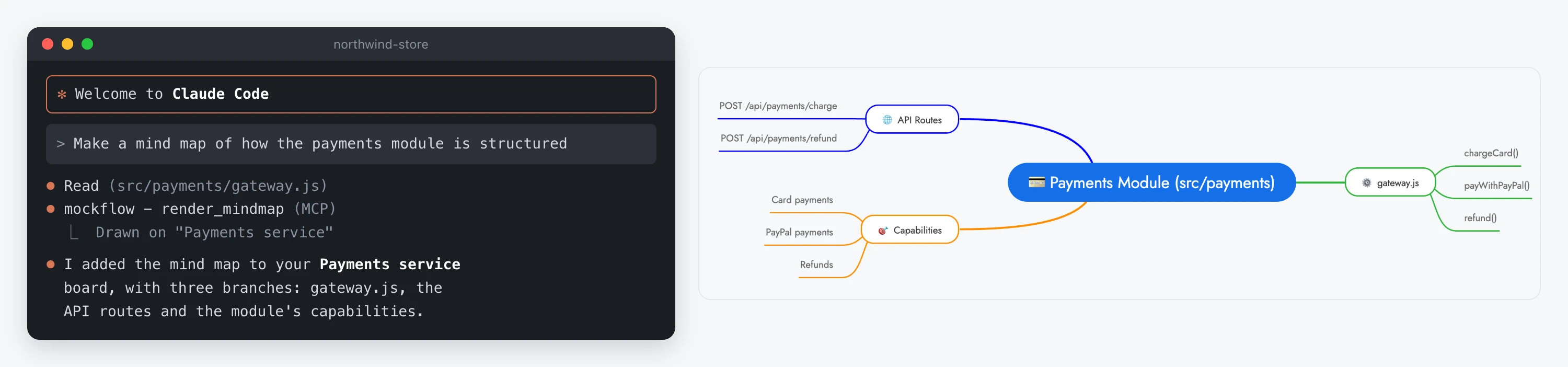
The plugin uses MockFlow Bridge to reach your board, and it costs no MockFlow AI credits: the thinking happens in Claude Code, on your Claude subscription.
Install the MockFlow plugin
You need Node.js 18 or newer, Claude Code and a MockFlow account.
In Claude Code, run these two commands:
/plugin marketplace add mockflow/mockflow-claude-plugin
/plugin install mockflow@mockflow
Then install and start MockFlow Bridge, if you have not already, in another terminal window:
npm i -g @mockflow/mockflow-bridge
mockflow-bridge
Open your board in MockFlow and pair it with Bridge: open Mida, click Connect on the Connect your local agent strip and enter the pairing code from the Bridge window. You pair once per computer. For pictures of each step, see Set up MockFlow Bridge.
When a Claude Code session starts, the plugin checks this setup. If Bridge is not installed, not running or no board is paired, it tells you what is missing and how to fix it.
Ask Claude to draw
Ask in your own words. Claude picks the right kind of item, so you do not need to know what MockFlow calls it. Because Claude Code runs in your project, it can read the code and files there first. For example:
"Make a mind map of how the payments module is structured"
"Draw the cloud architecture from our Terraform files in infra/"
"Read the migrations in db/ and lay out the entity relationships"
"Wireframe the notification settings screen from docs/notifications.md"
"Build a timeline of what happened from these log excerpts"
"I am thinking about a subscription tier for small teams, help me think it through visually"
The drawing appears on the board you are looking at. Follow-up requests, such as "Add a Blocked column to that kanban board", change the item already on the board instead of drawing a second one. Claude also reads the board, so if you move, delete or add items yourself, it continues from what is there now.
Your files are read on your computer and are never uploaded. Only the finished drawing is saved to your board.
MockFlow commands in Claude Code
You will not normally need these, but two commands are available:
/mockflow:drawfollowed by a request, for example/mockflow:draw a flowchart of the payment flow, makes sure the result goes on the board and not into the terminal as text./mockflow:connectchecks Bridge, its connection and the board pairing, and tells you which one needs attention.
To get the newest version of the plugin, run /plugin update in Claude Code.
Share the result with your team
What Claude draws is an ordinary MockFlow board. Share it, and teammates open it in the browser, rearrange items, comment and present it, without the plugin, a terminal or Claude Code.
The plugin works on every plan. On Basic, Bridge runs on one board at a time with a daily number of free generations. Plus and Max include Bridge Pro, with no daily limit and several boards at once. See MockFlow Bridge on each plan.