
Let your team generate with an AI Prompt Box
Put an AI Prompt Box on your MockFlow board so anyone can type a prompt and get a mind map, a diagram, a picture or other content, set up with your own instructions and output type.
The AI Prompt Box is a ready-made AI tool that sits on the board for everyone to use. You set it up once, with instructions and the kind of content it makes, and then anyone on the board types a prompt and the result appears on the board. A teacher can set up a science fair idea maker for a class, a workshop host a "how might we" generator, and a marketing team a box that drafts social post ideas.
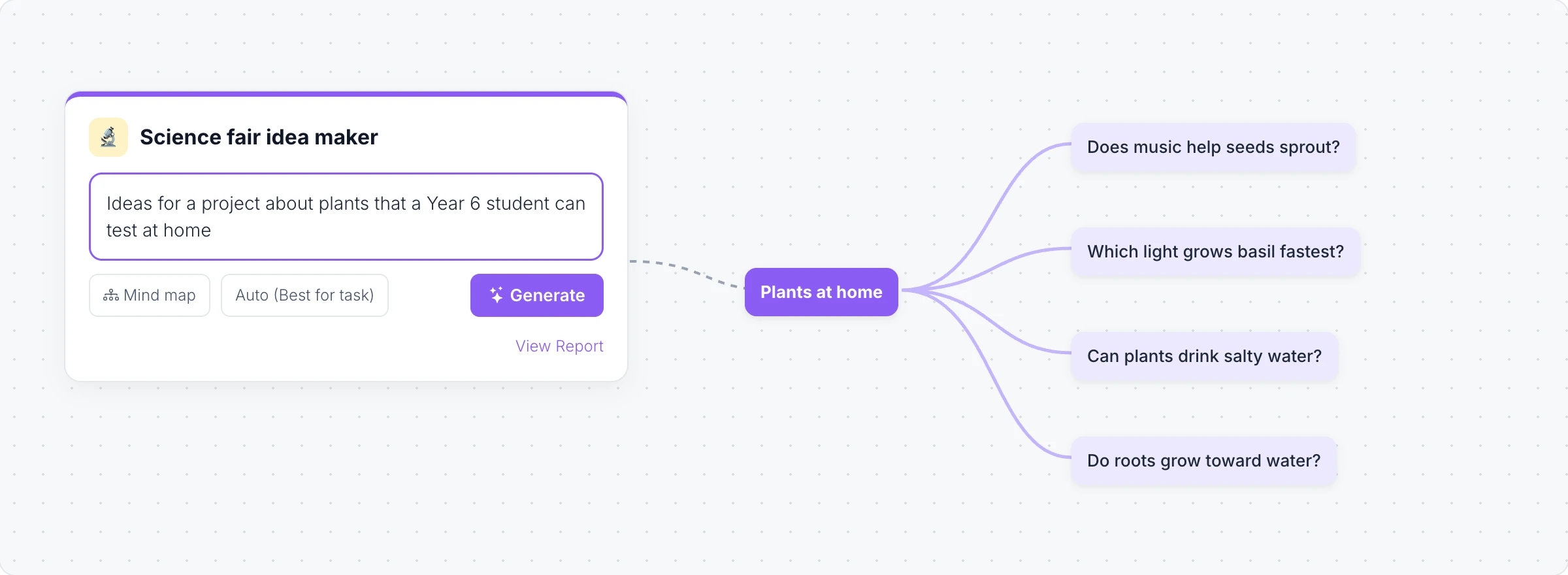
Set up a prompt box
Click Add anything (the plus button) in the toolbar at the bottom of the board and choose AI Prompt Box.
Click Edit Title in its toolbar to name it, and Set Title Icon to give it an icon.
Click AI Configure to set it up.
In AI Configure:
AI Instructions: what the box should always do, such as "Focus on experiments a 10 year old can do safely at home".
Placeholder Text: the hint people see in the prompt field.
Output Type: what the box makes, such as a mind map, a flowchart, a document or a picture, or Any (AI decides).
Show Model Selector and Models: let people choose the AI model, or set the models yourself.
Generate from the box
Click Interact (the hand button), or switch the board to Play mode, type a prompt in Enter your prompt... and click Generate. The result is placed on the board next to the box, so everyone can see what each person made.
View Report lists the generations made with the box, and Reset Generations clears the list. Only the owner can change the setup or reset it.
Turn a prompt box into a skill
A prompt box can be shared as a skill, so others can reuse its setup. Submit as Skill adds it to the skill library, Generate Skill with AI writes the instructions for you, and Download as Agent Skill saves it for an AI agent. See Use AI skills.
The AI Prompt Box is available on every plan. Generating uses AI credits. Video and 3D output types are not available on the Basic plan, and choosing AI models needs the Max plan. See MockFlow pricing.