
Download a board as an offline file
Save a fully editable copy of a board as a .board file, to open in the MockFlow desktop app or import into a space later.
An offline file is a complete, editable copy of a board in MockFlow, saved as a .board file on your computer. Use it to work on the board offline in the MockFlow desktop app for Windows and macOS, to keep a copy of a finished project, or to bring the board into another space later. Unlike an image export, every item stays editable.
Download the offline file
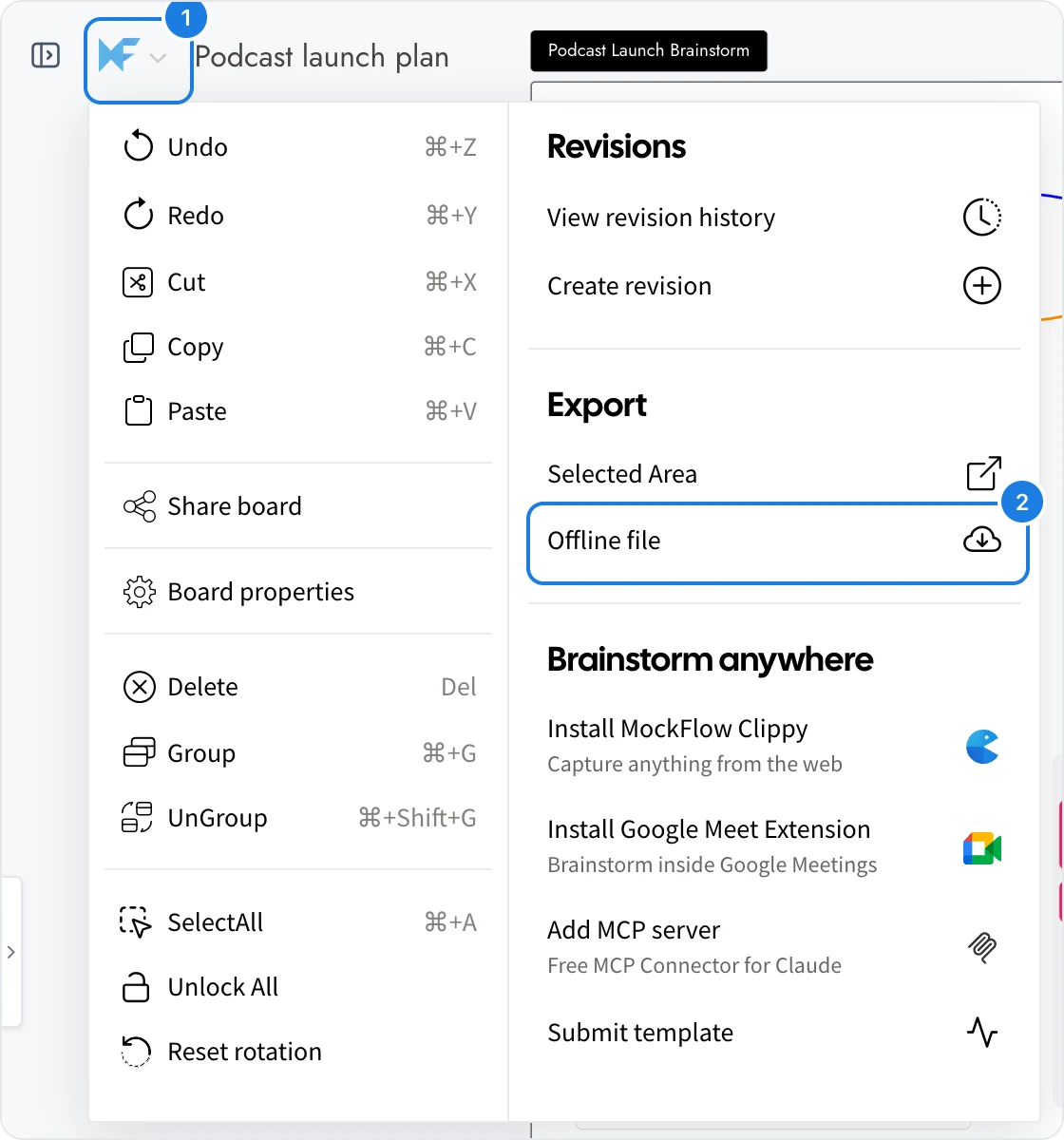
Open the board and click the MockFlow logo (1) at the top left to open the main menu.
Under Export, click Offline file (2).
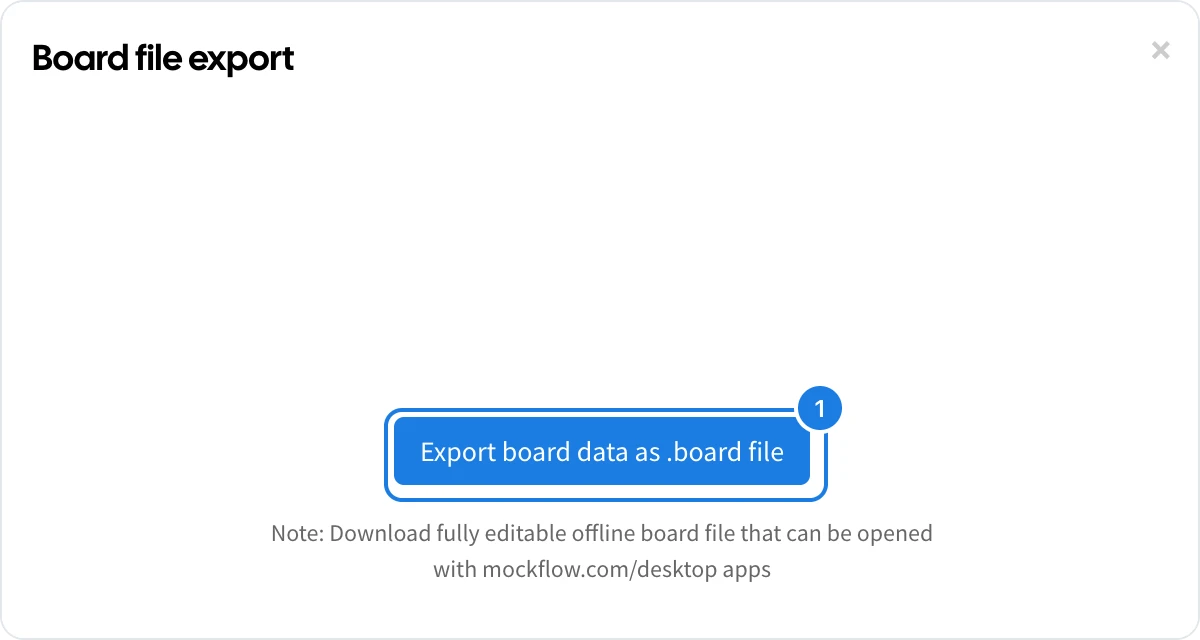
In the Board file export window, click Export board data as .board file (1). The file downloads to your computer.
Open or import the file
In the desktop app: open the .board file in the MockFlow desktop app to view and edit the board without an internet connection.
In a space: import the file to turn it back into a board that your team can open. See Import a board or wireframe file.
Which plans include offline files
Downloading a board as an offline file is available on yearly subscriptions. Without a yearly subscription, clicking the export button offers an upgrade instead. The Basic plan does not include offline files, and many other features, such as the offline desktop app, editor roles and live presentation mode, are available on Plus and Max. See MockFlow pricing for details.