
Present a board live
Walk your team through a board with Live Present: everyone follows your view as you move and zoom while you talk them through it.
Live Present turns a board in MockFlow into a live presentation. As you move around the board and zoom in, everyone who joins sees exactly what you see, and you talk them through it in a live call. On the Max plan you can also turn your camera on, so your team sees you as you present. Use it for a sprint review, a design critique, a lesson, a client walkthrough or a weekly team update, straight from the board where the work lives.
Start a live presentation
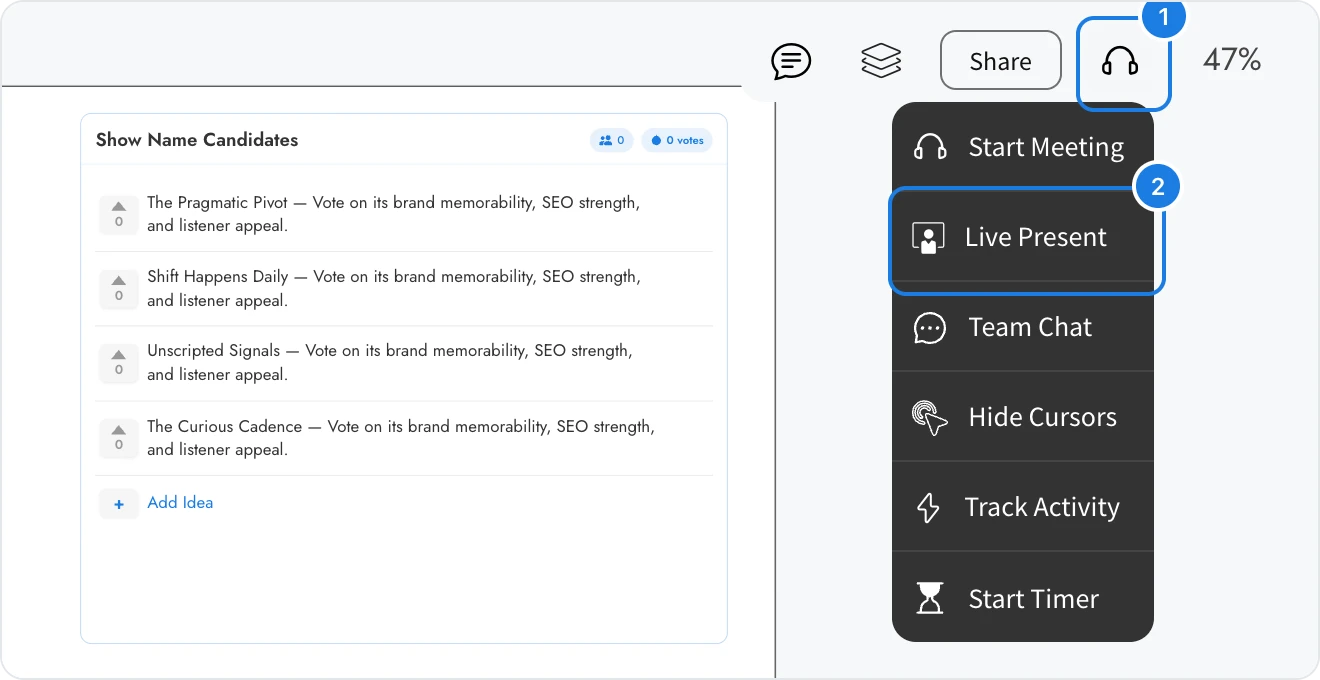
Open the board and point to the headset icon (1) at the top right to open the collaboration menu.
Click Live Present (2).
Click Start in the Make Live Remote Presentations window.
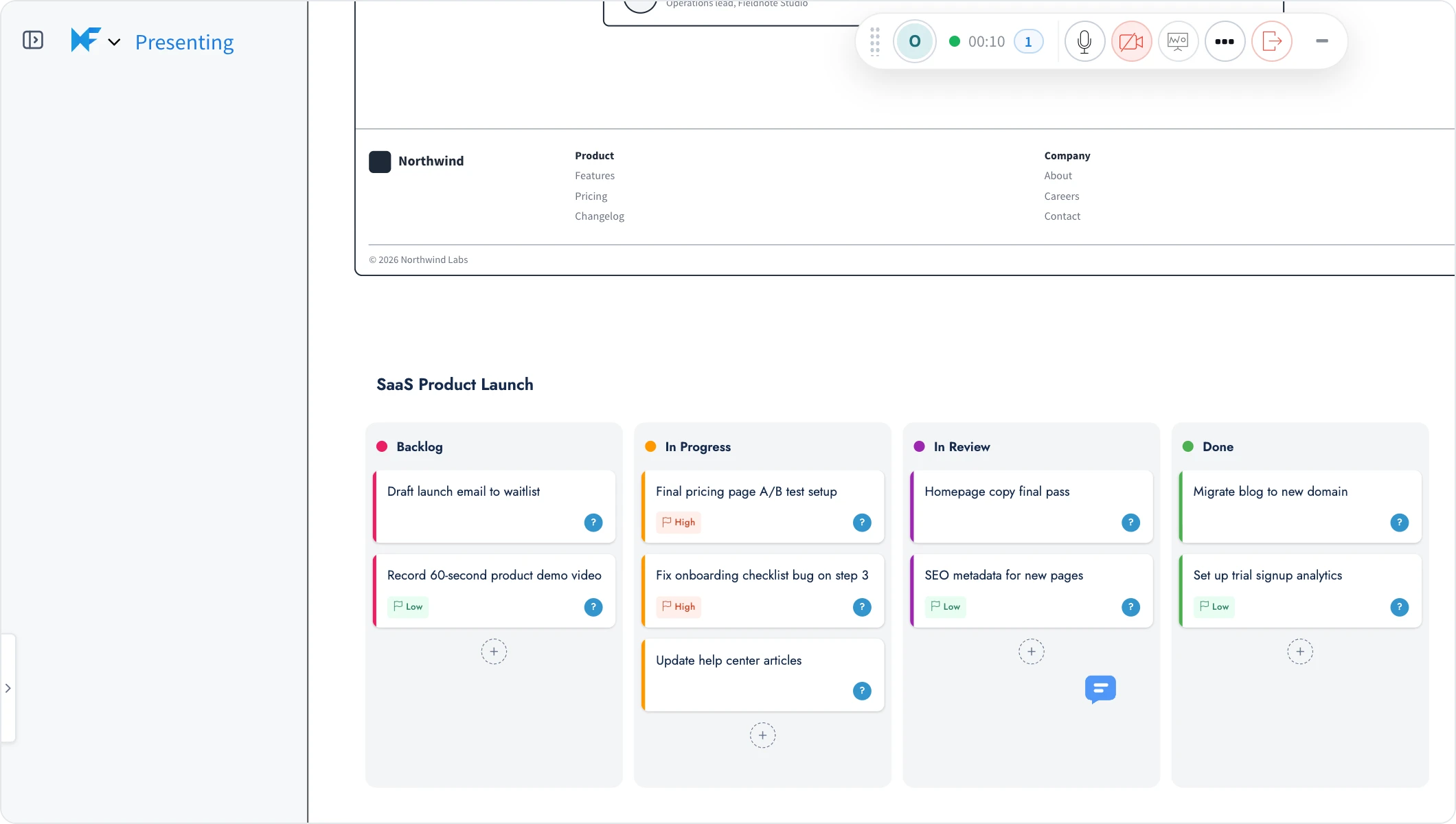
The board title changes to Presenting. Move around the board and zoom as usual: each change of view is sent to everyone who has joined, so you can go from the big picture to a single item without asking people to find it.
How your team joins
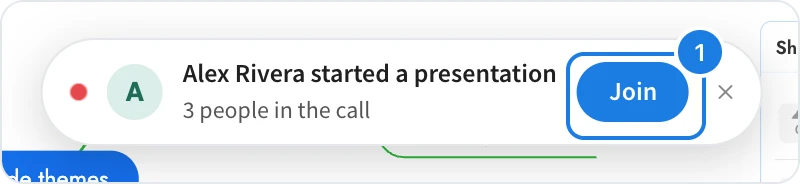
Members who have the board open, or open it while you present, see a banner with your name and the number of people in the call. They click Join (1) to follow your presentation.

While a presentation is running, attendees follow your view, and the board title shows Following and your name. If an attendee chooses Live Present from the menu, MockFlow asks them to confirm, because the only option during someone else's presentation is to leave it.
Live Present is for people who have access to the board. To invite someone first, see Share a board with people.
Look around and return to the presenter's view
Attendees can step away from the presentation to look at something on their own, such as the data behind a chart or another column of a kanban. As soon as an attendee moves the board, a bar at the bottom says You left the view. and offers two choices:
Back to and the presenter's name returns the attendee to the presenter's current view, and they follow again.
Stop following lets the attendee keep looking around. The board title then says that the presenter is presenting; click it to follow again.
Stop presenting
Open the collaboration menu again and click Stop Presentation. Everyone's view is released, and they can move around the board on their own.
Other ways to work together live
The same menu has Start Meeting for a call on the board, Team Chat, Hide Cursors, Track Activity and Start Timer, for example to time-box a brainstorm before you present the results.
What is not available on the Basic plan
Live Present is not available on the Basic plan. Choosing it shows an upgrade window instead, and Basic members who see a presentation start get Upgrade in place of Join. Live presentation mode and many other features, such as editor roles and secure view links, are available on Plus and Max. See MockFlow pricing for details.