
Change selected items with Mida
Select items on your board and ask Mida to update, convert, merge or rewrite them, for example matching a wireframe to the ideas in a mind map.
Mida can work on what is already on your board. Select a few items and say what you want: update a wireframe to match the ideas in a mind map, turn a list into a kanban, merge notes into a flowchart, or rewrite the copy on a screen. Mida reads the items first, so the result keeps your real content.

Ask Mida about a selection
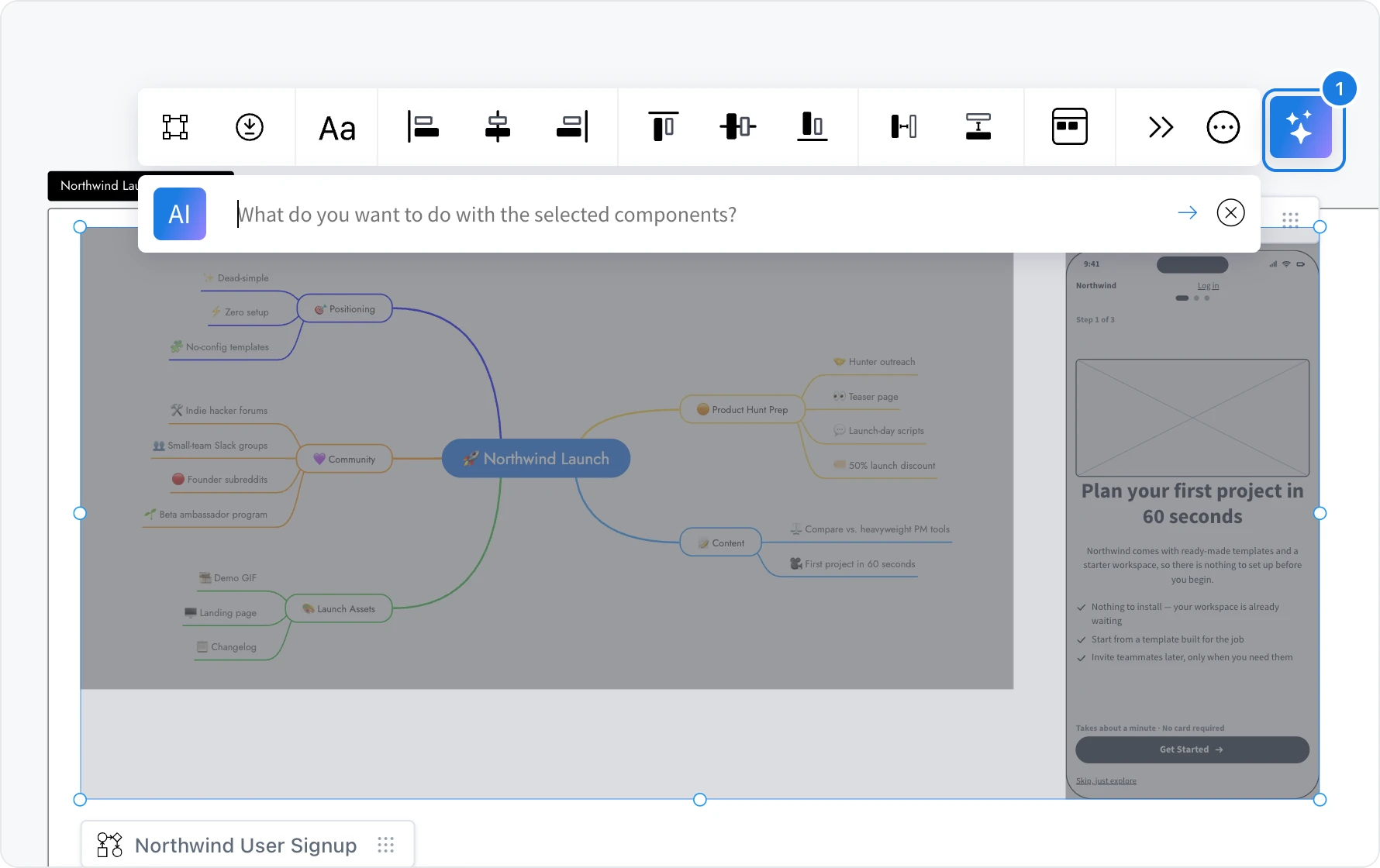
Click the first item, then hold Shift and click the others you want Mida to work with.
Click Ask AI about this selection (1) at the end of the toolbar.
Type what you want in the field that opens, for example Update the onboarding screen so its headline and benefits match the Positioning ideas in the mind map, and press Enter.
Mida opens with your selection attached and reads each item before it acts. Depending on what you ask, it changes the selected items in place, as with the onboarding screen above, or builds something new next to them.
Things you can ask
Convert: Turn this list into a mind map, Make these steps a flowchart, Show these numbers as a bar chart
Sort and group: Group these ideas into themes, Sort these tasks by priority
Merge: Combine these tables into one, Make one roadmap from these plans
Rewrite: Make the copy on this screen shorter, Translate these labels into Spanish
Ask Mida about one item
To focus on a single item, select it, open its AI menu in the toolbar and choose Ask Mida. Mida shows a Scope chip with the item's name, so every request in the chat applies to that item until you click Remove scope. The same menu also has Generate new and Modify with AI for changes to that item alone.
Each request uses AI credits, as described in AI credits.