
Review and collaborate on a WireframePro project
Share a WireframePro project with reviewers and editors, collect comments and suggested designs, present live and track project activity.
WireframePro projects are built for feedback. Teammates edit together in real time, clients and stakeholders comment on the exact spot they mean, and anyone can suggest a change without touching the original design.
Share the project
Click Share at the top right to invite people by email as a Reviewer (view, comment and export), an Editor (also edit in real time) or an Admin (full rights, including renaming and sharing). For people outside your team, create a public link and choose what it shows: Export access, Show comments and Show docs, with Protect with key to require a key. See Share a board with people, which works the same way.
Comment on the design
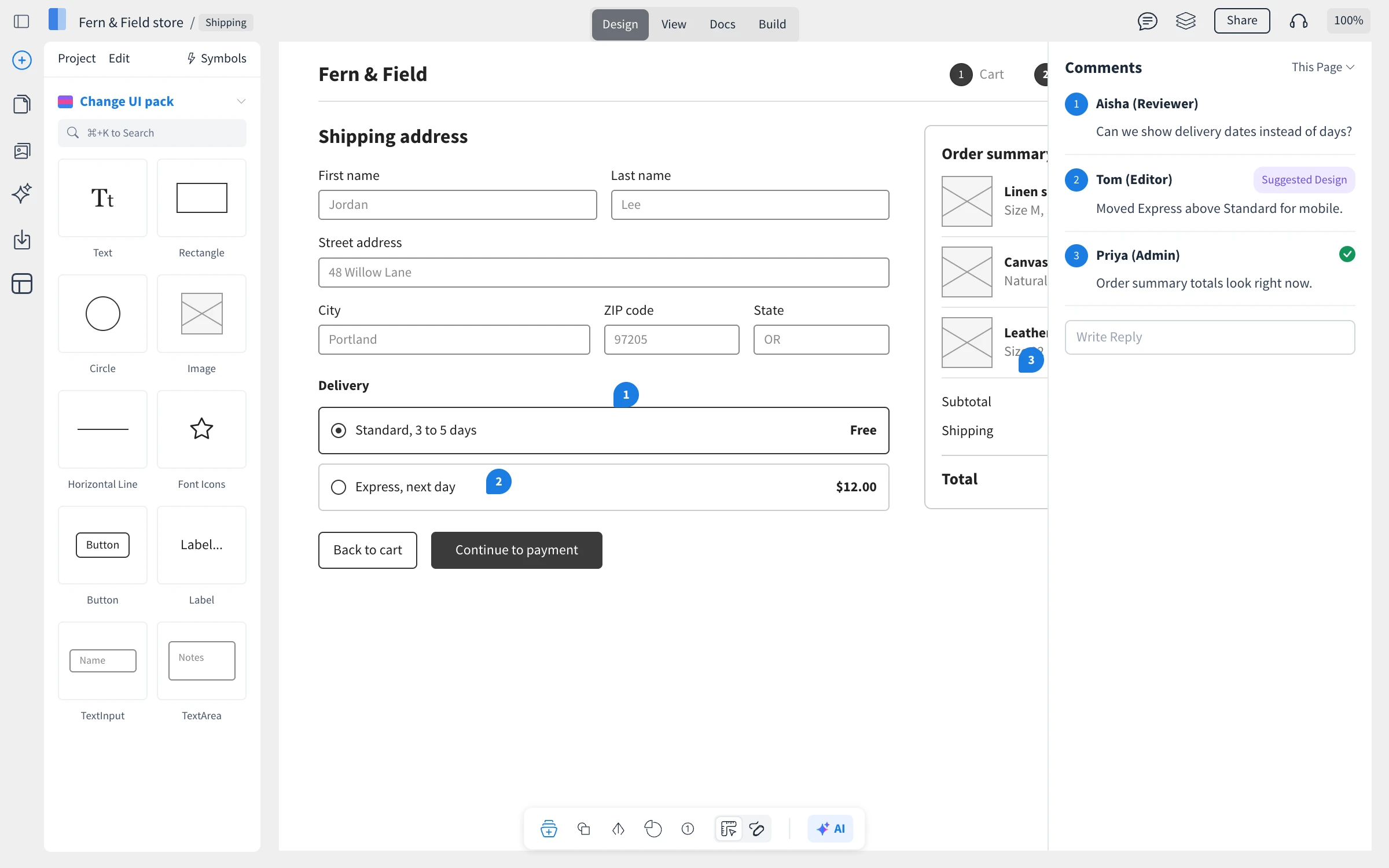
Click Comments at the top, then click the spot on the page you want to talk about. Each comment is pinned to the design with a number. In the Comments panel you can reply, attach a file and Mark as Resolved, and filter by This Page or All Pages and by resolved or unresolved comments.
Suggest a design change
A suggestion shows a different design without changing the original:
Start a comment and click Suggest New Design.
Make your changes on the page.
Click Suggest at the top, add a note and click Suggest Changes.
The comment is marked Suggested Design. Click it to compare the suggestion with the current design.
Meet, present and track activity
The collaboration menu at the top has Start Meeting for a call in the project, Live Present to walk others through the pages, Team Chat, and Track Activity, a history of comments, page changes, revisions, symbols and docs.
What is not available on the Basic plan
On the Basic plan, projects can be shared with reviewers only, and activity tracking is not available. Plus and Max include editors and admins, activity tracking and unlimited reviewers, along with many other features, such as team chat. See MockFlow pricing for details.