
What are Concept Builders
Concept Builders are AI collaborators with a defined role, such as an MVP scope shaper or a game designer, that develop your idea through chat and draw the concept on your board.
A Concept Builder is an AI collaborator with a defined role. Where Mida is a general assistant, a Concept Builder is a specialist: an MVP scope shaper, a PRD architect, a game designer, a brand namer or a course planner. It asks the questions that role would ask, develops your idea with you over several sessions and draws the concept on your board.

Find a Concept Builder
Click the Concept Builders icon in the bottom toolbar, then Add Concept Builder. You can also open Mida and choose a builder from the menu next to its name.
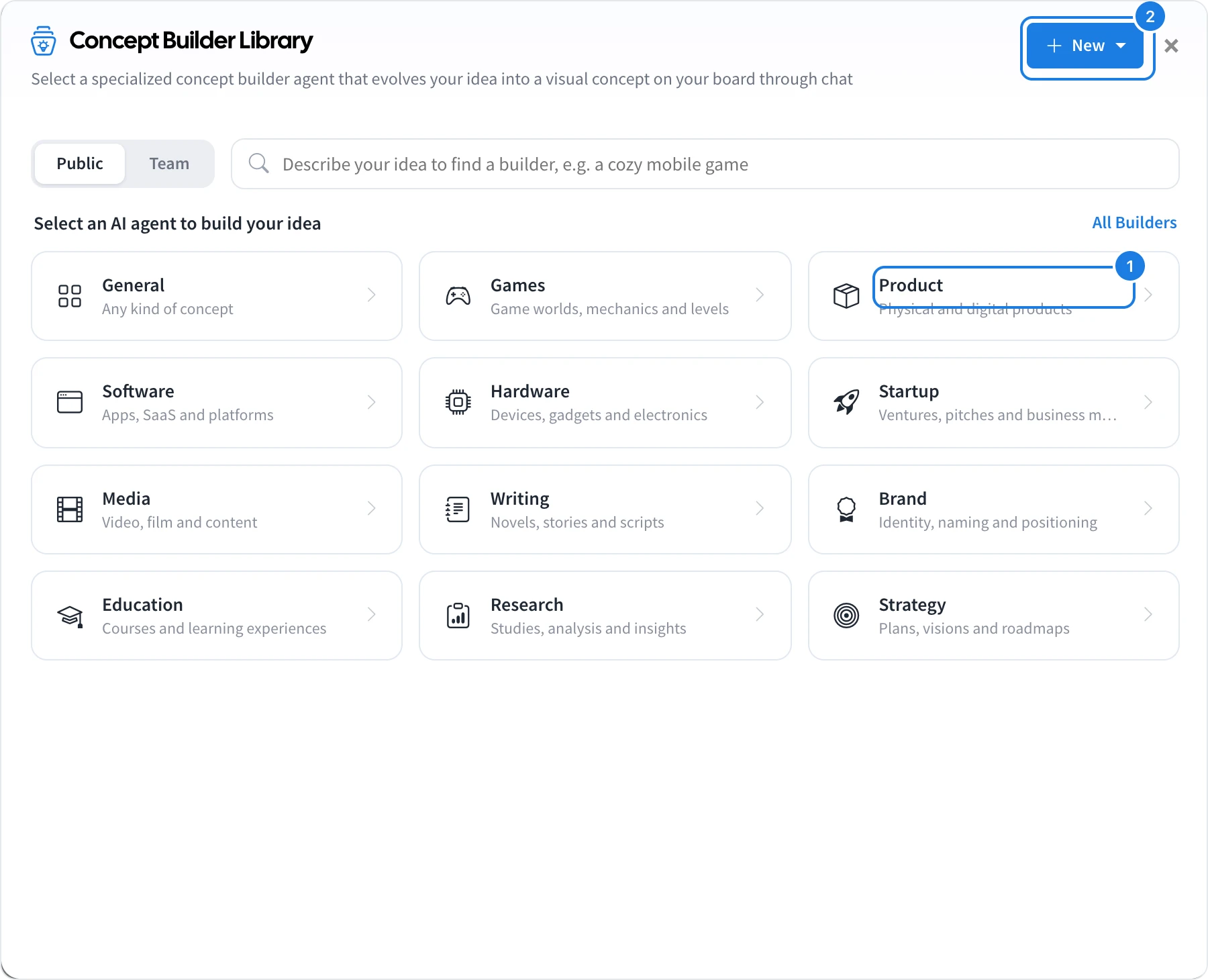
In the Concept Builder Library, pick a category (1), such as Product, Games, Startup, Brand, Education or Strategy, or describe your idea in the search box to find a builder.
Click a builder to open it.
The builder opens in the panel where Mida usually sits, with a short description of its role and a few starting points to choose from.
How Concept Builders differ from Mida
A defined role: each builder follows the method of its specialty, so the questions and the result fit the job, such as a must-have list and build order for an MVP.
Memory: a builder remembers what you discussed in earlier sessions on the board, so you can pick up where you left off.
Shared with your team: a builder's chats are saved and shared with your team, while chats with Mida are private and reset each session.
Public and team builders
Public builders are available to everyone.
Team builders are the ones your team has created.
To make your own, click New (2). See Create your own Concept Builder.