
Take a show of hands
Ask a yes or no question in a meeting with the All Hands Meeting component: start a show of hands, see who raised or lowered their hand, then end or reset it.
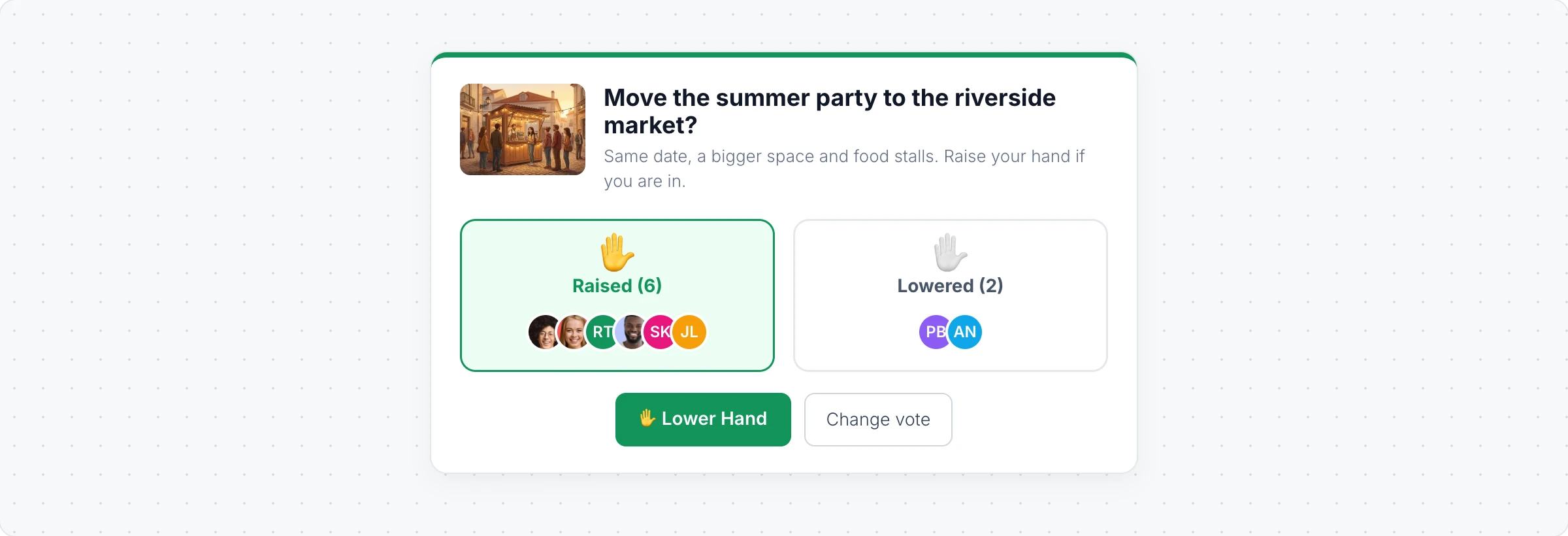
The All Hands Meeting component is a quick show of hands for a yes or no question: "Should we move the party to the riverside market?", "Is everyone ready for the quiz?" or "Do we ship on Friday?". Everyone on the board raises or lowers their hand, and the faces under each side update live.
Ask the question
Click Add anything (the plus button) in the toolbar at the bottom of the board and choose All Hands Meeting.
Click Edit Title in its toolbar and type the question. Edit Description adds a line of detail.
Add/Change Media puts a picture next to the question, if it helps.
Run the show of hands
Click Start Show of Hands in the toolbar. Until then, people see that they are waiting for the host to start.
Everyone clicks Raise Hand or Lower Hand. Raised and Lowered show how many chose each, with their pictures, and Change vote lets people switch.
Click End Show of Hands to close it. Reopen lets people respond again, and Reset Responses clears the hands for the next question.
Only the person who added the component can start, end and reset it, and the question is locked while it runs. People need to be signed in to take part.
The All Hands Meeting component is a collaborative component, included in the Plus and Max plans. See MockFlow pricing.