
Model what-if scenarios with the Data Simulator
Describe a system and let AI build a live Data Simulator on your MockFlow board, with charts that play over time and sliders to try what-if changes, pin scenarios and export reports.
The Data Simulator is a small live model on your MockFlow board. You describe a system, such as a course launch, a sales funnel, a queue at a help desk or the growth of a membership, and AI builds charts that play out over time with sliders for the numbers you want to test. Move a slider and the charts change at once, so a group can explore "what if we doubled the ad budget?" together.
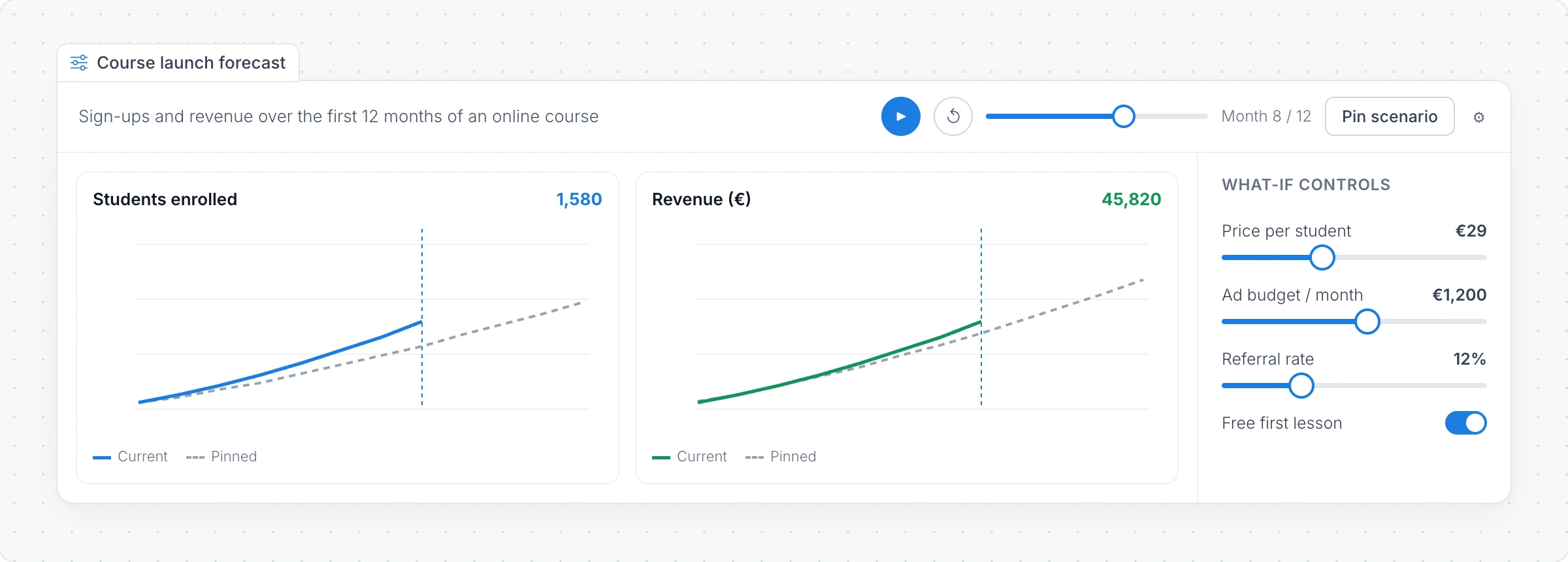
Create a simulation with AI
Click Add anything (the plus button) in the toolbar at the bottom of the board and choose Data Simulator.
Click Create simulation.
Describe the system to simulate, for example "Students and revenue for an online course over 12 months, with price, ad budget and referral rate as controls", and click Generate. Examples offers ideas such as forecasts, funnels, growth models and queues.
To ground the model in real numbers, attach a CSV or TSV file with Attach a CSV/TSV data file to ground the AI. The file needs a header row and must be under 2 MB.
Modify with AI changes the model with a prompt, for example to add a control or another chart.
Try what-if changes
Click Interact with Component (the hand button) to use the simulator.
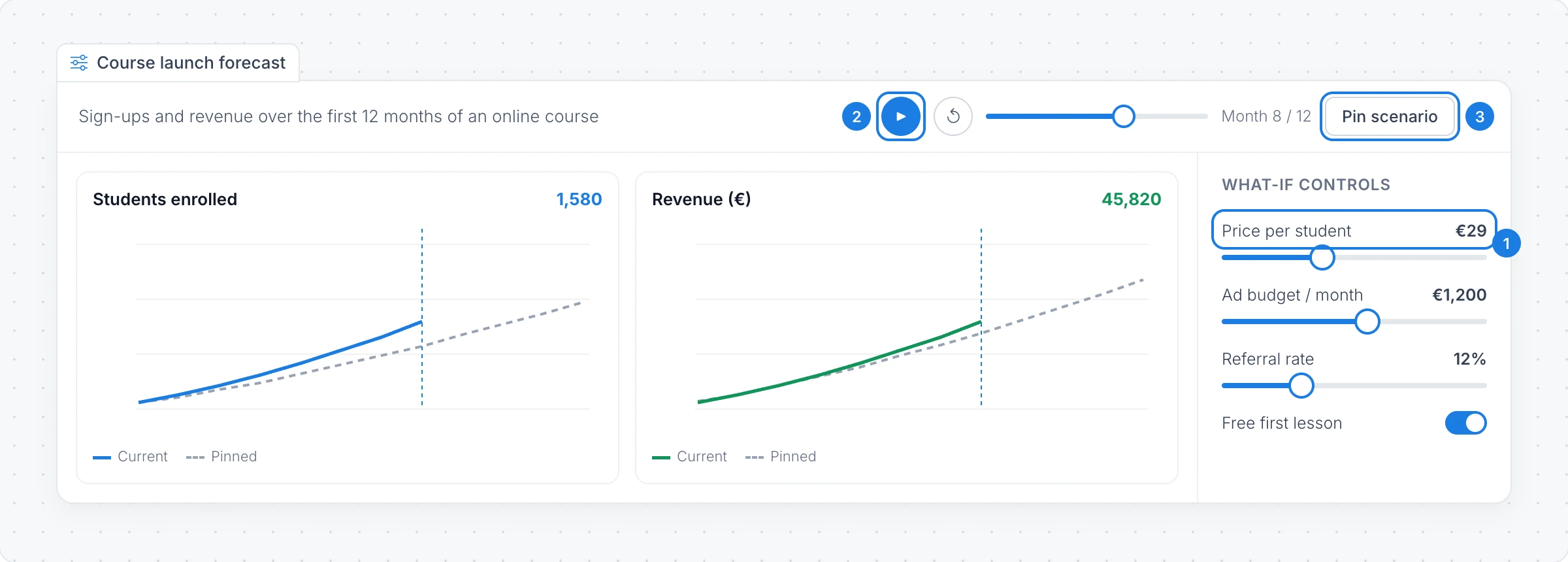
What-if controls: move a slider, or change a toggle, knob or number, and the charts update.
Play runs the model over time, and Back to start rewinds it. Drag along the timeline to jump to any step.
Pin scenario keeps the current result as a dashed line, so you can change the controls and compare the two.
The gear button shows or hides the controls panel.
Export a simulation
Choose Export simulation in the toolbar to download a Report (PDF), an Image (PNG), the Results (CSV) or the Model spec (JSON).
The Data Simulator is available on every plan. Creating and changing a simulation with AI uses AI credits. It is not available in the desktop app's file mode or inside Jira and Confluence. See MockFlow pricing.