
Use AI skills
Apply a ready-made AI skill before you ask Mida, so what it creates follows the same style and rules every time, and create skills of your own for your team.
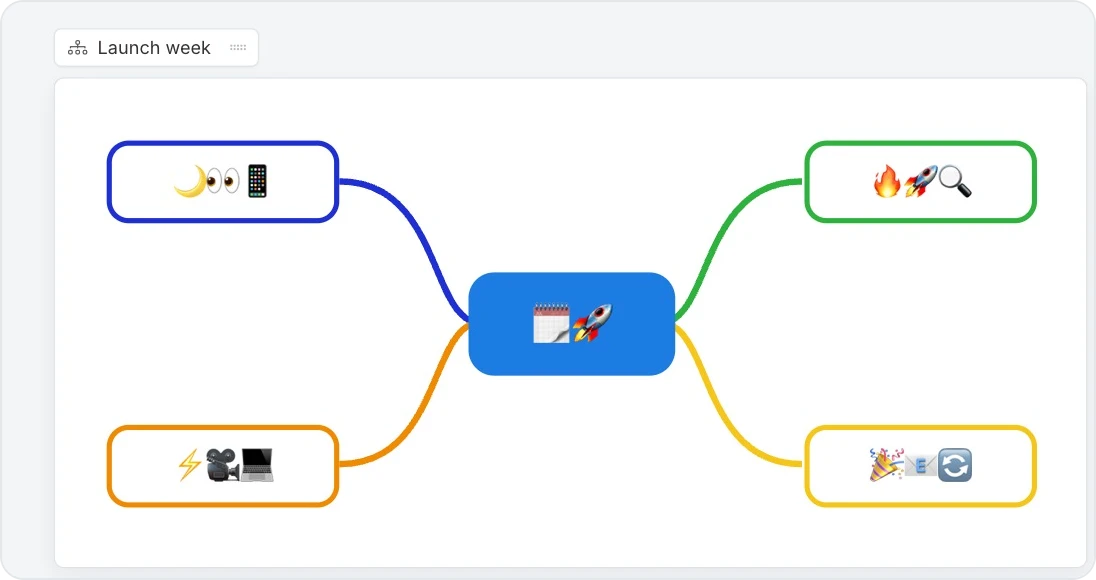
An AI skill is a set of ready-made instructions that guides what Mida creates. Apply one before you ask, and the result follows its rules: mind maps with emoji-only labels, wireframes in your design system, or documents with a fixed section order. Save a prompt you use often as a skill, and your whole team can reuse it.

Apply a skill
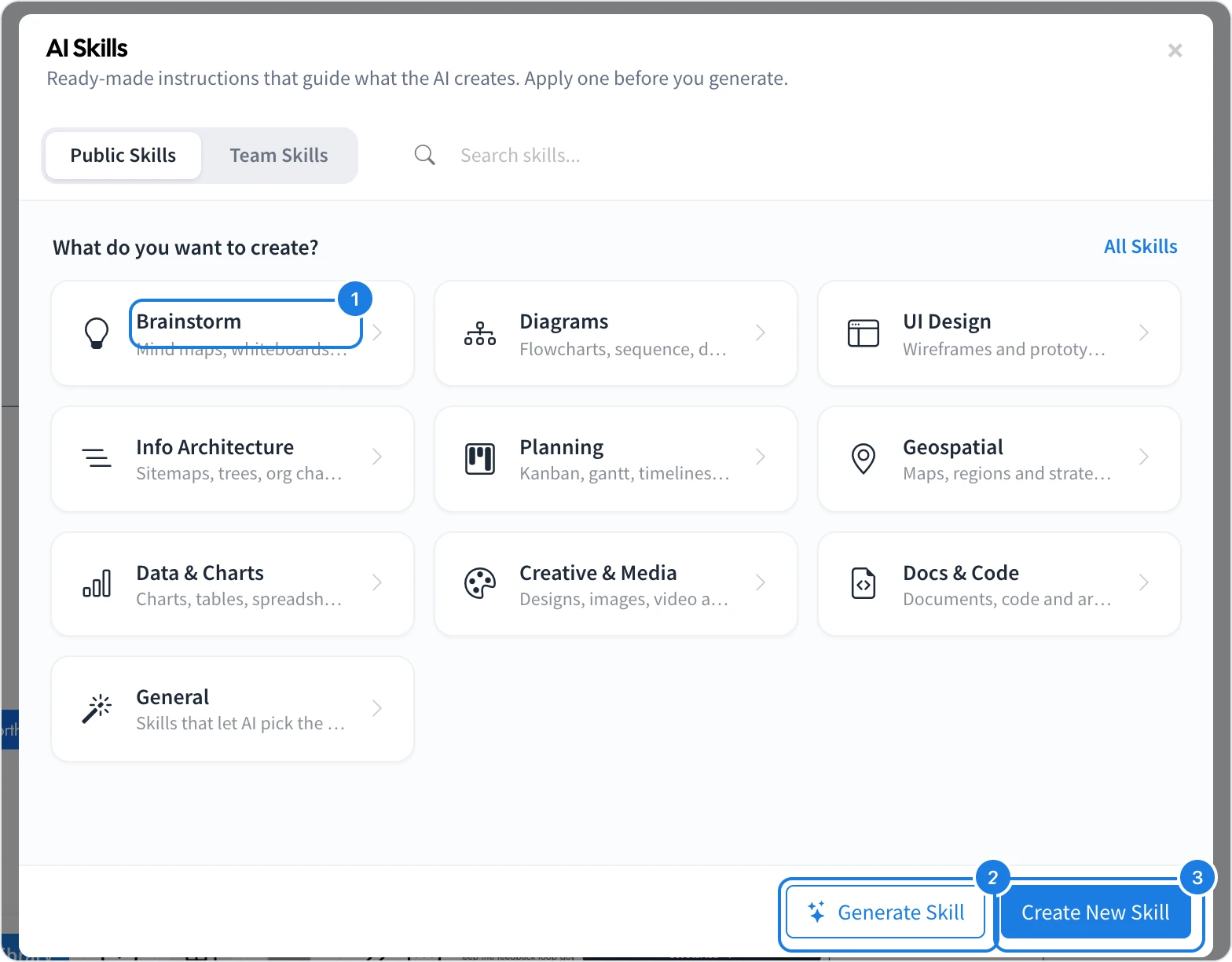
Open Mida and click Browse Skills below the prompt field.
Choose what you want to create (1), such as Brainstorm, Diagrams, UI Design or Planning, or click All Skills.
Click Apply on the skill you want.
Describe what you need and press Enter.
The applied skill shows as a pill above the prompt, and the prompt hint changes to match it. Mida follows the skill for your requests until you remove the pill with its ×.
Public and team skills
Public Skills are published skills that anyone can apply on any board.
Team Skills are the skills your team has created, available to everyone on your team.
When you open the skills from a component's own AI prompt, the list shows only the skills that apply to that component.
Create your own skill
You can describe a skill and let Mida write it, or write it yourself:
Generate Skill (2): describe the skill you want, for example Mind maps that use only emojis as node labels, choose what it Produces, and Mida writes it.
Create New Skill (3): give it a Name, a Description, what it Produces, the AI Instructions to follow every time, an optional Placeholder Text for the prompt and Tags for search, then click Create Skill.
What the skill produces decides which components it is offered on.
Get skill ideas with Random skills
When you are not sure which skill would help, let Mida suggest a few.
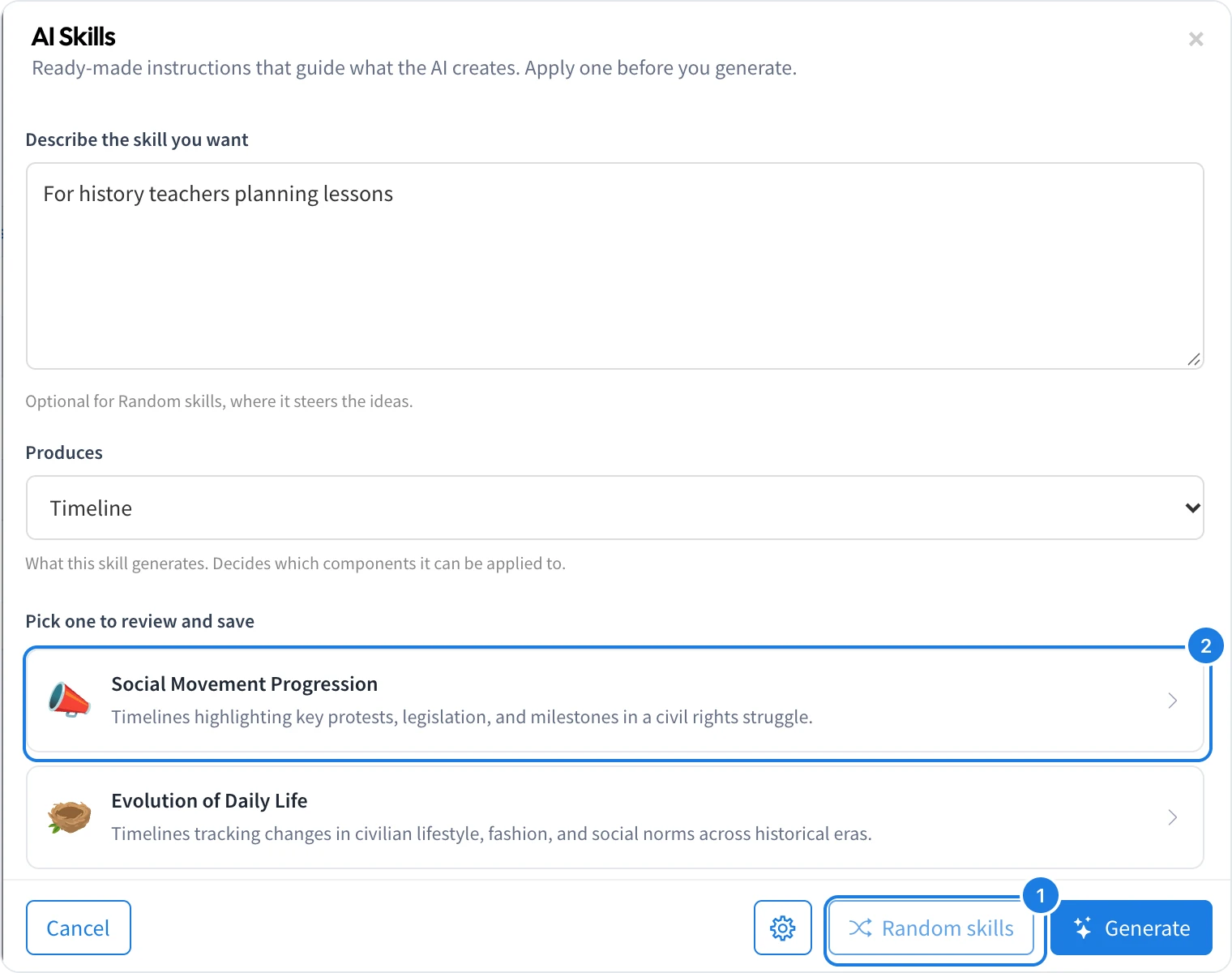
In the AI Skills dialog, click Generate Skill.
Choose what the skill Produces, for example Timeline. To steer the ideas, describe who they are for, such as "For history teachers planning lessons". The description is optional.
Click Random skills (1). Mida drafts a few skill ideas, each with a name, a description and an icon.
Under Pick one to review and save (2), click the idea you like. It opens in the Create form, where you can change it and save it.
Click Random skills again for a new set of ideas. With your local agent connected, the ideas are drafted on your agent.