
Internal
Invoices and billing details
Download invoices for your MockFlow payments and update your payment method or billing details.
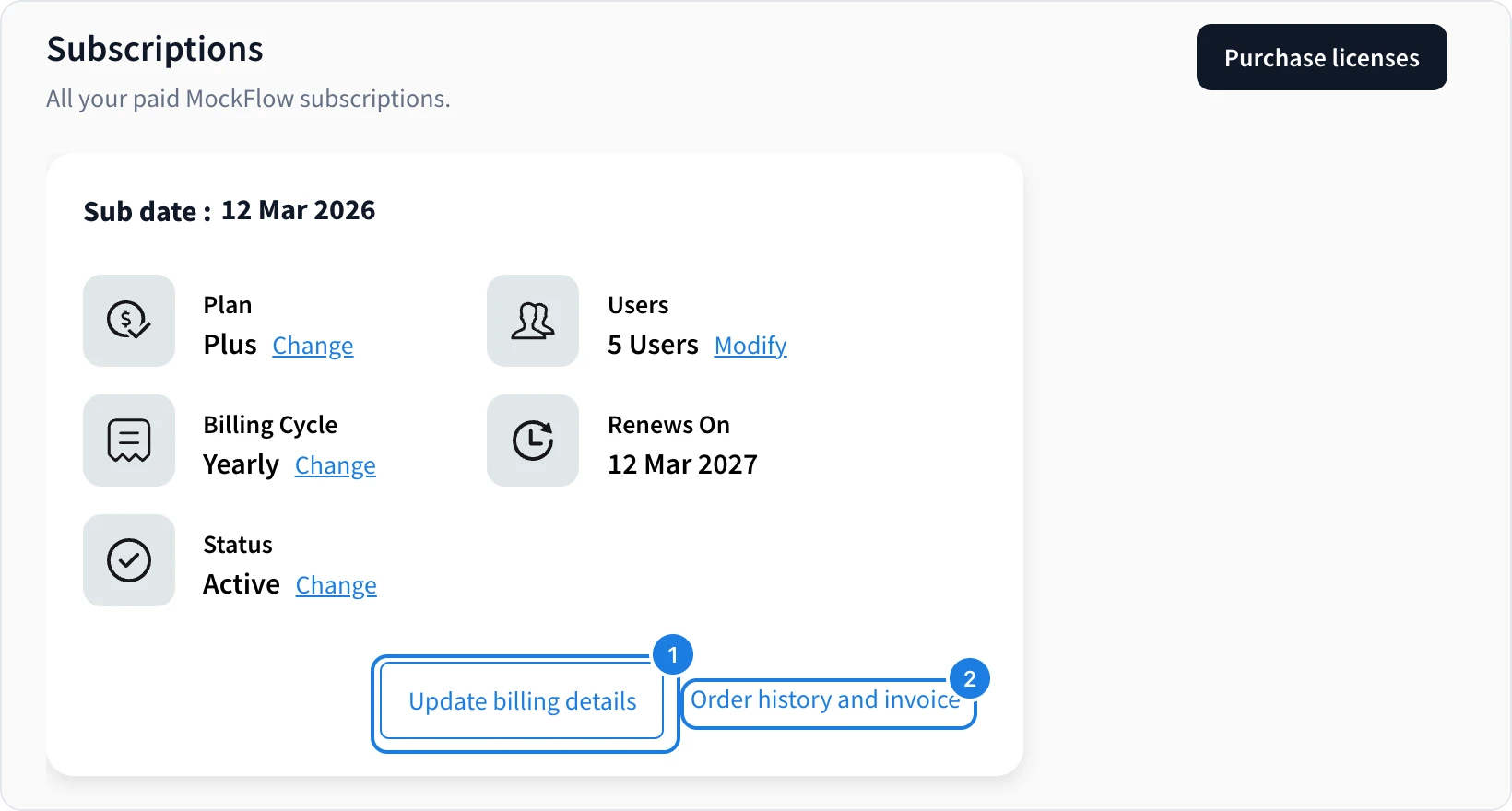
Invoices and payment details live with each subscription. Click your name at the bottom of the workspace sidebar and choose Subscriptions.
Download an invoice
Click Order history and invoice (2). The Order History list shows each order's ID, date and amount, with a download link for its invoice.
Update your card or billing details
Click Update billing details (1) to change the card you pay with or the billing information on your invoices. Payments are processed securely by Paddle.
Need an invoice paid by bank transfer or purchase order? That is available on Enterprise licenses. See Startup, education and enterprise pricing.
Was this page helpful?