
Wireframe on a board vs Classic WireframePro
Compare the Wireframe frame on a MockFlow board with a Classic WireframePro project, and choose the right one for your screens.
MockFlow gives you two ways to design screens. A Wireframe frame sits on a board, next to the flows, notes and feedback around it. A Classic WireframePro project is a dedicated, multi-page UI design editor. Both are included on every plan, and many teams use both: they sketch on the board, then design the full product in WireframePro.
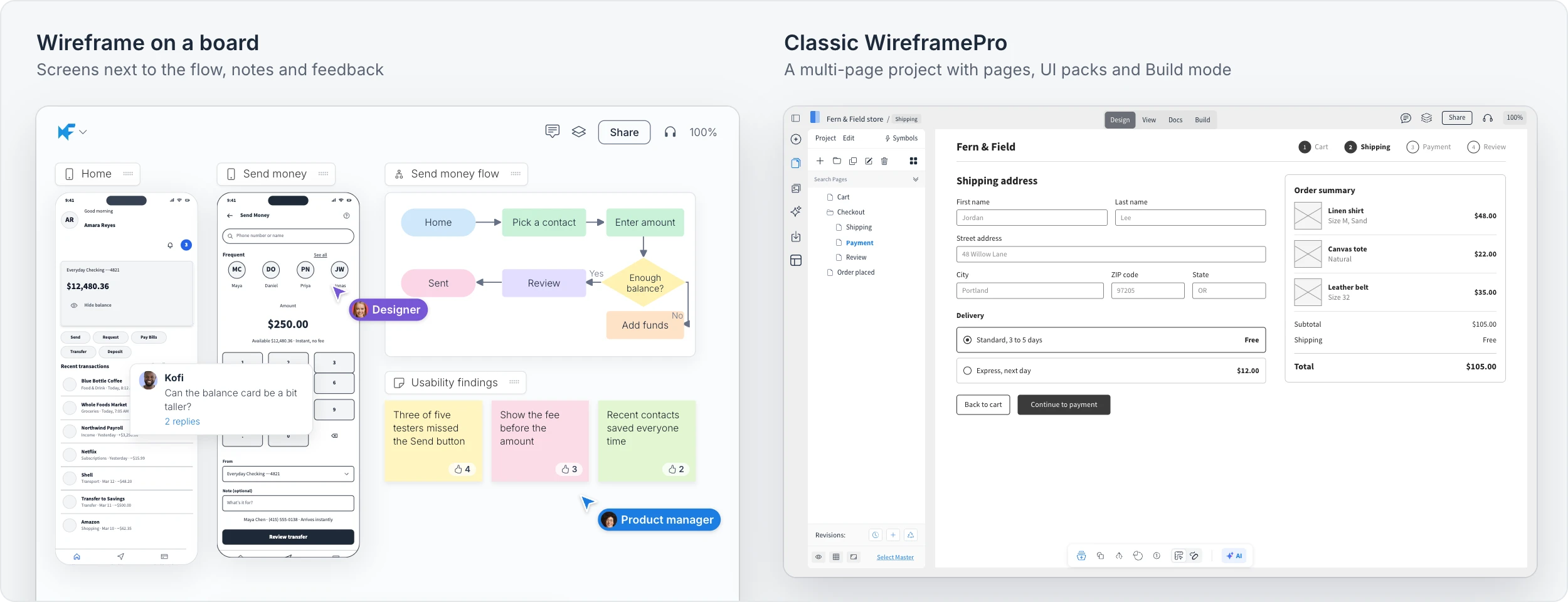
At a glance
Wireframe on a board | Classic WireframePro | |
|---|---|---|
Where the work lives | A frame on a board, beside diagrams, notes and plans | A project of its own, one page per screen |
Building screens | Widgets in Outline, Sketchy, Hi-fi, Blueprint and other styles | UI kits such as iOS, Material, Bootstrap and Shadcn, custom UI packs and symbols |
Many screens | Several wireframe frames on the board | Pages, folders and master pages |
Prototyping | Convert screens into an interactive prototype on the board | Interactions on any component, tested in View mode |
AI | Mida on the board, hi-fi rendering and Clippy | The WireframePro AI menu and Mida |
Documentation | Notes and documents on the same board | The Docs tab with PRD and UX checklist templates |
Output | Image, SVG, hi-fi image, JSON, Figma and AI prompts | Image, PDF, Interactive PDF, Word, PowerPoint, Figma, .wire and Build mode code |
When to wireframe on a board
Choose a Wireframe frame when the screens are part of a bigger conversation. For example, a product team maps the send money flow, sketches the two screens it needs and collects usability findings around them, all on one board. A teacher plans a class app on the same board as the lesson outline. See Wireframes on the board.
When to use Classic WireframePro
Choose WireframePro when the design itself is the deliverable: an online store with a full checkout, a banking web app with a dozen pages, or a clinic booking app that developers will build. Pages, UI kits, symbols and master pages keep every screen consistent, the Docs tab holds the requirements, and Build mode turns screens into code.
Move a board wireframe into WireframePro
You can start on a board and continue in WireframePro. Open the board wireframe's export options, choose WireframePro under Copy to, then open your WireframePro project, click an empty spot on the page and press Ctrl (⌘ on Mac) + V. The screen lands as components you can edit. See Export a wireframe.
Plans
Both are included on every plan. On Basic, a board wireframe follows the board limits, and WireframePro allows one project with up to three pages. Plus removes the limits for both. Max adds Build mode, Figma export and team UI packs in WireframePro, and Figma and AI prompt export for board wireframes. See MockFlow pricing for details.