
Wireframes on the board
Design app and web screens right on your MockFlow board with the Wireframe component, then style them, generate them with AI and turn them into a clickable prototype.
MockFlow is a wireframing and prototyping tool built into the visual canvas. The Wireframe component holds one app or web screen. You place it on the board beside the ideas, flows and notes it comes from, build the screen from a widget library or with AI, and link screens into a clickable prototype without leaving the board.
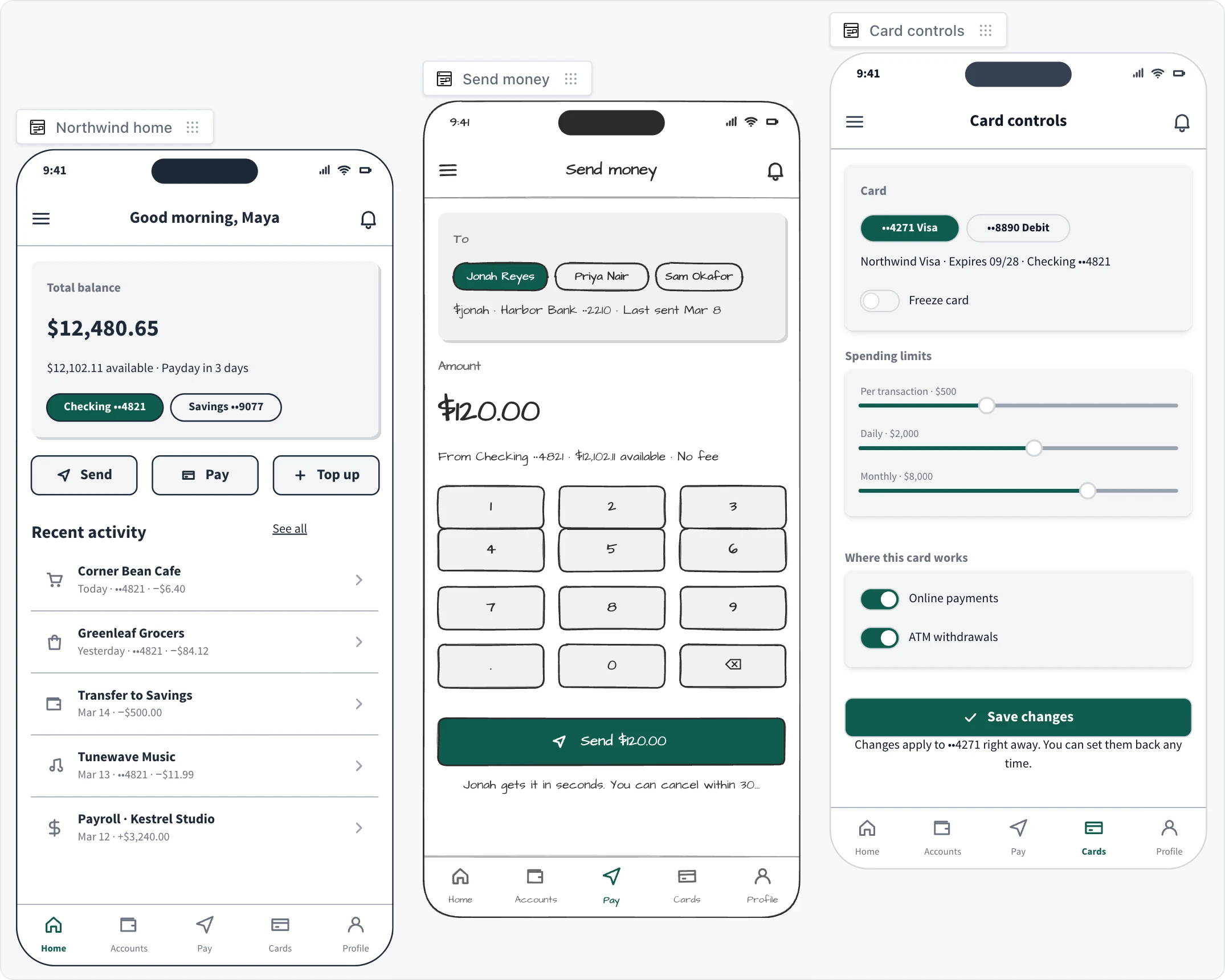
What a wireframe screen gives you
A device to design for: a phone, tablet, desktop, watch, car or TV screen, or no frame at all. See Add a screen and pick a device.
A widget library: buttons, inputs, lists, navigation bars, charts and ready blocks that you drag onto the screen. See Build a screen with widgets and Stack widgets with spacing and padding.
Styles in one click: switch a screen between looks such as Outline, Sketchy, Hi-fi, Blueprint, Liquid glass, Fluent and Android. See Change a screen's style.
AI help: generate a screen from a prompt or a screenshot, create the next screen in a flow, or capture a live webpage with Clippy. See Generate and edit screens with AI and Turn a webpage into a wireframe with Clippy.
Finished visuals: render a screen as a hi-fi design or a device mockup. See Render a hi-fi screen or device mockup.
From screens to a prototype and beyond
Prototype: link screens into a clickable prototype, play it full screen or open it on your phone. See Make a clickable prototype and Play and share a prototype.
Convert: turn a screen into a flowchart, a customer journey, a spec, code or a kanban of tasks beside it. See Turn a screen into a flowchart, spec or tasks.
Export: download an image, SVG or JSON, copy editable layers to Figma, copy a build prompt for AI coding tools, or paste the screen into WireframePro. See Export a wireframe.
Wireframing is included on every plan. Basic includes wireframing and lite prototyping, and Plus removes page limits and adds generating wireframes from a prompt, a screenshot or a live URL.
For a full UI design editor with pages, symbols, UI packs and Build mode, WireframePro comes with every plan. See Classic WireframePro.