
Add a calendar to a board
Plan dates with the Calendar component: generate events with AI, add them by clicking a day, switch between Day, Week, Month, Year and Agenda views, import from iCal and export.
The Calendar component puts a month, a week or a whole year on your MockFlow board. It is a quick way to plan the dates of a small project or a shared schedule, such as a term of classes, a content plan, an event week or a studio's timetable, right beside the ideas and plans the dates belong to.
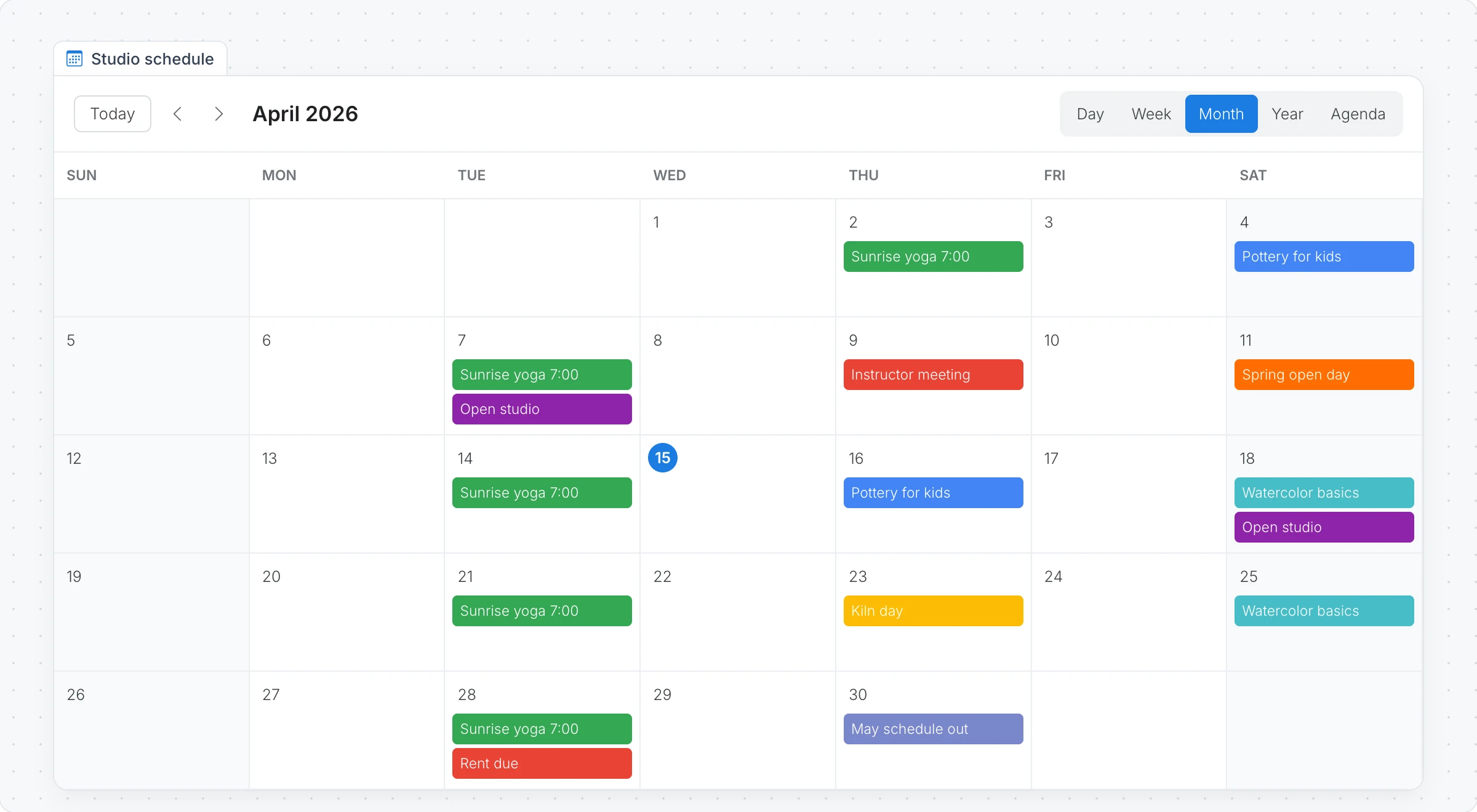
Generate a calendar with AI
Click Add anything (the plus button) in the toolbar at the bottom of the board and choose Calendar.
With the calendar selected, click the AI button on the left of its toolbar and choose Generate new.
Describe the schedule, for example "Weekly classes for a small art studio in April, with an open day", and click Generate.
The AI menu also has Modify with AI, to add or move events with a prompt, and Convert to, to turn the calendar into another kind of item, such as a timeline or a checklist.
Add an event
Click Interact with Component (the hand button) to work inside the calendar.
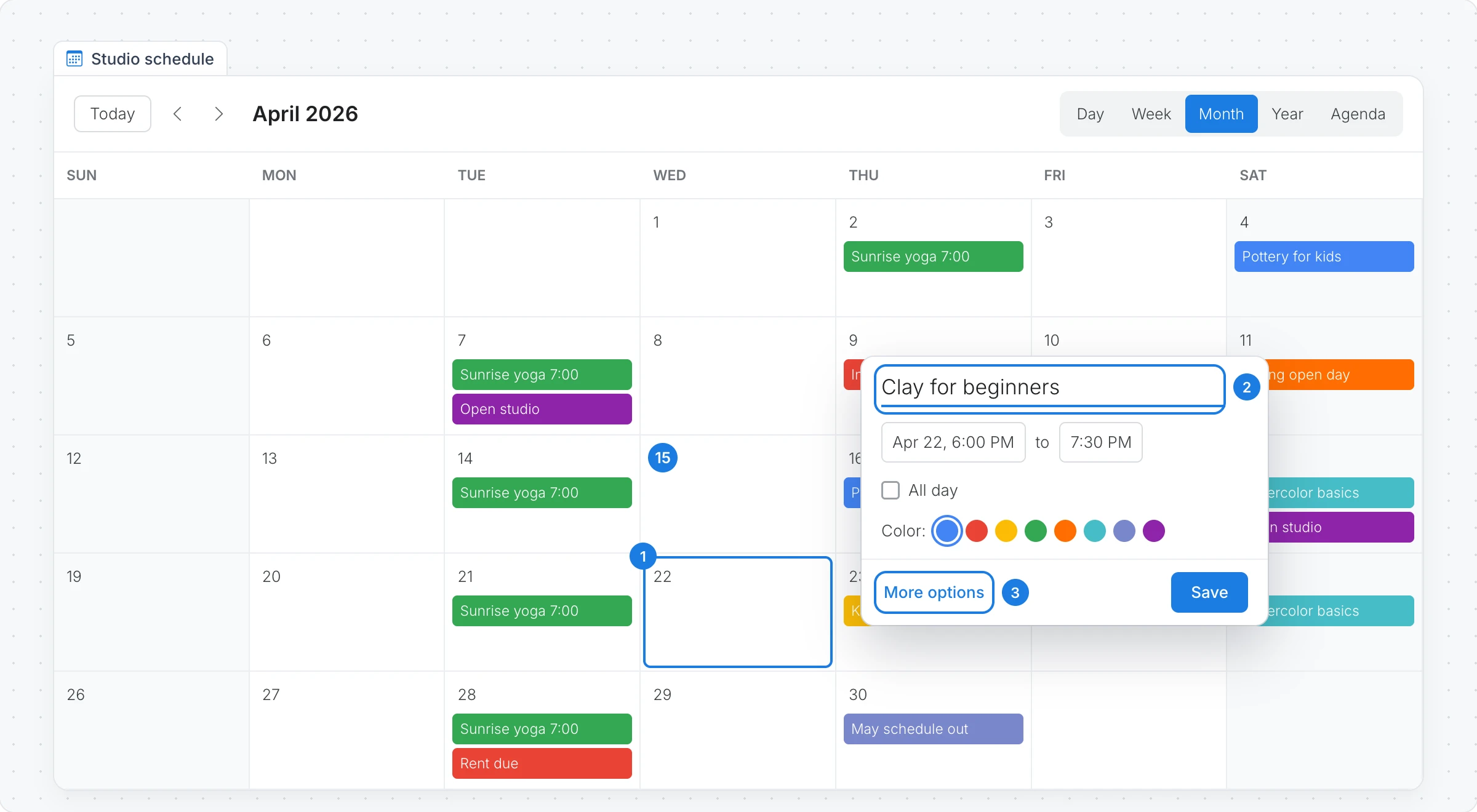
Click a day, or a time in the Day and Week views.
Type a title and set the time, or tick All day. Pick a color for the event, then click Save.
More options opens the full event, where you add a location, a description and attendees from the people on the board.
Click an event to see it, Edit it or delete it.
Switch views
The buttons at the top of the calendar change the view:
View | Shows |
|---|---|
Day and Week | Events by the hour, for a busy week of sessions or meetings |
Month | The whole month at a glance |
Year | All twelve months, to plan a term or a season |
Agenda | A list of the events to come |
Today and the arrows move through time. Settings in the toolbar sets the Theme, the day the week starts on and the date format. Highlight Weekends shades Saturdays and Sundays.
Import and export events
Sync with iCal in the toolbar imports the events from a calendar's iCal (.ics) address, such as the public or secret address of a Google Calendar.
Export Calendar downloads the events as iCal, to open in Google Calendar, Outlook or Apple Calendar, or as CSV or JSON.
The Calendar component is available on every plan. Generating with AI uses AI credits. See MockFlow pricing.