
How Mida and AI features handle your data
MockFlow never uses your data for AI training. What it sends to AI models when you use Mida, Concept Builders and AI on items, who can see your AI chats, and how to keep AI work on your own computer.
Mida, the AI agent built into MockFlow, turns a prompt, a document or your selection into diagrams, plans, wireframes and more on your board. To do that, it sends parts of your request to an AI model. This article explains what is sent, who sees the results and how to keep AI work on your own computer instead.
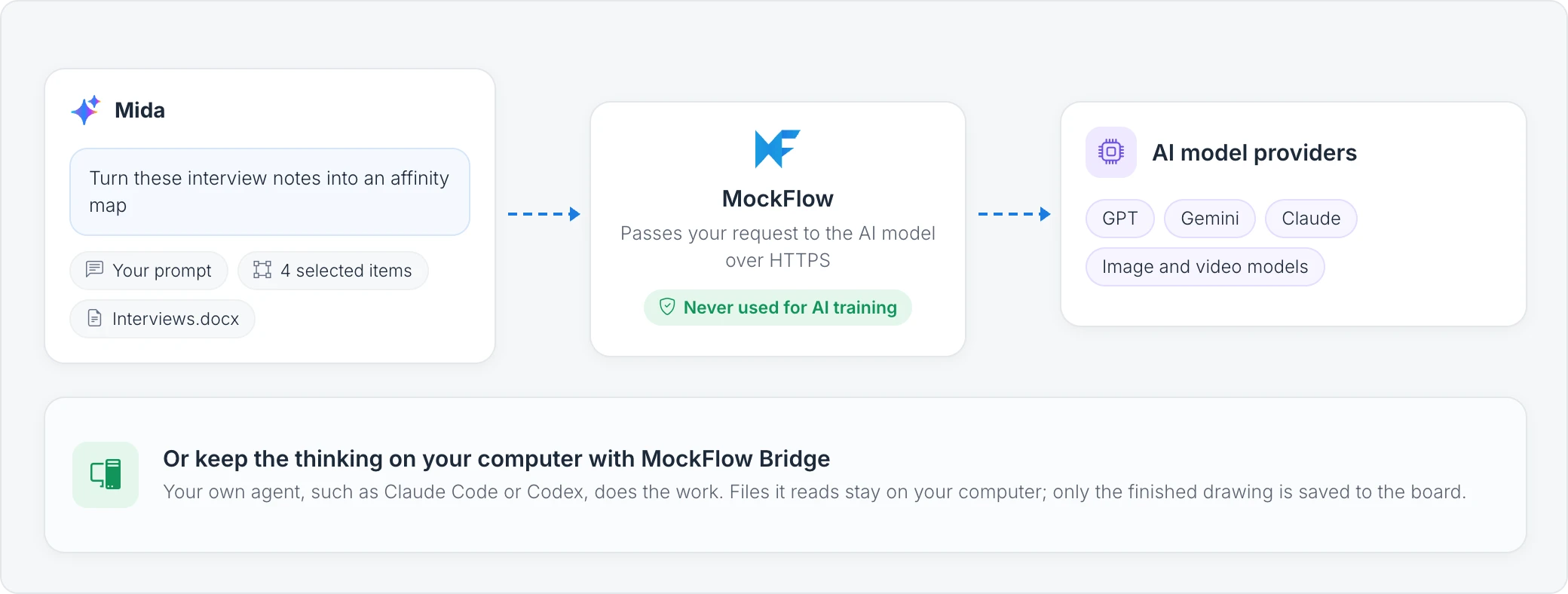
Your data is never used for AI training
MockFlow does not use your boards, prompts, files or chats to train AI models, and does not send them to anyone for AI training, not even in an anonymized form. This applies on every plan, including Basic. Your data is sent to an AI model only to answer the request you make.
What Mida sends to an AI model
When you send a request, MockFlow passes the AI model what it needs to answer it:
Your prompt and the follow ups in the same chat.
Selected items, when you ask Mida to change or use what you selected.
Attachments, such as a document, meeting notes or a whiteboard photo you add to the request. MockFlow extracts the text of a document before sending it.
Board content, when you ask a question about the board, so Mida can read the items it needs.
Data from connected tools, such as Jira or Notion, when you include them in a request.
Requests travel over HTTPS, like all MockFlow traffic. See How MockFlow encrypts your data.
Which AI models MockFlow uses
Mida works with models from leading AI providers, such as GPT, Gemini and Claude models, and with specialized models for images, video, sound and 3D. By default Mida picks a suitable model for each request. On Max, you can choose the model yourself. See Choose the AI models Mida uses.
Who can see your AI chats
Your chats with Mida are private to you and reset each session. Concept Builder chats are saved and shared with your team, and Mida's replies to an @mida mention in team chat are visible to everyone on the board. See Mida chats, memory and privacy.
Keep AI work on your own computer
With MockFlow Bridge, an AI agent on your own computer, such as Claude Code or Codex, does the work behind Mida instead of MockFlow AI. Files the agent reads stay on your computer, and only the finished drawing is saved to your board. See What is Bring your own AI.