
Collect and upvote ideas
Gather ideas from everyone on the board with the Upvote ideas component and let people vote the best ones to the top.
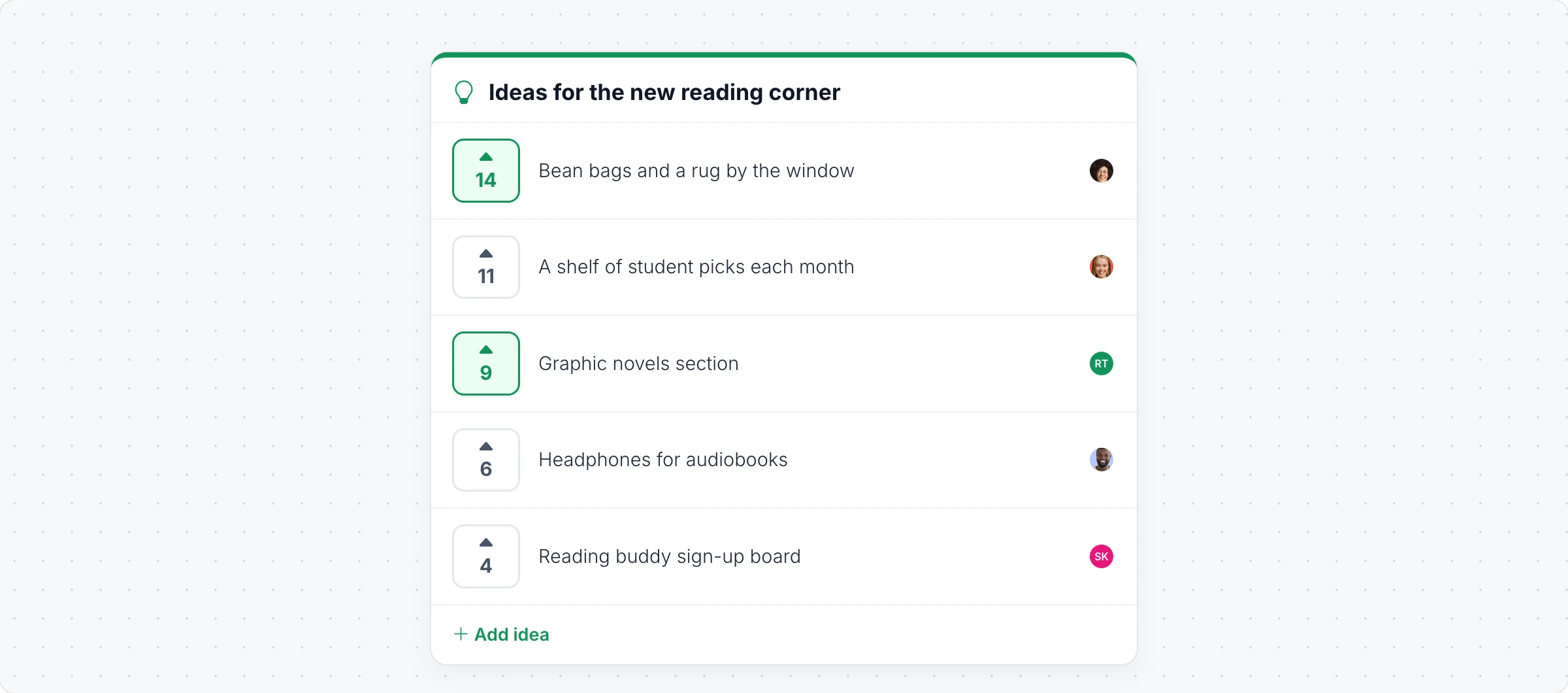
The Upvote ideas component is a shared list where anyone on the board can add an idea and vote for the ones they like. The list sorts itself by votes, so the favorites rise to the top: ideas for a reading corner, features for the next release, topics for a meetup or improvements from a retro.
Set up an idea list
Click Add anything (the plus button) in the toolbar at the bottom of the board and choose Upvote ideas.
Click Edit Title in its toolbar and type the question, such as "Ideas for the new reading corner".
To start with some ideas, click the AI button on the left of the toolbar, choose Generate new and describe the topic.
Add ideas and vote
Click Interact with Upvote board (the hand button), or switch the board to Play mode, to use the list.
Add idea puts a new idea on the list, with your picture next to it.
Click the arrow next to an idea to upvote it. Your votes are highlighted, and clicking again removes the vote.
The list keeps the ideas with the most votes at the top.
People need to be signed in to vote. The person who added an idea, or the owner of the board, can edit it.
Change how it looks
The toolbar sets the Accent color, the border and the height. Toggle Submitter Avatar shows or hides who added each idea, and Reset Votes clears all the votes to start a new round.
Polls, upvotes, spinning wheels and timers are collaborative components, included in the Plus and Max plans. Generating with AI uses AI credits. See MockFlow pricing.