
Generate wireframes with AI
Use AI in WireframePro to draft UI layouts from a prompt, turn screenshots into editable wireframes, generate images and diagrams, and review a design.
AI in WireframePro drafts the parts of a design that take time to set up, so you can spend your time on the decisions. Describe a layout and get an editable wireframe, turn a screenshot of an existing app into components, or ask Mida to build screens in your project's style.
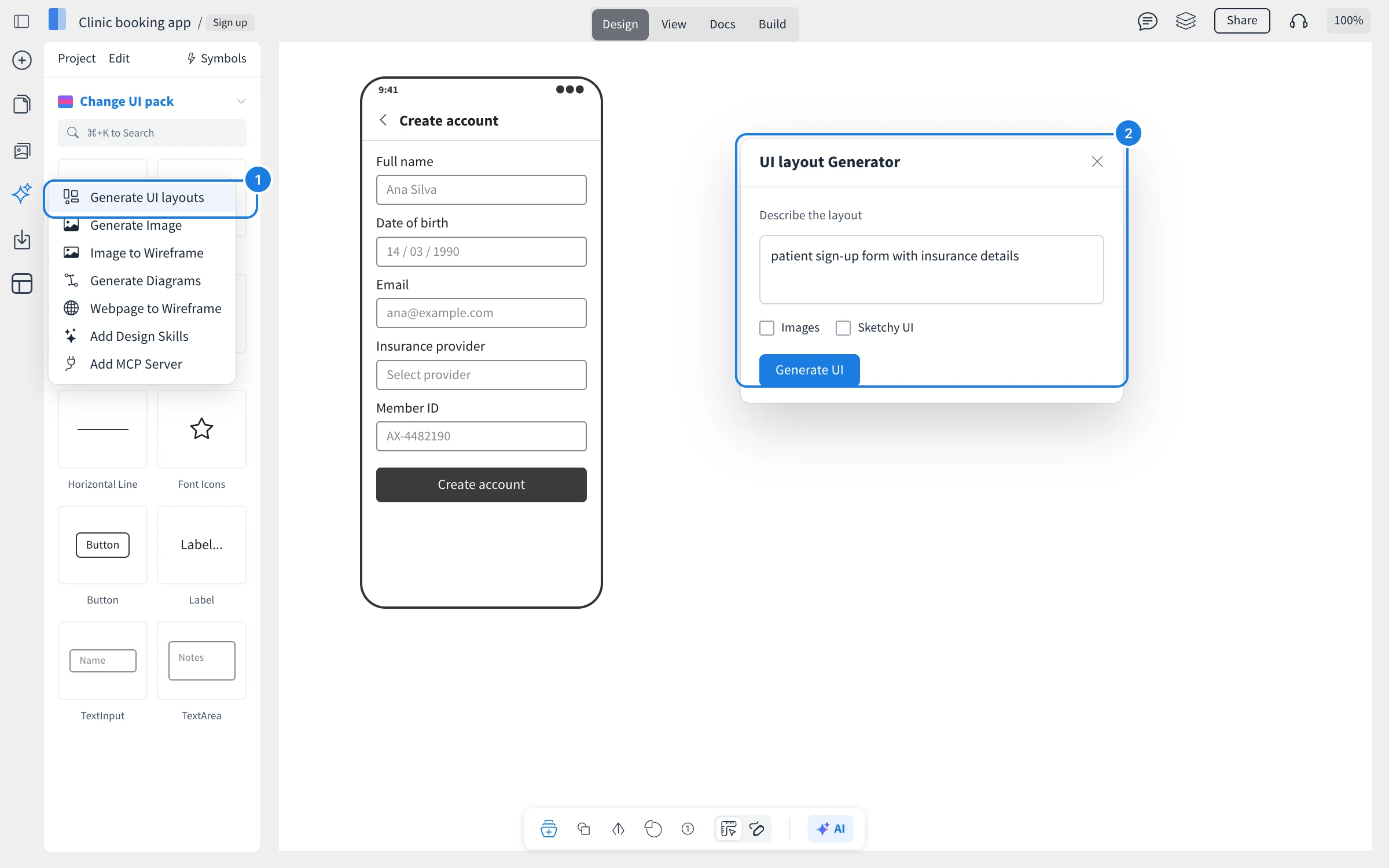
Generate a layout from a prompt
Click AI on the left rail and choose Generate UI layouts (1).
Describe the layout (2), for example patient sign-up form with insurance details or pricing table with three plans.
Tick Images to include images, or Sketchy UI for a hand-drawn look, then click Generate UI.
The layout is added to the page as regular components you can edit.
More AI tools
The AI menu also includes:
Generate Image: an image from a description, for example a hero photo for a landing page.
Image to Wireframe: upload a screenshot of an app or a website and get an editable wireframe of it.
Generate Diagrams: a flow, such as a sign-up or checkout flow, drawn next to your screens.
Webpage to Wireframe: opens MockFlow Clippy, the browser extension that captures live web pages as wireframes. See Turn a webpage into a wireframe with Clippy.
Add Design Skills: add public or team skills that guide how AI designs, such as your brand's style rules.
Add MCP Server: connect an AI assistant to WireframePro. See Use WireframePro from AI assistants.
Ask Mida in the editor
Click AI on the tool pill, or press Ctrl (⌘ on Mac) + J, to open Mida. Ask for screens in your own words, for example Add a settings page with notification preferences. Mida can refer to an existing wireframe, a reference screenshot or the current style, so new screens match the project. Mida chats are private and reset each session.
Get an AI design review
Review by AI checks a full page or a selected part and returns a design score with feedback by category, such as layout and readability. Download the report as a PDF to share it.
AI tools use AI credits from your plan. See AI credits.