
AI credits
How MockFlow AI credits work: your monthly allowance, where to see your balance, when it resets and how to buy more.
AI credits pay for AI work on your boards. They are spent when you generate with AI, from wireframes and flowcharts to images, video, audio and 3D. The cost follows the work: a quick text generation uses a few credits, larger generations use more.
Your monthly allowance
Plan | AI credits each month |
|---|---|
Basic | 100 |
Plus | 800 per editor |
Max | 2,000 per editor |
Your allowance resets on the 1st of every month.
See your balance
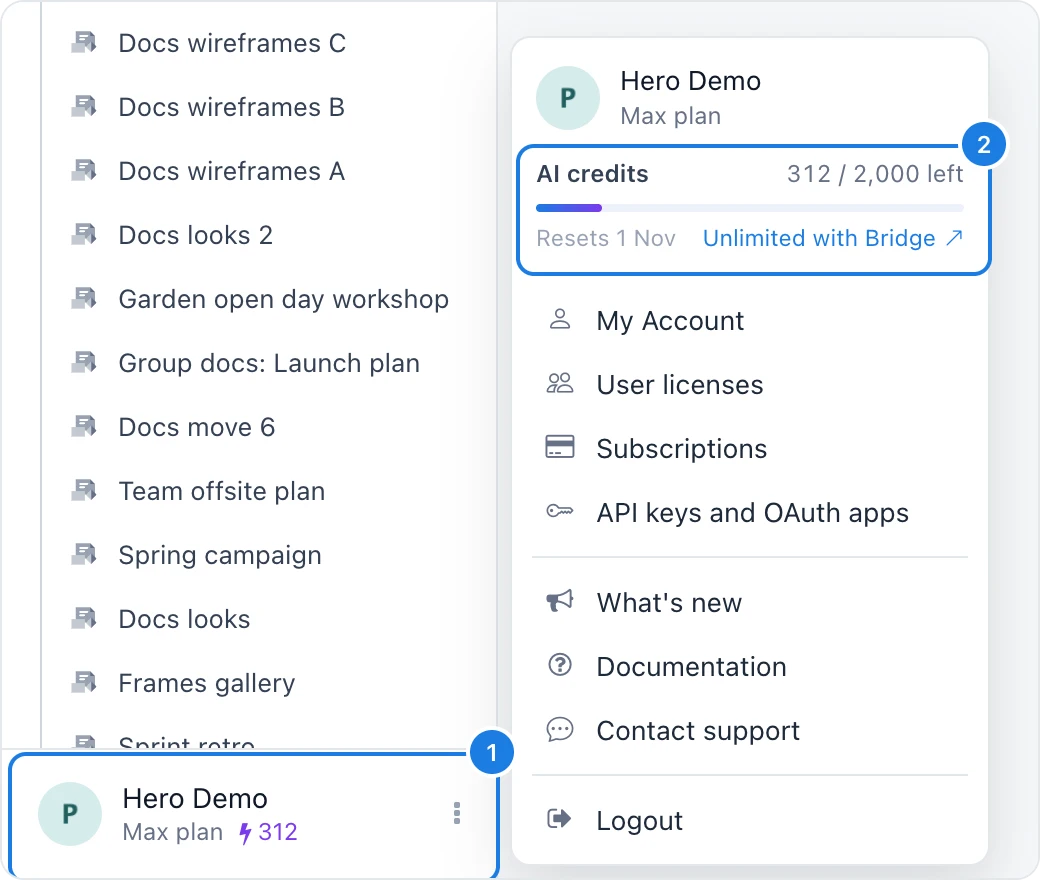
The sidebar footer shows the credits you have left beside the lightning bolt (1).
Click your name to see the AI credits card (2), with credits left this month and the reset date.
The Mida panel also shows your balance at the top.
When you run out
When your credits run out, AI actions pause until the next reset. On Basic, MockFlow offers to upgrade for a larger allowance. On Plus and Max, you can buy extra credits.
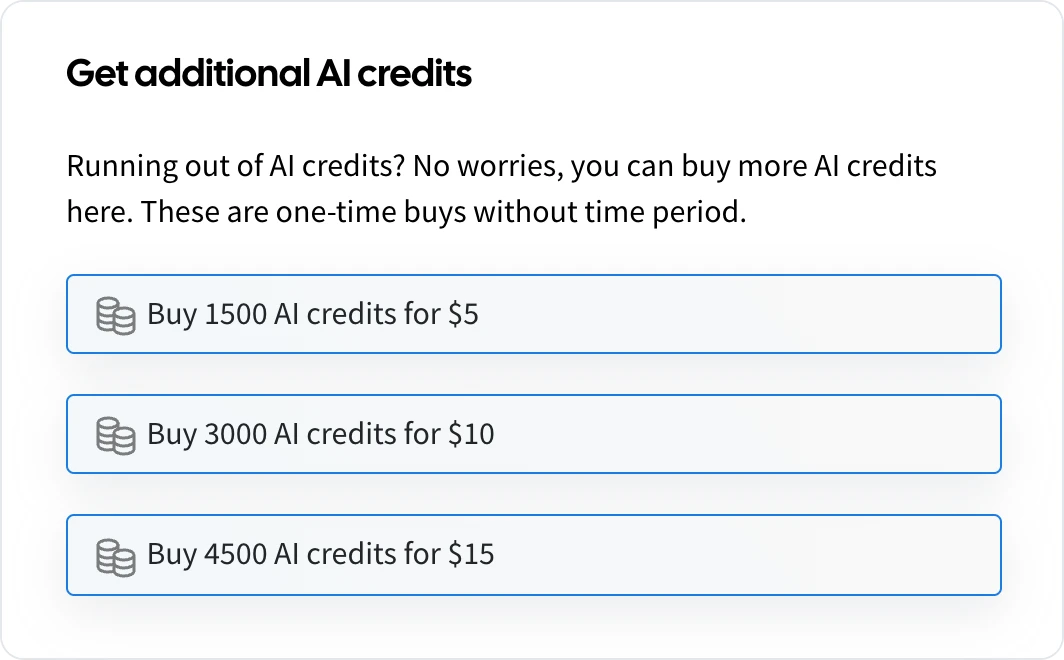
Extra credits are one-time purchases with no time limit. Choose a pack in the Get additional AI credits dialog; it is charged to your current subscription.
Work with AI without using credits: connect your own AI agent, such as Claude Code or Codex, through MockFlow Bridge. Click Unlimited with Bridge in the AI credits card, or see Bring your own AI.