
Password protect a board file
Encrypt a .board file with a password so only people who know it can open the board. The password is never sent to the cloud.
Password protection encrypts a board file, so the board can only be opened with the password. Use it for boards that hold sensitive plans or client material, especially when the file is shared by email or kept on a shared drive.
Encrypt a board file
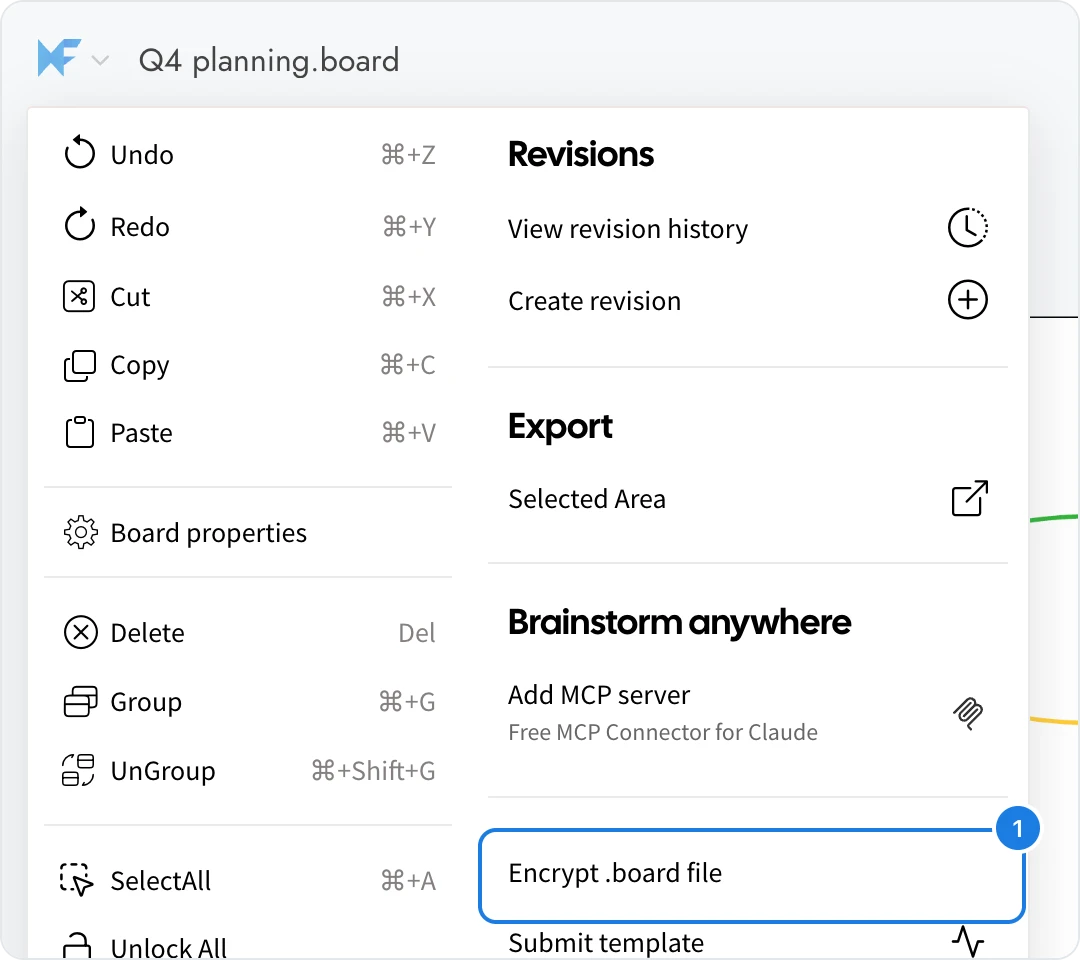
Open the board file and click the MockFlow logo at the top left to open the board menu.
Choose Encrypt .board file (1).
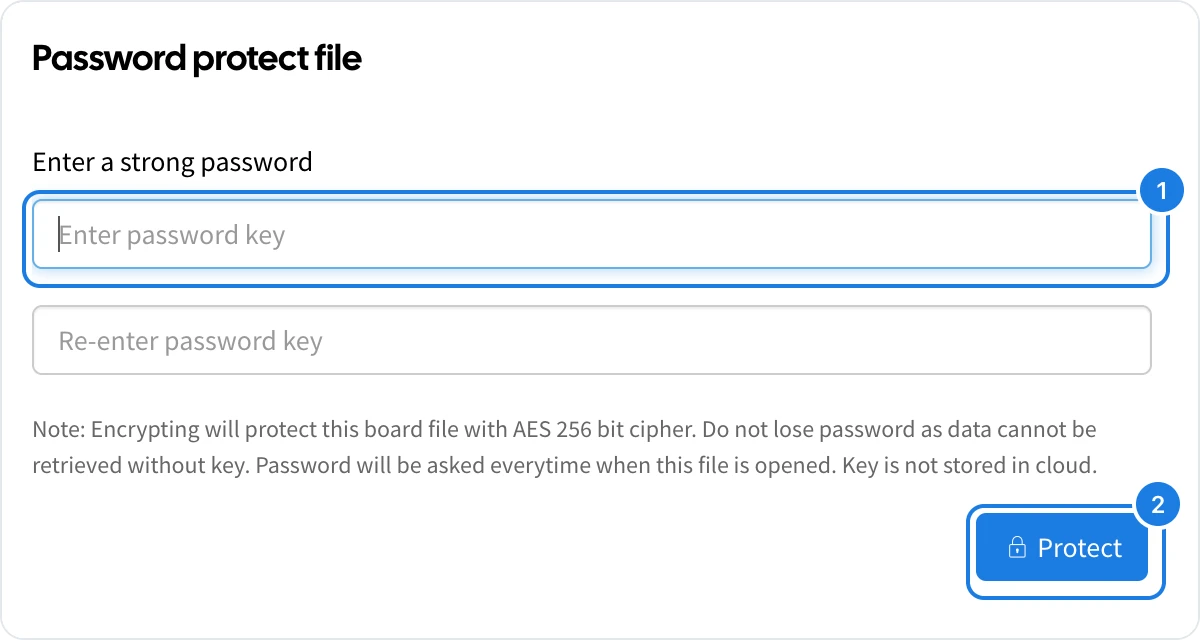
In the Password protect file dialog, type a strong password in Enter password key (1) and type it again in Re-enter password key.
Click Protect (2).
From now on, MockFlow asks for the password every time the file is opened.
Keep the password safe
The file is encrypted with an AES 256 bit cipher, and the password is not stored in the cloud or anywhere else by MockFlow. If the password is lost, the board cannot be recovered. Keep it in a password manager.
Change or remove the password
Open the protected file, then open the board menu:
Change encryption key sets a new password.
Remove encryption key removes the protection, so the file opens without a password.