
Internal
Update your profile
Change your profile photo, your name and your MockFlow ID (the email you sign in with).
Your profile is how collaborators see you on boards and in comments. Open it from the account menu: click your name at the bottom of the workspace sidebar, choose My Account, then Profile.
Change your photo
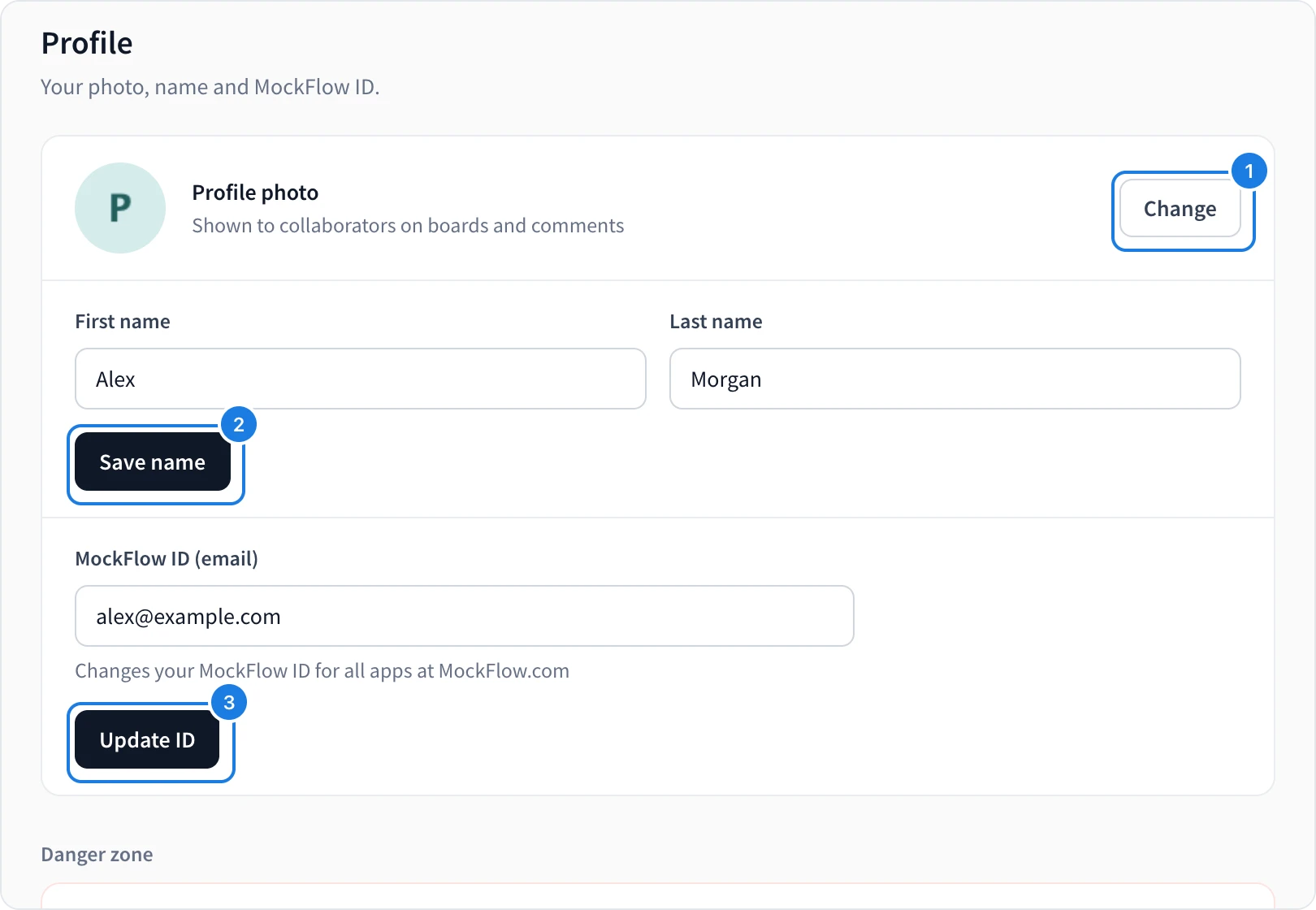
Click Change (1) and choose Upload photo, Take photo or Remove.
Change your name
Edit First name and Last name, then click Save name (2).
Change your MockFlow ID
Your MockFlow ID is the email address you sign in with, for every MockFlow app.
Type the new email address in MockFlow ID (email).
Click Update ID (3).
Enter your password to confirm.
If you sign in with Google or single sign-on, set a MockFlow password first, then change your ID.
Next steps
Was this page helpful?