
How MockFlow encrypts your data
MockFlow encrypts every transfer with HTTPS, encrypts sensitive data such as passwords with a 256-bit key, and lets you password protect board and .wire files.
Encryption keeps your boards and account details unreadable to anyone who should not see them. MockFlow encrypts data while it travels between your device and MockFlow, protects sensitive data on its servers, and lets you encrypt the board and wireframe files you keep yourself.
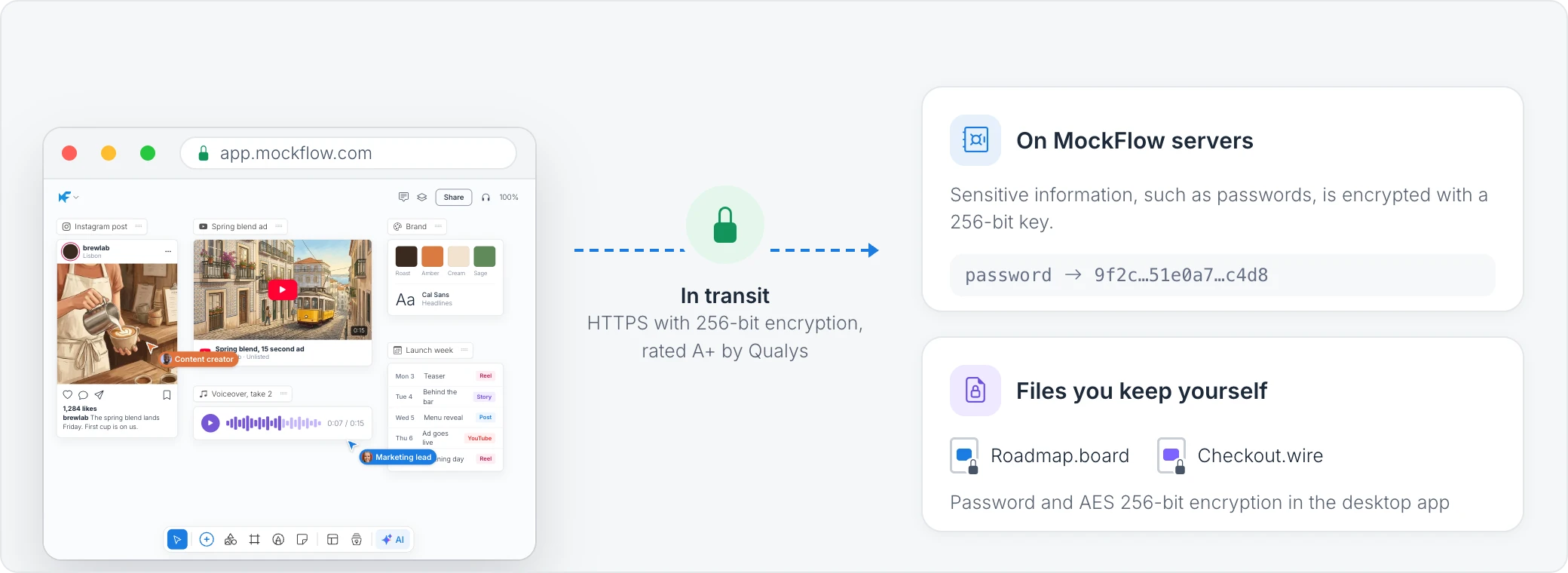
Encryption in transit
All data moves between your browser or the desktop app and MockFlow over SSL/HTTPS with AES 256-bit encryption. This covers everything: opening a board, editing it live with your team, uploading files and signing in. Qualys, a leader in security auditing, rates MockFlow's HTTPS setup A+.
Encryption of sensitive data
On MockFlow's servers, sensitive information such as passwords is encrypted with a 256-bit key, so it is never stored as readable text. Backups are encrypted too. See Where your data is stored and how it is backed up.
Password protected board and .wire files
In the MockFlow desktop app, boards and Classic WireframePro projects can be saved as files on your computer. You can protect a .board or .wire file with a password, which encrypts it with AES 256-bit encryption. Anyone who opens the file needs the password, even if the file is sent by email or copied to a USB drive. See Password protect a board file.
Protect public links with a key
When you share a board with a public link, you can turn on Protect with key so viewers must enter a key before the board opens. See Share a board with a public link.