
What is Classic WireframePro
WireframePro is MockFlow's dedicated UI design editor for multi-page wireframes, mockups and prototypes of apps and websites, included on every plan.
WireframePro is MockFlow's dedicated UI design editor. It is built for designing the screens of an app or a website in depth: every page of a patient booking app, a banking dashboard or an online store checkout, with consistent components, clickable links between pages and documentation for the developers who build it. In the app it appears as Classic WireframePro, and it is included on every plan at no extra cost.
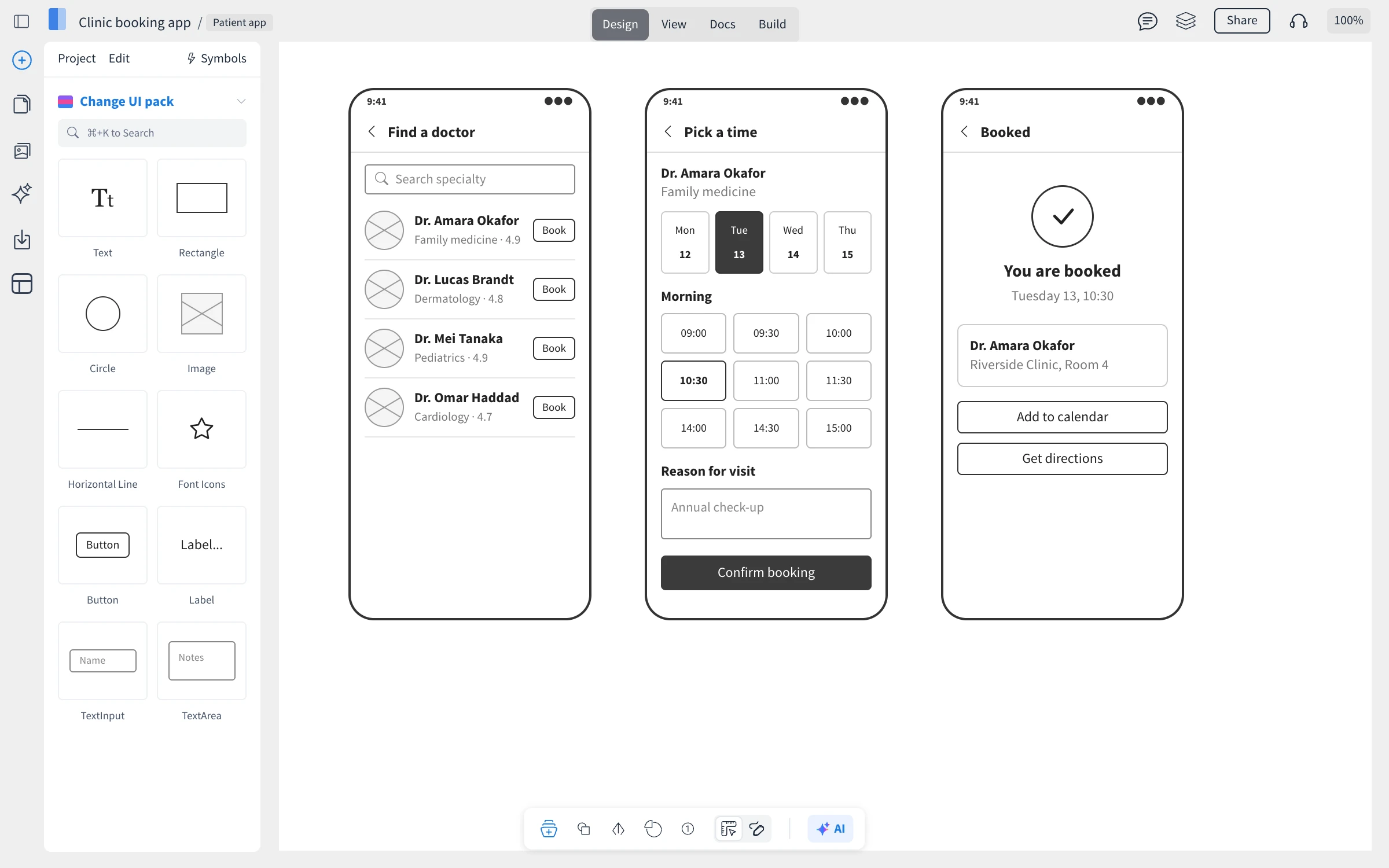
A UI design editor with pages
A WireframePro project is a set of pages, one for each screen, organized in folders like a site map. Each page is a canvas you design with ready-made components, such as buttons, inputs, tables, navigation bars and charts. Projects live in your spaces next to your boards, and your team can edit them together in real time.
What you can do in WireframePro
Design with UI kits: start from component libraries for iOS, Android, Material, Bootstrap, Tailwind, Shadcn, Windows and more, or a sketchy look for early ideas. See Design screens with UI kits and components.
Keep designs consistent: reuse headers, footers and cards as symbols, and share master pages across screens. See Reuse designs with symbols and Pages, folders and master pages.
Prototype: link buttons to pages, show and hide components, and click through the design in View mode. See Make a clickable prototype with interactions.
Generate with AI: draft layouts from a prompt or turn a screenshot into an editable wireframe. See Generate wireframes with AI.
Document and hand off: write UX docs and PRDs beside the design, export to PDF, Figma or a .wire file, and turn screens into code with Build mode. See Export a WireframePro project and Turn wireframes into code with Build mode.
WireframePro or a wireframe on a board
Boards also have a Wireframe frame for sketching screens next to your flows, notes and plans. WireframePro is the better fit when a design has many pages, needs consistent components or is handed to developers. See Wireframe on a board vs Classic WireframePro.
What is not available on the Basic plan
On the Basic plan you can create one WireframePro project with up to three pages, and share it with reviewers only. Plus and Max remove these limits. Build mode, Figma export, Interactive PDF and team UI packs are part of Max, along with many other features, such as the offline desktop app. See MockFlow pricing for details.