
Create your account and sign in
Sign up for a free MockFlow account with Google, Microsoft, Apple or email, and sign in again later.
A MockFlow account keeps your boards, spaces and AI credits in one place and lets you work with your team. Every new account starts on the free Basic plan, with no credit card required.
Benefits of a MockFlow account
A free account gives you a full visual workspace that keeps your work:
Boards that stay: your boards are saved to your account and organized in spaces, ready whenever you come back.
Every brainstorming format: sticky notes, mind maps, flowcharts, cloud diagrams, moodboards, storyboards and more, with board components, templates and UI kits.
Wireframing and prototyping: design app and web screens on the board, with WireframePro, the dedicated UI design tool, included.
Mida, your AI on the board: 100 AI credits every month and AI skills for design and brainstorming. With MockFlow Bridge, Mida can also run on your own Claude Code.
Sharing: invite reviewers to view and comment, or share a board with a public link.
MockFlow Clippy: the Chrome extension that clips images and videos and turns any web page into a wireframe.
The free Basic plan is for personal and nonprofit use. Paid plans add more boards, more AI credits, editors for your team and features for commercial work. See MockFlow pricing for a full comparison.
Create your account
Go to mockflow.com and click Sign up or Get started for free. The Create an account window opens.
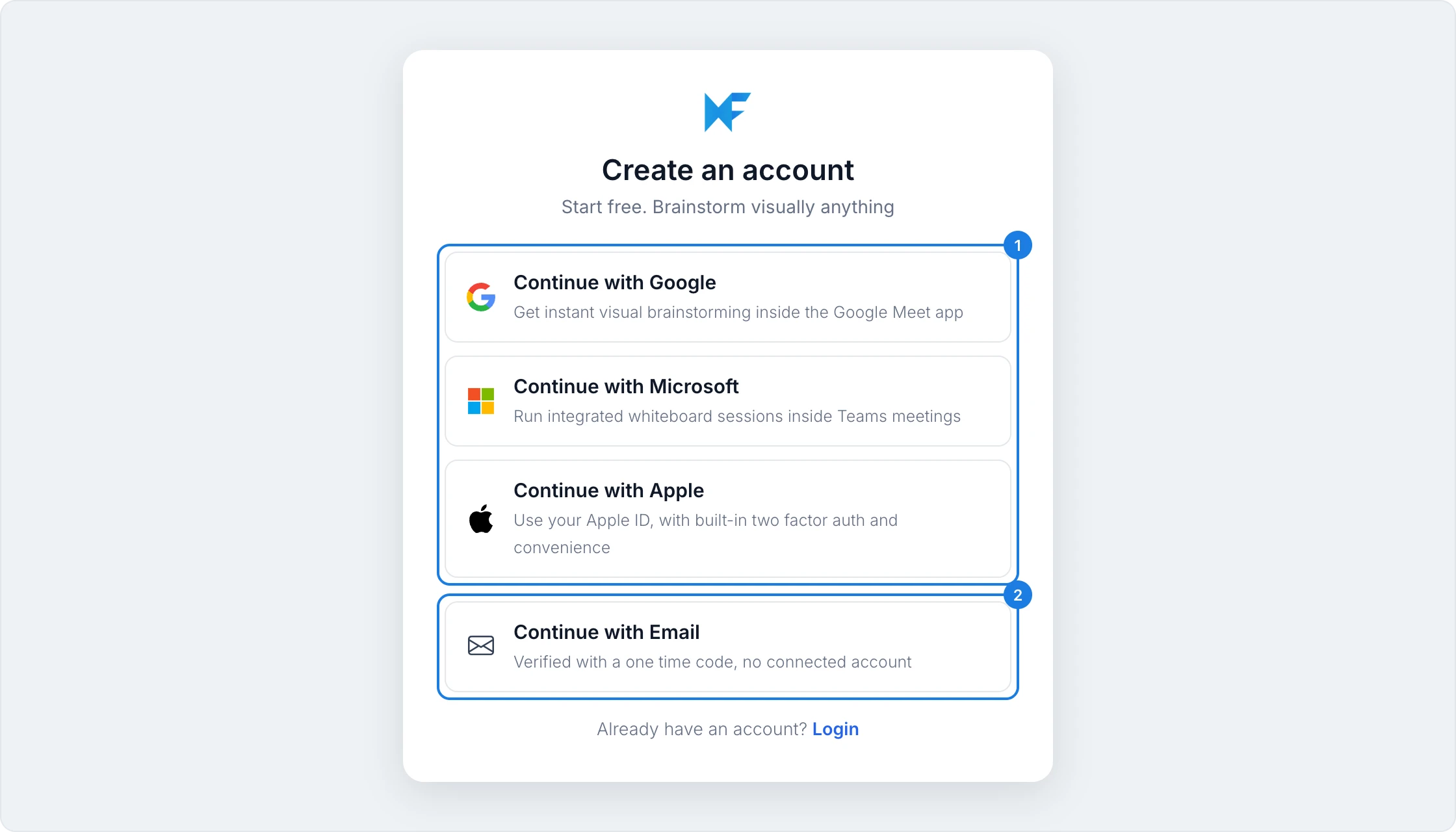
To sign up with an account you already use, click Continue with Google, Continue with Microsoft or Continue with Apple (1), then approve the sign in. Your MockFlow account is created and you are signed in.
To sign up with your email address instead, click Continue with Email (2) and follow the steps below.
Sign up with your email address
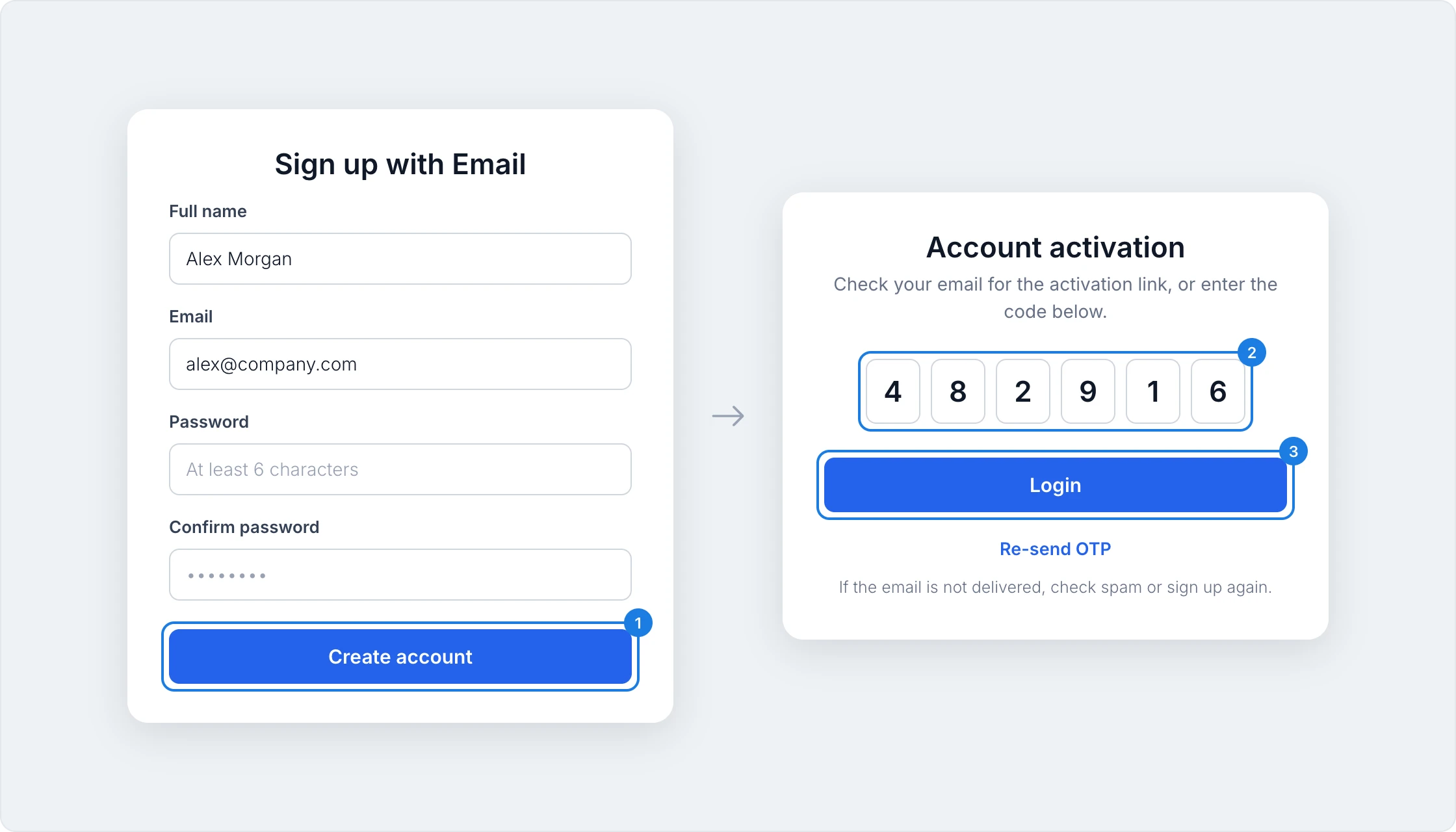
Enter your full name, your email address and a password of at least 6 characters, confirm the password, and click Create account (1).
MockFlow sends an activation email. Enter the code from the email in Account activation (2), or click the activation link in the email.
Click Login (3). Your account is ready and you are signed in.
If the email does not arrive within a few minutes, check your spam folder, or click Re-send OTP to get a new code.
After you sign up
MockFlow opens your first board, ready for you to start from AI, a template or a blank canvas. Your account is on the free Basic plan. You can compare plans or upgrade at any time from MockFlow pricing.
Sign in
To sign in later, go to mockflow.com and click Log in. The Welcome back window opens.
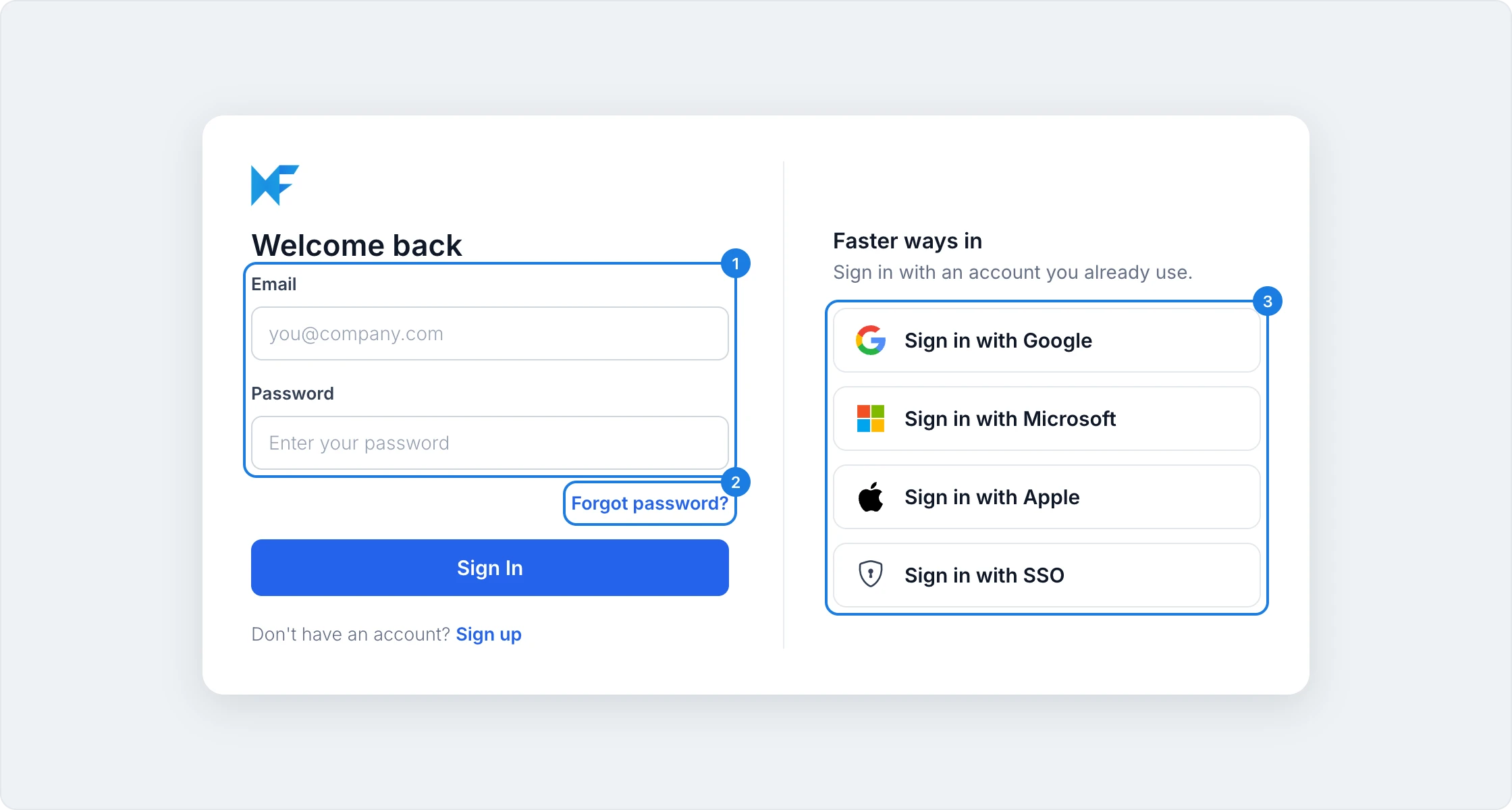
Enter your email address and password (1), and click Sign In.
If you signed up with Google, Microsoft or Apple, use the matching button under Faster ways in (3) instead.
Reset your password
In the Welcome back window, click Forgot password? (2).
Enter the email address of your account and click Send reset link.
Open the email from MockFlow and follow the link to choose a new password.
If you signed up with Google, Microsoft or Apple, sign in with the same button you used to sign up instead of a password.
Sign in with single sign-on (SSO)
If your organization signs in to MockFlow through its own identity provider, click Sign in with SSO under Faster ways in (3), enter your work email address, and click Sign In. You are taken to your organization's sign in page.
Two-factor authentication
If your team's admin has turned on two-factor authentication, MockFlow sends a login code to your email each time you sign in. Enter the code to finish signing in.