
Run a poll with your team
Ask a question and let everyone on the board vote with the Poll component: generate options with AI, start and end voting, and show the results live.
The Poll component asks a question on the board and lets everyone vote, with the results updating live as votes come in. Use it to pick a theme for a school fair, choose a name for a product, check understanding at the end of a lesson or decide on the next sprint goal, right beside the ideas being voted on.
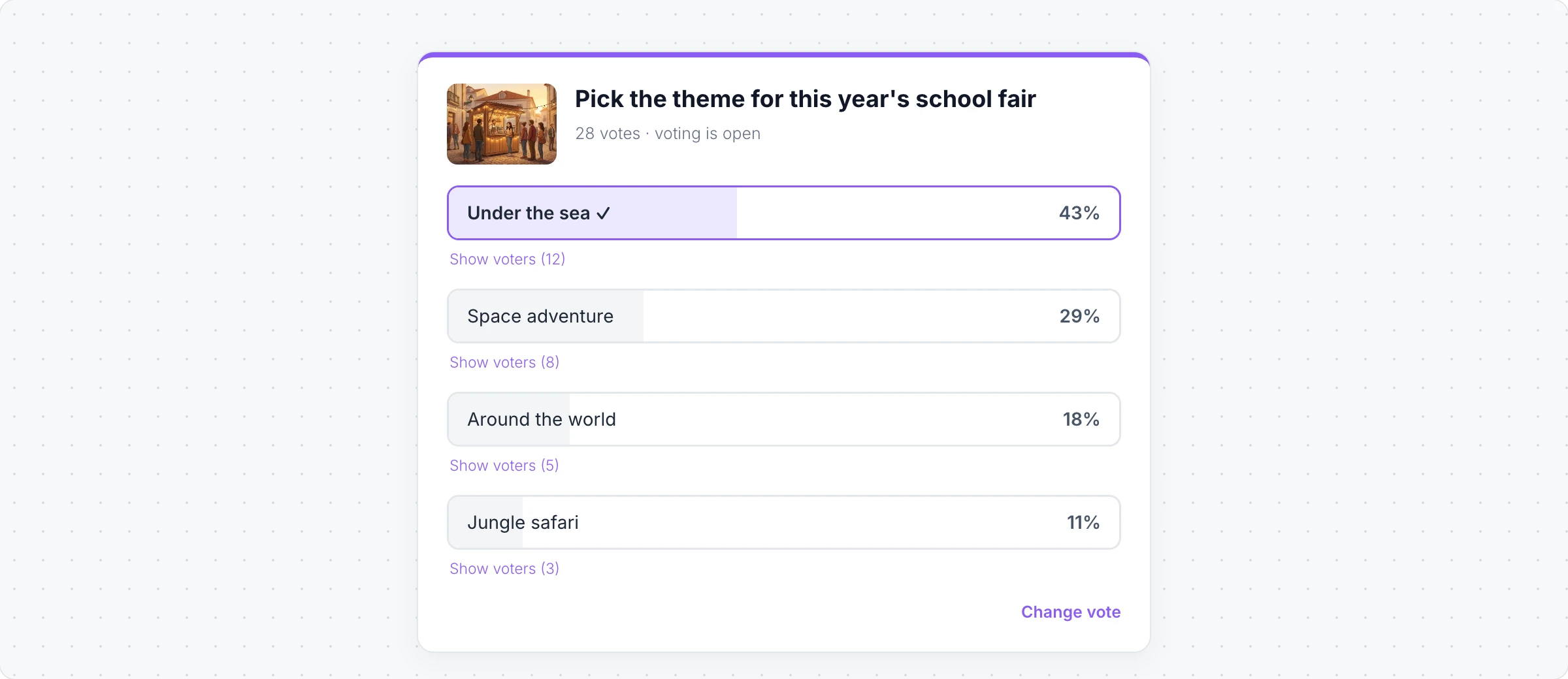
Create a poll
Click Add anything (the plus button) in the toolbar at the bottom of the board and choose Poll.
Click Edit Question in its toolbar and type the question. Click Interact with Poll (the hand button) to edit the options or click Add option for more.
To let AI write it, click the AI button on the left of the toolbar, choose Generate new and describe the poll. Turn on Gen Images to add a picture to each option.
Add/Change Media puts a picture above the question.
Start and end voting
People can vote only while the poll is running:
Click Start Poll in the toolbar. Everyone on the board can now click an option to vote, and Change vote if they change their mind.
Toggle Results View shows or hides the results bars while voting is open.
Click End Poll to lock the results. Reopen Poll lets people vote again.
Show voters under an option lists who chose it. Reset Votes clears every vote to run the poll again.
Only the person who created the poll can start, end and reset it, and the question and options are locked while voting is open. People need to be signed in to vote.
Polls, upvotes, spinning wheels and timers are collaborative components, included in the Plus and Max plans. Generating with AI uses AI credits. See MockFlow pricing.