
Build a moodboard
Collect pictures, colors, fonts and notes in a Moodboard frame on your MockFlow board, generate one with AI and export it as an image.
A moodboard collects the look and feel of an idea in one place: pictures, colors, type and a few words about the mood. The Moodboard frame on a MockFlow board holds all of these together, for a brand refresh, a room makeover, a wedding, a game's art direction or a website's style, next to the plans and designs it inspires.
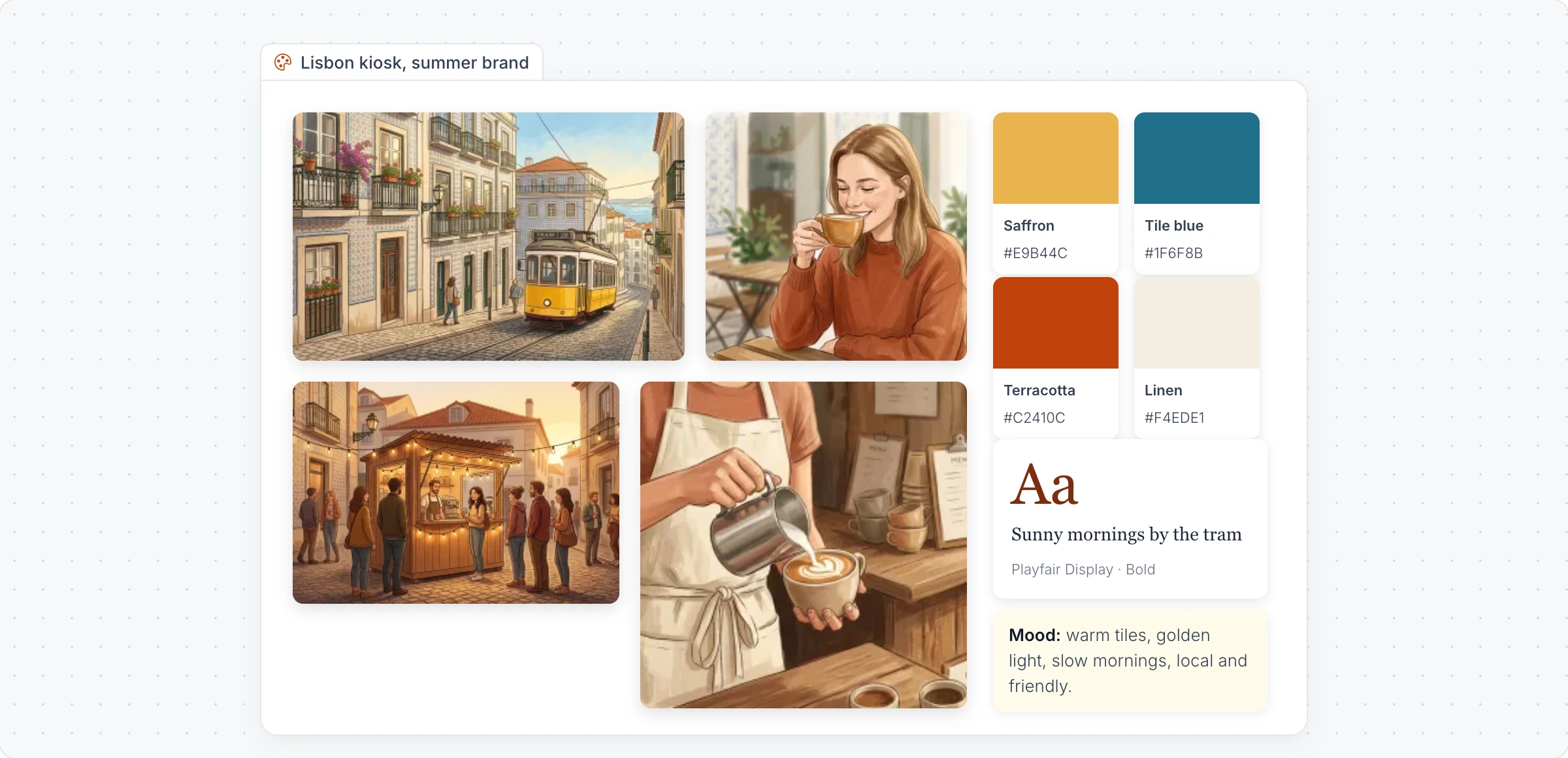
Generate a moodboard with AI
Click Frames in the toolbar at the bottom of the board and choose Moodboard.
With the moodboard selected, click Generate moodboard with AI in its toolbar and choose Generate moodboard.
Describe the idea, for example "A warm summer brand for a coffee kiosk in Lisbon", and click Generate. Turn on Gen Images to have AI make the pictures.
The Type menu offers starting points, such as a brand identity moodboard, a color palette and typography board, an interior design moodboard or a website style moodboard. Modify with AI changes the moodboard with a prompt.
Add pictures, colors and fonts
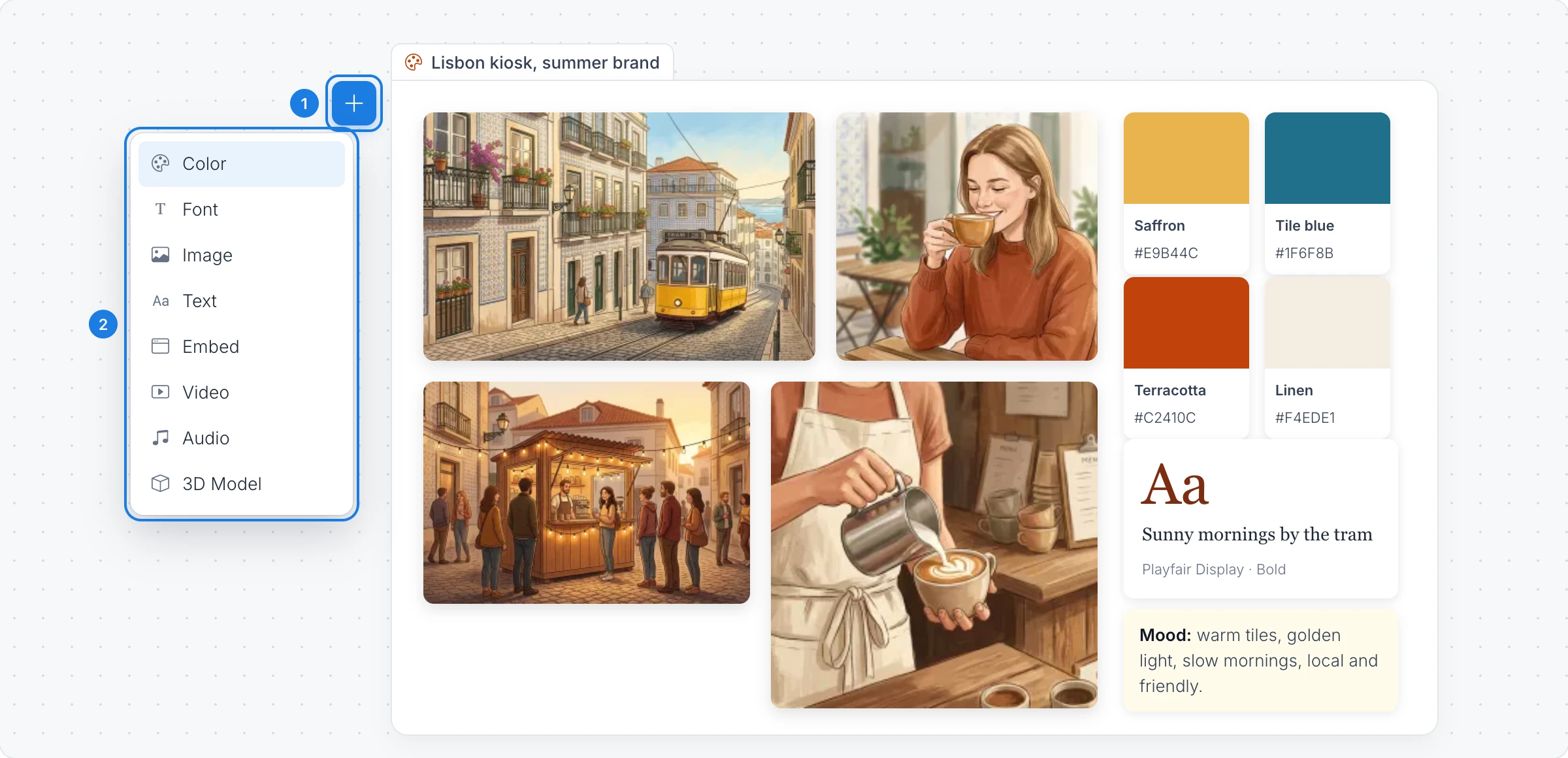
Click the add button (Drag to add Moodboard Component) on the moodboard.
Drag an item into the moodboard:
Color: a swatch with its color code. See Show brand colors and fonts.
Font: a preview of a typeface.
Image and Text: pictures and notes about the mood.
Embed, Video, Audio and 3D Model: a reference video, a sound or an object to turn around.
You can also drag pictures from your computer straight onto the moodboard.
Export a moodboard
Export Moodboard in the toolbar downloads the moodboard as an image. Tick Export 2x Quality for a sharper picture, then click Download. Toggle Background Transparent and Border color change how the frame looks on the board.
The Moodboard frame is available on every plan. Generating with AI, and pictures made with Gen Images, use AI credits. See MockFlow pricing.