
Diagramming in MockFlow
Which diagram to use for which job: flowcharts, cloud architecture, sitemaps, org charts, mind maps, knowledge graphs, swimlanes and journey maps.
MockFlow is an online diagram maker built into the visual canvas. Every diagram sits on the board beside the notes, screens and plans it belongs to, and each one can be generated with AI from a short description, then edited by hand.
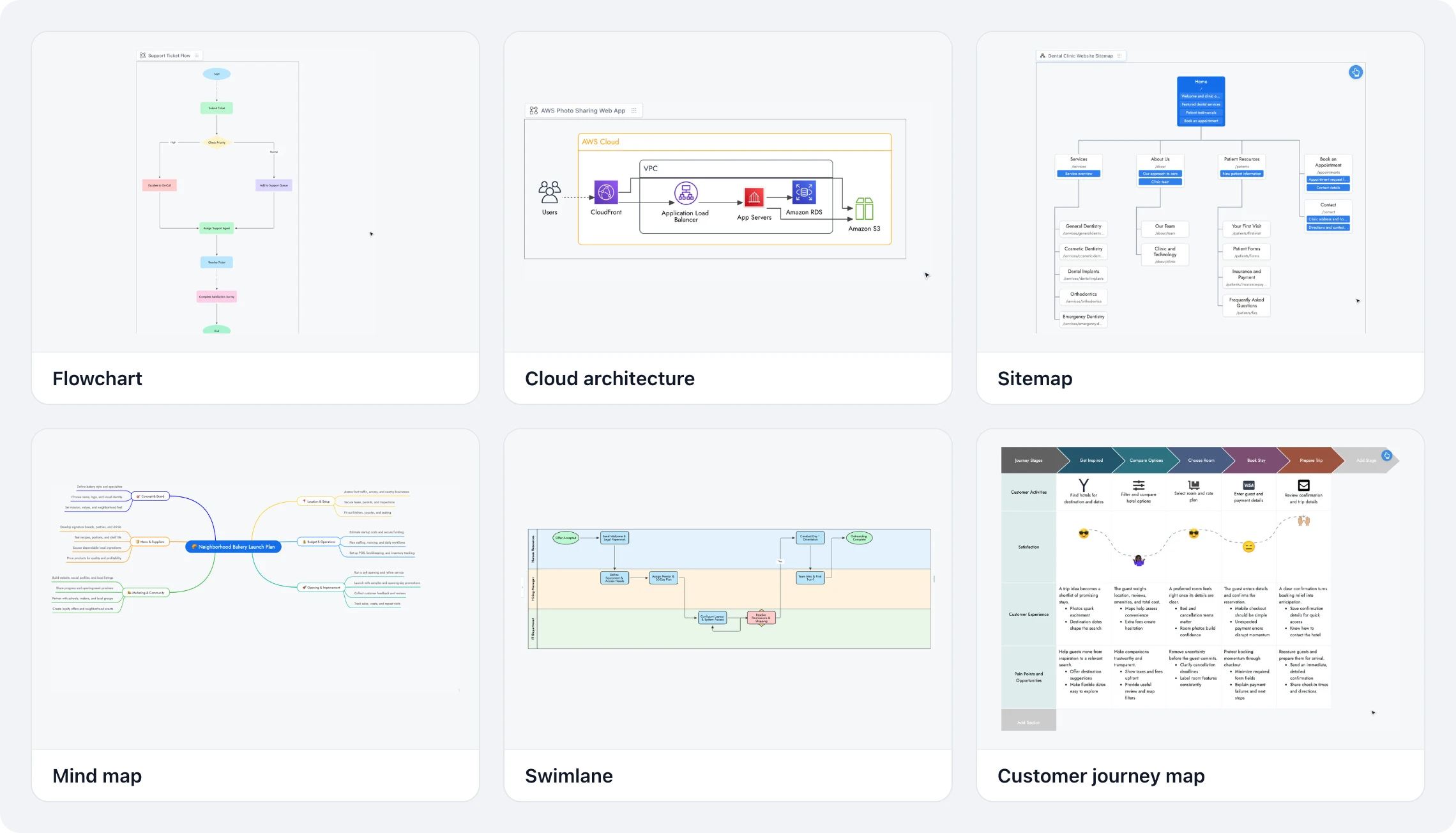
Pick the right diagram
To show | Use | Guide |
|---|---|---|
The steps and decisions of a process | Diagram frame | |
The services a system runs on | Diagram frame with cloud icons | |
Website pages, a team, a hierarchy or a project breakdown | SiteMap/Org/Tree frame | |
Ideas branching from one topic | MindMap | |
Concepts and how they relate | Knowledge Graph | |
Who does each step of a process | Swimlane | |
A customer's experience, stage by stage | CustomerJourneyMap |
Where to find them
Frames in the toolbar at the bottom of the board holds the Diagram and SiteMap/Org/Tree frames.
Add anything (the plus button) holds every component, including MindMap, Knowledge Graph, Swimlane and CustomerJourneyMap. Type a name in its search box to find one fast.
Each diagram has an AI button on the left of its toolbar. Describe what you need, and AI draws it. Most diagrams also offer Modify with AI, to change them with a prompt instead of redrawing.
Diagrams, including cloud diagrams with AWS, Azure and other providers, are available on every plan. Generating with AI uses AI credits. See MockFlow pricing.