
Export part of a board as an image
Save any selection, frame or item on a board as a PNG image, at standard or 2x quality.
You can save any part of a board in MockFlow as a PNG image to use in a slide deck, a document, an email or a social post. Export a whole area of the board, a single frame or one item such as a mind map, a diagram or a moodboard.
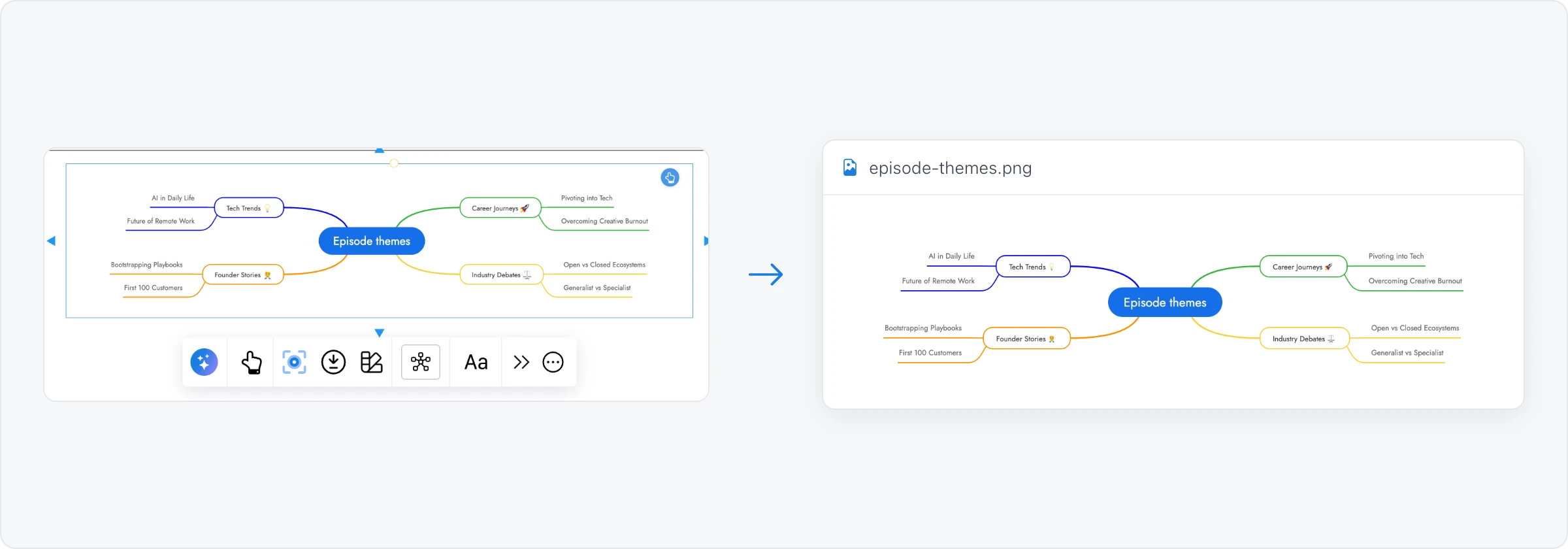
Export a selection
Select what you want in the image: drag a selection box around an area, or click a frame or a section to export it with everything inside it.
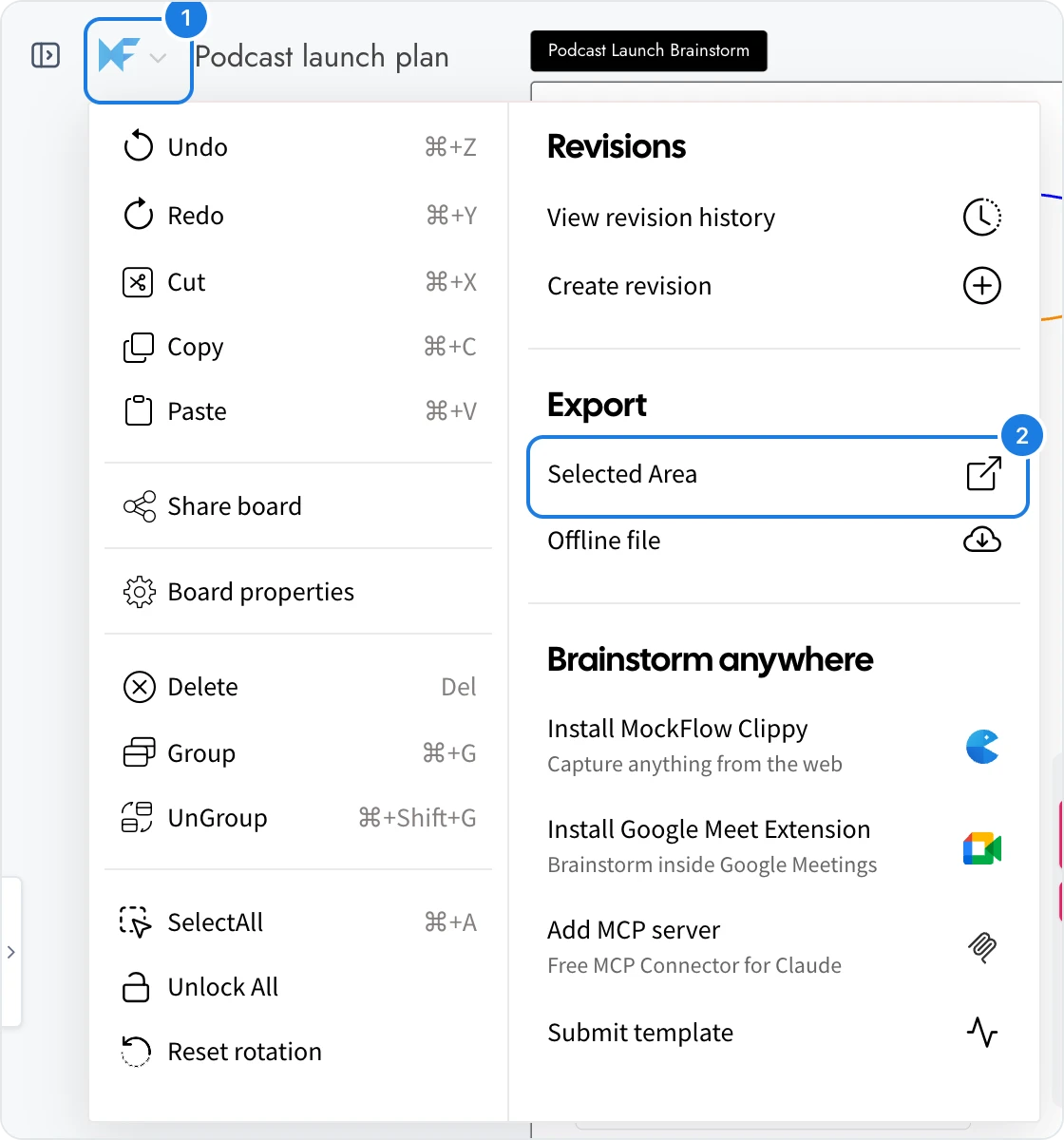
Click the MockFlow logo (1) at the top left to open the main menu.
Under Export, click Selected Area (2).
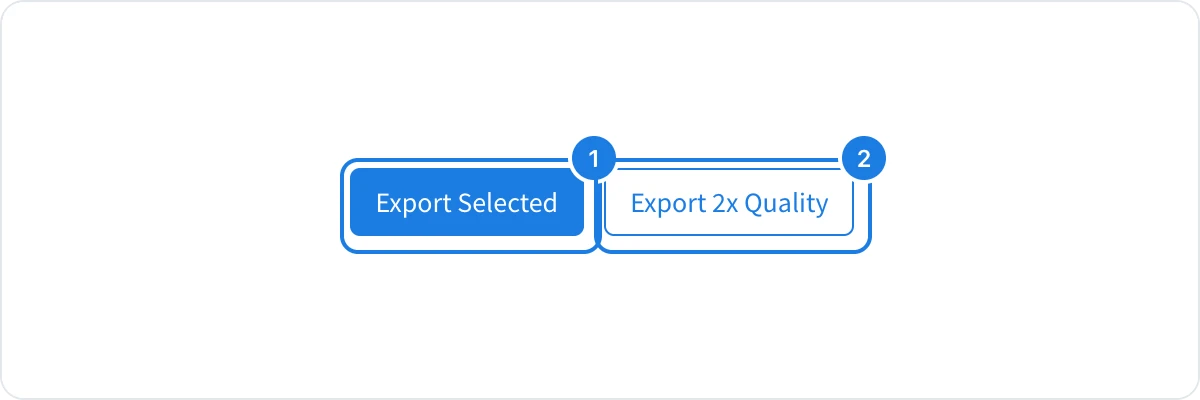
Choose Export Selected (1) for a standard image, or Export 2x Quality (2) for a sharper image at twice the resolution, for example for print or large screens.
When the image is ready, click Download to save it, or View to open it in a new tab.
If nothing is selected, MockFlow asks you to select part of the board first. You can also right-click a selection and choose Export selected.
Export one item from its toolbar
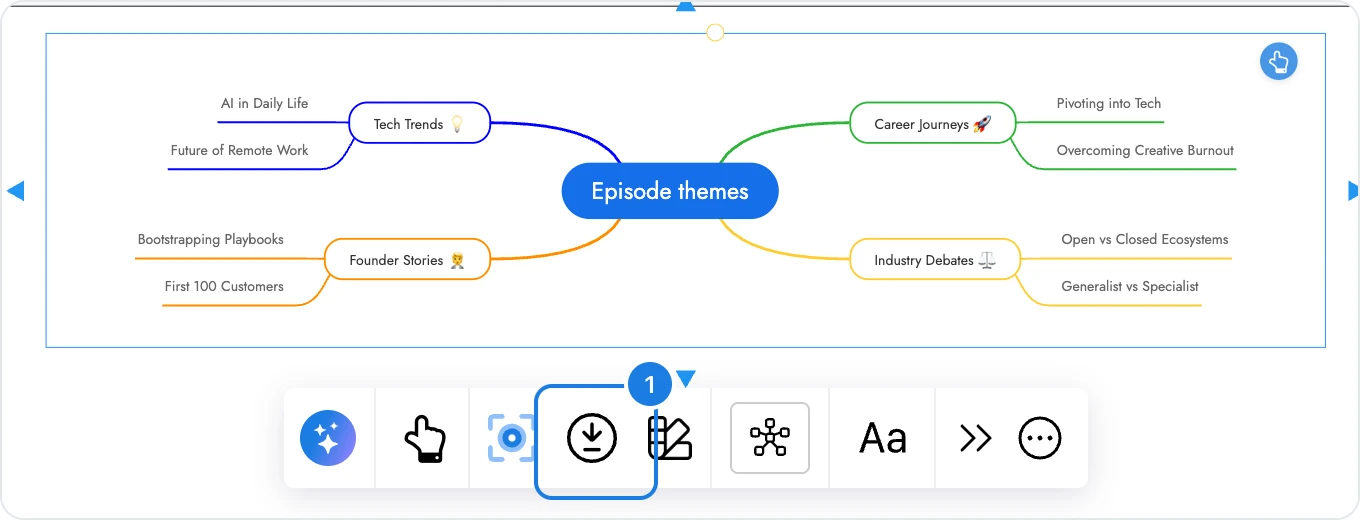
Many items have their own export button, so you can save one without selecting an area first. Select the item and click the download icon (1) in its toolbar. You find it on sections, mind maps, diagrams, swimlanes, moodboards, whiteboards and design frames.
On a design frame, the download icon opens Download design, where you choose PNG, JPG, SVG or PDF, a size of 1x, 2x or 3x, and a transparent background, or copy the image to paste elsewhere. To have AI render a refined version of the design, choose Convert to polished image from the frame's AI menu.
Some items also export their content as data or documents, for example a table to CSV or a document to PDF. See Export data, documents and diagrams from items.
Image size limits
An export can be up to 20,000 by 20,000 pixels at standard quality, and up to 10,000 by 10,000 pixels at 2x quality. For a very large area, export it in parts or use standard quality.
What is not available on the Basic plan
Image export is available on every plan. On the Basic plan, Convert to polished image for design frames is not available. AI renders and many other features, such as editor roles and live presentation mode, are available on Plus and Max. See MockFlow pricing for details.