
Move a departing member's data to a teammate
When someone leaves your team, move all of their MockFlow boards and spaces into a teammate's account with a secure data transfer.
When someone leaves your team, their boards, wireframes and diagrams should stay with the team. A data transfer moves everything in their MockFlow account into a teammate's account. The license owner or a License Admin starts it, and both people confirm it by email, so no data moves without their consent.

Start a data transfer
Click your name at the bottom of the workspace sidebar and choose User licenses.
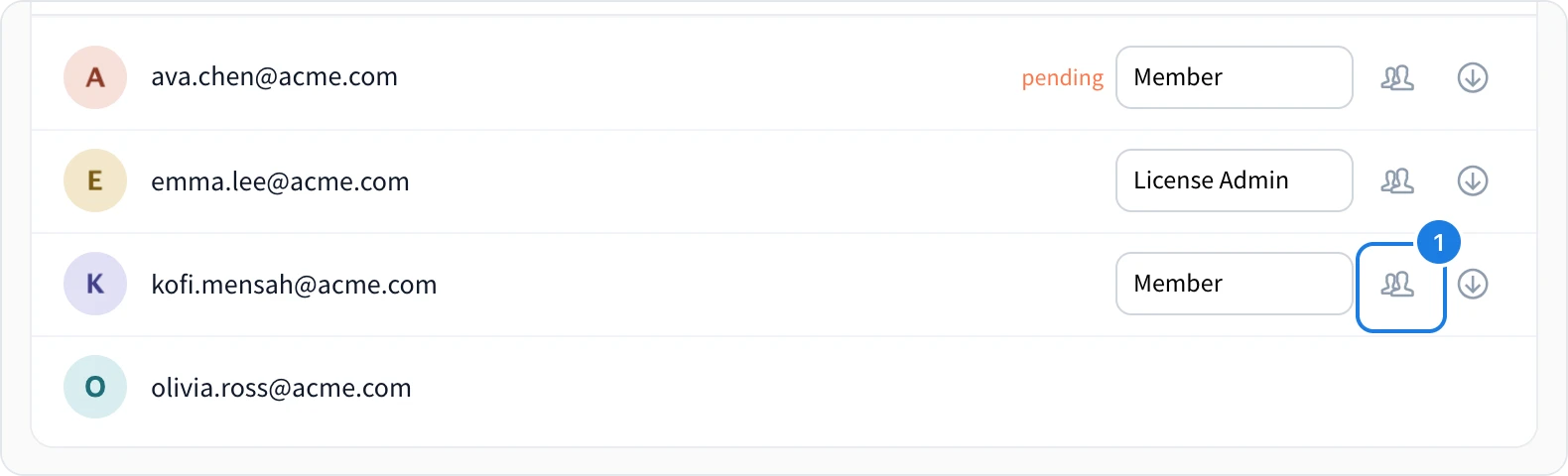
In the departing person's row, click Transfer data to another user (1).
Confirm with OK.
MockFlow emails the departing person a secure link to continue.
What the departing member does
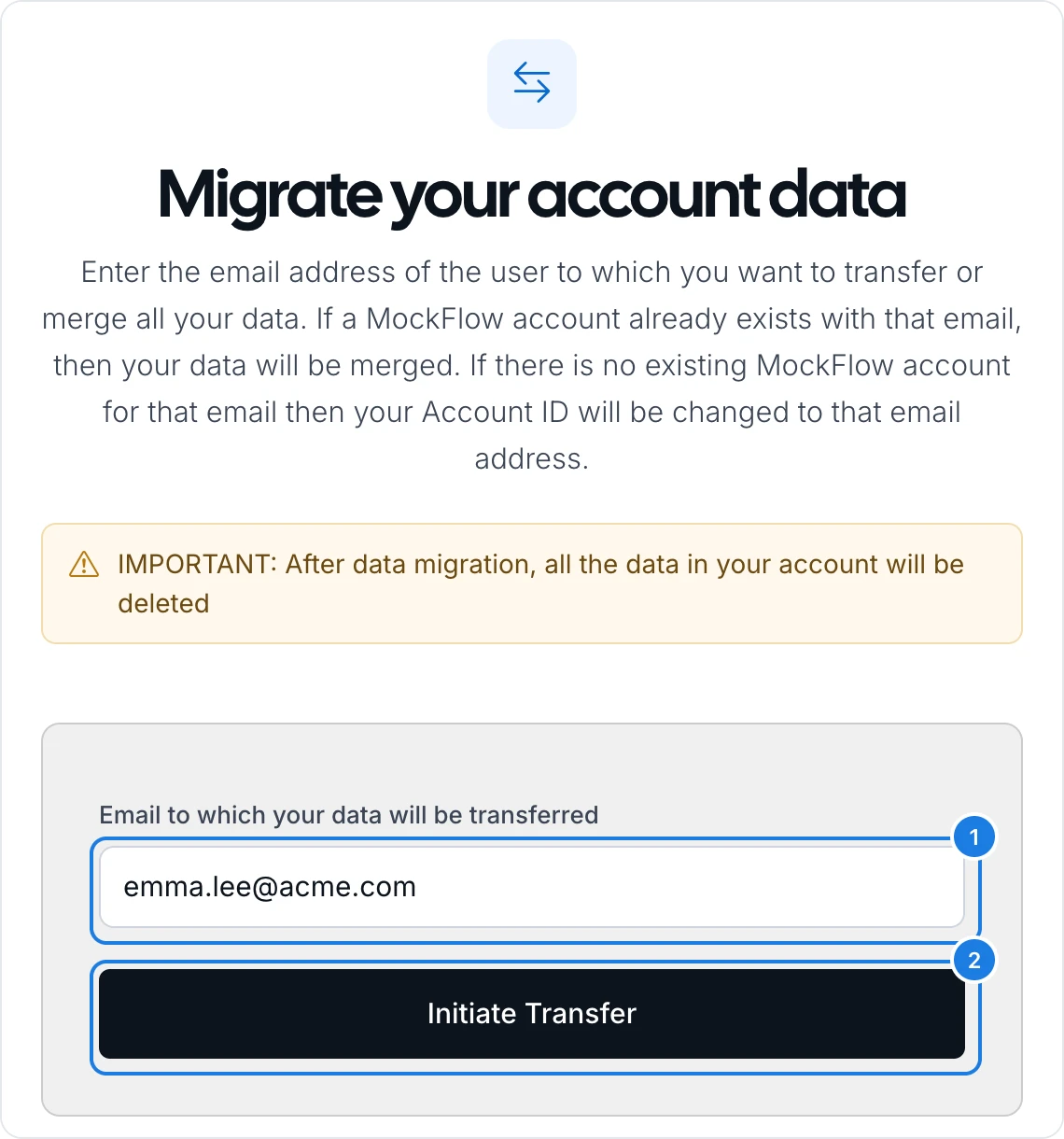
Open the email titled Start data migration to another user and click its link.
On Migrate your account data, enter the email address of the teammate who will receive the data (1).
Click Initiate Transfer (2).
The receiving teammate then gets an email with a secure link and confirms the transfer. If they do not confirm within 24 hours, the transfer is cancelled and can be started again.
What the transfer does
If the receiver already has a MockFlow account, the departing member's data is merged into it.
If the receiver has no MockFlow account, the departing member's account is renamed to the receiver's email address, so the receiver takes it over.
After the transfer, all data in the departing member's own account is deleted.
When the transfer is done, remove the person from your license to free their license, as described in Remove someone from your license.
To hand over a single space instead of a whole account, the space's owner can transfer just that space. See Transfer a space to another person.
Plans
Secure data migration between people is included in the Max plan on yearly billing. See MockFlow pricing for details.