
Stack widgets with spacing and padding
Line up widgets in a wireframe as a stack, so they keep even spacing and padding as you edit.
A stack lines up widgets in a row or a column with the same space between them. Add, remove or resize a widget and the others move to make room, so the screen stays tidy as you edit. Stacks are the auto layout of the wireframe, and they carry over as auto layout when you export a screen to Figma.

Stack widgets
Open the Wireframe for editing: select it and click Edit wireframe.
Select the widgets to stack. Shift+click each one, or drag a selection box around them.
Click Stack them in the bar above the selection, or press Shift+A.
MockFlow reads how the widgets sit. Widgets placed one above another become a column, and widgets placed side by side become a row that wraps onto the next line when it runs out of space.
A container widget, such as a card, can line up its own contents too: select it and click Line up contents (Shift+A).
Set spacing and padding
Select the stack and click Properties (Enter) in the bar above it. The Auto layout section sets how the stack arranges its widgets.
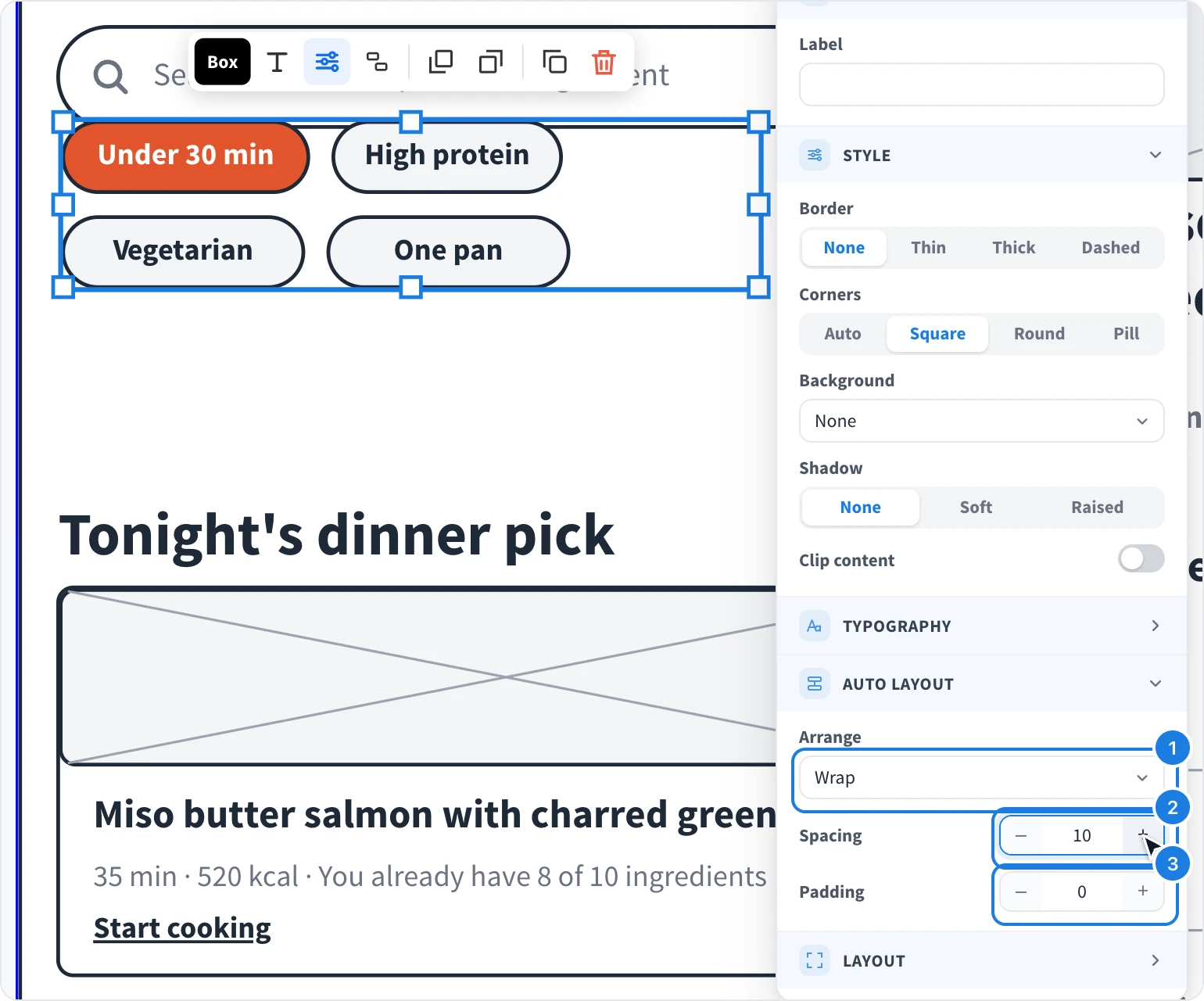
Arrange: Vertical, Horizontal, Wrap or Free.
Spacing: the gap between widgets, in pixels.
Padding: the space between the stack's edge and its widgets.
Click + or − to change a value by 1, or hold Shift to change it by 10.
Turn a stack off
Select the stack and click Free layout, or press Shift+Alt+A (Shift+Option+A on Mac). The widgets stay where they are, and you can move each one freely again.
Screens generated with AI often use stacks already, for example for rows of chips or buttons. See Generate and edit screens with AI.