
Delete your boards and account data
What happens to your data when you delete a board, a space or your MockFlow account, and how long deleted work can be restored.
You stay in control of your data in MockFlow. You can delete a single board, a whole space or your entire account, and MockFlow makes it clear when deleted work can still be restored and when it is gone for good.
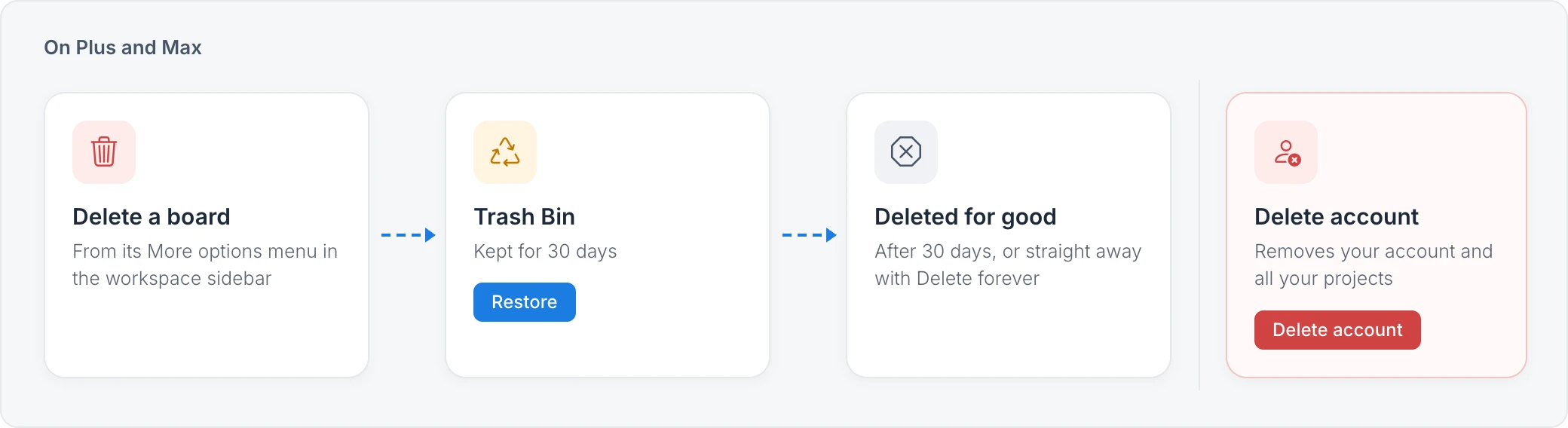
Delete boards and spaces
On Plus and Max, a deleted board or space moves to Trash Bin, where you can restore it for 30 days. After 30 days, or straight away when you choose Delete forever, it is deleted for good. On Basic there is no Trash Bin, so deleting is permanent. MockFlow asks you to type delete to confirm a permanent deletion. See Delete and restore boards and spaces.
Delete your account
Deleting your account erases your account details and all your projects from MockFlow permanently. They cannot be recovered or restored afterwards.
If you have a paid plan, cancel it first and wait for your account to move to Basic.
Delete from My Account > Profile > Danger zone > Delete account, then confirm with your password, or by typing delete if you sign in with Google or SSO.
See Delete your account for the steps.
Export anything you want to keep before you delete your account. See Export data, documents and diagrams.
When someone leaves your team
If you manage a team license, move a departing member's boards to a teammate before removing them, so the team keeps the work. See Move a departing member's data to a teammate.