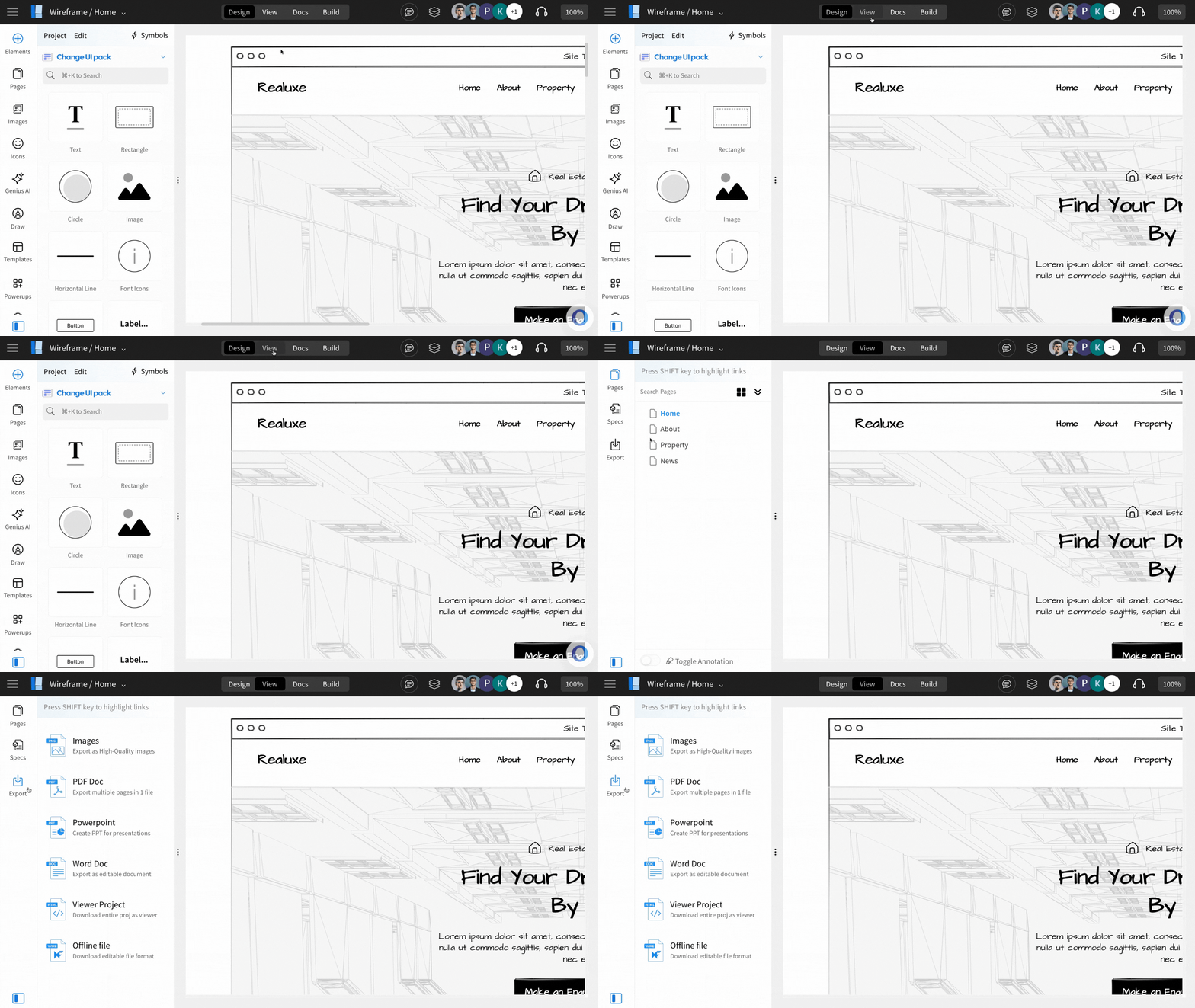
How to export my wireframe project?
Wireframe projects in MockFlow can be exported in various formats, including images, PDF, PowerPoint, MS Word, and offline...
Wireframe projects in MockFlow can be exported in various formats, including images, PDF, PowerPoint, MS Word, and offline files.
Note that wireframes exported in these formats are non-editable.
To export wireframes, open the project in the editor and follow the steps below:
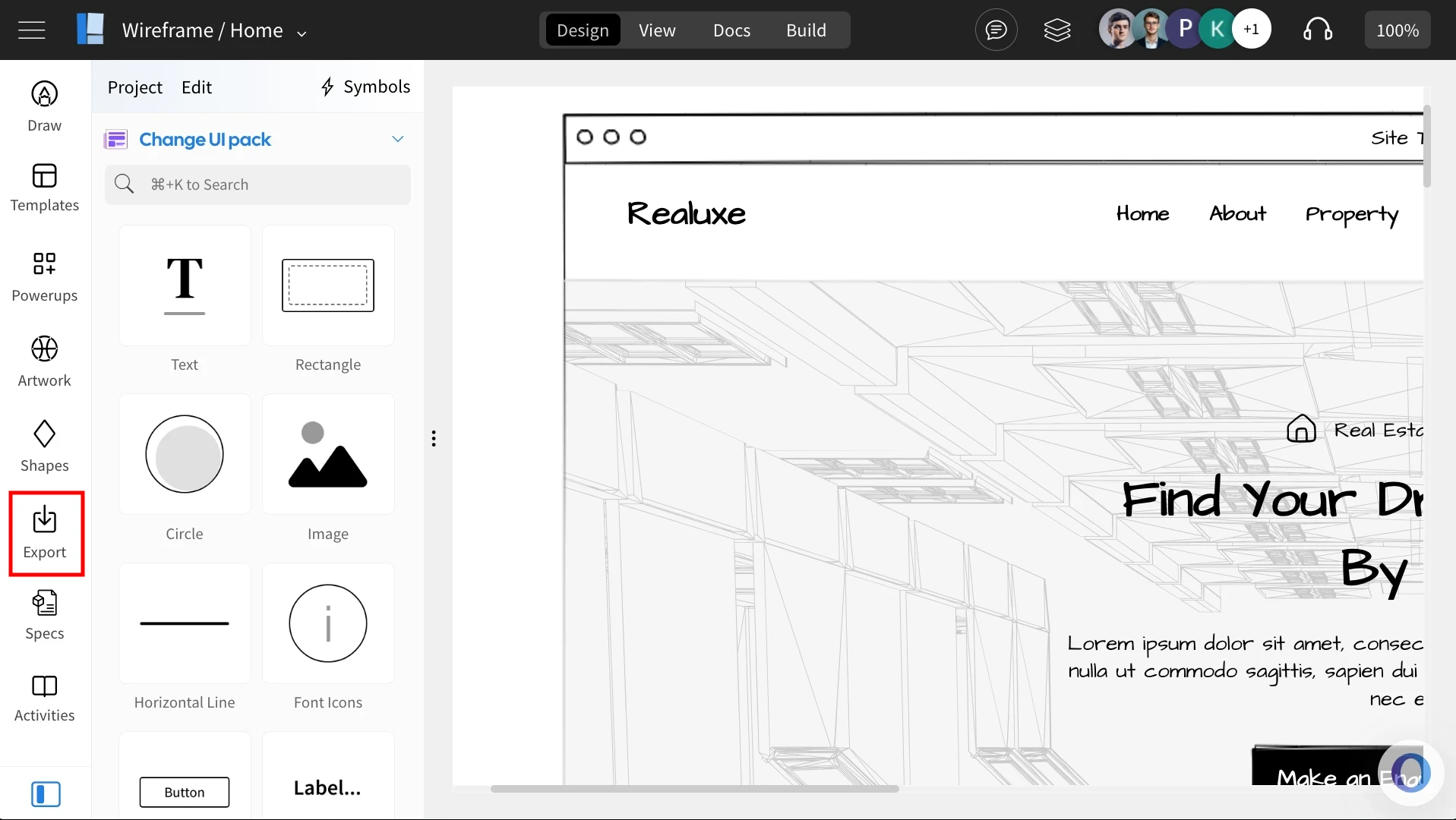
In the Wireframe editor, click on the 'Export' icon from the sidebar.
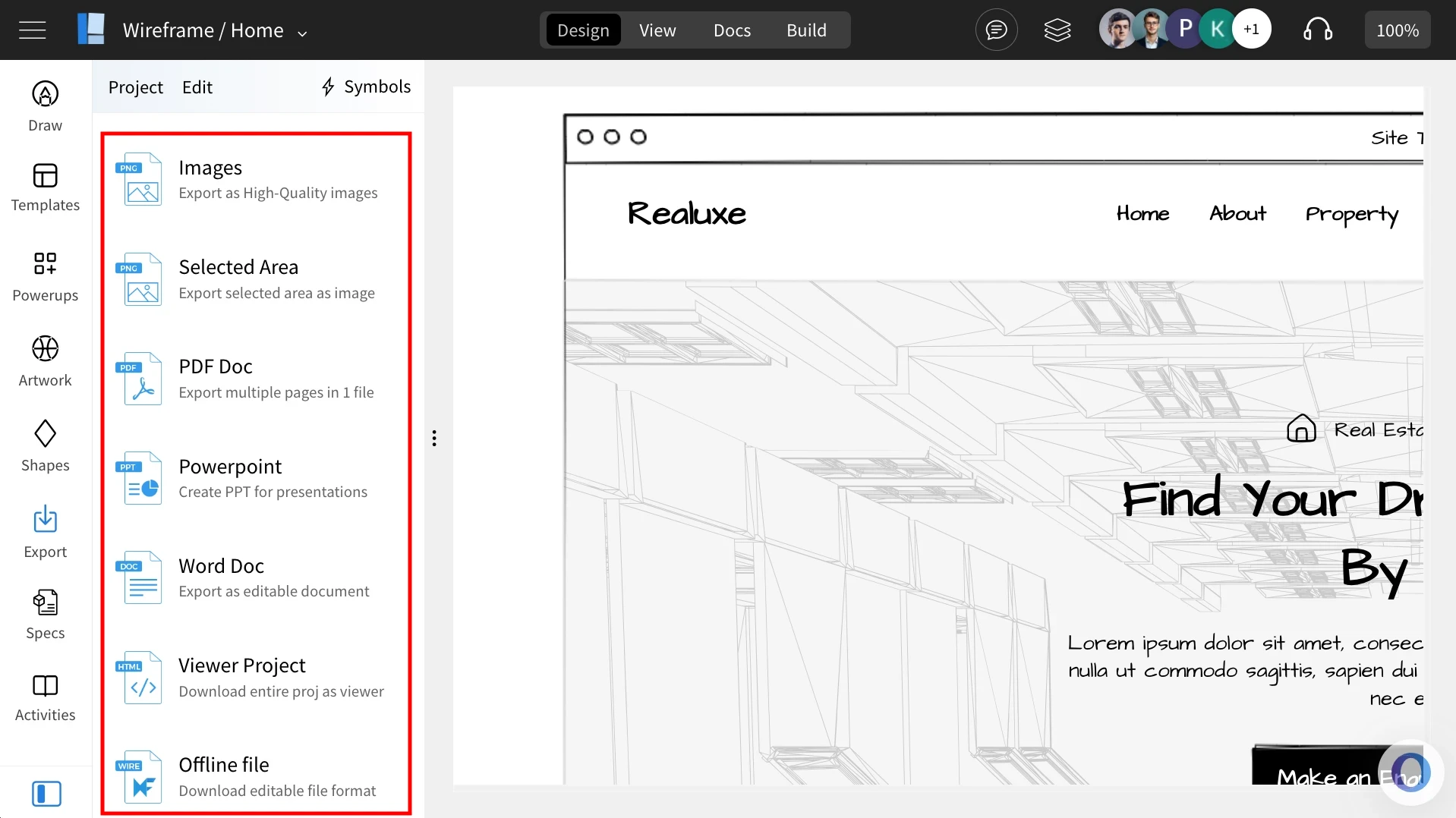
Choose an 'Export format.'
Select from the list of export formats.
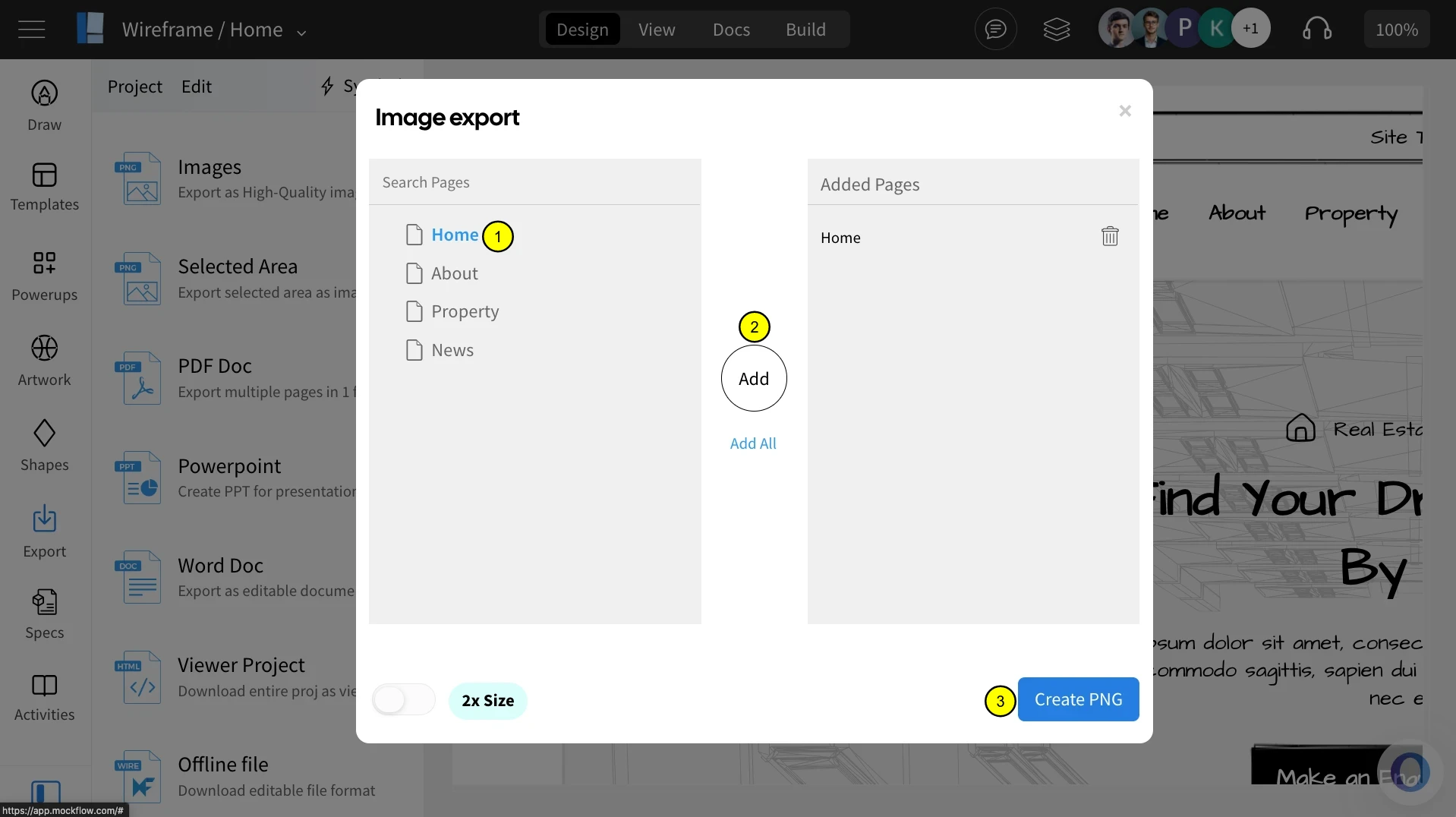
Then, select the page you want to export by clicking ‘Add’, and finish by choosing ‘Create PNG.’ (For image exports, the final step may differ depending on the format.)
And, click on 'Download.'
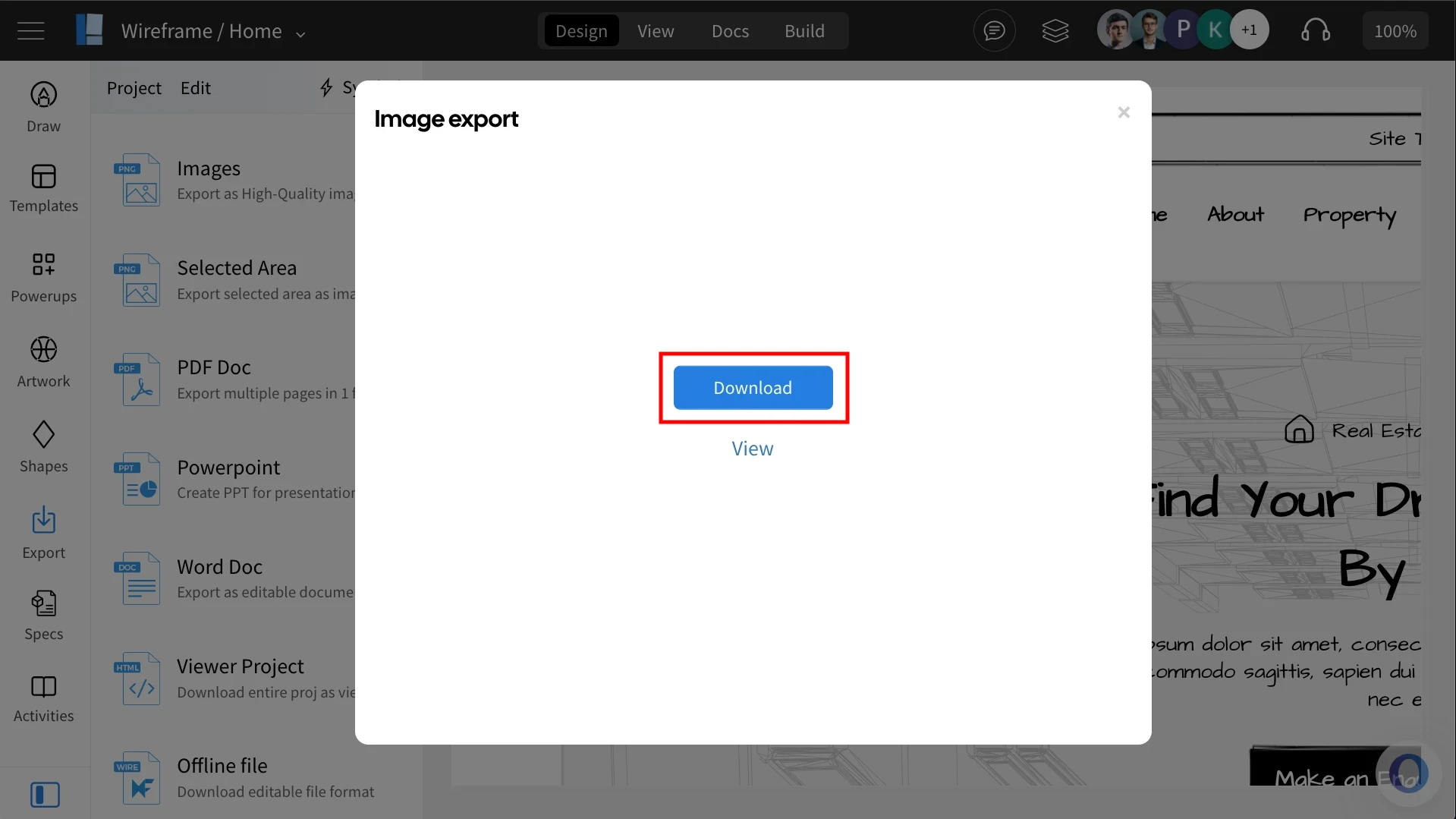
The wireframe project will be exported.
Alternatively, you can also select 'View' from the top menu bar.