
How to Suggest New Design in comment?
Discover how to effectively suggest a new design within comments using MockFlow. Follow our tutorial for clear, actionable feedback in your design collaboration.
Text-based feedback can be misinterpreted, leaving designers unsure of your vision. MockFlow's "Suggest New Design" solves this problem by empowering you to provide clear, visual feedback directly on the design. Here's how it works:
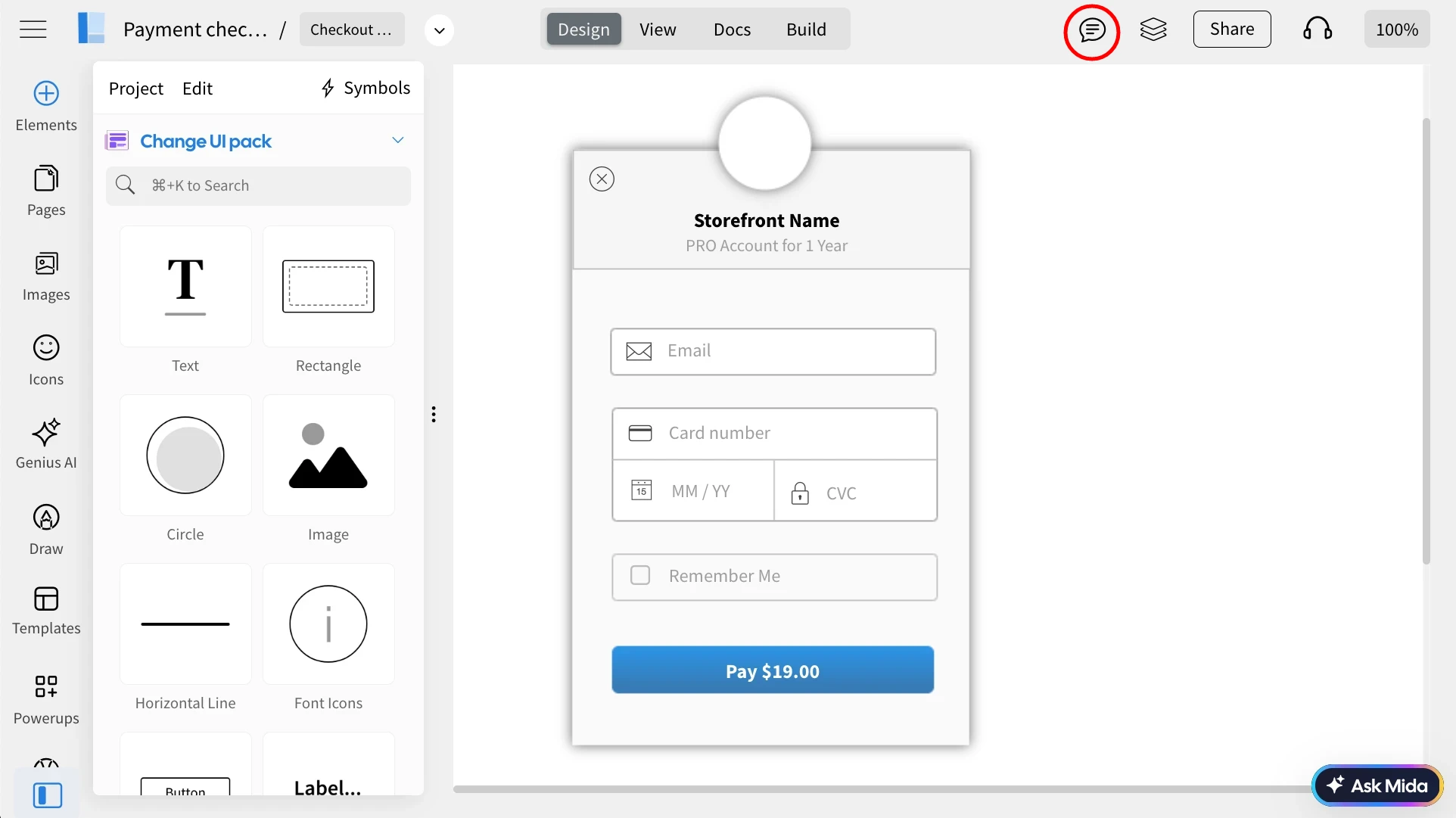
Inside the MockFlow editor, click on the comment section in the top menu.
Click on the component in your design where you want to 'Suggest New Design.'
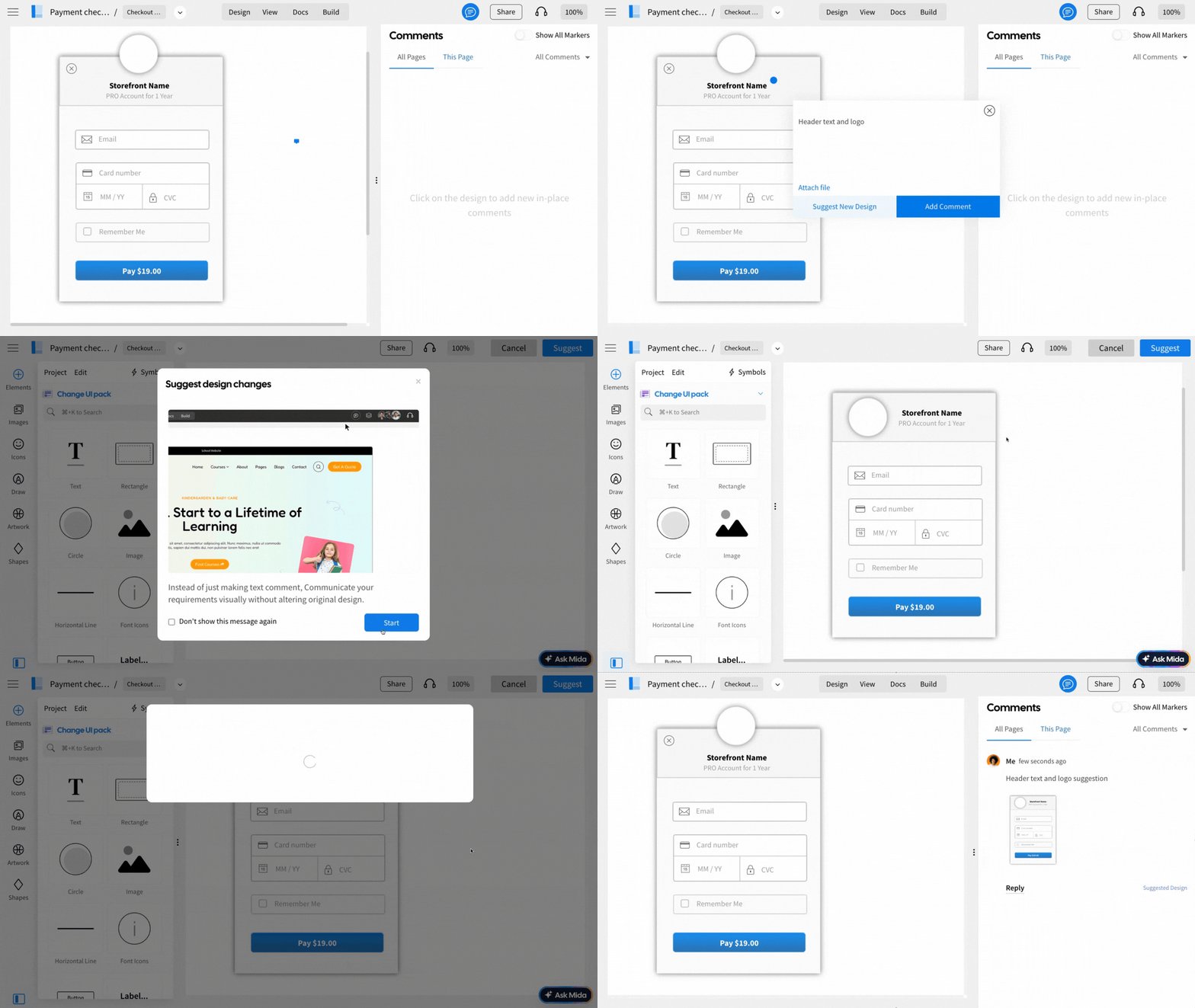
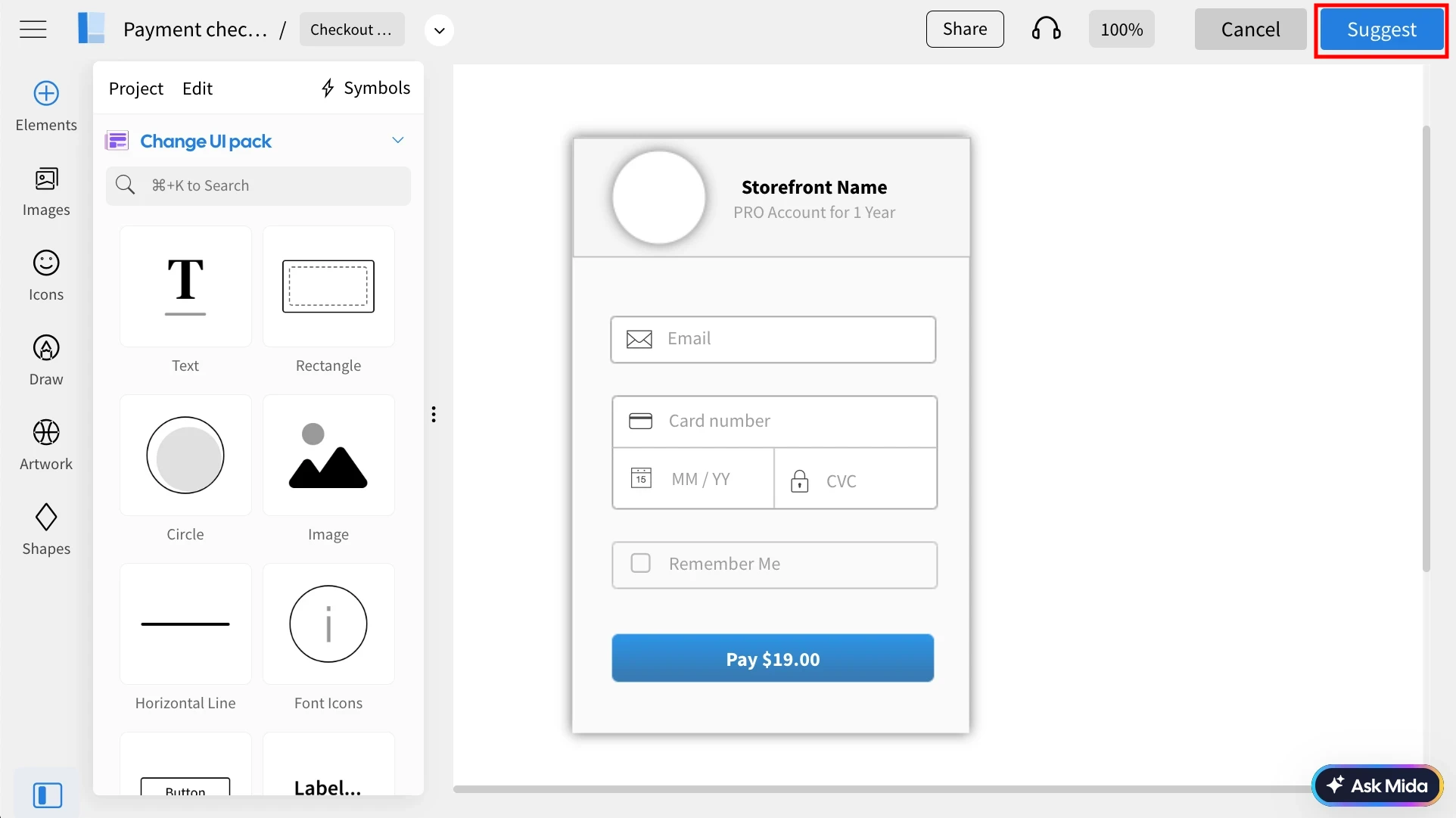
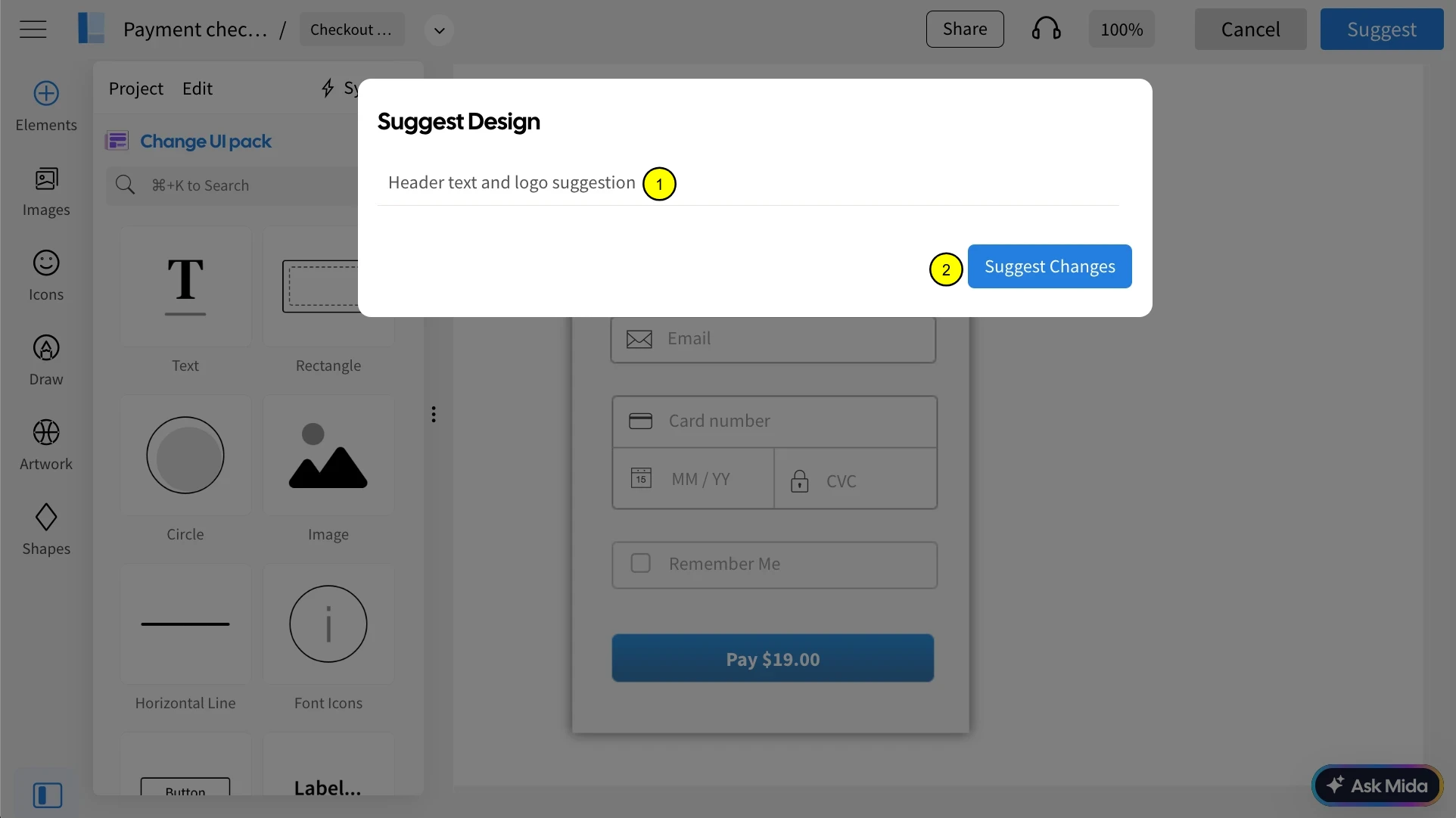
You will be directed to the MockFlow editor, and here you can modify the design to your liking. After making the desired changes, simply click on the "suggest" button to submit your edited design.
The details of these suggested designs will be visible in the comments sidebar.
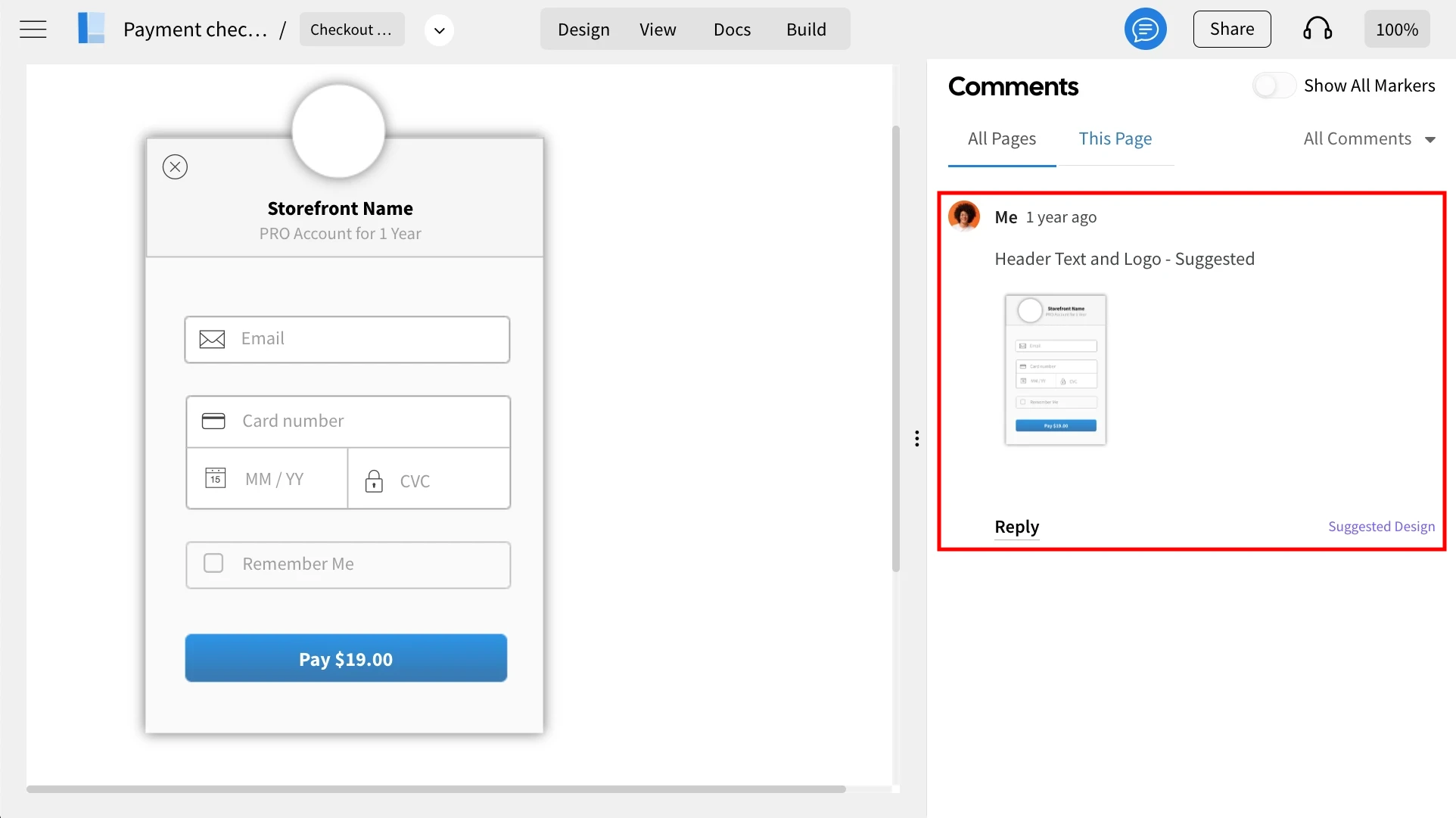
Check out our related articles to learn how to implement the suggested designs and compare them with the original versions.