
Internal
How to Apply the Suggested Design?
Discover how to effectively apply a suggested design in MockFlow. Follow our tutorial for implementing feedback and enhancing your design collaboration.
After a team member suggests design changes in your wireframe, you can easily apply them to your design. Follow these steps to learn how.
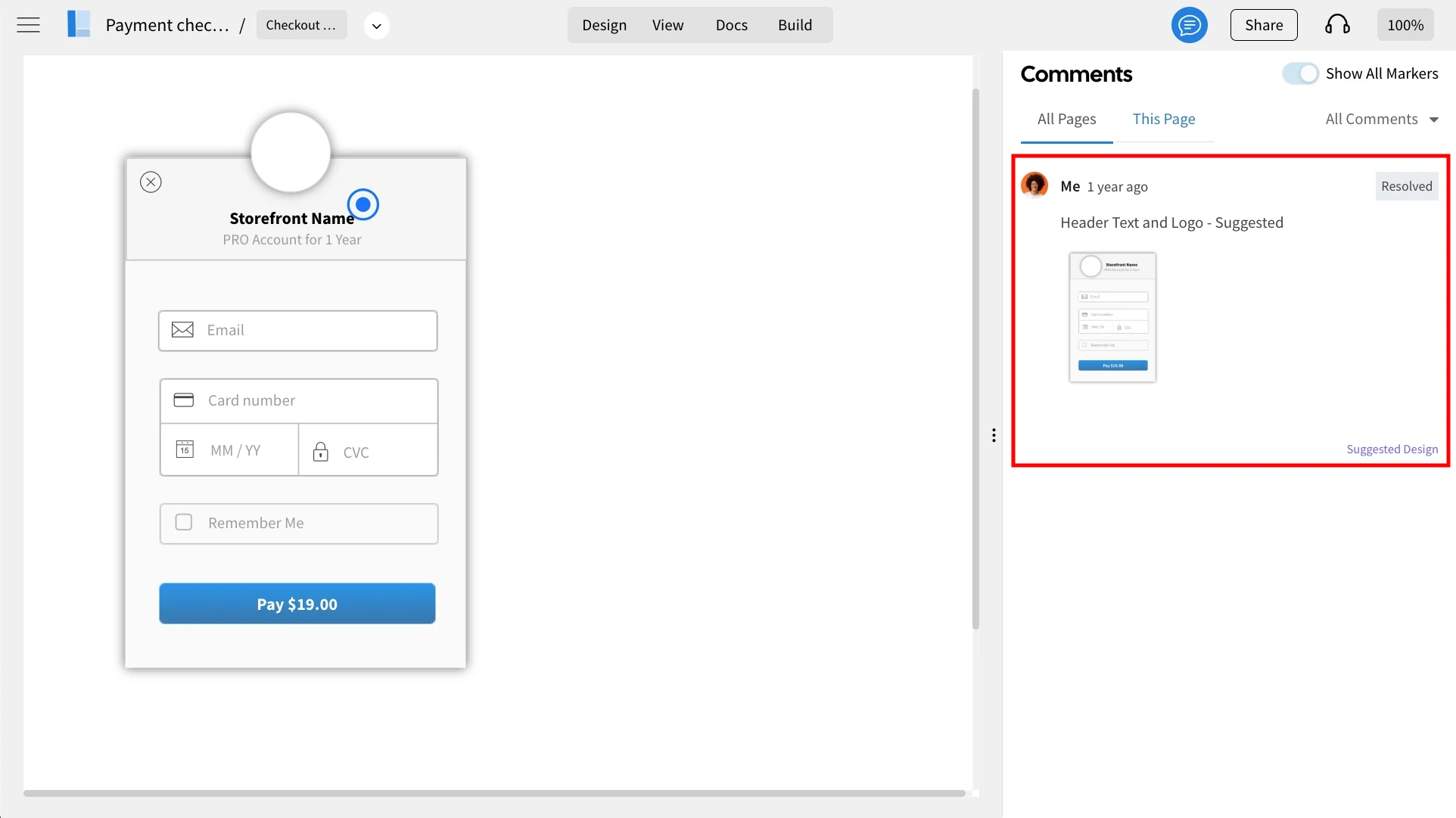
To apply the design changes, click on the suggested design from the comments sidebar.
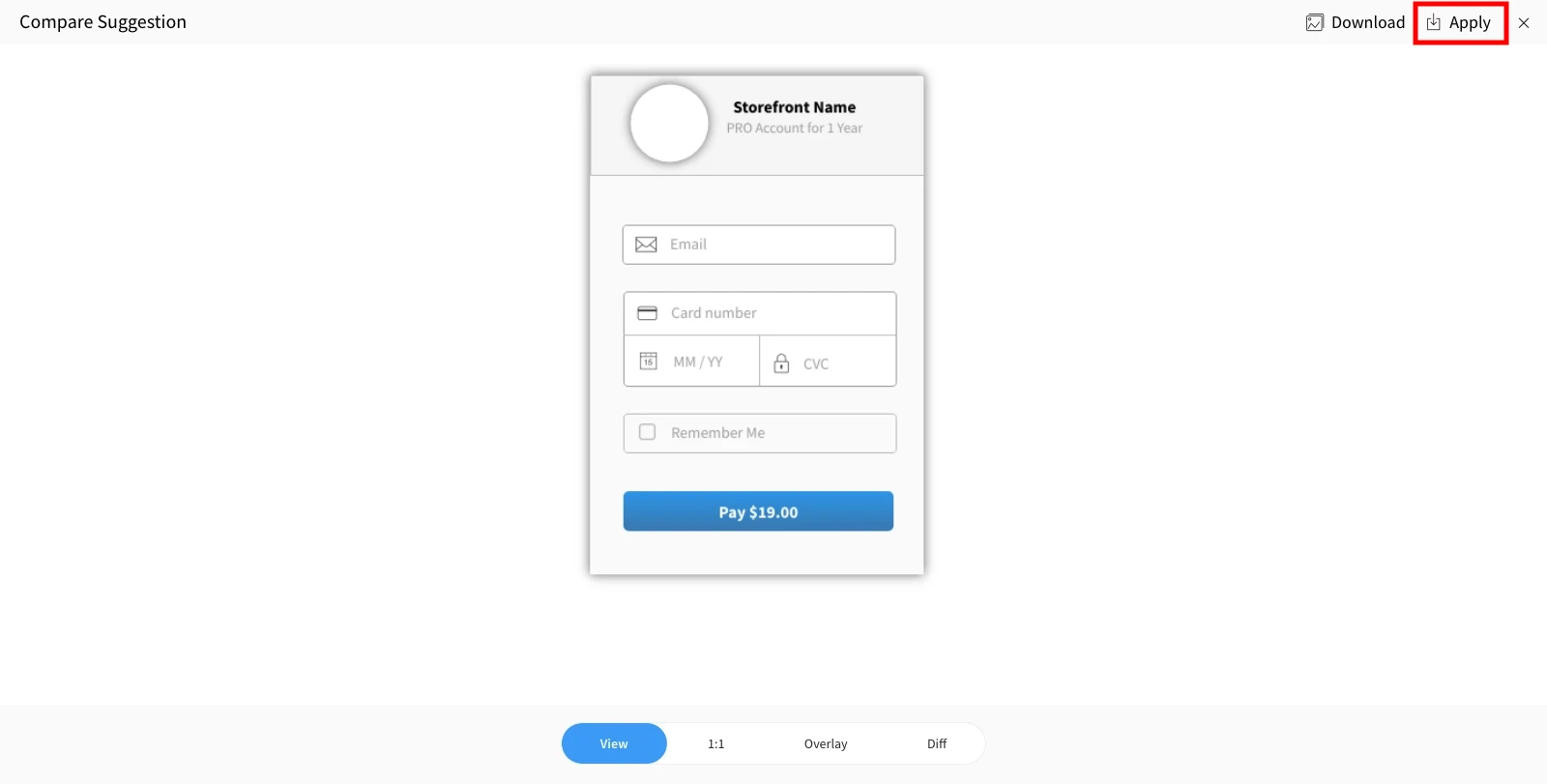
Compare Suggestion opens up, click 'Apply' from the top right.
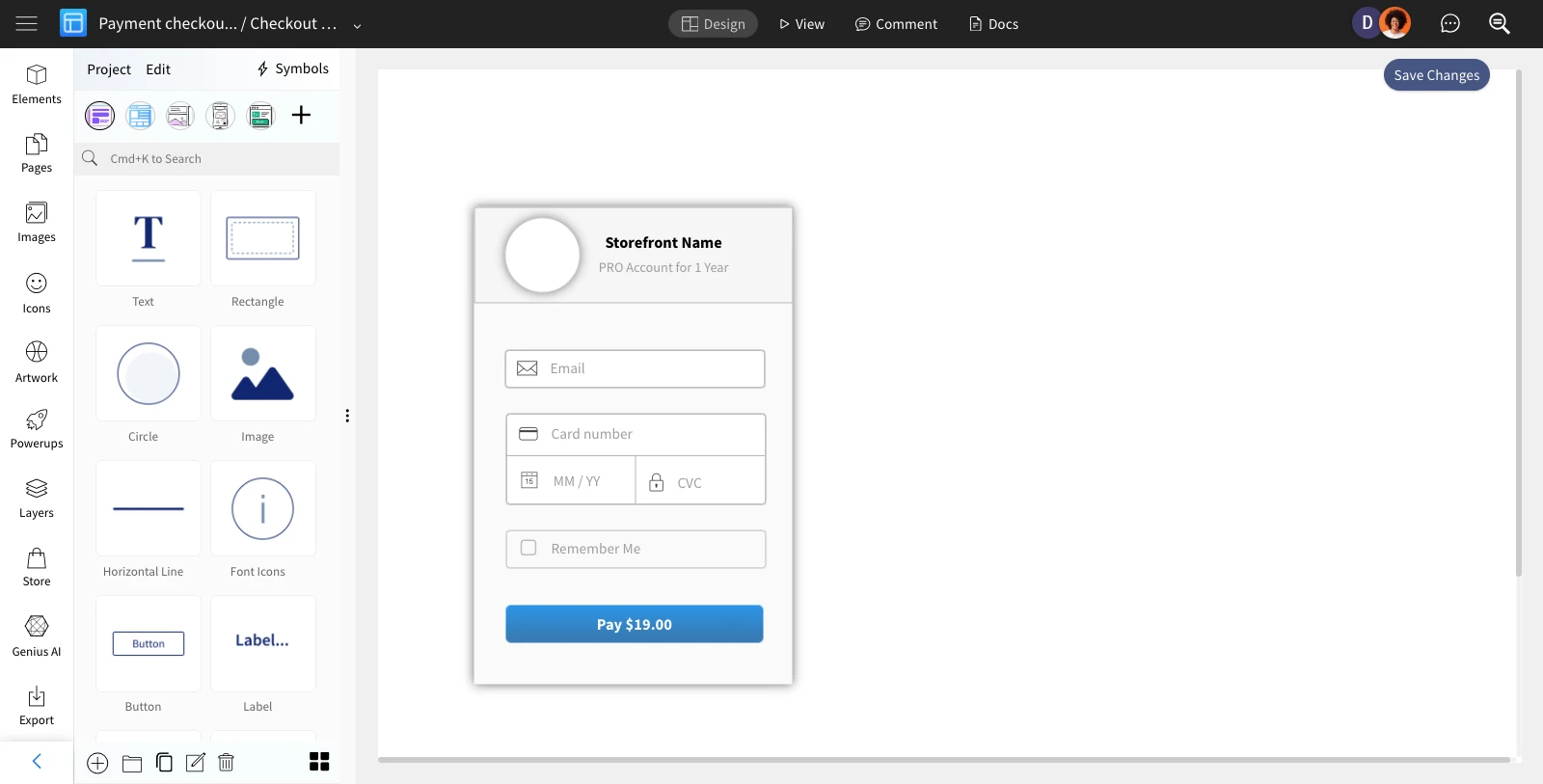
3The suggested design will be added to the project as a new page without making any changes to your existing design.
Was this page helpful?