
Invoice for my payment
All invoices for your subscription can be listed and viewed by following the steps below: Open account settings and click the...
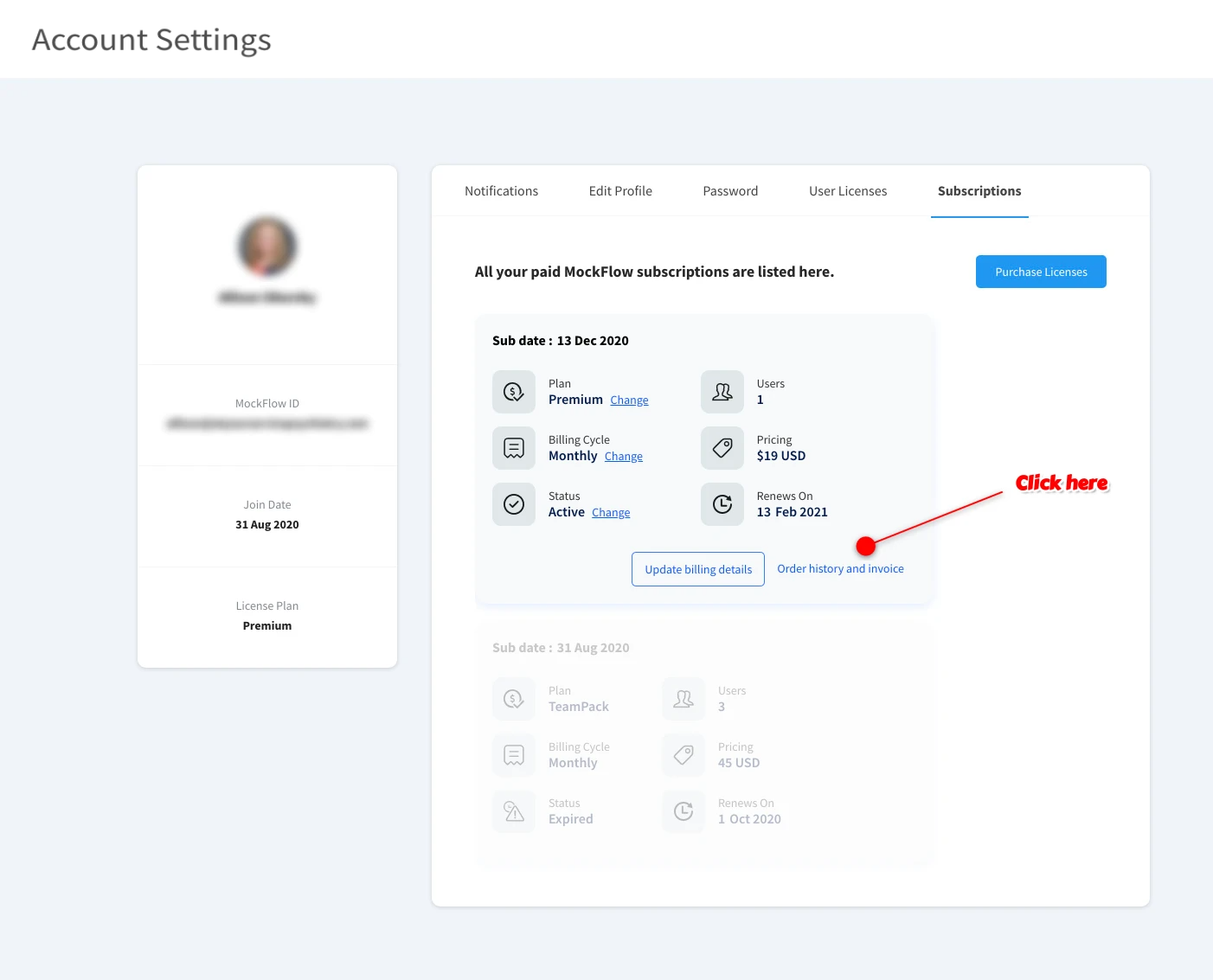
All invoices for your subscription can be listed and viewed by following the steps below:
Open account settings and click the 'Subscriptions' tab to list order history and invoices.
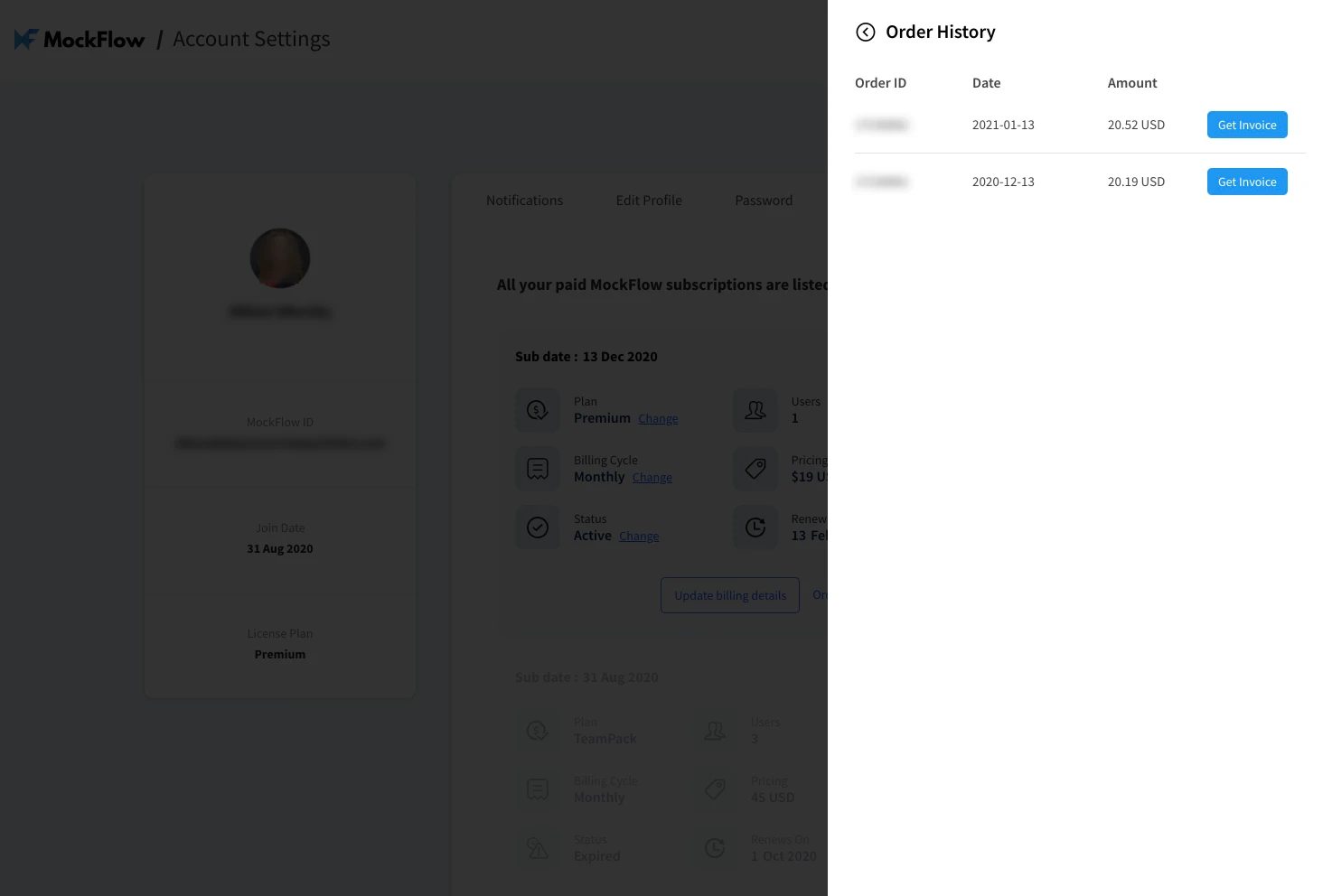
After the order history is listed, click the corresponding 'Get Invoice' button for the required payment.
Note: Paddle is the merchant on record on behalf of MockFlow. So receipt will be from Paddle.com Inc, 3811 Ditmars Blvd #1071 New York, 11105-1803 Astoria, United States
For old payment provider (FastSpring):
For subscriptions made with our previous payment provider (FastSpring) - Invoices are automatically sent to your billing email address given during payment. Check for invoices from "FastSpring" in your email inbox. In case you did not receive the invoice, contact mockflow@produle.com for further information.