How to cancel a MockFlow license subscription ?- FastSpring
If you have created a subscription with our old payment provider - FastSpring, then read the below article. If not follow...
If you have created a subscription with our old payment provider - FastSpring, then read the below article. If not follow this article.
MockFlow subscriptions are automatically renewed based on its subscription time period - monthly, quarterly, half-yearly or yearly. To stop renewing, they can be canceled anytime. In order to cancel an active MockFlow subscription, follow the below steps:
Note - Regarding data deletion policy: Even when your subscription expires, none of your data will be deleted by us. You can either delete the data manually or resume access to your data when you upgrade anytime later.
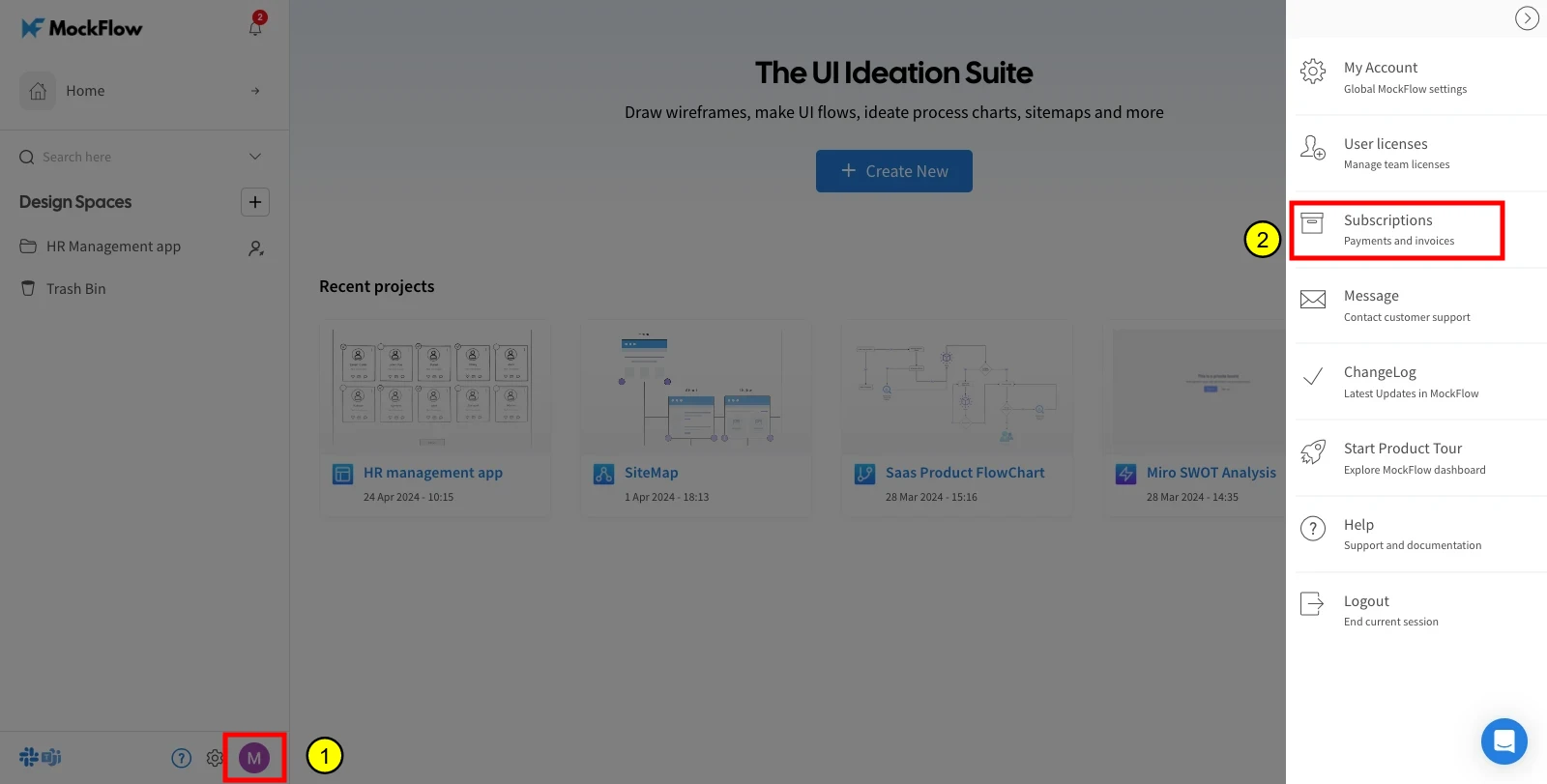
Go to your profile and choose 'Subscriptions' from the sidebar in account settings.
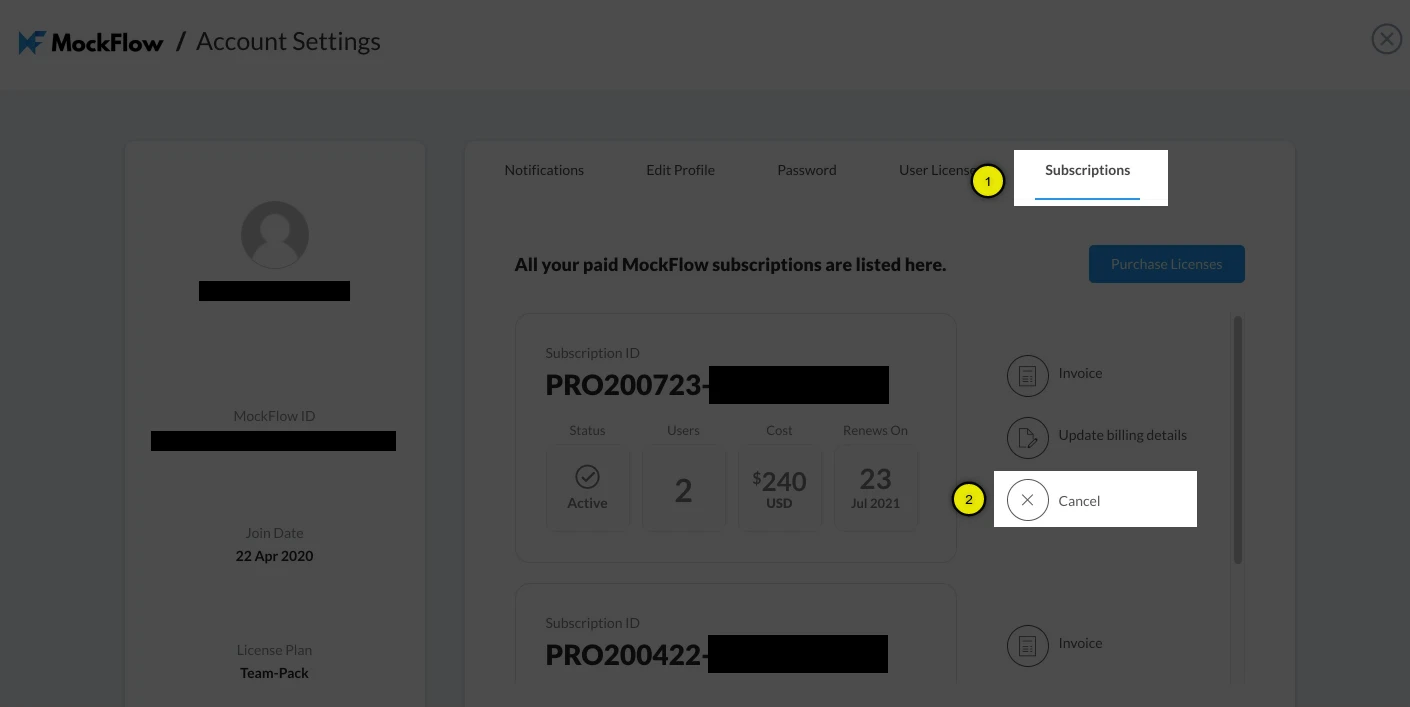
Under the 'Subscriptions' tab, click the 'Cancel' button next to your subscription item.
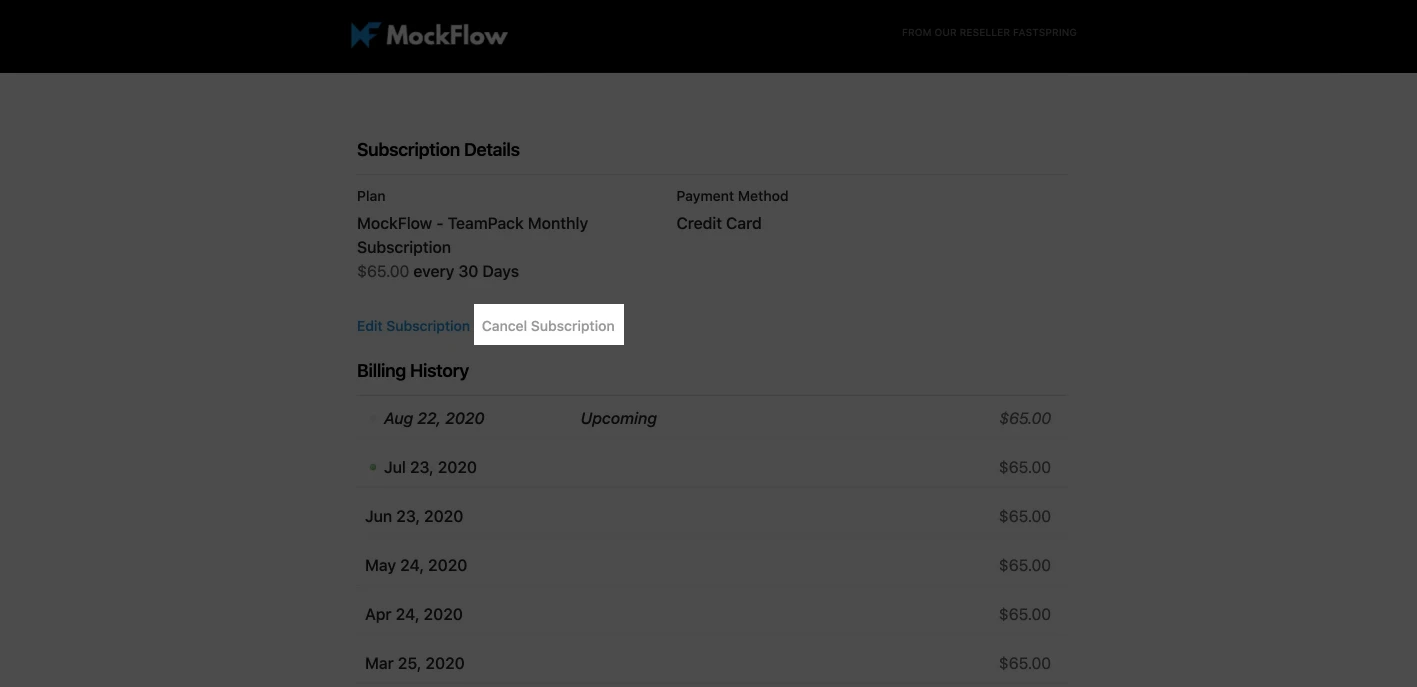
This will open your payment page associated with that subscription, from where you have to finally cancel the subscription as shown below.