How to view layers in WireframePro editor?
MockFlow WireframePro editor provides an intuitive way to navigate layers in a wireframe drawing. Learn how to rearrange, show,...
MockFlow WireframePro editor provides an intuitive way to navigate layers in a wireframe drawing. Learn how to rearrange, show, or hide, group, and rename the layer groups inside MockFlow.
What is Layers?
Layers represent different levels of content and elements stacked on top of each other, allowing designers to maintain a clear structure and easily manipulate individual parts of the design.
To access the layers inside the WireframePro editor, follow the steps below
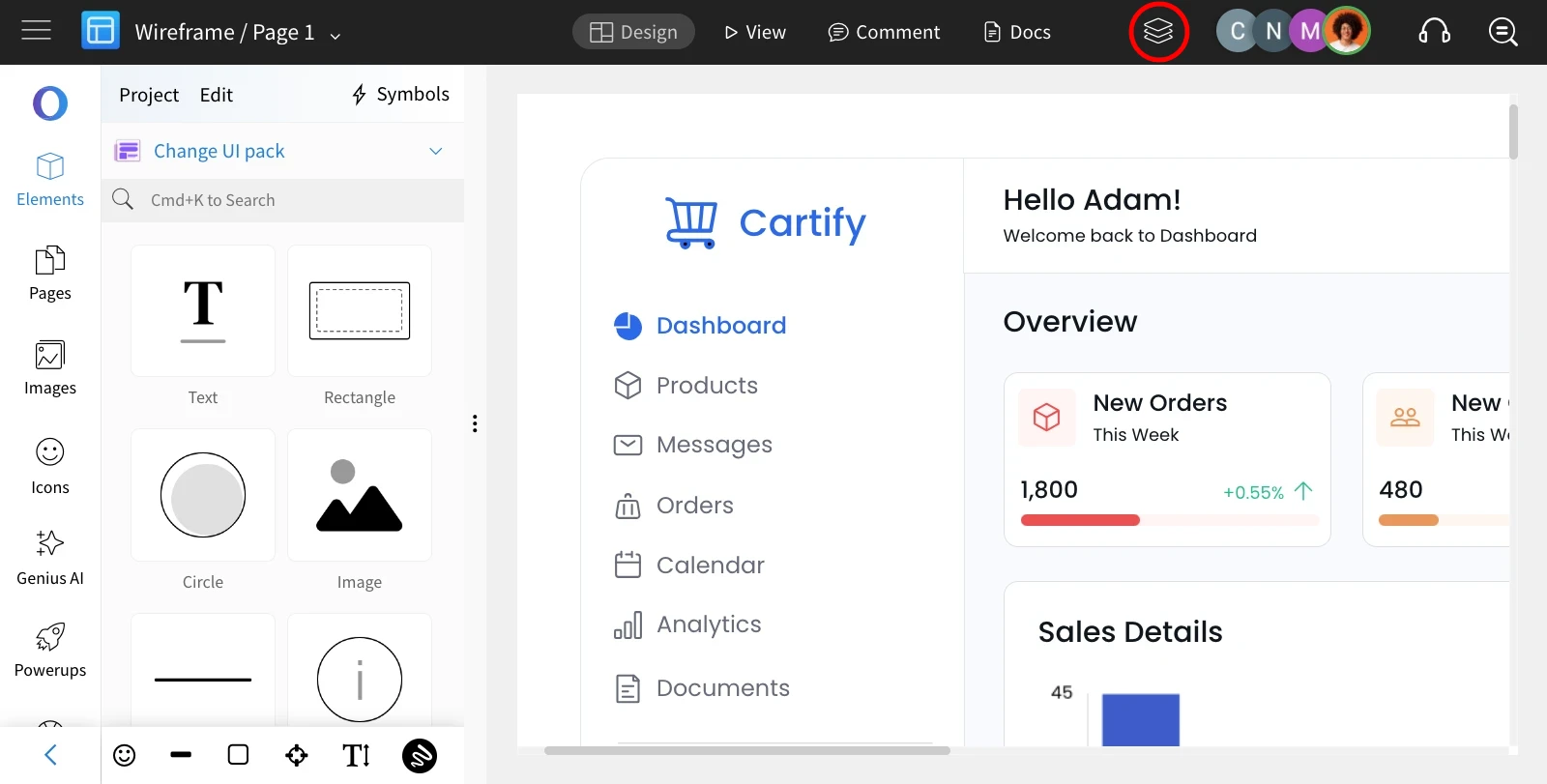
Inside the MockFlow editor, choose 'Layers' from the top bar, and the layers sidebar appears.
Rearrange
The layers can be rearranged by dragging and dropping them, which will adjust the position of the components on the canvas.
Show and Hide Layers
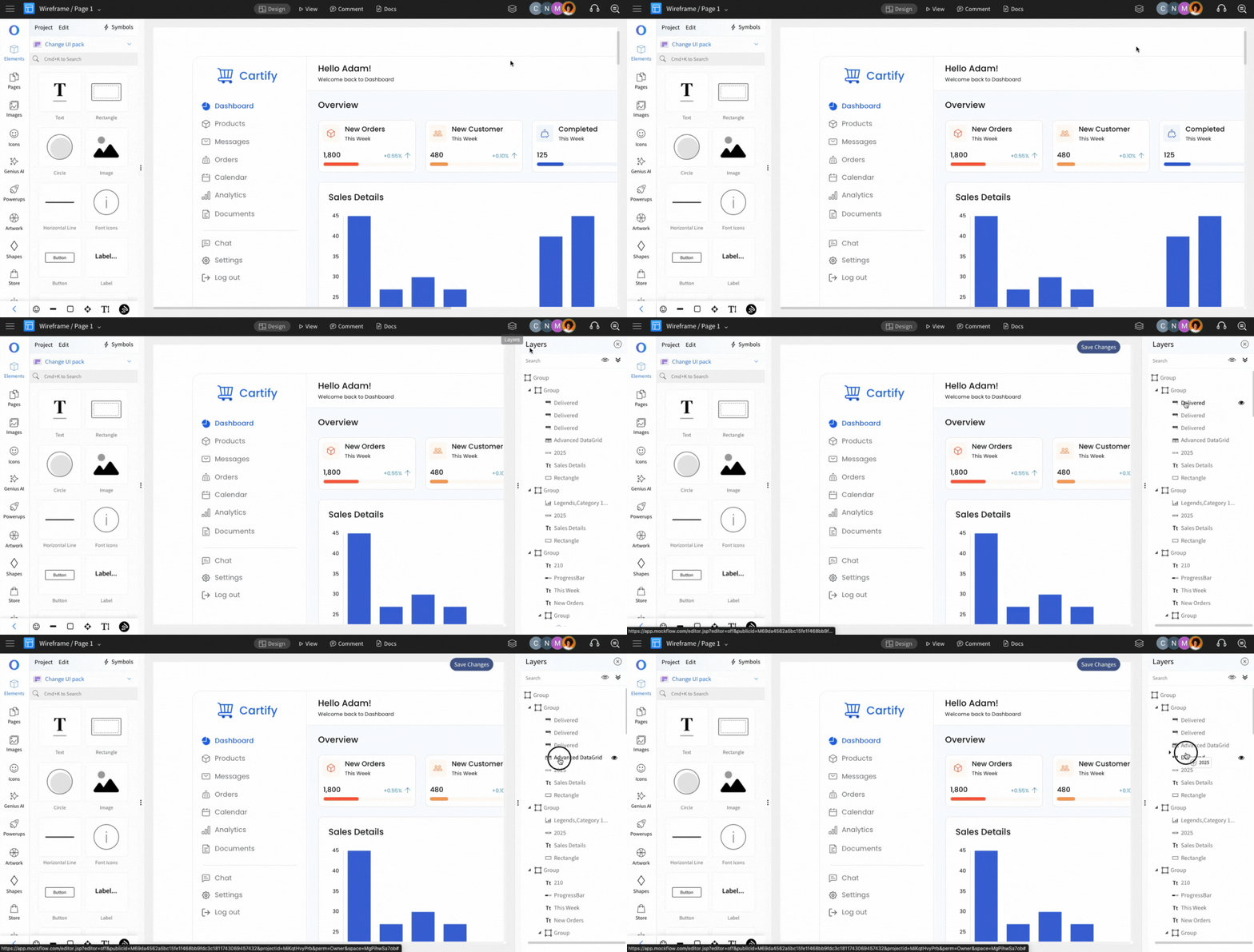
To differentiate between design variations in complex projects, effectively utilizing the show and hide features will help you organize your wireframes and streamline your workflow.
Tap on to show and tap to hide the layers.
Watch this short video tutorial to learn how to show or hide layers in your MockFlow wireframe project:
Group Layers
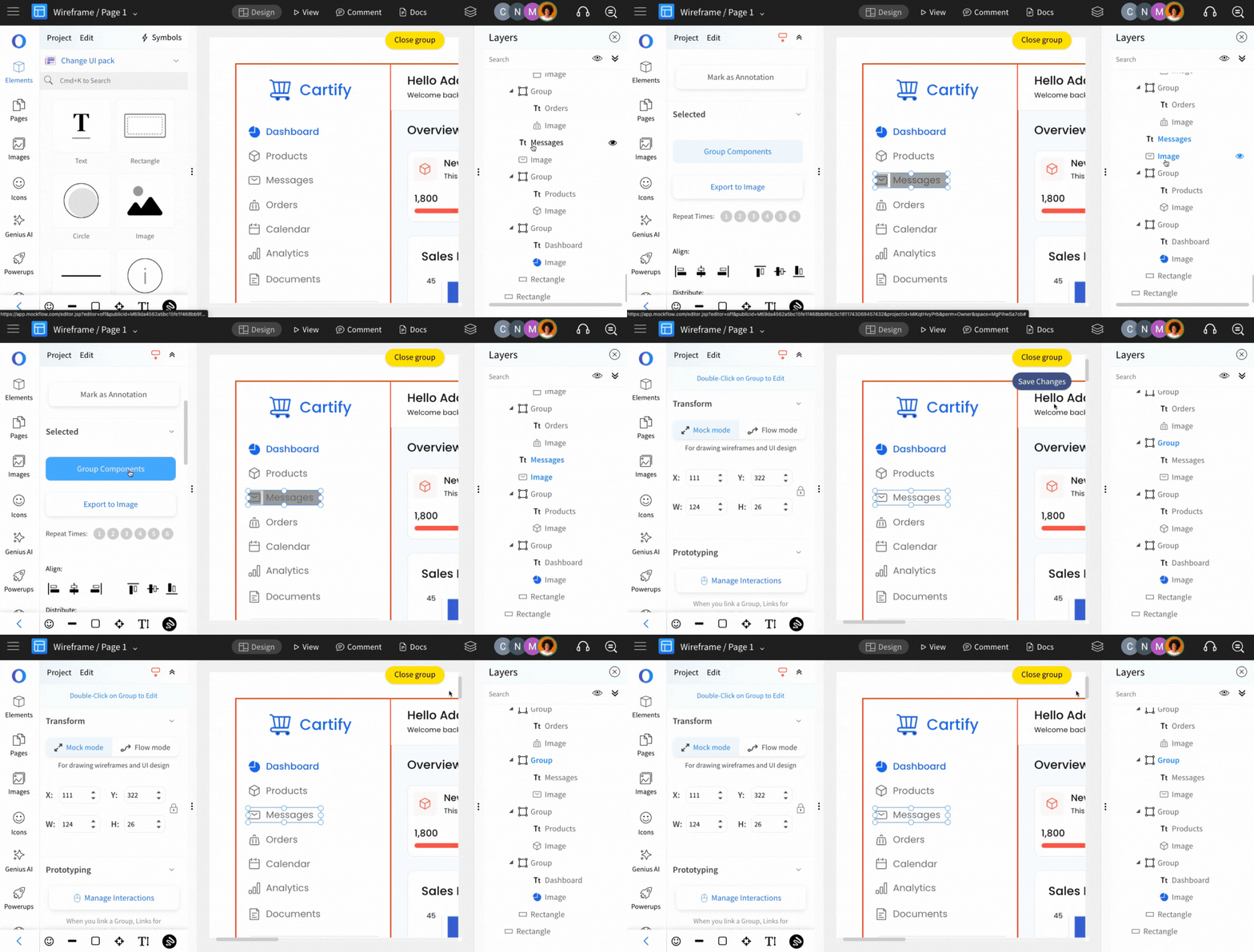
The Layers can be grouped by selecting the layer items and clicking on the 'Group Components' from the sidebar.
Rename the Layers
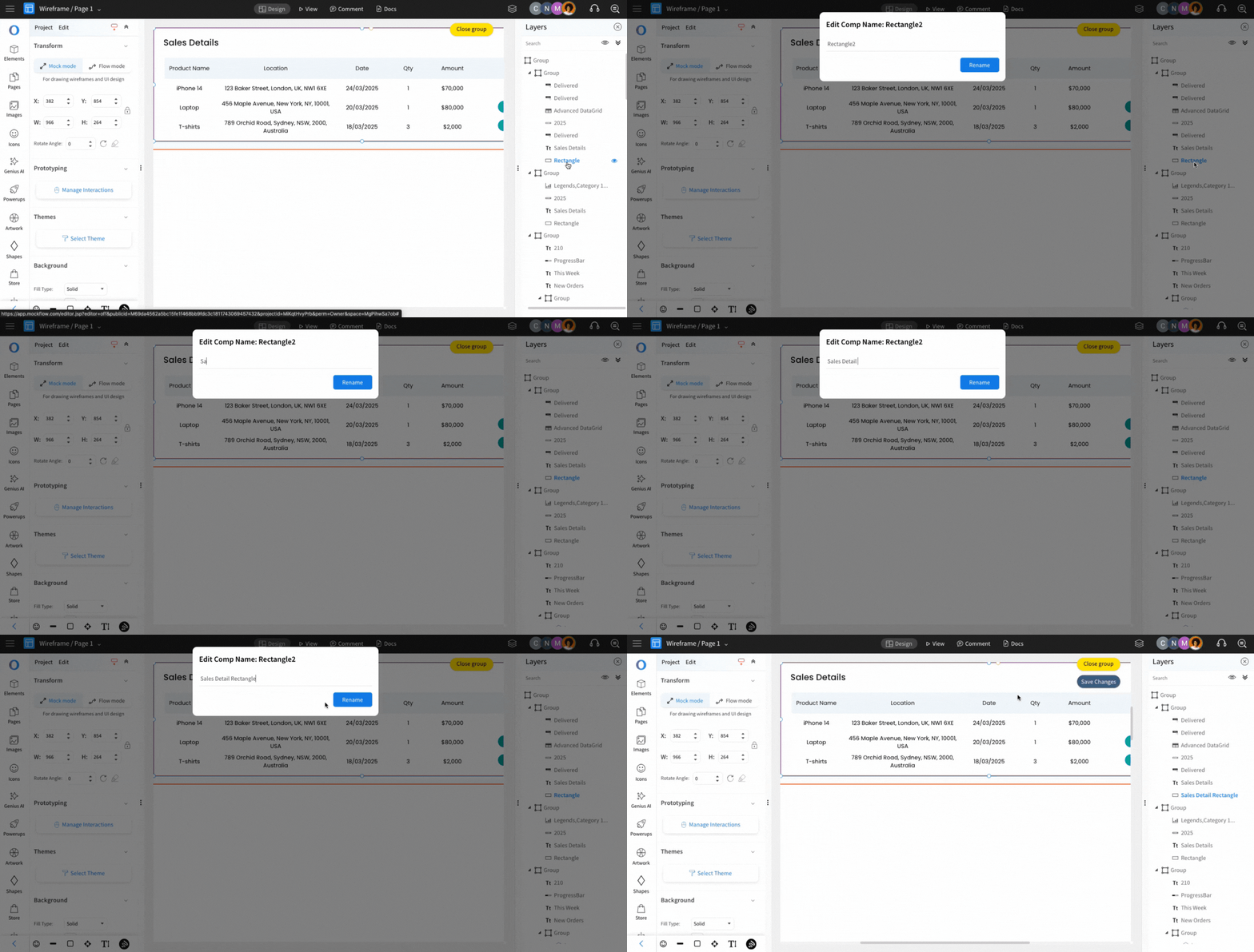
By renaming the layers, you can quickly identify their purposes, making it easier to manage complex designs. To rename a layer, double-click on the layer item, enter the new name, and click 'Rename.'