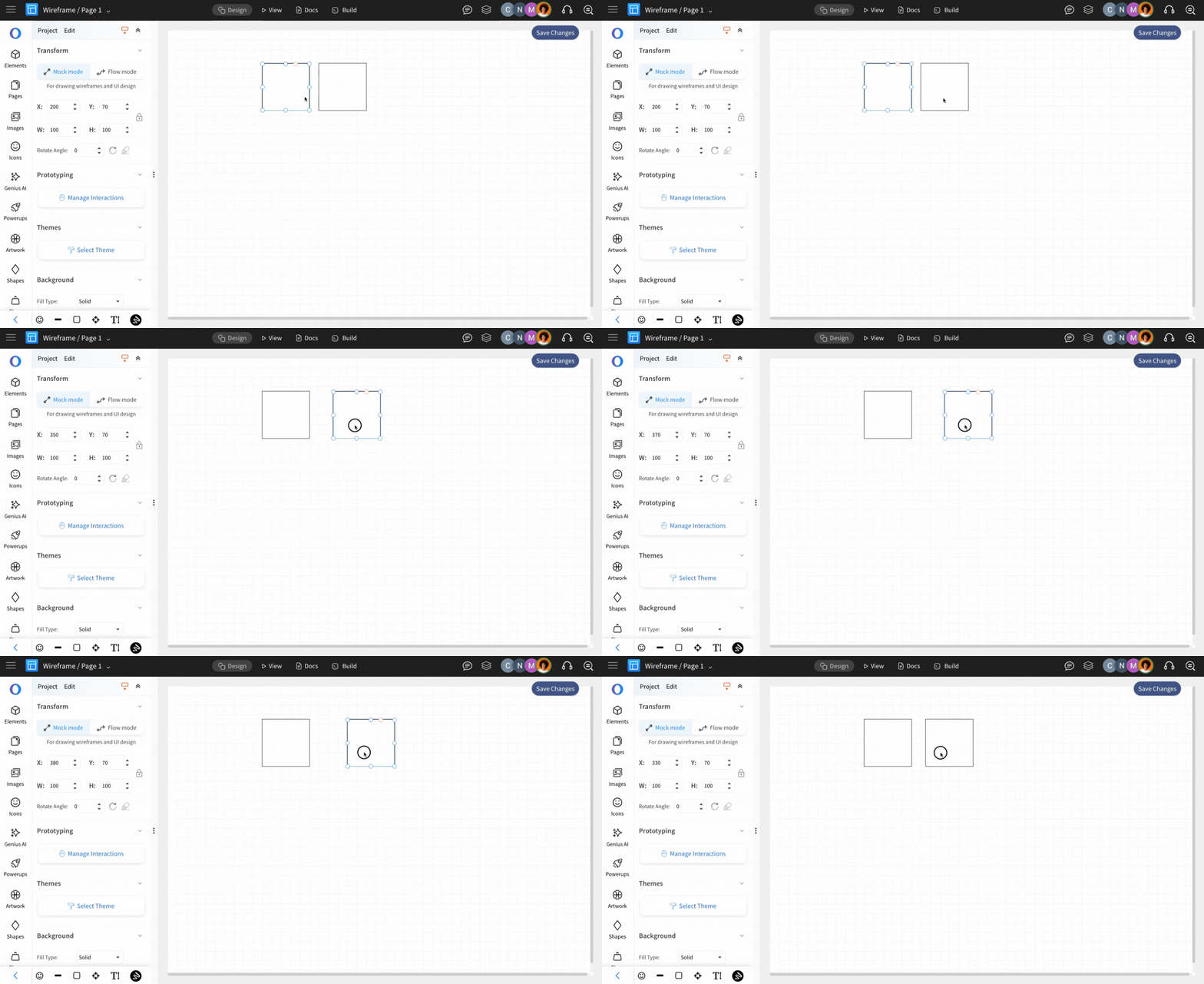
Snap to Grid in Wireframe editor
By default, when you move components in the Wireframe editor, it does not snap-to-grid. However, if you want to snap components...
By default, when you move components in the Wireframe editor, it does not snap-to-grid. However, if you want to snap components by a certain distance when you move them, it can be configured in "Grid Settings" as shown below. Once enabled, the settings are saved with the project.
Configure snap-to-grid settings
Open the grid settings by selecting ‘Pages’ or by clicking ‘Project’ from the top menu in the Wireframing editor sidebar.
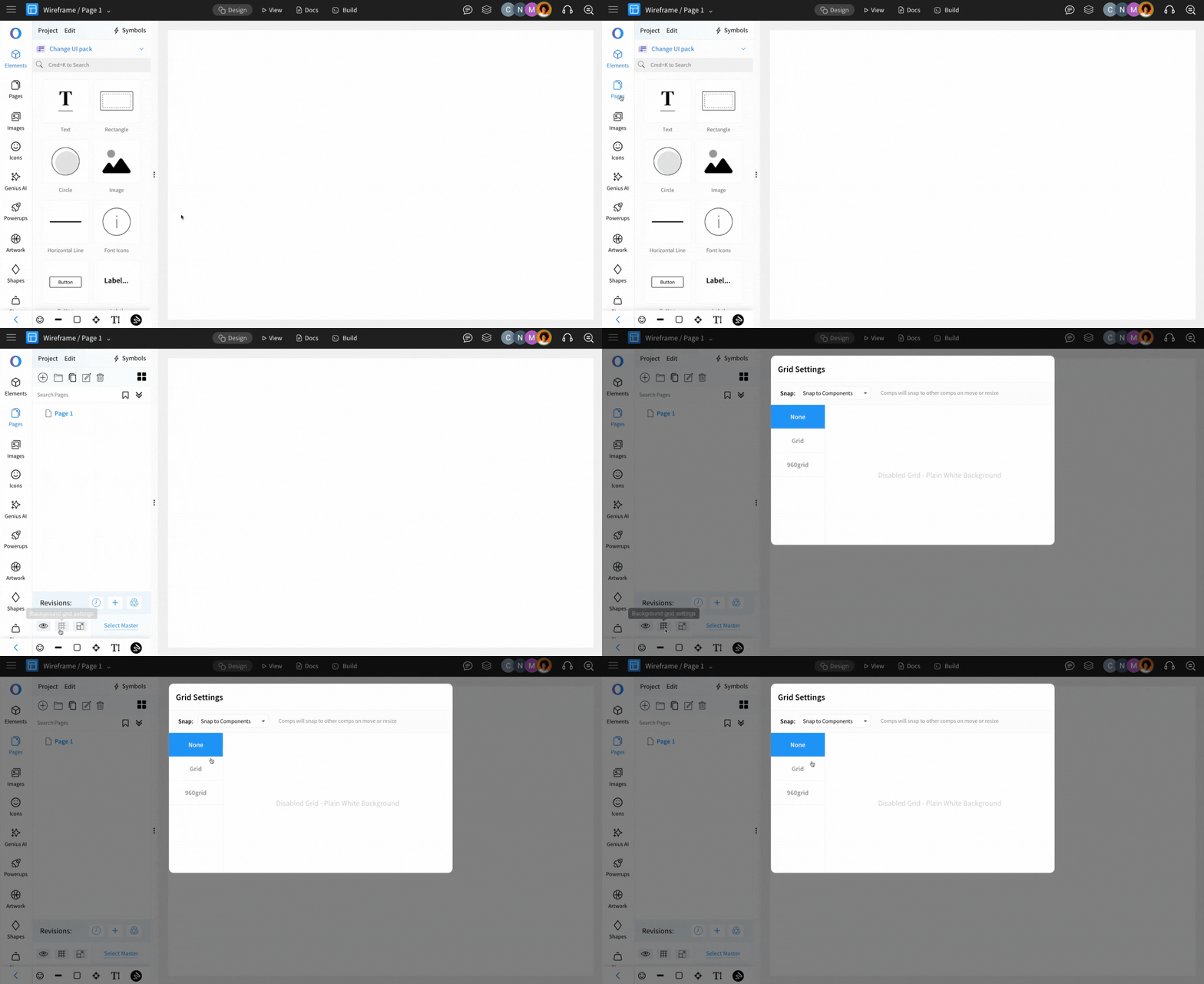
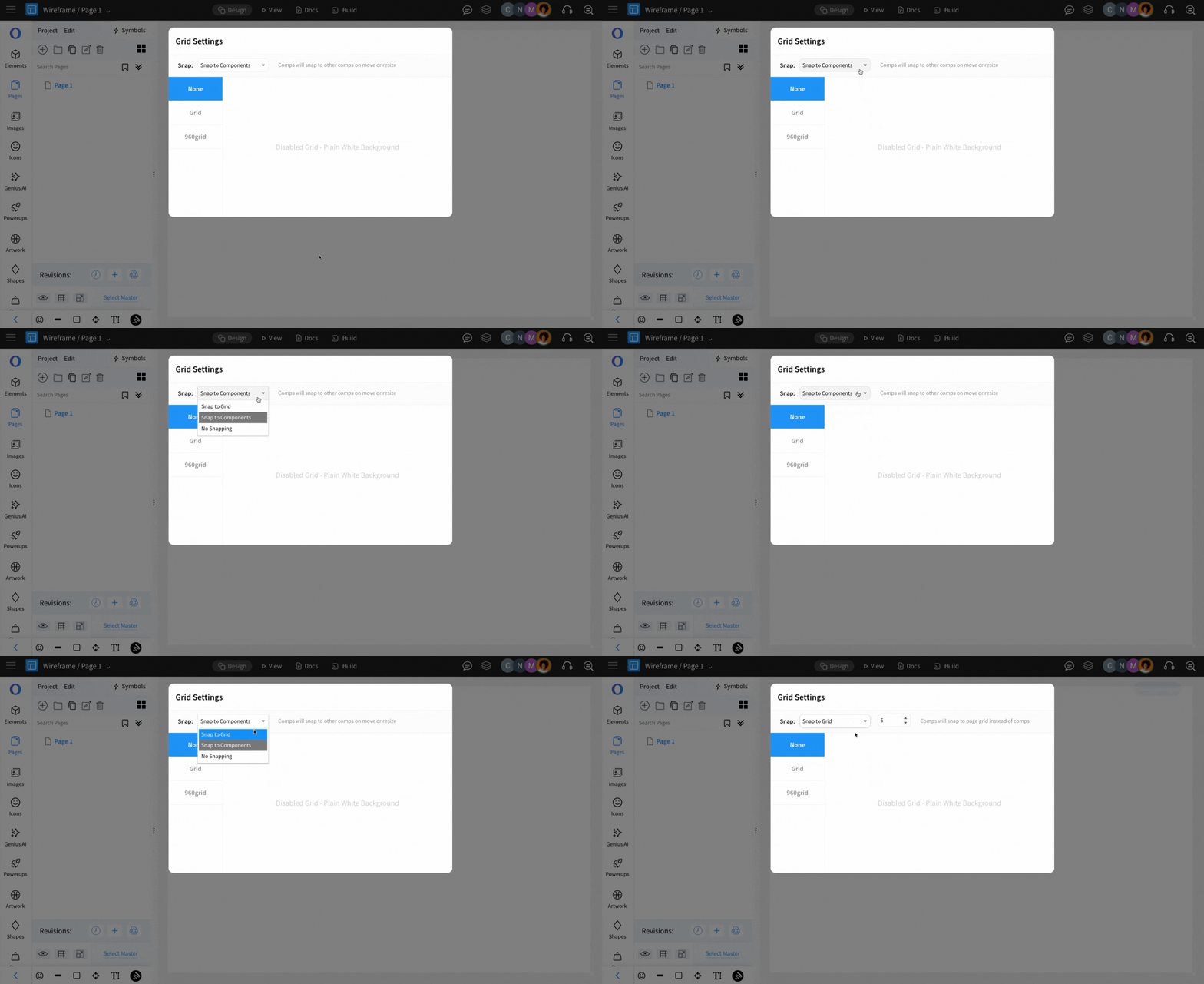
In the grid settings, enable ‘Snap to Grid’.
Enter the desired snap position value, which determines the spacing for component movement.
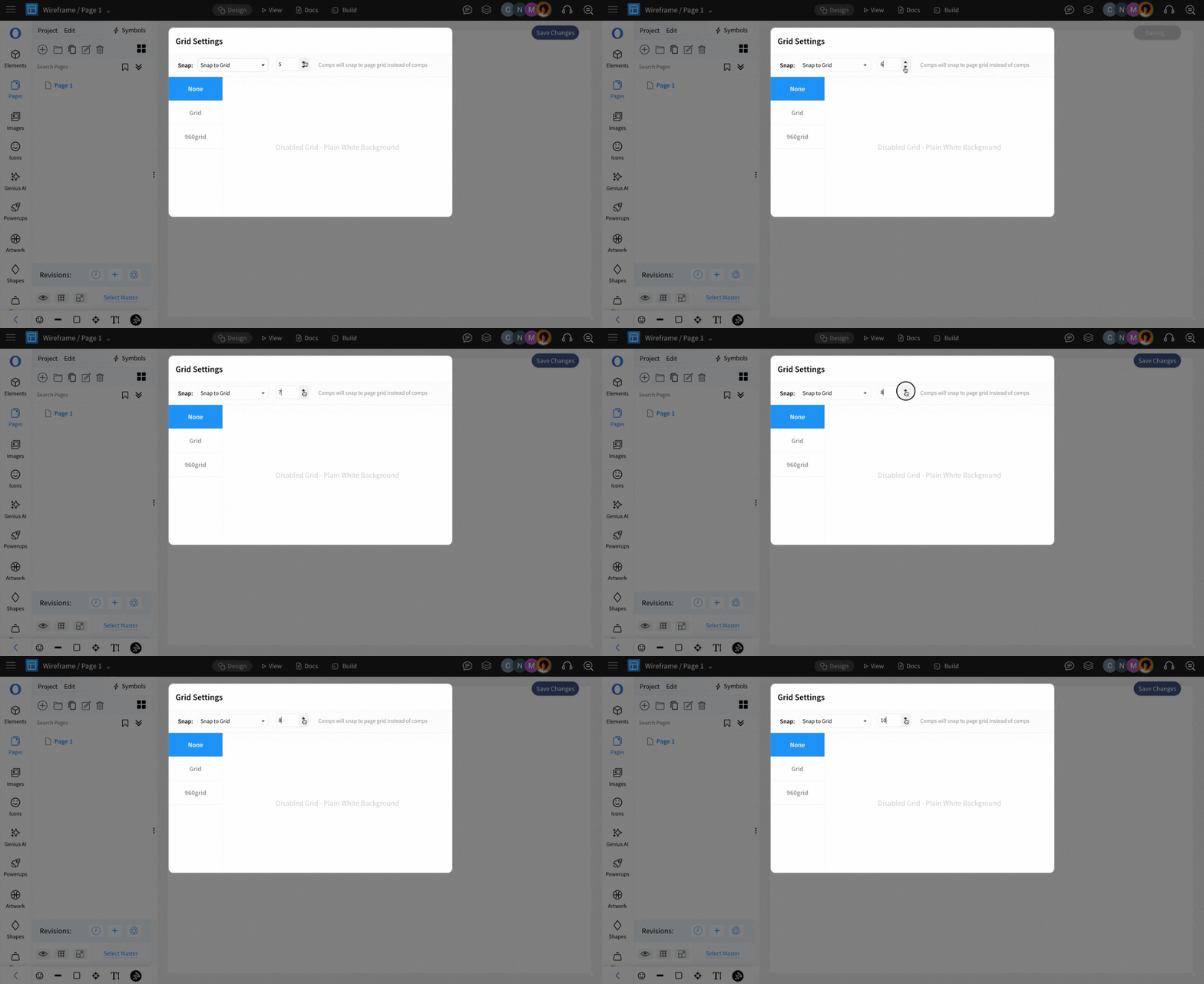
Components will now move based on the specified snap position, ensuring consistent alignment and spacing.